


NetSuite Android App: How Businesses Connect Warehouse and Field Operations
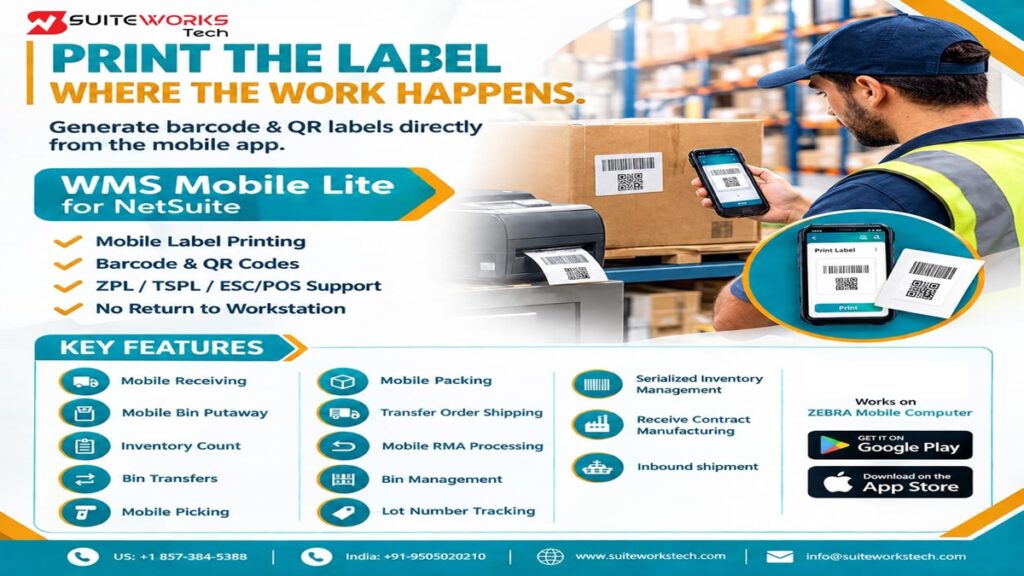
NetSuite Android App: How Businesses Connect Warehouse and Field Operations By Manasa, Sr. NetSuite Solution Architect at SuiteWorks TechSeptember 29, 2026 Work does not always happen at a desk. A warehouse employee may be receiving inventory, a technician may be standing at a customer location, or a field worker may need to update a job while equipment is being serviced. In these situations, waiting to return to a computer can separate the physical work from the information that needs to be recorded in NetSuite. A NetSuite Android App brings supported NetSuite workflows directly to Android devices, allowing employees to perform operational activities from the location where the work is happening. The supplied SuiteWorks Tech solutions show how mobile workflows can support warehouse management and field service while keeping activities connected with NetSuite. For businesses using NetSuite, the important part is not simply having access through a mobile device. It is being able to complete supported activities and keep the resulting information synchronized with the NetSuite environment. NetSuite Android App for Warehouse Operations Walk into a busy warehouse and the work is immediately physical. Inventory arrives, employees check products, items are placed into bins, Sales Orders are picked, packages are prepared, and shipments leave the facility. The NetSuite WMS Mobile App by SuiteWorks Tech brings these warehouse activities to Android and iPhone devices. Mobile Receiving From the Warehouse Floor Warehouse employees can receive inventory against NetSuite Purchase Orders directly from their mobile devices. Using barcode and QR code scanning, they can validate: 🔹 Items 🔹 Quantities 🔹 Lots 🔹 Serial numbers 🔹 Bins Inventory information is updated in real time, keeping the receiving activity connected with NetSuite. The same mobile workflow supports inbound shipment management. Users can view inbound shipment details, receive items against associated purchase orders, and capture lot, serial, and bin information during receiving. For warehouse teams, the NetSuite Android App therefore becomes part of the physical receiving process rather than simply being a way to view warehouse information. NetSuite Android App for Picking, Packing, and Shipping Receiving inventory is only one stage of warehouse execution. Once products are stored, customer orders need to be fulfilled. The WMS Mobile Lite workflow supports picking items against one or multiple NetSuite Sales Orders using barcode or QR code scanning. From Picking to Shipment Warehouse employees can follow a connected mobile workflow: 🔹 Put received inventory into the correct bins. 🔹 Pick items against one or multiple Sales Orders. 🔹 Batch pick multiple Sales Orders in a single trip. 🔹 Confirm packed quantities. 🔹 Update Item Fulfillment status to Packed. 🔹 Ship completed orders from the mobile application. 🔹 Ship inventory against Transfer Orders. During picking, barcode or QR code scanning provides real-time inventory validation. Batch picking can also reduce warehouse travel time when multiple Sales Orders need to be picked. The mobile workflow continues through packing and shipping, keeping fulfillment activity connected with NetSuite. NetSuite Android App for Inventory Counts and Bin Transfers Warehouse inventory is constantly changing. Products can move between bins, be counted, picked, packed, shipped, or returned. The WMS Mobile Lite solution allows employees to perform inventory counts directly from Android or iPhone devices without paper count sheets. Count Inventory Where It Is Stored Inventory can be counted by: 🔹 Item 🔹 Bin 🔹 Lot 🔹 Serial number The resulting quantities can be updated in NetSuite. Warehouse employees can also move inventory between bins using barcode scanning. Each transfer is instantly synchronized with NetSuite, helping maintain accurate inventory locations. This is one of the practical areas where a NetSuite Android App connects physical warehouse movement with the corresponding ERP information. NetSuite Android App for Barcode and QR Code Scanning A mobile workflow becomes particularly useful when employees can capture information while handling the actual inventory. The NetSuite WMS Mobile App by SuiteWorks Tech uses the built-in camera on Android and iPhone devices for barcode and QR code scanning. Dedicated scanning hardware is not required for the supported mobile scanning workflow. Reduce Manual Inventory Entry Employees can scan products and warehouse information during several activities: 🔹 Receiving 🔹 Putaway 🔹 Picking 🔹 Packing 🔹 Shipping 🔹 Inventory counting 🔹 Bin transfers 🔹 Lot tracking 🔹 Serialized inventory management Scanning can validate warehouse information during the transaction while reducing the need for manual data entry. The solution also supports lot-numbered inventory through receiving, movement, counting, picking, and shipping. Serialized inventory can be scanned during receiving, counts, transfers, picking, packing, shipping, and returns. NetSuite Android App for Field Service Operations Warehouse employees are not the only users who need mobile access. Field technicians also work away from a traditional office. A technician may arrive at a customer location with a scheduled maintenance job. The technician needs access to the job, parts, progress information, and the ability to record what was completed. The NetSuite Field Service Management Mobile App by SuiteWorks Tech provides mobile access for field technicians on Android and iOS devices. Manage Jobs Directly From the Field Technicians can update job status, enter time details, and capture images of work performed. The mobile workflow also supports: 🔹 Job start and end information 🔹 Tasks performed 🔹 Parts used 🔹 GPS location 🔹 Maintenance checklist responses 🔹 Technician sign-off 🔹 Customer sign-off This information is integrated with NetSuite, allowing field activity to be reflected in the ERP environment. For technicians who spend most of their working day outside the office, a NetSuite Android App provides a way to record supported job activities from the field itself. NetSuite Android App for Technician Tracking Field service work can involve multiple technicians, scheduled maintenance, job reassignment, rescheduling, parts, consumables, and customer interactions. The supplied Field Service Management solution supports technician dispatch and job tracking, including technician assignment based on skill sets and availability. Capture Work Information in Real Time Technicians can maintain detailed work logs through the mobile app, including: 🔹 Job start and end times 🔹 Tasks performed 🔹 Parts used 🔹 GPS location The mobile
NetSuite Mobile App: 7 Ways Mobile Workflows Simplify Daily NetSuite Operations
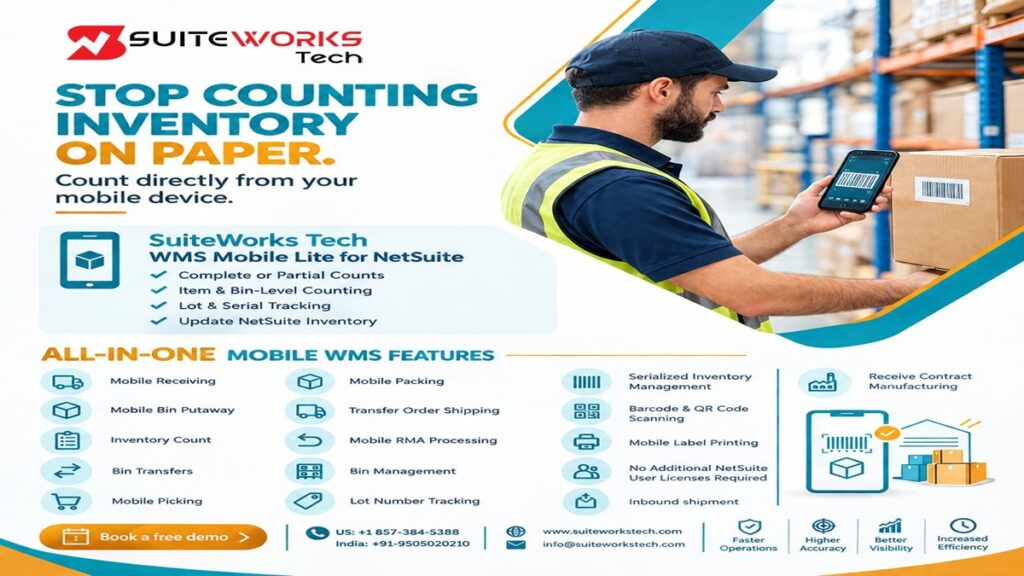
NetSuite Mobile App: 7 Ways Mobile Workflows Simplify Daily NetSuite Operations By Manasa, Sr. NetSuite Solution Architect at SuiteWorks TechSeptember 29, 2026 Work does not always happen in front of a computer. A technician may be standing at a customer location, a warehouse employee may be receiving inventory, a driver may be completing a delivery, or an employee may be travelling with receipts that need to be submitted. In each situation, the work needs to be captured while it is happening. A NetSuite Mobile App can bring supported NetSuite workflows directly to smartphones and tablets, helping employees perform business activities from the location where the work takes place. The mobile solutions provided by SuiteWorks Tech cover field service, warehouse management, rental operations, delivery routing, and expense management. For businesses using NetSuite, mobile access is not simply about viewing information on a phone. The supplied solutions connect mobile activities with NetSuite workflows so that updates can flow back into the ERP environment. Here are seven practical ways mobile workflows can simplify daily NetSuite operations. NetSuite Mobile App for Field Service Job Execution Imagine a technician arriving at a customer location for a scheduled maintenance job. The technician needs to view the job, understand what needs to be completed, record work performed, and update the job before leaving the site. The NetSuite Field Service Management Mobile App by SuiteWorks Tech gives field technicians access to jobs, parts, and progress information through Android and iOS devices. 1. Manage Service Jobs From the Field Technicians can update job status, enter time details, and capture images of work performed directly through the mobile application. The workflow also supports: 🔹 Job start and end information 🔹 Tasks performed 🔹 Parts used 🔹 GPS location 🔹 Maintenance checklist responses 🔹 Technician sign-off 🔹 Customer sign-off The mobile app integrates with NetSuite so updates can be reflected in the ERP environment. This gives technicians a way to complete supported service activities without returning to a desktop for every update. The field service solution also supports dynamic maintenance checklists, technician work logs, GPS job tracking, parts requests, consumables tracking, and automated billing for completed jobs. NetSuite Mobile App for Warehouse Operations Warehouse operations involve constant physical movement. Inventory arrives, products are placed into bins, orders are picked, goods are packed, and shipments are completed. The NetSuite WMS Mobile App by SuiteWorks Tech brings these activities to Android and iPhone devices. 2. Receive, Pick, Pack, and Ship Inventory Warehouse employees can receive inventory against NetSuite Purchase Orders directly from mobile devices. Barcode and QR code scanning can validate items, quantities, lots, serial numbers, and bins. The workflow continues through the warehouse: 🔹 Mobile bin putaway 🔹 Bin management 🔹 Picking against one or multiple Sales Orders 🔹 Batch picking 🔹 Mobile packing 🔹 Mobile shipping 🔹 Inventory counting 🔹 Bin transfers 🔹 Transfer Order shipping 🔹 Mobile RMA processing The built-in camera can scan barcodes and QR codes without dedicated scanning hardware for the supported workflow. The WMS Mobile Lite solution works natively within NetSuite, and warehouse transactions and fulfillment updates synchronize with NetSuite. NetSuite Mobile App for Rental Equipment Operations Rental businesses have another type of mobile requirement. Operators may be working directly with equipment while managers need access to rental information and operator time entries. 3. Record Equipment Usage From Mobile Devices The NetSuite Rental Management Mobile App by SuiteWorks Tech supports field operators and managers on Android and iOS devices. Operators can log equipment usage hours directly from their mobile devices. The mobile workflow also supports creating rental estimates or orders. Managers can review and approve operator time entries from their mobile devices. The rental solution provides access to rental contracts, operation logs, and time entries, with updates synchronized with NetSuite. GPS coordinates can also be captured when an operator starts and ends equipment operations and viewed through Google Maps. This allows rental activities to be recorded from where equipment is actually being operated. NetSuite Mobile App for Delivery Management A delivery driver spends much of the working day away from the office. Routes, customer information, delivery outcomes, signatures, photographs, timestamps, and GPS information all need to be captured during the delivery process. 4. Manage Routes and Delivery Stops The NetSuite Delivery Routing Mobile App by SuiteWorks Tech gives drivers access to assigned routes and customer details through Android and iOS devices. Drivers can: 🔹 View assigned routes and stops 🔹 Navigate using Google Maps 🔹 Mark deliveries as Delivered or Failed 🔹 Record reasons for failed deliveries 🔹 Capture customer signatures 🔹 Upload delivery photos 🔹 Capture timestamps and GPS information When the route is submitted, delivery outcomes synchronize back to NetSuite. Sales Orders, Item Fulfillments, and Route records can be updated with delivery statuses and timestamps. For delivery teams, this creates a mobile workflow connecting route execution with information maintained in NetSuite. NetSuite Mobile App for Expense Submission Mobile operations are not limited to technicians, warehouse employees, or drivers. Employees who travel or work away from the office may also need to capture business expenses. 5. Capture Receipts While You Are Away From the Office The NetSuite Expense Management Mobile App by SuiteWorks Tech supports mobile receipt capture and expense submission. Employees can photograph receipts or upload expense documents through their mobile devices. AI-powered OCR extracts information such as: 🔹 Merchant name 🔹 Expense date 🔹 Amount 🔹 Category suggestions 🔹 Receipt details AI-powered mapping then places the extracted information into the appropriate NetSuite Expense Report fields. Employees can also record travel purpose, location, and expense notes. Multiple receipts can be attached to a single expense report, while the solution supports currencies including USD, CAD, EUR, and other global currencies. The workflow can therefore move from mobile receipt capture to OCR extraction, AI mapping, expense report creation, and approval. NetSuite Mobile App for Real-Time Job Tracking Field service work often involves several activities that need to be recorded accurately. Technicians need to capture when a job starts, what
NetSuite Scanner App for WMS: How to Capture Inventory Data Where the Work Actually Happens
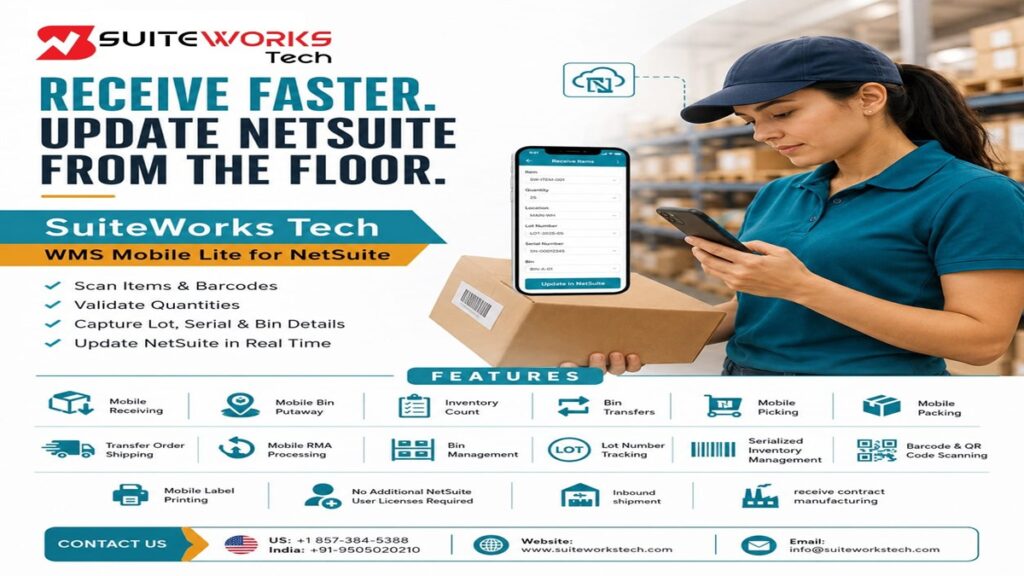
NetSuite Scanner App for WMS: How to Capture Inventory Data Where the Work Actually Happens By Manasa, Sr. NetSuite Solution Architect at SuiteWorks TechSeptember 29, 2026 A warehouse is a place where inventory is constantly moving. Products arrive against Purchase Orders, employees place them into bins, Sales Orders need to be picked, packed quantities need to be confirmed, and completed orders have to be shipped. At the same time, inventory may need to be counted, transferred, returned, or tracked by lot and serial number. The challenge is keeping those physical activities connected with the information inside NetSuite. A NetSuite Scanner can bring inventory scanning directly to the warehouse floor. Instead of separating the physical handling of products from inventory transactions, warehouse employees can use mobile devices to scan items, bins, quantities, lots, and serial numbers while completing supported warehouse activities. The NetSuite WMS Mobile App by SuiteWorks Tech is designed for this type of mobile warehouse execution. It brings essential warehouse processes to iPhone and Android smartphones and works natively within NetSuite. For businesses using NetSuite, the focus is on capturing warehouse information where the work actually happens and keeping that information synchronized with the ERP. NetSuite Scanner for Mobile Receiving The first place a scanner becomes useful is at receiving. When inventory arrives, warehouse employees need to identify what has been received, validate quantities, and capture information such as lots, serial numbers, and bins. With the NetSuite WMS Mobile App by SuiteWorks Tech, warehouse users can receive inventory directly from iPhone or Android devices against NetSuite Purchase Orders. Scan Inventory as It Arrives The mobile device’s built-in camera can scan barcodes and QR codes. Warehouse staff can use scanning to validate: 🔹 Items 🔹 Quantities 🔹 Lots 🔹 Serial numbers 🔹 Bins Inventory is updated in real time, allowing the information captured during receiving to remain connected with NetSuite. Manage Inbound Shipments on the Warehouse Floor Inbound shipment management is also available through the mobile application. Users can view inbound shipment details, receive items against associated Purchase Orders, and capture lot, serial, and bin information during the receiving process. This means employees can capture inventory details while physically handling the incoming products rather than relying on a separate manual process. NetSuite Scanner for Accurate Bin Putaway Receiving an item is only the beginning of its warehouse journey. After receiving, products need to be placed into the correct warehouse bins. The mobile workflow supports putaway using NetSuite Putaway Worksheets. Warehouse staff can scan both items and destination bins from their mobile devices. Keep Inventory Locations Accurate Bin management is used across several warehouse activities, including receiving, putaway, picking, transfers, and inventory counting. A NetSuite Scanner can be used to validate source and destination bins while inventory is being moved. Barcode scanning helps connect the physical movement of an item with its inventory location inside NetSuite. This creates a continuous mobile workflow from receiving the product to placing it in the appropriate warehouse location. NetSuite Scanner for Picking Sales Orders Once inventory has been received and placed into bins, warehouse teams need to fulfill Sales Orders. Picking is another point where employees work directly with physical inventory while NetSuite needs accurate transaction information. The NetSuite WMS Mobile App by SuiteWorks Tech supports mobile picking against one or multiple NetSuite Sales Orders using barcode or QR code scanning. Pick Items With Real-Time Validation Warehouse users can scan products while picking. The workflow provides real-time inventory validation as employees complete their picking activities. For high-volume operations, multiple Sales Orders can also be picked during a single trip through batch picking. Batch Picking From One Mobile Workflow Batch picking allows warehouse employees to pick multiple Sales Orders in one trip. This reduces warehouse travel time while supporting faster order fulfillment. The scanner therefore becomes part of the actual picking activity. Employees handle the inventory, scan the items, and continue the workflow through the mobile device. The physical stock and the NetSuite transaction remain connected during the picking process. NetSuite Scanner for Packing and Shipping After picking, the warehouse workflow moves into packing and shipping. The same mobile approach can continue through these stages. Confirm Packed Quantities Warehouse users can confirm packed quantities directly from the mobile application. The NetSuite Item Fulfillment status can be updated to Packed, providing visibility into the fulfillment stage before shipment. Scan and Confirm Shipments Completed orders can be shipped from the mobile application against one or multiple NetSuite Sales Orders. Warehouse users can confirm shipments using barcode scanning, while Item Fulfillment and inventory information are automatically updated in NetSuite. The workflow also supports Transfer Order Shipping. Users can scan items and source bins when shipping inventory against NetSuite Transfer Orders, supporting accurate inter-warehouse inventory movements. NetSuite Scanner for Inventory Counts and Transfers Inventory does not stay in one place. Products can move between bins, be counted, picked, shipped, returned, or tracked by lot and serial number. Because of this, scanning can be used beyond receiving and picking. Perform Inventory Counts Without Paper Warehouse users can perform complete or partial inventory counts directly from mobile devices. Counts can be performed by: 🔹 Item 🔹 Bin 🔹 Lot 🔹 Serial number The resulting quantities can be updated in NetSuite without using paper count sheets. This keeps the inventory-counting process within the same mobile warehouse environment. Move Inventory Between Bins The mobile workflow also supports bin transfers. Warehouse employees can use barcode scanning on iPhone or Android devices to move inventory between warehouse bins. Each transfer is instantly synchronized with NetSuite. This helps maintain accurate inventory locations as products move around the warehouse. NetSuite Scanner for Barcode and QR Code Workflows Barcode and QR code scanning is one of the central capabilities of the supplied WMS Mobile Lite solution. The mobile device’s built-in camera can be used to scan barcodes and QR codes, meaning dedicated scanning hardware is not required for the supported workflow. Reduce Manual Data Entry Fast mobile scanning supports warehouse activities while
Zebra Printer compatible netsuite mobile app for wms
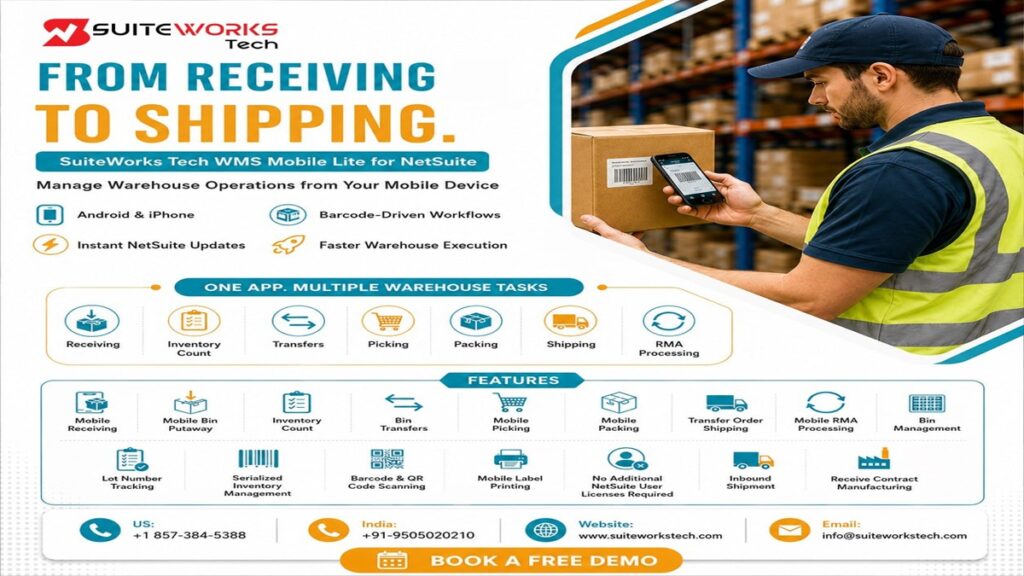
Zebra Printer compatible netsuite mobile app for wms By Manasa, Sr. NetSuite Solution Architect at SuiteWorks TechSeptember 22, 2026 Warehouse operations often involve a simple but important task: identifying inventory correctly. Items need to be received, placed into bins, picked, packed, transferred, counted, and shipped. During these activities, barcode and QR code labels can help warehouse employees work with inventory directly from the warehouse floor. For businesses using NetSuite for warehouse management, mobile scanning combined with mobile label printing can keep these activities connected. The NetSuite WMS Mobile App by SuiteWorks Tech brings warehouse execution to Android and iOS devices, including barcode and QR code scanning and mobile label printing. A key capability for businesses looking for a netsuite zebra printer workflow is support for compatible label printers using ZPL, TSPL, and ESC/POS printer languages. This allows barcode and QR code item labels to be generated and printed directly from the mobile application without requiring warehouse staff to return to a workstation. Why NetSuite Zebra Printer Compatibility Matters in WMS A warehouse employee may need to identify an item immediately after receiving it or while moving inventory into another bin. If printing a label requires returning to a desktop workstation, the warehouse workflow can become disconnected from the activity happening on the floor. The mobile WMS approach addresses this by allowing warehouse users to generate and print barcode or QR code item labels directly from the mobile application. For a netsuite zebra printer setup, compatibility with supported printer languages is an important part of the workflow. The WMS Mobile Lite solution supports compatible label printers using: 🔹 ZPL 🔹 TSPL 🔹 ESC/POS This printer support works alongside mobile warehouse activities such as receiving, putaway, inventory movement, and other supported processes. NetSuite Zebra Printer and Mobile Label Printing The connection between mobile scanning and label printing becomes useful when warehouse employees need to identify inventory without leaving their working area. With the NetSuite WMS Mobile App by SuiteWorks Tech, warehouse employees can use mobile devices to scan items and complete warehouse activities in real time. The mobile application also provides mobile label printing so barcode and QR code item labels can be generated directly from the device. A netsuite zebra printer workflow can therefore fit naturally into a mobile warehouse process where labels need to be available at the point of activity. Instead of treating label printing as a separate desktop task, the mobile workflow keeps scanning, warehouse execution, and supported label printing closer together. NetSuite Zebra Printer for Receiving and Inventory Identification Receiving is one of the first stages where inventory enters a warehouse. The WMS Mobile Lite solution allows employees to receive inventory against NetSuite Purchase Orders using iPhone or Android devices. Barcode and QR code scanning can validate items, quantities, lots, serial numbers, and bins while inventory is updated in real time. When item labels are required during warehouse execution, mobile label printing provides another step within the same mobile environment. For businesses using a netsuite zebra printer with compatible printer language support, this can be particularly relevant for generating barcode or QR code item labels without requiring the warehouse employee to return to a workstation. The process remains centered around the mobile device and NetSuite inventory information. NetSuite Zebra Printer During Bin and Warehouse Activities Once inventory has been received, warehouse employees may need to place it into the correct bin. The WMS Mobile Lite solution supports mobile bin putaway using NetSuite Putaway Worksheets. Employees can scan destination bins and items through the mobile application to support accurate inventory placement. Bin management also validates source and destination bins during receiving, putaway, picking, transfers, and inventory counting. When labels are needed for inventory identification, the netsuite zebra printer capability can complement these mobile workflows. Barcode or QR code labels can be generated and printed from the mobile app using compatible printers. This keeps the label creation process closer to warehouse execution rather than requiring a separate workstation-based step. How NetSuite Zebra Printer Support Works With Barcode Scanning Barcode scanning and label printing serve different parts of the same warehouse workflow. Scanning helps warehouse employees identify and validate inventory. Printing allows barcode or QR code labels to be created when item identification requires a new or updated label. The WMS Mobile Lite solution supports barcode and QR code scanning through the built-in camera on iPhone and Android devices. Dedicated scanning hardware is not required for this mobile scanning capability. At the same time, mobile label printing supports compatible printers using ZPL, TSPL, and ESC/POS printer languages. A netsuite zebra printer workflow can therefore be viewed as part of a broader mobile warehouse process: 🔹 Scan the item or QR code 🔹 Complete the required warehouse transaction 🔹 Keep inventory information synchronized with NetSuite 🔹 Generate a barcode or QR code item label when required 🔹 Print the label directly from the mobile application The exact warehouse activity depends on the process being performed, but the mobile environment keeps these supported activities connected. NetSuite Zebra Printer for Picking, Packing and Shipping The WMS Mobile Lite solution also supports mobile picking, packing, and shipping. During picking, warehouse employees can scan items against one or multiple NetSuite Sales Orders. Barcode or QR code scanning provides real-time inventory validation. After picking, employees can confirm packed quantities through the mobile application. The NetSuite Item Fulfillment status can then be updated to Packed. Mobile shipping allows completed orders to be shipped against one or multiple NetSuite Sales Orders, with barcode scanning used to confirm shipments and update Item Fulfillment and inventory in NetSuite. While these activities focus primarily on fulfillment, the netsuite zebra printer capability provides a related option for generating barcode or QR code labels directly from the mobile application when labels are part of the warehouse process. NetSuite Zebra Printer for Inventory Traceability Inventory traceability becomes especially important when businesses manage lot-numbered or serialized products. The WMS Mobile Lite solution supports lot number tracking during
NetSuite Scanner Mobile App: How Growing Warehouses Can Reduce Repetitive Data Entry
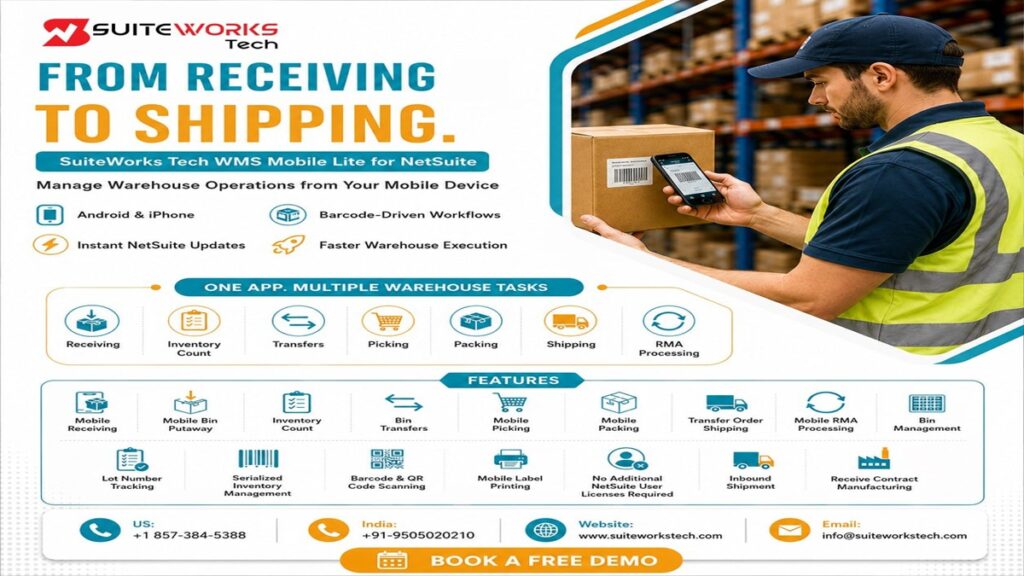
NetSuite Scanner Mobile App: How Growing Warehouses Can Reduce Repetitive Data Entry By Manasa, Sr. NetSuite Solution Architect at SuiteWorks TechSeptember 26, 2026 A warehouse employee may handle the same type of information many times during a single shift. An item arrives and needs to be identified. A quantity needs to be confirmed. A bin needs to be selected. Later, that inventory may be picked, packed, transferred, counted, or shipped. When these activities depend heavily on manual data entry, the same inventory information can have to be entered again and again. A mobile scanning workflow changes where that information is captured. With a NetSuite Scanner, warehouse employees can use barcode and QR code scanning directly from mobile devices while completing warehouse activities. Instead of separating the physical task from the system update, the scanning process becomes part of the task itself. The NetSuite WMS Mobile App by SuiteWorks Tech brings these warehouse workflows to iPhone and Android devices, with real-time synchronization with NetSuite ERP. NetSuite Scanner Starts With Mobile Inventory Work Imagine an employee receiving a shipment at the warehouse. The products are physically in front of them, but the inventory information also needs to reach NetSuite accurately. With mobile receiving, the employee can receive inventory directly from an iPhone or Android device against NetSuite Purchase Orders. Barcode and QR code scanning can validate: 🔹 Items 🔹 Quantities 🔹 Lots 🔹 Serial numbers 🔹 Bins The inventory can then be updated in real time. The important part is that the employee does not have to treat scanning and inventory updating as completely separate activities. The mobile workflow allows the information to be captured while the warehouse work is happening. This is where a NetSuite Scanner becomes useful for warehouses looking to reduce repetitive data entry. NetSuite Scanner for Receiving and Inbound Shipments Receiving is one of the first places where repetitive inventory entry can occur. Warehouse teams need to identify incoming items, confirm quantities, and capture relevant inventory details. Inbound shipments also need to be associated with the appropriate Purchase Orders. Capturing Information at the Receiving Point The mobile application allows users to view inbound shipment details and receive items against associated Purchase Orders. During this process, warehouse staff can capture: 🔹 Lot information 🔹 Serial information 🔹 Bin information 🔹 Item and quantity information Instead of manually entering each piece of information, barcode and QR code scanning can be used to validate the inventory during receiving. This creates a more direct workflow between the physical shipment and the inventory transaction. NetSuite Scanner for Faster Bin Putaway Receiving inventory is only the beginning. Once products arrive, they need to be placed into the correct warehouse bins. The WMS Mobile Lite workflow supports mobile bin putaway using NetSuite Putaway Worksheets. Scanning the Item and Destination Bin Warehouse staff can scan destination bins and items directly from the mobile application. Bin management also supports validation of source and destination bins throughout: 🔹 Receiving 🔹 Putaway 🔹 Picking 🔹 Transfers 🔹 Inventory counting The barcode scanning process helps ensure that inventory is associated with the correct location. For a warehouse employee, this means the item and its destination can be handled through the mobile workflow rather than requiring repeated manual entry. NetSuite Scanner for Picking Without Repeated Manual Entry Picking is another warehouse activity where employees repeatedly work with item information. The mobile picking workflow allows warehouse operators to pick items against one or multiple NetSuite Sales Orders using barcode or QR code scanning. Connecting the Item With the Sales Order The scanning process provides real-time inventory validation during picking. For high-volume operations, batch picking allows multiple Sales Orders to be picked during a single trip. This reduces warehouse travel time while accelerating order fulfillment. The workflow therefore combines the physical picking activity with the inventory transaction. Instead of treating the warehouse floor and NetSuite as two separate steps, the mobile application connects them through scanning. NetSuite Scanner for Packing and Shipping After an item has been picked, the same inventory continues through packing and shipping. The mobile workflow allows warehouse users to confirm packed quantities directly from the application and update the NetSuite Item Fulfillment status to Packed. From Packing to Shipment For shipping, users can complete orders against one or multiple NetSuite Sales Orders. Barcode scanning can be used to confirm shipments while Item Fulfillment and inventory are updated in NetSuite. Transfer Order Shipping is also supported. Warehouse users can scan items and source bins while shipping inventory against NetSuite Transfer Orders. This means the same mobile approach continues as inventory moves through the next stages of fulfillment. NetSuite Scanner for Inventory Counts and Bin Transfers Manual inventory counting can create another repetitive task for warehouse teams. The mobile inventory count workflow allows employees to perform complete or partial inventory counts directly from their mobile devices without paper count sheets. Inventory can be counted by: 🔹 Item 🔹 Bin 🔹 Lot 🔹 Serial number The resulting stock quantities can then be updated in NetSuite. Bin transfers can also be completed through barcode scanning on iPhone or Android devices. Employees can move inventory between warehouse bins while the transfer is synchronized with NetSuite. This gives warehouse employees a way to capture inventory movements as they happen instead of recording them separately for later entry. Barcode and QR Code Scanning Without Dedicated Hardware One of the practical aspects of the mobile workflow is that the built-in camera on iPhone or Android devices can be used for barcode and QR code scanning. The scanning capability supports warehouse activities including: 🔹 Receiving 🔹 Putaway 🔹 Picking 🔹 Packing 🔹 Shipping 🔹 Inventory counting 🔹 Bin transfers 🔹 Lot tracking 🔹 Serialized inventory management Fast mobile scanning helps reduce manual data entry while allowing warehouse staff to remain focused on the physical task. The workflow also supports mobile label printing. Barcode and QR code item labels can be generated and printed directly from the mobile application without returning
Zebra Scanner Compatible NetSuite Warehouse Mobile App
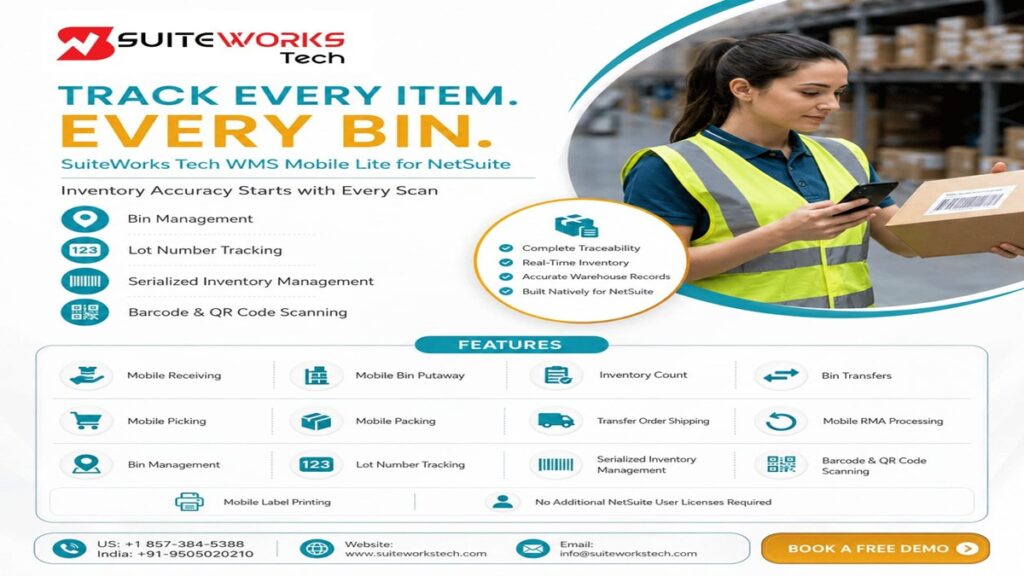
Zebra Scanner Compatible NetSuite Warehouse Mobile App By Manasa, Sr. NetSuite Solution Architect at SuiteWorks TechSeptember 22, 2026 A warehouse can move quickly when every scan, receipt, pick, and inventory transaction happens at the right moment. But when warehouse employees have to switch between physical activities and manual system entry, even simple warehouse tasks can become difficult to manage. Receiving goods, checking quantities, confirming bins, picking sales orders, counting inventory, and processing returns all require accurate information. As warehouse activity increases, businesses need mobile tools that can connect these physical warehouse activities with their NetSuite environment. This is where a Zebra Scanner NetSuite Warehouse workflow can support mobile warehouse execution. The supplied SuiteWorks Tech solution content specifically references a Zebra Mobile Computer and provides barcode and QR-code scanning capabilities for warehouse activities. The NetSuite WMS Mobile App by SuiteWorks Tech extends essential warehouse processes to Android and iPhone devices, supporting receiving, putaway, picking, packing, shipping, inventory counting, transfers, and returns. For warehouses using mobile scanning every day, the goal is not simply to capture a barcode. The scan needs to become part of the warehouse transaction and remain synchronized with NetSuite. Why Zebra Scanner NetSuite Warehouse Workflows Matter Warehouse employees spend most of their time moving and handling inventory rather than sitting at a workstation. A typical warehouse workflow can involve: 🔹 Receiving inventory against NetSuite Purchase Orders🔹 Checking quantities and item information🔹 Confirming lot and serial numbers🔹 Moving products into warehouse bins🔹 Picking against Sales Orders🔹 Packing and shipping completed orders🔹 Counting inventory🔹 Transferring inventory between bins🔹 Processing returns A Zebra Scanner NetSuite Warehouse approach brings scanning into these activities so employees can validate information while completing the physical transaction. The SuiteWorks Tech WMS Mobile Lite solution supports barcode and QR-code scanning and is available for Android and iPhone devices. The supplied webpage also specifically shows a Zebra Mobile Computer reference, connecting the solution to mobile warehouse scanning workflows. How Zebra Scanner NetSuite Warehouse Scanning Works A warehouse may need employees to scan products while receiving, picking, transferring, or counting inventory. The supplied solution content specifically references a Zebra Mobile Computer and supports barcode and QR-code scanning through mobile devices. Scanning can be used for: 🔹 Inventory items🔹 Warehouse bins🔹 Lot numbers🔹 Serial numbers🔹 Transfer transactions🔹 Picking activities In a Zebra Scanner NetSuite Warehouse workflow, scanning becomes part of the warehouse transaction rather than a separate manual activity. Employees can scan information while working on the warehouse floor, helping reduce manual typing and supporting real-time inventory updates within NetSuite. Mobile Label Printing With ZPL, TSPL and ESC/POS Mobile scanning is often connected with warehouse labeling requirements. The supplied solution content states that warehouse teams can generate and print barcode or QR-code labels directly from the mobile app. The solution supports compatible printers using: 🔹 ZPL🔹 TSPL🔹 ESC/POS This allows teams to print labels during receiving, putaway, picking, inventory movements, and other warehouse activities without depending entirely on a separate desktop process. For a Zebra Scanner NetSuite Warehouse workflow, this can connect scanning and labeling as part of mobile warehouse execution. Zebra Scanner NetSuite Warehouse Receiving With Mobile Scanning Receiving is one of the first warehouse activities where mobile scanning can support accurate data capture. Warehouse employees can receive inventory from Android or iPhone devices against NetSuite Purchase Orders. They can scan barcodes or QR codes to validate: 🔹 Items🔹 Quantities🔹 Lots🔹 Serial numbers🔹 Bins Once the transaction is completed, inventory information is updated in NetSuite in real time. This creates a direct workflow between physically receiving inventory and recording the corresponding NetSuite transaction. A Zebra Scanner NetSuite Warehouse process can therefore bring scanning closer to the point where inventory physically enters the warehouse. Zebra Scanner NetSuite Warehouse for Bin Management and Putaway Receiving inventory is only the beginning. After goods arrive, they need to be placed in the correct warehouse locations. The NetSuite WMS Mobile App by SuiteWorks Tech supports mobile bin putaway using NetSuite Putaway Worksheets. Warehouse employees can scan the inventory item and destination bin directly from their mobile device. This scanning approach can support bin validation during: 🔹 Receiving🔹 Putaway🔹 Picking🔹 Transfers🔹 Inventory counting Why Bin Scanning Matters When inventory moves between warehouse locations, identifying the correct source and destination bins is important. Employees can scan the relevant bins while completing warehouse transactions. The resulting bin transfers are synchronized with NetSuite, helping warehouse teams maintain accurate inventory locations. In a Zebra Scanner NetSuite Warehouse environment, mobile bin scanning helps connect the physical movement of inventory with the corresponding system transaction. Zebra Scanner NetSuite Warehouse for Picking and Batch Picking Picking is another important stage where mobile scanning becomes part of the warehouse workflow. The NetSuite WMS Mobile App by SuiteWorks Tech allows employees to pick items against one or multiple NetSuite Sales Orders using barcode or QR-code scanning. Employees can validate inventory before completing the transaction. This can help reduce: 🔹 Incorrect item selection🔹 Manual entry errors🔹 Picking mistakes🔹 Fulfillment delays For warehouses handling higher order volumes, a Zebra Scanner NetSuite Warehouse workflow can provide a mobile method for scanning and validating inventory during picking. Batch Picking for Multiple Sales Orders The mobile workflow also supports Batch Pick functionality. Instead of making separate warehouse trips for individual orders, employees can pick multiple Sales Orders during a single trip. Batch picking can help: 🔹 Reduce warehouse travel time🔹 Accelerate order fulfillment🔹 Improve warehouse productivity🔹 Support higher order volumes Scanning remains part of the picking workflow while employees move through the warehouse. Barcode and QR Scanning in Zebra Scanner NetSuite Warehouse Operations One of the key capabilities described for the NetSuite WMS Mobile App is barcode and QR-code scanning using the built-in camera on supported iPhone and Android devices. The solution content states that dedicated scanning hardware is not required for these mobile scanning workflows. This provides another mobile option for scanning: 🔹 Items🔹 Bins🔹 Lot numbers🔹 Serial numbers🔹 Picking transactions🔹 Transfer activities For businesses using a Zebra Scanner NetSuite
NetSuite Barcode Inventory Mobile App: How to Know What Stock You Actually Have
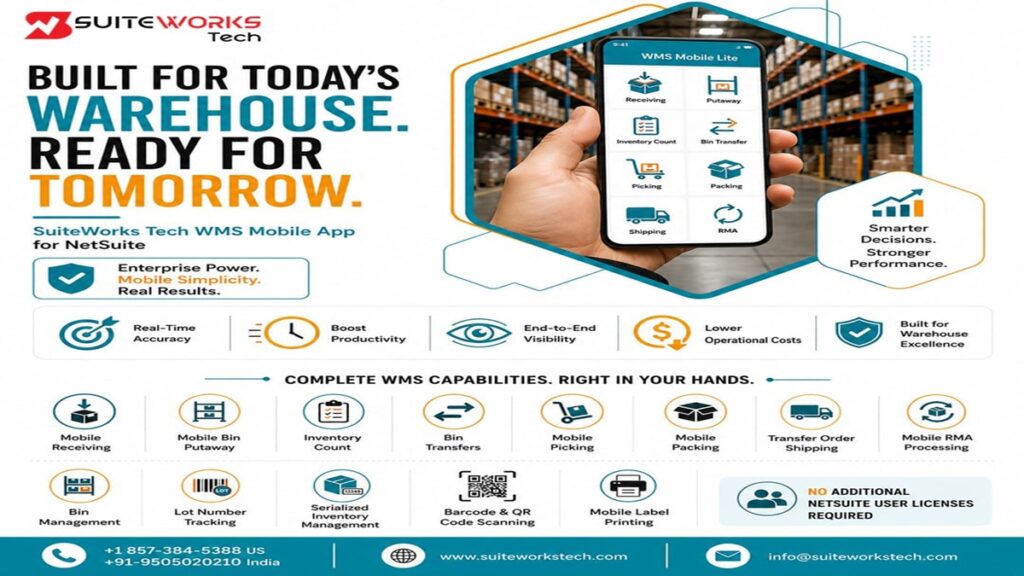
NetSuite Barcode Inventory Mobile App: How to Know What Stock You Actually Have By Manasa, Sr. NetSuite Solution Architect at SuiteWorks TechSeptember 18, 2026 Inventory arrives. Items move between bins. Orders are picked and packed. Returns come back. Stock gets counted, transferred, and shipped. When these activities are handled across the warehouse floor, keeping inventory information accurate becomes an everyday responsibility. This is where NetSuite Barcode Inventory workflows can make a practical difference.The NetSuite WMS Mobile App by SuiteWorks Tech uses barcode and QR code scanning to help warehouse teams validate these activities while they happen. With mobile barcode and QR code scanning, warehouse teams can perform inventory-related activities directly from handheld devices and synchronize those actions with NetSuite in real time. Instead of depending on paper count sheets or returning to a workstation for every update, employees can complete important warehouse tasks where the physical work is happening. The SuiteWorks Tech WMS Mobile Lite is designed around this approach, bringing essential warehouse execution processes to iPhone and Android smartphones inside NetSuite. Why NetSuite Barcode Inventory Matters When Stock Keeps Moving Inventory accuracy is not created by counting stock only once. Stock is constantly moving through the warehouse. A shipment arrives. Items are put away. Products are picked for sales orders. Inventory moves between bins. Some products are packed and shipped, while others may be returned. Every movement changes what is physically available and where that inventory is located. Warehouse users can perform tasks such as: 🔹 Receiving inventory 🔹 Putting items into bins 🔹 Picking sales orders 🔹 Packing orders 🔹 Shipping inventory 🔹 Counting stock 🔹 Transferring inventory between bins 🔹 Processing returns The actions are synchronized with NetSuite, helping warehouse teams maintain more accurate inventory information. How NetSuite Barcode Inventory Works on Mobile Devices The idea is straightforward. A warehouse employee uses an iPhone or Android device to scan an item’s barcode or QR code. Instead of manually typing item information, the scanning process helps validate the inventory involved in the warehouse transaction. The mobile application uses the device’s built-in camera, so dedicated scanning hardware is not required. This makes the workflow practical for employees working directly on the warehouse floor. The process can look like this: Scan → Validate → Complete Warehouse Task → Sync With NetSuite Because the transaction is synchronized with NetSuite, the inventory information can be updated as warehouse activities are completed. For businesses using NetSuite, this keeps warehouse execution connected with the ERP environment. NetSuite Barcode Inventory for Receiving and Putaway The first opportunity to establish accurate inventory information is when goods arrive. With the mobile receiving capability, warehouse staff can receive inventory directly from an iPhone or Android device against NetSuite Purchase Orders. Employees can scan barcodes or QR codes while validating: 🔹 Items 🔹 Quantities 🔹 Lots 🔹 Serial numbers 🔹 Bins Inbound shipment management also allows warehouse users to view shipment details and receive items against associated purchase orders. Once inventory has been received, it needs to be placed in the correct warehouse location. Mobile bin putaway allows employees to scan both destination bins and items while putting inventory away. The process works with NetSuite Putaway Worksheets and helps ensure that products are placed in the correct locations. This is important because knowing the quantity of an item is only part of knowing what stock you actually have. The warehouse also needs to know where that stock is stored. Tracking Inventory by Bin With NetSuite Barcode Inventory A warehouse can have the correct quantity of an item but still have inaccurate inventory information if the system does not reflect its actual location. Bin management helps address this issue. The mobile application supports warehouses using NetSuite Bin Management by validating source and destination bins during activities such as: 🔹 Receiving 🔹 Putaway 🔹 Picking 🔹 Transfers 🔹 Inventory counting Barcode scanning helps warehouse employees confirm the correct item and bin during these activities. When inventory is moved between locations, the employee can scan the relevant information rather than manually entering it. The bin transfer is then synchronized with NetSuite, helping maintain accurate inventory locations. Using NetSuite Barcode Inventory for Stock Counts At some point, every warehouse needs to compare its physical stock with the inventory information maintained in NetSuite. The mobile application allows warehouse employees to perform complete or partial inventory counts directly from their mobile devices. Instead of using paper count sheets, employees can count inventory by: 🔹 Item 🔹 Bin 🔹 Lot number 🔹 Serial number This provides a more direct way to capture physical inventory information. Once the count is completed, the information can be updated in NetSuite. For warehouses where stock is divided across multiple bins, lots, or serialized products, the ability to perform these counts from a mobile device can help keep inventory information organized. NetSuite Barcode Inventory for Picking and Fulfillment Inventory accuracy also matters when products leave the warehouse. Picking the wrong item or quantity can affect the fulfillment process. The mobile picking workflow allows employees to pick against one or multiple NetSuite Sales Orders using barcode or QR code scanning. The employee can scan the item and validate the inventory before completing the pick. For businesses handling multiple orders, batch picking allows several sales orders to be picked during one warehouse trip. This can reduce unnecessary warehouse travel while helping speed up fulfillment. After picking, employees can continue with mobile packing. Packed quantities can be confirmed from the mobile application, and the NetSuite Item Fulfillment status can be updated to Packed. Shipping can also be completed from the mobile application against one or multiple NetSuite Sales Orders. The result is a connected warehouse workflow from picking through shipping. Lot and Serial Tracking With NetSuite Barcode Inventory Not every item can be managed simply by quantity. Some inventory requires lot tracking, while serialized products need individual serial number tracking. The mobile application supports lot-numbered inventory throughout different warehouse activities. Warehouse teams can use barcode scanning
NetSuite Mobile App: Powering Smarter Workflows Across Your Business
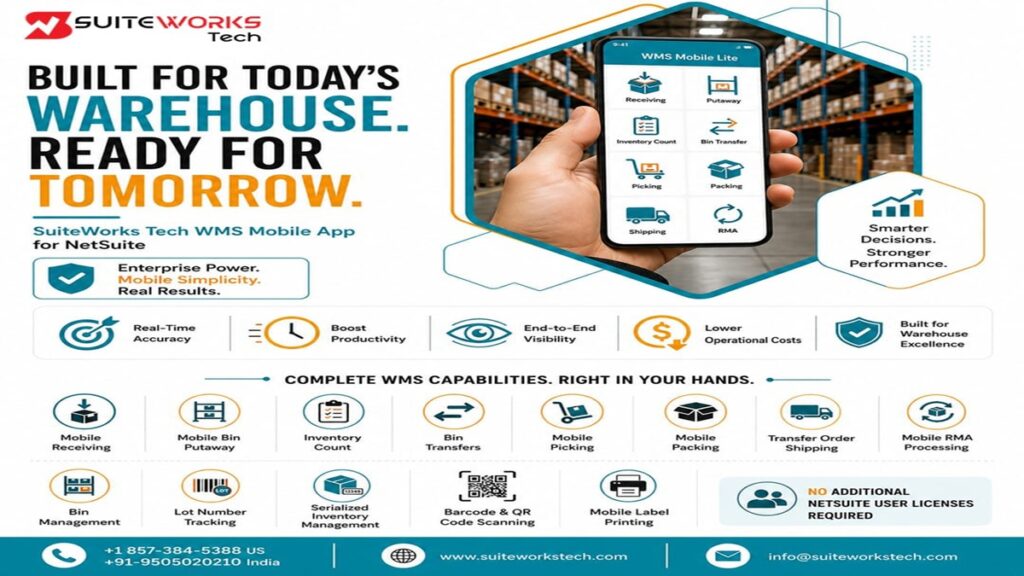
NetSuite Mobile App: Powering Smarter Workflows Across Your Business By Manasa, Sr. NetSuite Solution Architect at SuiteWorks TechSeptember 18, 2026 A business may already have its core operations running inside NetSuite, but the real challenge often begins when employees need to work away from their desks. Warehouse teams move between bins, technicians travel to customer locations, employees submit expenses while travelling, rental teams manage equipment in the field, and delivery drivers spend most of their day on the road. This is where a NetSuite Mobile App can make everyday workflows more connected. At SuiteWorks Tech, mobile solutions are designed around specific business processes while keeping operations connected to NetSuite. From warehouse execution and expense reporting to field service, rental management, and delivery routing, these mobile applications bring important NetSuite activities closer to the people performing the work. SuiteWorks Tech is a NetSuite Solutions Provider focused on building solutions that help businesses extend their NetSuite workflows into practical mobile experiences. Why a NetSuite Mobile App Matters for Daily Business Operations Consider a warehouse employee receiving inventory. They need to identify the item, validate quantities, manage bins, and update the transaction. A field technician has a different requirement: they need job information, parts, work details, and the ability to update the job from the customer location. An employee submitting expenses has another workflow entirely. This is why mobile access becomes more useful when it is designed around the actual task rather than simply providing a smaller version of a desktop interface. SuiteWorks Tech approaches mobility through purpose-built SuiteApps that connect specific business activities with NetSuite. NetSuite Mobile App for Warehouse Operations Warehouse teams need to execute transactions while physically moving through the warehouse. Switching between paperwork, desktop systems, and warehouse activities can make the process more complicated. The NetSuite WMS Mobile App by SuiteWorks Tech is designed specifically for this environment. SuiteWorks Tech WMS Mobile Lite is a lightweight SuiteApp built natively for NetSuite. It supports iPhone and Android smartphones and allows warehouse users to perform important inventory activities directly from mobile devices. The mobile workflow supports activities such as: 🔹 Mobile receiving against NetSuite Purchase Orders🔹 Barcode and QR code scanning🔹 Bin putaway🔹 Bin management🔹 Mobile picking🔹 Batch picking🔹 Mobile packing🔹 Mobile shipping🔹 Inventory counting🔹 Bin transfers🔹 Lot tracking🔹 Serialized inventory management🔹 Mobile RMA processing The app also synchronizes warehouse transactions with NetSuite, helping teams maintain a single source of inventory information. For businesses managing warehouses, this is an important part of the NetSuite Mobile App approach: the person performing the physical task can update the corresponding NetSuite transaction from the same workflow. NetSuite Mobile App for Expense Management Expense reporting happens in many places—not just at an employee’s desk. An employee may receive a receipt while travelling, working at a customer location, or purchasing something for the business. Waiting until later to record that information can create additional steps for both employees and finance teams. The NetSuite Expense Management Mobile App by SuiteWorks Tech addresses this workflow through mobile receipt capture and AI-powered OCR. Employees can capture or upload receipts from their mobile devices. The solution extracts information such as merchant name, expense date, amount, category suggestions, and receipt details. The extracted information can then be mapped to the appropriate NetSuite fields. The workflow is straightforward: 🔹 Capture or upload the receipt🔹 OCR extracts expense information🔹 AI maps the information to NetSuite fields🔹 Submit the expense report for approval This creates a connected expense process instead of separating receipt collection from expense reporting. For employees, the NetSuite Mobile App provides a convenient way to handle expenses from wherever the business activity occurs. For finance teams, the mobile workflow supports faster processing and reduces manual data entry. NetSuite Mobile App for Field Service Teams Field technicians operate in a completely different environment from office teams. They may need to manage service jobs, record work performed, track parts, capture images, and update job status while working at a customer location. The NetSuite Field Service Management Mobile App by SuiteWorks Tech is designed for this type of field activity. The application is available for Android and iOS and provides technicians with real-time access to jobs, parts, and progress information. Technicians can update job status, enter time details, capture images, and complete maintenance activities from their smartphones. The mobile workflow can include: 🔹 Viewing assigned job orders🔹 Updating job status🔹 Recording technician work logs🔹 Entering start and end times🔹 Recording tasks and parts used🔹 Capturing GPS information🔹 Tracking consumables🔹 Requesting parts and materials🔹 Capturing technician sign-off🔹 Capturing customer sign-off Because the mobile application is integrated with NetSuite, field updates can flow back into the ERP environment. For organizations managing service operations, this makes the NetSuite Mobile App more than a convenience. It becomes part of the workflow connecting technicians, operations, inventory, and billing. NetSuite Mobile App for Rental Management Rental businesses have another mobility challenge: equipment and rental activities often need to be managed outside a traditional office environment. The NetSuite Rental Management Mobile App by SuiteWorks Tech gives rental operators and managers mobile access to rental-related information from smartphones. The application is available for Android and iOS and provides access to rental contracts, operation logs, and time entries while maintaining integration with NetSuite. The mobile approach is particularly relevant when rental teams need to stay connected with equipment-related activities while away from their desks. The solution is built natively on the NetSuite platform, allowing rental processes such as contracts, billing, equipment tracking, and asset depreciation to work with the existing ERP environment. This creates another practical use case for a NetSuite Mobile App bringing rental information closer to the people responsible for managing equipment and rental operations. NetSuite Mobile App for Delivery Routing Delivery operations introduce another mobile requirement. Drivers need route information, customer details, navigation, delivery status updates, and proof of delivery while they are on the road. The NetSuite Delivery Routing Mobile App by SuiteWorks Tech connects these activities with NetSuite. The solution provides
NetSuite WMS SuiteApp: How to Bring Receiving, Picking, and Shipping Into One Workflow
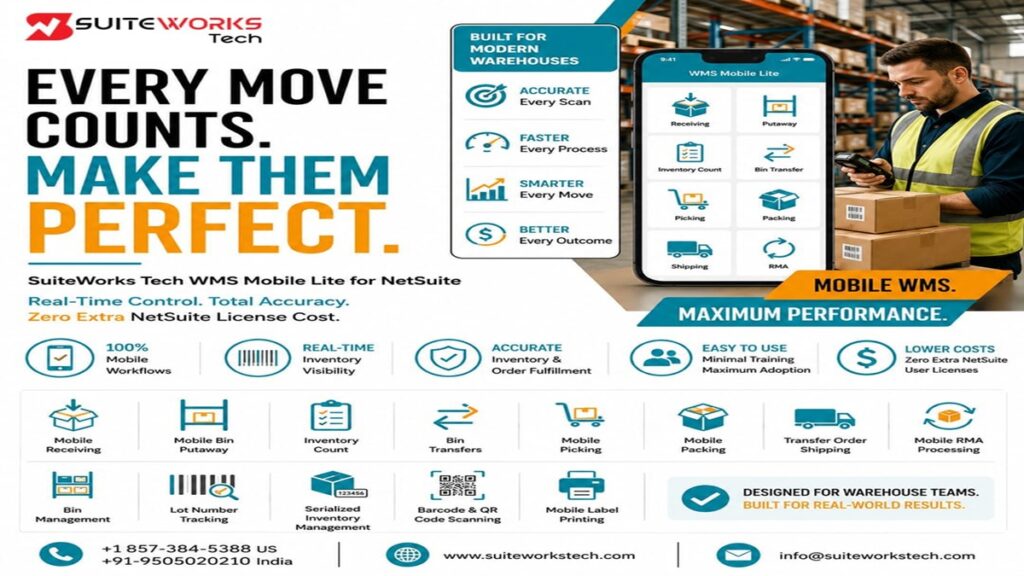
NetSuite WMS SuiteApp: How to Bring Receiving, Picking, and Shipping Into One Workflow By Manasa, Sr. NetSuite Solution Architect at SuiteWorks TechSeptember 16, 2026 A warehouse rarely runs one task at a time. While one employee is receiving inventory, another may be picking a sales order. Someone else could be packing an order, moving stock between bins, or preparing a shipment. Behind every one of these activities is the same requirement: inventory information needs to remain accurate and connected with the ERP. When warehouse employees have to switch between paper records, separate devices, and desktop screens, the physical movement of inventory and the digital transaction can become disconnected. A mobile warehouse workflow changes that approach. The NetSuite WMS Mobile App by SuiteWorks Tech brings essential warehouse execution activities to iPhone and Android devices. It supports receiving, inbound shipment management, putaway, picking, batch picking, packing, shipping, inventory counting, bin transfers, returns, barcode and QR scanning, lot tracking, serialized inventory, and mobile label printing. Because the solution is built natively for NetSuite, warehouse transactions and fulfillment updates can be synchronized with the ERP in real time. Why NetSuite WMS Needs a Connected Mobile Workflow Consider what happens when a purchase order arrives at the warehouse. The receiving employee needs to verify the products and quantities. If the inventory is lot-numbered or serialized, those details also need to be captured. The items then need to be placed in their correct warehouse bins. A mobile WMS approach helps connect those stages. For businesses looking for a practical Net Suite WMS workflow, connecting these activities through mobile devices can make warehouse execution more closely aligned with the ERP. A mobile WMS approach helps connect those stages. With the SuiteWorks Tech WMS Mobile Lite SuiteApp, warehouse users can perform activities such as: 🔹 Receiving inventory against NetSuite Purchase Orders 🔹 Managing inbound shipments 🔹 Performing mobile bin putaway 🔹 Validating warehouse bins 🔹 Picking one or multiple Sales Orders 🔹 Batch picking multiple Sales Orders 🔹 Confirming packed quantities 🔹 Shipping completed orders 🔹 Performing complete or partial inventory counts 🔹 Moving inventory between bins 🔹 Processing Customer and Vendor Return Authorizations 🔹 Tracking lot and serialized inventory 🔹 Printing barcode and QR code labels The goal is not simply to put warehouse software on a phone. It is to bring the warehouse transaction closer to the employee performing the physical task. NetSuite WMS for Mobile Receiving and Inbound Shipments Receiving is the first major checkpoint in the warehouse workflow. When inventory arrives, employees need to confirm what has actually been received and record the information accurately. The mobile receiving functionality allows warehouse users to receive inventory directly from iPhone or Android devices against NetSuite Purchase Orders. Barcode and QR code scanning can be used to validate important inventory details. These can include: 🔹 Items 🔹 Quantities 🔹 Lots 🔹 Serial numbers 🔹 Bins This means employees can work directly at the receiving area instead of recording information separately and entering it later. Inbound Shipment Management Inbound shipment management extends the receiving workflow. Warehouse users can view inbound shipment details, receive items against associated purchase orders, and capture lot, serial, and bin information during the receiving process. Once receiving is complete, inventory can move into the appropriate warehouse location. Mobile Bin Putaway Putting inventory into the correct bin is an important part of warehouse accuracy. The mobile application supports putaway using NetSuite Putaway Worksheets. Warehouse staff can scan destination bins and items directly from their mobile devices. This helps connect the physical movement of inventory with its recorded location in NetSuite. NetSuite WMS Makes Bin Management More Accurate A warehouse with multiple bins needs to know where inventory is located. The SuiteWorks Tech WMS Mobile Lite solution supports NetSuite Bin Management by validating source and destination bins during receiving, putaway, picking, transfers, and inventory counting. Barcode scanning can help employees confirm that inventory is being moved to the intended location. For example, when stock is transferred between two warehouse bins, the employee can scan the relevant inventory and bin information instead of manually entering every detail. This creates a more direct connection between the warehouse floor and the ERP record. NetSuite WMS for Mobile Picking Once inventory is available in the warehouse, customer orders need to be fulfilled. Picking is one of the areas where mobile scanning can make the workflow more practical. Warehouse users can pick items against one or multiple NetSuite Sales Orders using barcode or QR code scanning. Real-time inventory validation helps employees confirm the inventory while performing the pick. For a business evaluating Net Suite WMS options, mobile picking provides a way to perform order-related warehouse activity directly where the inventory is located. A typical mobile picking flow can involve: 🔹 Selecting the required sales order 🔹 Locating the inventory 🔹 Scanning the item 🔹 Validating the inventory 🔹 Completing the pick Instead of relying on manual entry, the employee can use the mobile device while standing next to the inventory. Batch Picking for Multiple Sales Orders A warehouse may need to fulfill several orders during the same trip. Batch picking allows employees to pick multiple sales orders in a single warehouse trip. This can reduce unnecessary warehouse travel and support faster order fulfillment, particularly for high-volume operations. Rather than treating every order as a completely separate warehouse journey, multiple sales orders can be handled through the same batch-picking workflow. NetSuite WMS Connects Picking and Packing Picking is only one stage of order fulfillment. After items are picked, they need to be packed before shipping. The mobile packing functionality allows warehouse users to confirm packed quantities directly through the mobile application. The NetSuite Item Fulfillment status can then be updated to Packed. For teams considering Net Suite WMS for connected warehouse execution, this link between picking and packing keeps the next fulfillment step close to the activity that came before it The workflow becomes straightforward: 🔹 Pick the required items 🔹 Scan and validate inventory 🔹
NetSuite Barcoding Mobile App: How Distributors Can Improve Traceability Across Warehouse Operations
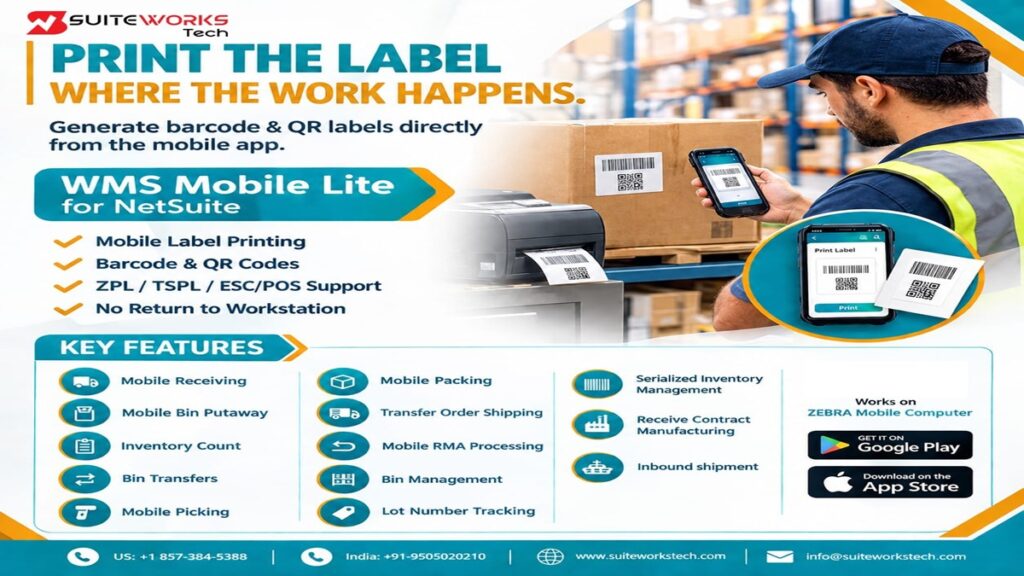
NetSuite Barcoding Mobile App: How Distributors Can Improve Traceability Across Warehouse Operations By Manasa, Sr. NetSuite Solution Architect at SuiteWorks TechSeptember 22, 2026 A warehouse can move through dozens of inventory activities in a single day. Goods arrive against Purchase Orders, items are placed into bins, Sales Orders are picked and packed, inventory moves between locations, and products may need to be counted, returned, or shipped. For distributors managing this activity through NetSuite, accuracy depends on knowing what item was handled, where it was stored, and what transaction was completed. This is where NetSuite Barcoding can make warehouse execution more connected. By using barcode and QR code scanning through mobile devices, warehouse teams can validate items, bins, quantities, lots, and serial numbers while updating inventory in real time. The NetSuite WMS Mobile App by SuiteWorks Tech brings these capabilities to Android and iOS devices and is designed to extend essential warehouse execution processes directly to mobile devices. Why NetSuite Barcoding Matters in Warehouse Operations Warehouse employees often work directly on the floor while receiving, picking, packing, transferring, counting, and shipping inventory. A mobile workflow allows these activities to happen where the work actually takes place. The NetSuite WMS Mobile App by SuiteWorks Tech uses barcode and QR code scanning to support these activities. The built-in camera on compatible iPhone and Android devices can be used for scanning, without requiring dedicated scanning hardware. This can help warehouse teams reduce manual data entry while validating inventory information during daily operations. The mobile workflow supports activities such as: 🔹 Receiving inventory against NetSuite Purchase Orders 🔹 Scanning items and destination bins during putaway 🔹 Picking items against Sales Orders 🔹 Confirming packed quantities 🔹 Shipping completed orders 🔹 Counting inventory by item, bin, lot, or serial number 🔹 Transferring inventory between bins 🔹 Tracking lot-numbered inventory 🔹 Tracking serialized inventory Each activity can be connected with NetSuite through real-time synchronization. NetSuite Barcoding and Inventory Traceability Traceability becomes particularly important when inventory is managed by lot numbers or serial numbers. The NetSuite WMS Mobile App by SuiteWorks Tech supports lot number tracking throughout several warehouse activities. Warehouse teams can receive, move, count, pick, and ship lot-numbered inventory using barcode scanning. This provides lot traceability throughout warehouse operations while supporting inventory accuracy. Serialized inventory can be managed in a similar way. Individual serial numbers can be scanned during receiving, inventory counts, transfers, picking, packing, shipping, and returns. Instead of manually entering individual serial numbers, warehouse employees can use mobile scanning during each relevant step. This creates a connected flow for serialized inventory as products move through the warehouse. NetSuite Barcoding for Receiving and Putaway Receiving is one of the first points where inventory information enters the warehouse. With the NetSuite WMS Mobile App by SuiteWorks Tech, employees can receive inventory directly from an iPhone or Android device against NetSuite Purchase Orders. Barcode or QR code scanning can be used to validate: 🔹 Items 🔹 Quantities 🔹 Lots 🔹 Serial numbers 🔹 Bins Inventory is updated in real time. Inbound shipment management also allows warehouse users to view shipment details, receive items against associated Purchase Orders, and capture lot, serial, and bin information during receiving. Once inventory has been received, it can be moved into the appropriate warehouse location through mobile bin putaway. Warehouse staff can scan destination bins and items using the mobile app while working with NetSuite Putaway Worksheets. This supports accurate inventory placement without requiring employees to return to a workstation. NetSuite Barcoding for Bin Management Knowing where inventory is stored is an important part of warehouse execution. The NetSuite WMS Mobile App by SuiteWorks Tech supports bin management by validating source and destination bins during receiving, putaway, picking, transfers, and inventory counting. Barcode scanning helps employees confirm the correct warehouse location while completing these activities. For example, when inventory is moved between bins, employees can scan the source and destination bins using an iPhone or Android device. The transfer is then synchronized with NetSuite. This helps maintain accurate inventory locations across warehouse operations. NetSuite Barcoding for Picking and Batch Fulfillment Once orders are ready for fulfillment, warehouse teams need to locate and pick the correct inventory. Mobile picking allows employees to pick items against one or multiple NetSuite Sales Orders using barcode or QR code scanning. The system provides real-time inventory validation during the picking process. This supports picking accuracy while helping warehouse employees complete their tasks through a mobile workflow. For businesses processing multiple orders, batch picking provides another useful capability. Warehouse employees can pick multiple Sales Orders during a single trip. By reducing warehouse travel time, batch picking can help accelerate fulfillment for high-volume operations. After picking, the same mobile workflow continues into packing and shipping. From Mobile Packing to Shipping After items are picked, warehouse employees can confirm packed quantities directly through the mobile app. The NetSuite Item Fulfillment status can be updated to Packed, providing visibility into the fulfillment process before shipment. Mobile shipping then allows completed orders to be shipped directly from the device against one or multiple NetSuite Sales Orders. Barcode scanning can be used to confirm shipments while Item Fulfillment and inventory information are automatically updated in NetSuite. For distributors, this creates a connected sequence from picking to packing and finally to shipping. NetSuite Barcoding for Inventory Counts and Transfers Inventory counting is another area where mobile scanning can replace paper-based processes. The NetSuite WMS Mobile App by SuiteWorks Tech supports complete or partial inventory counts directly from mobile devices. Warehouse employees can count inventory by: 🔹 Item 🔹 Bin 🔹 Lot 🔹 Serial number The resulting quantities can then be updated in NetSuite. Bin transfers follow a similar mobile process. Employees scan the source and destination bins and move inventory between warehouse locations. Each transfer is instantly synchronized with NetSuite. This keeps inventory locations and quantities aligned with warehouse activity. NetSuite Barcoding for Returns and Special Warehouse Activities Warehouse operations do not stop after an













Working with SuiteWorks Tech on our AI Ordering Chatbot for NetSuite was outstanding. They delivered quickly, professionally, and with impressive attention to detail. I’m thrilled with the results and highly recommend their services.
Craig Michaud Partner, Evolve Salon Systems