


NetSuite Barcode Scanning: How to Track Items Moving Between Receiving Zones
NetSuite Barcode Scanning: How to Track Items Moving Between Receiving Zones By Manasa, Sr. NetSuite Solution Architect at SuiteWorks TechOctober 22, 2026 A warehouse can receive dozens of items in a single shipment, but receiving is only the beginning of the inventory journey. Products need to be checked, placed into the correct bins, picked for sales orders, packed, and shipped. During these activities, warehouse employees need to capture accurate information about items, quantities, lots, serial numbers, and locations. When these details are entered manually after the physical work is completed, it can become harder to keep inventory records aligned with warehouse activity. NetSuite Barcode Scanning provides a way to bring scanning directly into the warehouse workflow, allowing employees to validate inventory information while handling products. The NetSuite WMS Mobile App by SuiteWorks Tech is designed to support this approach through mobile barcode and QR code scanning, guided warehouse workflows, and real-time synchronization with NetSuite. For businesses that need to track items moving between receiving zones and storage bins, the important goal is to connect each supported inventory movement with the corresponding NetSuite transaction. Why NetSuite Barcode Scanning Matters Between Receiving Zones Imagine a shipment arriving at a warehouse during a busy shift. The receiving employee needs to identify the items, confirm quantities, capture lot or serial information where required, and record the appropriate bin details. After receiving, the inventory may need to move into another warehouse zone before it becomes available for picking. Each stage creates information that needs to be recorded accurately. NetSuite Barcode Scanning helps connect these physical activities with inventory transactions. Instead of relying entirely on manual entry, warehouse employees can use the built-in camera on an iPhone or Android device to scan barcodes and QR codes during supported warehouse tasks. The WMS Mobile Lite solution supports activities such as: 🔹 Receiving inventory against NetSuite Purchase Orders. 🔹 Validating items and quantities. 🔹 Capturing lot numbers, serial numbers, and bins. 🔹 Putting inventory into the correct warehouse bins. 🔹 Picking items against one or multiple Sales Orders. 🔹 Counting inventory and transferring stock between bins. These activities can be performed through mobile workflows while information is synchronized with NetSuite. From Physical Receiving to a Recorded Inventory Movement The purpose of scanning is not simply to identify a product. The information captured through the scan needs to remain connected with the warehouse transaction. For example, an employee can receive inventory against a Purchase Order, validate the required details, and then use mobile bin putaway to place the item into the appropriate warehouse location. This creates a connected sequence between receiving and putaway rather than treating them as unrelated tasks. NetSuite Barcode Scanning for Receiving and Inbound Shipments Receiving is one of the first stages where inventory information enters the warehouse system. If the information captured at this point is incomplete, employees may need additional work to correct the record later. The NetSuite WMS Mobile App by SuiteWorks Tech allows warehouse employees to receive inventory directly from iPhone or Android devices against NetSuite Purchase Orders. Validate Items, Quantities, and Inventory Details During receiving, barcode and QR code scanning can be used to validate: 🔹 Items. 🔹 Quantities. 🔹 Lots. 🔹 Serial numbers. 🔹 Bins. Inventory information is updated in real time, connecting the physical receiving activity with the information maintained in NetSuite. Inbound Shipment Management extends this workflow. Warehouse users can view inbound shipment details, receive items against associated Purchase Orders, and capture lot, serial, and bin information during the receiving process. For a warehouse that receives multiple shipments, this provides a mobile way to capture the relevant inventory information while employees are handling the goods. NetSuite Barcode Scanning for Bin Putaway and Location Accuracy Receiving inventory is only the first step. After products arrive, they need to be placed in the correct warehouse bins. A warehouse employee may need to move products from the receiving area into storage. During this movement, both the item and its destination location need to be recorded accurately. The WMS Mobile Lite solution supports Mobile Bin Putaway using NetSuite Putaway Worksheets. Employees can scan items and destination bins directly from their mobile devices. Track Items Moving Into the Correct Bins Bin Management supports validation of source and destination bins during: 🔹 Receiving. 🔹 Putaway. 🔹 Picking. 🔹 Transfers. 🔹 Inventory counting. Barcode scanning helps warehouse employees validate the relevant locations while performing the physical movement. The transaction is synchronized with NetSuite, helping maintain accurate inventory locations. This is particularly relevant when inventory moves between receiving zones and storage bins. By capturing supported details during the activity, employees can keep the physical movement connected with the corresponding NetSuite record. NetSuite Barcode Scanning for Inventory Transfers Items do not always remain in their original warehouse locations. Products may need to move from one bin to another as storage requirements change or inventory is prepared for another activity. When these movements are recorded separately from the physical task, maintaining accurate location information can become more difficult. Scan Source and Destination Bins The mobile Bin Transfers feature allows employees to move inventory between warehouse bins using barcode scanning on iPhone or Android devices. The workflow connects the physical movement with the inventory transaction: 🔹 Scan the inventory item. 🔹 Validate the relevant source bin. 🔹 Move the inventory to the required destination. 🔹 Synchronize the transfer with NetSuite. Each bin transfer is instantly synchronized with NetSuite, helping maintain accurate inventory locations across the warehouse. The solution also supports Transfer Order Shipping. Warehouse employees can ship inventory against NetSuite Transfer Orders by scanning items and source bins. These capabilities extend NetSuite Barcode Scanning beyond receiving and putaway to supported inventory movements throughout the warehouse. NetSuite Barcode Scanning for Picking and Order Fulfillment Once inventory has been received and placed into bins, the next stage may be picking products for customer orders. Picking requires employees to locate the correct items and quantities while keeping the transaction connected with the appropriate NetSuite Sales Order.
NetSuite Warehouse Management: 7 Ways to Make Every Warehouse Movement More Efficient
NetSuite Warehouse Management: 7 Ways to Make Every Warehouse Movement More Efficient By Manasa, Sr. NetSuite Solution Architect at SuiteWorks TechOctober 16, 2026 A warehouse day is filled with constant movement. Products arrive against purchase orders, employees place inventory into storage bins, customer orders move through picking and packing, and completed shipments leave the warehouse. Each activity requires accurate information to keep the next step moving smoothly. When warehouse teams depend on paper count sheets or manual data entry, recording these activities can take additional time. Employees need to validate items, confirm quantities, identify the correct bins, and update inventory transactions. These tasks become especially important when a warehouse handles lot-numbered or serialized inventory. NetSuite Warehouse Management helps businesses connect warehouse activities with inventory and fulfillment records maintained in NetSuite. With mobile scanning and real-time synchronization, employees can perform supported warehouse tasks directly from their mobile devices. The NetSuite WMS Mobile App by SuiteWorks Tech, also known as WMS Mobile Lite, brings essential warehouse execution processes to Android and iPhone devices. It supports receiving, putaway, picking, packing, shipping, inventory counting, bin transfers, and return processing within the NetSuite environment. Understanding how these capabilities work can help businesses identify practical ways to improve warehouse efficiency, maintain inventory accuracy, and reduce manual data entry. 1. NetSuite Warehouse Management Starts With Accurate Receiving The first warehouse movement happens when products arrive. Employees need to verify what has been received, confirm quantities, and capture the required inventory details before goods are moved into storage. The NetSuite WMS Mobile App by SuiteWorks Tech allows warehouse employees to receive inventory directly from Android and iPhone devices against NetSuite Purchase Orders. Barcode and QR code scanning can validate items, quantities, lot numbers, serial numbers, and bins during receiving. Employees can also manage inbound shipments, view shipment details, and receive items against associated purchase orders. Capture inventory information during receiving 🔹 Validate items and quantities using barcode or QR code scanning. 🔹 Capture lot, serial, and bin information. 🔹 Receive inventory against NetSuite Purchase Orders. 🔹 Manage inbound shipment details through the mobile application. These workflows connect the physical arrival of goods with the corresponding NetSuite transactions. Employees can record required information while handling inventory, helping reduce manual data entry and keep inventory records synchronized. Accurate receiving also prepares inventory for its next movement: putaway into the correct warehouse bins. 2. Improve Putaway and Bin Management Accuracy After receiving, inventory needs to be placed in the correct warehouse locations. Accurate bin information matters because employees rely on these records when picking orders, transferring stock, and performing inventory counts. WMS Mobile Lite supports mobile bin putaway using NetSuite Putaway Worksheets. Warehouse staff can scan items and destination bins from their mobile devices to help ensure accurate inventory placement. The solution also supports NetSuite Bin Management by validating source and destination bins throughout receiving, putaway, picking, transfers, and inventory counting. Keep inventory locations accurate 🔹 Scan destination bins during putaway. 🔹 Validate source and destination bins during supported warehouse activities. 🔹 Move inventory between bins using barcode scanning. 🔹 Synchronize bin transfers with NetSuite. When an employee transfers inventory between bins, the transaction is synchronized with NetSuite. This helps keep recorded inventory locations aligned with physical warehouse movements. For businesses managing multiple bins or warehouse locations, these mobile workflows provide a consistent way to record where inventory is stored and where it moves next. 3. Make Order Picking More Efficient With Mobile Scanning Picking connects stored inventory with customer orders. Employees must locate the correct items and quantities against one or more NetSuite Sales Orders before orders can move to packing. The NetSuite WMS Mobile App by SuiteWorks Tech supports mobile picking through barcode and QR code scanning. Employees can pick items against individual Sales Orders or use batch picking to process multiple orders in a single trip. Batch picking is particularly relevant to high-volume operations. Instead of making separate trips for each order, employees can pick multiple Sales Orders during one trip, reducing warehouse travel time and helping accelerate order fulfillment. How mobile picking supports efficiency 🔹 Pick items against one or multiple NetSuite Sales Orders. 🔹 Validate inventory through barcode or QR code scanning. 🔹 Batch pick multiple Sales Orders in one warehouse trip. 🔹 Reduce picking errors through mobile scanning. 🔹 Improve warehouse productivity with guided mobile workflows. These capabilities connect physical picking activity with NetSuite Sales Orders. Employees can validate items while working directly with inventory, helping reduce reliance on manual entry. 4. Connect Packing and Shipping With Fulfillment Records Once picking is complete, the next steps are packing and shipping. Employees need to confirm packed quantities and record shipment activity so that fulfillment information remains accurate. Mobile packing allows employees to confirm packed quantities directly from the app. The NetSuite Item Fulfillment status can be updated to Packed, providing visibility into order progress before shipment. Mobile shipping supports the shipment of completed orders against one or multiple NetSuite Sales Orders. Employees can scan items to confirm shipments while Item Fulfillment and inventory records are updated in NetSuite. Support accurate order fulfillment 🔹 Confirm packed quantities from mobile devices. 🔹 Update Item Fulfillment status to Packed. 🔹 Scan items when confirming shipments. 🔹 Ship completed orders against NetSuite Sales Orders. 🔹 Update Item Fulfillment and inventory records in NetSuite. The solution also supports Transfer Order Shipping. Employees can scan items and source bins when shipping inventory against NetSuite Transfer Orders, helping maintain accurate records for inter-warehouse movements. 5. Maintain Accurate Inventory Counts and Lot Tracking Inventory accuracy depends on more than recording incoming and outgoing products. Stock quantities and inventory locations also need to be checked as items move throughout the warehouse. WMS Mobile Lite supports complete or partial inventory counts directly from mobile devices. Employees can count inventory by item, bin, lot, or serial number without relying on paper count sheets. Simplify counting and inventory transfers 🔹 Count inventory by item, bin, lot, or serial number. 🔹 Perform complete
NetSuite Android App: What to Consider Before Moving Business Tasks to Smartphones
NetSuite Android App: What to Consider Before Moving Business Tasks to Smartphones By Manasa, Sr. NetSuite Solution Architect at SuiteWorks TechOctober 23, 2026 Business tasks do not always happen at a desk. Warehouse employees receive and move inventory, technicians update maintenance jobs at customer locations, rental operators record equipment usage, drivers complete deliveries, and employees submit expense receipts while travelling. When these activities need to be recorded in NetSuite, mobile workflows can help users perform supported tasks from their smartphones. A NetSuite Android App can support these activities through mobile applications designed for specific business workflows. However, before moving tasks to smartphones, businesses need to understand what employees will do on mobile devices, how transactions connect with NetSuite, which information needs to be captured, and how updates are synchronized. The SuiteWorks Tech solutions described below provide five examples of mobile workflows: warehouse management, field service management, rental management, delivery routing, and expense management. Each serves a different operational purpose, so the right choice depends on the work that needs to be completed. NetSuite Android App: Consider Warehouse Operations First Warehouse operations involve multiple transactions throughout the day. Employees receive goods against purchase orders, put products into bins, pick sales orders, pack items, ship orders, and count inventory. Moving these activities to smartphones requires mobile workflows that support the relevant inventory transactions. The NetSuite WMS Mobile App by SuiteWorks Tech is built natively for NetSuite and supports warehouse execution through Android and iOS devices. What Should You Check Before Moving Warehouse Tasks? The WMS Mobile Lite solution supports: 🔹 Receiving inventory against NetSuite Purchase Orders. 🔹 Managing inbound shipments and capturing lot, serial, and bin information. 🔹 Putting received inventory into the correct warehouse bins. 🔹 Picking items against one or multiple Sales Orders. 🔹 Batch picking multiple Sales Orders in a single trip. 🔹 Confirming packed quantities and updating Item Fulfillment status. 🔹 Shipping orders and processing transfer orders. 🔹 Performing inventory counts, bin transfers, and mobile RMA processing. The app uses the built-in mobile camera to scan barcodes and QR codes, so dedicated scanning hardware is not required for the described scanning workflow. Warehouse actions are validated through scanning and synchronized with NetSuite. Before adopting a NetSuite Android App for warehouse work, businesses should identify their requirements for bin management, lot tracking, serialized inventory, receiving, picking, packing, and shipping. They should also consider the solution’s licensing approach: SuiteWorks Tech WMS Mobile Lite does not require additional NetSuite user licenses for warehouse operators. NetSuite Android App for Field Service and Maintenance Jobs Field technicians often work away from the office. They need access to assigned jobs, parts, progress details, and maintenance information while visiting customer locations. If job updates are not recorded as the work happens, service records may lack important details about the activities performed. The NetSuite Field Service Management Mobile App by SuiteWorks Tech provides mobile access to field service jobs on Android and iOS devices. Which Technician Activities Can Move to Smartphones? The mobile workflow supports: 🔹 Viewing job information and updating job status. 🔹 Entering time details and recording tasks performed. 🔹 Capturing images of completed work. 🔹 Recording parts used and technician work logs. 🔹 Completing dynamic maintenance checklists. 🔹 Capturing technician and customer sign-offs. 🔹 Recording GPS coordinates when a job starts and ends. The field service solution also supports technician assignment based on skills and availability, job reassignment, rescheduling, and multiple technicians for complex jobs. Scheduled maintenance can be automated using fixed intervals or usage thresholds such as hours, mileage, or cycles. Before choosing a NetSuite Android App for field service, businesses should determine which job details technicians need to access and update in the field. They should also consider how job records, inventory, customer information, service history, and billing remain connected with NetSuite. The supplied solution supports this integration and does not require additional NetSuite user licenses for field technicians. NetSuite Android App for Rental Equipment Operations Rental businesses manage contracts, equipment availability, usage, billing, returns, and maintenance. Some of these activities happen where equipment is being operated rather than at a central workstation. Mobile access can support operators and managers who need to record equipment activity during daily operations. The NetSuite Rental Management Software by SuiteWorks Tech includes a mobile app for field operators and managers on Android and iOS devices. What Rental Activities Should Be Available on Mobile? The rental mobile workflow supports: 🔹 Recording equipment usage hours from mobile devices. 🔹 Creating rental estimates or orders. 🔹 Reviewing and approving operator time entries. 🔹 Accessing rental contracts, operation logs, and time entries. 🔹 Synchronizing updates with NetSuite. The solution also supports GPS tracking for equipment operation. GPS coordinates can be captured when an operator starts and ends equipment operations and viewed through Google Maps. Rental operations also involve contract management, automated billing, equipment shipment and returns, maintenance scheduling, and equipment availability. The rental solution connects these processes with NetSuite, including integration with NetSuite Fixed Asset Management. Before moving rental tasks to smartphones, businesses should identify whether operators need to record usage hours, create estimates or orders, or submit time entries for approval. They should also consider how mobile activity connects with rental contracts, equipment records, billing, and maintenance workflows. NetSuite Android App for Delivery Routing and Proof of Delivery Delivery drivers spend much of their working day travelling between customer locations. They need access to assigned routes and customer details, along with a way to record delivery outcomes and proof of delivery. The NetSuite Delivery Routing Mobile App by SuiteWorks Tech supports delivery execution on Android and iOS devices. Which Delivery Tasks Can Drivers Complete on Smartphones? Drivers can use the mobile application to: 🔹 View assigned routes, stops, and customer details. 🔹 Navigate to delivery locations using Google Maps. 🔹 Mark deliveries as Delivered or Failed. 🔹 Record reasons for failed deliveries. 🔹 Capture customer signatures and delivery photographs. 🔹 Record timestamps and GPS information. 🔹 Submit completed routes at the end of the day.
Oracle NetSuite Mobile App: A Practical Guide to Mobile Access for Distributed Teams
Oracle NetSuite Mobile App: A Practical Guide to Mobile Access for Distributed Teams By Manasa, Sr. NetSuite Solution Architect at SuiteWorks TechOctober 15, 2026 A warehouse employee begins the day receiving inventory against purchase orders. A field technician travels to a customer location to complete a maintenance job. A delivery driver follows an assigned route, while an employee travelling for work needs to submit expense receipts. Although these employees perform different tasks, they share one requirement: they need a practical way to complete their work and keep the information connected with NetSuite. An Oracle NetSuite Mobile App can support these day-to-day activities through mobile workflows designed for specific business operations. Instead of depending entirely on a workstation, employees can use supported mobile applications to scan inventory, update service jobs, record delivery outcomes, and submit expense information. The important consideration is understanding which mobile workflows a business needs. A warehouse team requires different capabilities from a field service team or a delivery driver. Solutions built for these activities can extend NetSuite processes to the locations where employees actually work. Oracle NetSuite Mobile App for Warehouse Operations Imagine a warehouse team receiving a shipment early in the morning. Employees need to verify the items, record quantities, identify the correct bins, and make sure inventory information is updated. Later, the same team may pick sales orders, pack items, and prepare shipments. When these tasks depend on manual entry and paper-based processes, employees may need to spend additional time recording and checking inventory information. The NetSuite WMS Mobile App by SuiteWorks Tech is designed to bring essential warehouse execution processes to mobile devices while working natively inside NetSuite. Mobile Receiving, Picking, and Packing The application supports iPhone and Android smartphones, allowing warehouse employees to perform supported activities directly from their devices. Key workflows include: 🔹 Receiving inventory against NetSuite Purchase Orders. 🔹 Managing inbound shipments and capturing item, lot, serial number, and bin information. 🔹 Using NetSuite Putaway Worksheets to place received inventory into the correct bins. 🔹 Picking items against one or multiple Sales Orders. 🔹 Batch picking multiple Sales Orders in a single trip. 🔹 Confirming packed quantities and updating Item Fulfillment status to Packed. 🔹 Shipping completed orders and updating inventory information. The mobile application also supports transfer order shipping, bin transfers, inventory counts, and mobile RMA processing. Barcode Scanning and Inventory Accuracy The Oracle NetSuite Mobile App approach is particularly useful in warehouse operations when employees need to work directly with physical inventory. The WMS Mobile Lite application uses the built-in camera on compatible mobile devices to scan barcodes and QR codes. Dedicated scanning hardware is not required for the described scanning workflows. Scanning supports inventory validation across receiving, putaway, picking, packing, shipping, and counting. The solution also supports lot-number tracking, serialized inventory management, outsourced manufacturing receiving, and mobile label printing with compatible printers. Warehouse users can complete guided workflows, and their transactions synchronize with NetSuite. This helps reduce duplicate data entry and supports consistent inventory information across warehouse operations, finance, and fulfillment teams. The application is designed to operate without additional NetSuite user licenses for warehouse operators, helping businesses extend mobile access without purchasing extra licenses for those users. Oracle NetSuite Mobile App for Field Service Teams Warehouse employees work with inventory, but field technicians work with jobs, equipment, customers, and maintenance activities. Their daily responsibilities may include checking assigned work, recording progress, capturing images, tracking parts, and confirming that a service visit has been completed. For distributed teams, these activities need to be recorded where the service takes place. The NetSuite Field Service Management Mobile App by SuiteWorks Tech supports technicians working on Android and iOS devices. Updating Jobs From Customer Locations Technicians can access job information, update job status, enter time details, and capture images of work performed. The mobile workflow also supports detailed work logs containing job start and end times, tasks performed, parts used, and GPS location. Other supported capabilities include: 🔹 Completing dynamic maintenance checklists. 🔹 Recording consumables used during service jobs. 🔹 Requesting missing parts and materials. 🔹 Capturing technician and customer sign-offs. 🔹 Tracking job progress through GPS information. 🔹 Viewing assigned jobs and relevant parts information. These features help technicians record service activities while they are working rather than waiting until they return to an office. Connecting Field Work With NetSuite The field service solution supports preventive and reactive maintenance. Maintenance jobs can be scheduled according to fixed intervals or usage thresholds such as hours, mileage, or cycles. Technicians can be assigned according to skill sets and availability, and jobs can be reassigned or rescheduled when necessary. Updates to schedules are reflected in the mobile application. The solution also supports automated invoice generation when a job is completed. By connecting job execution, inventory information, service records, and billing within NetSuite, the mobile workflow helps maintain visibility across field service operations. For businesses with technicians working across multiple customer locations, an Oracle NetSuite Mobile App designed for field service can connect job updates with the records maintained in the ERP. Oracle NetSuite Mobile App for Delivery and Route Execution A delivery driver may start the day with several assigned stops. At each location, the driver needs to navigate to the customer, confirm the delivery outcome, and record the necessary evidence. If delivery information is maintained separately from the ERP, managers may need to collect updates and enter delivery outcomes later. The NetSuite Delivery Routing Mobile App by SuiteWorks Tech connects route execution with NetSuite. Managing Assigned Routes From a Mobile Device Drivers can access assigned routes, view customer details, and navigate to stops using Google Maps integration. During delivery, they can: 🔹 Mark deliveries as Delivered or Failed. 🔹 Record reasons for failed deliveries. 🔹 Capture digital customer signatures. 🔹 Upload delivery photographs. 🔹 Record timestamps and GPS information. 🔹 Submit completed routes at the end of the day. These activities provide a structured way to record what happened at each delivery stop. Keeping Delivery Information Connected When a driver submits
Warehouse Management NetSuite: What to Review When Inventory Counts Keep Falling Behind
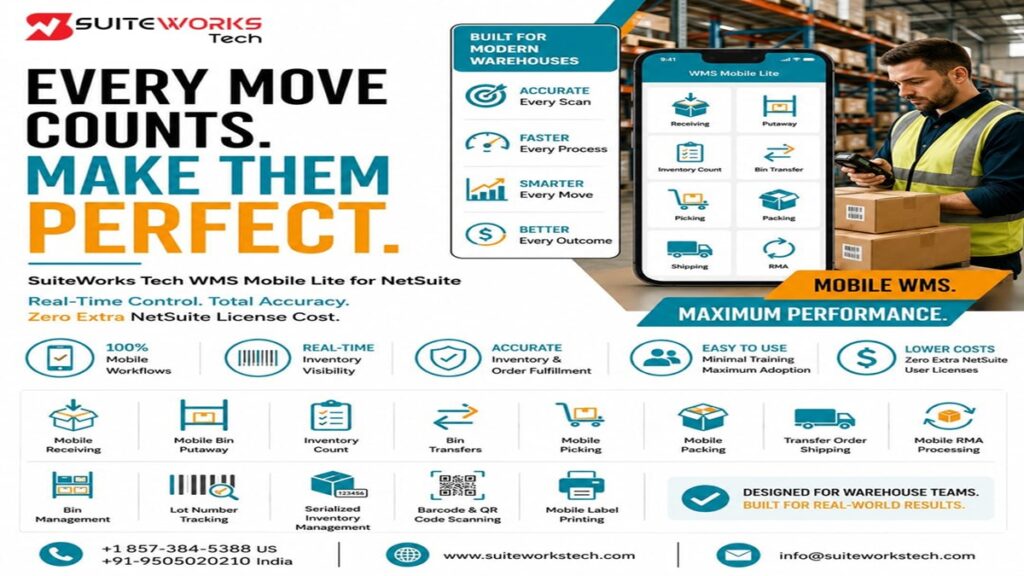
Warehouse Management NetSuite: What to Review When Inventory Counts Keep Falling Behind By Manasa, Sr. NetSuite Solution Architect at SuiteWorks TechOctober 14, 2026 Inventory accuracy is essential for keeping warehouse operations organized. Every time products are received, moved between bins, picked for customer orders, packed, or shipped, the related inventory information needs to be updated correctly. When inventory counts repeatedly fall behind, warehouse teams may spend additional time checking stock quantities, locating products, and verifying transactions. These challenges make it important to review the processes that affect inventory records throughout the day. The NetSuite WMS Mobile App by SuiteWorks Tech supports warehouse activities through mobile receiving, inventory counting, bin management, picking, packing, shipping, and barcode scanning. Its integration with NetSuite helps synchronize supported warehouse transactions with the ERP system. For businesses evaluating Warehouse Management NetSuite workflows, reviewing each stage of inventory movement can help identify where mobile scanning and consistent transaction updates can support daily warehouse operations. Warehouse Management NetSuite: Review Inventory Counting Processes When physical stock quantities do not match recorded inventory, the first step is to examine how warehouse employees perform inventory counts and update the results. The WMS Mobile Lite SuiteApp supports complete and partial inventory counts through mobile devices. Employees can count inventory by item, bin, lot number, or serial number without relying on paper count sheets for these mobile counting activities. Check How Inventory Is Counted Different inventory types may require different counting methods. A warehouse handling standard products may count by item and bin, while lot-controlled or serialized inventory requires more detailed identification. The mobile inventory counting workflow supports: 🔹 Counting inventory by item. 🔹 Recording quantities by warehouse bin. 🔹 Counting lot-numbered inventory. 🔹 Scanning individual serial numbers where applicable. Keep Count Results Updated in NetSuite Recording physical quantities is only part of inventory management. The count information must also be reflected in the system. With mobile inventory counting, employees can record counts and update NetSuite through the supported workflow. Reviewing how this process is followed across warehouse activities helps businesses assess whether inventory information is being maintained consistently. Examine Receiving and Putaway in Warehouse Management NetSuite Inventory accuracy starts when products arrive at the warehouse. Receiving involves checking items against purchase orders and capturing the necessary quantity, lot, serial number, and bin information. The NetSuite WMS Mobile App by SuiteWorks Tech allows warehouse employees to receive inventory against NetSuite Purchase Orders using iPhone and Android devices. Validate Items During Mobile Receiving Barcode and QR code scanning helps employees validate inventory details during receiving. The supported workflow includes: 🔹 Checking items and quantities against Purchase Orders. 🔹 Capturing lot numbers and serial numbers. 🔹 Recording bin information. 🔹 Viewing inbound shipment details and receiving against associated Purchase Orders. The mobile receiving process updates inventory information in real time, helping employees record the details required for warehouse transactions. Review Bin Putaway Activities After products are received, they need to be placed in the appropriate storage locations. The WMS Mobile Lite solution supports mobile bin putaway using NetSuite Putaway Worksheets. Employees can scan items and destination bins through the mobile application. Bin validation is also supported during receiving, putaway, picking, transfers, and inventory counting. Reviewing receiving and putaway together helps businesses understand how products move from arrival to storage while their inventory and location information is maintained in NetSuite. Improve Inventory Location Accuracy With Bin Transfers Products may move between bins as warehouse operations continue. If an inventory movement is not recorded correctly, employees may need to spend extra time checking storage locations before fulfilling orders or completing counts. The NetSuite WMS Mobile Lite SuiteApp supports mobile bin transfers using barcode scanning. Employees can scan items and move inventory between bins, with transfer information synchronized with NetSuite. Review Lot and Serial Number Tracking For businesses managing lot-numbered or serialized products, inventory identification is another important part of warehouse control. The mobile solution supports lot tracking across receiving, moving, counting, picking, and shipping. Serialized inventory can be managed by scanning individual serial numbers during receiving, counting, transfers, picking, packing, shipping, and returns. These capabilities help warehouse employees capture product identification details throughout supported inventory movements. Review Picking, Packing, and Shipping Transactions Inventory records continue to change when customer orders are fulfilled. Employees pick products from storage, confirm packed quantities, and ship orders. The NetSuite WMS Mobile App supports mobile picking against one or multiple NetSuite Sales Orders using barcode and QR code scanning. Use Mobile Picking and Batch Picking Warehouse employees can scan items while picking to validate the products being collected. The solution also supports batch picking, allowing employees to pick items for multiple Sales Orders in a single trip. This approach can reduce unnecessary warehouse travel and help teams move orders through the fulfillment process more efficiently. Confirm Packing and Shipping Details Mobile packing allows employees to confirm packed quantities and update the NetSuite Item Fulfillment status to Packed. For shipping, employees can scan items against one or multiple Sales Orders. The supported workflow updates Item Fulfillment and inventory information in NetSuite. The solution also supports Transfer Order shipping, allowing employees to scan items and source bins during inter-warehouse transfers. Reviewing picking, packing, and shipping together helps businesses understand how fulfillment activities affect inventory records from order preparation through dispatch. Use Mobile Barcode Scanning to Support Inventory Accuracy Manual data entry is one method of recording warehouse transactions, but employees can also use barcode and QR code scanning to capture inventory details during supported workflows. WMS Mobile Lite uses the built-in camera on iPhone and Android devices for scanning, so dedicated scanning hardware is not required for this camera-based functionality. Scanning is supported across several warehouse activities: 🔹 Receiving and inbound inventory processing. 🔹 Bin putaway and inventory transfers. 🔹 Inventory counting. 🔹 Picking, packing, and shipping. 🔹 Lot and serial number tracking. 🔹 Supported return transactions. Using scanning across these activities provides a consistent way to capture item and inventory details while employees work directly with physical
NetSuite Scanner Mobile App: How Growing Warehouses Can Reduce Repetitive Data Entry
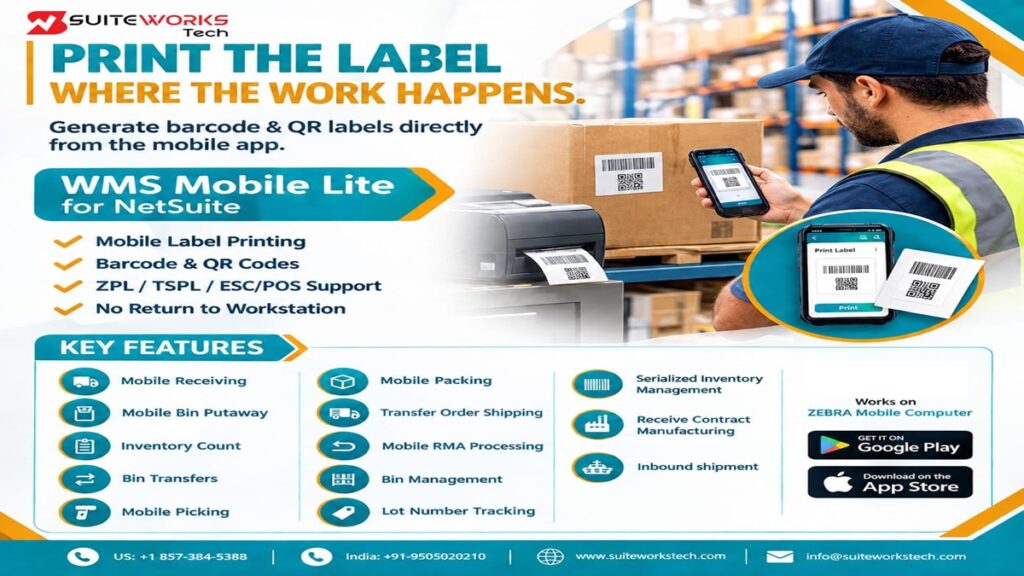
NetSuite Scanner Mobile App: How Growing Warehouses Can Reduce Repetitive Data Entry By Manasa, Sr. NetSuite Solution Architect at SuiteWorks TechOctober 7, 2026 A warehouse can become busy very quickly as inventory volumes increase. Receiving teams check incoming goods, warehouse staff move products into bins, pickers prepare orders, packers prepare shipments, and inventory teams perform counts. Each activity creates information that needs to be recorded accurately. For growing warehouses, the NetSuite WMS Mobile App by SuiteWorks Tech brings supported warehouse activities to iPhone and Android devices through mobile workflows, barcode and QR code scanning, and real-time synchronization with NetSuite. This approach helps warehouse employees perform tasks while working directly with physical inventory instead of depending on separate manual entry processes. The focus is not simply on replacing a keyboard with a mobile device. The supplied WMS Mobile Lite solution is designed to connect warehouse execution with NetSuite, allowing receiving, putaway, picking, packing, shipping, counting, transfers, returns, and other supported activities to remain connected with the ERP. NetSuite Scanner for Reducing Repetitive Warehouse Data Entry Imagine a warehouse employee receiving a shipment containing multiple items. Traditionally, the employee needs to identify the products, confirm quantities, record inventory details, and make sure the information reaches the right system. A mobile scanning workflow changes where that information is captured. With a NetSuite Scanner approach, the warehouse employee can use the device camera to scan barcodes or QR codes during supported warehouse activities. The WMS Mobile Lite solution can validate items, quantities, lots, serial numbers, and bins while updating inventory information in real time. This creates a more direct connection between the physical warehouse activity and the NetSuite transaction. Capturing Information While the Work Happens The supplied solution supports mobile workflows for: 🔹 Receiving inventory 🔹 Bin putaway 🔹 Picking 🔹 Batch picking 🔹 Packing 🔹 Shipping 🔹 Inventory counting 🔹 Bin transfers 🔹 Lot tracking 🔹 Serialized inventory 🔹 RMA processing Instead of entering the same information separately after completing a warehouse task, employees can capture supported information through the mobile workflow. NetSuite Scanner for Mobile Receiving Receiving is one of the first places where repetitive data entry can appear. When products arrive, warehouse employees need to verify the items and quantities and capture additional inventory information where applicable. The mobile receiving feature allows employees to receive inventory against NetSuite Purchase Orders using iPhone or Android devices. Barcode and QR Code Validation The mobile workflow can use scanning to validate: 🔹 Items 🔹 Quantities 🔹 Lots 🔹 Serial numbers 🔹 Bins The inventory information can then be updated in NetSuite in real time. Inbound Shipment Management also allows users to view inbound shipment details, receive items against associated Purchase Orders, and capture lot, serial, and bin information. For warehouse employees, this means the information is captured as part of the receiving activity instead of being treated as a separate data-entry task. NetSuite Scanner for Accurate Bin Putaway Receiving inventory is only the beginning. Once products arrive, they need to be moved to the appropriate warehouse locations. The Mobile Bin Putaway feature works with NetSuite Putaway Worksheets. Employees can scan destination bins and items while completing the putaway process. A scanner-based workflow provides a way to validate the item and destination bin during the physical movement. Keeping Bin Information Connected The supplied Bin Management functionality supports validation of source and destination bins across: 🔹 Receiving 🔹 Putaway 🔹 Picking 🔹 Transfers 🔹 Inventory counting By scanning items and bins, warehouse users can work with the information required for these supported activities while keeping the transactions synchronized with NetSuite. This is particularly useful when employees are moving through the warehouse and need to capture information without repeatedly returning to a workstation. NetSuite Scanner for Faster Mobile Picking Picking is another warehouse activity where repetitive entry can slow down execution. A picker may need to locate products, confirm the correct item, verify quantities, and update the order fulfillment process. The mobile picking feature allows employees to pick items against one or multiple Sales Orders using barcode and QR code scanning. Supporting Individual and Batch Picking The supplied workflow supports: 🔹 Picking against individual Sales Orders 🔹 Picking against multiple Sales Orders 🔹 Barcode and QR code scanning 🔹 Real-time validation For larger picking activities, Batch Pick allows employees to pick multiple Sales Orders during one warehouse trip. This can reduce warehouse travel time and support faster order fulfillment while keeping the picking activity connected to NetSuite. A NetSuite Scanner can therefore become part of the physical picking process rather than being used only for identification. NetSuite Scanner for Packing and Shipping After picking, the next steps are packing and shipping. Mobile Packing allows warehouse employees to confirm packed quantities through the mobile application and update the NetSuite Item Fulfillment status to Packed. The mobile shipping workflow allows completed orders to be shipped against one or multiple Sales Orders. From Packed Orders to Shipment Updates Warehouse employees can use scanning during supported shipping activities to: 🔹 Confirm shipments 🔹 Update Item Fulfillment 🔹 Update inventory in NetSuite This creates a connected sequence from picking through packing and shipping. The employee performs the physical task, captures the supported information through the mobile workflow, and the transaction is synchronized with NetSuite. NetSuite Scanner for Inventory Counting Inventory counting is another area where manual entry can create additional work. The supplied WMS Mobile Lite solution supports complete or partial inventory counts without paper-based count processes. Employees can count inventory by: 🔹 Item 🔹 Bin 🔹 Lot 🔹 Serial number The resulting information can be updated in NetSuite. Supporting Lot and Serialized Inventory Lot-numbered inventory can be received, moved, counted, picked, and shipped using scanning. For serialized inventory, individual serial numbers can be scanned during: 🔹 Receiving 🔹 Counting 🔹 Transfers 🔹 Picking 🔹 Packing 🔹 Shipping 🔹 Returns This scanning-based approach supports traceability while reducing the need for employees to manually enter individual serial numbers. NetSuite Scanner for Bin Transfers Inventory does
NetSuite for Android: How Mobile ERP Supports Teams Working Away From Desks

NetSuite for Android: How Mobile ERP Supports Teams Working Away From Desks By Manasa, Sr. NetSuite Solution Architect at SuiteWorks TechOctober 7, 2026 Work does not always happen in front of a computer. A warehouse employee may be receiving inventory, a technician may be working at a customer location, or an operator may be handling equipment away from the office. In these situations, the ability to perform supported business activities from a mobile device can make the workflow more connected. For businesses using NetSuite, mobile workflows can bring selected operational activities closer to where the work actually happens. The supplied SuiteWorks Tech WMS Mobile Lite solution demonstrates this approach by extending warehouse execution to Android and iPhone devices. A NetSuite for Android workflow can be particularly useful when employees need to work directly with physical inventory rather than returning to a workstation for every transaction. With mobile scanning, guided workflows, and real-time synchronization with NetSuite, warehouse activities can be performed while employees remain on the warehouse floor. NetSuite for Android: Bringing Warehouse Work Closer to the Floor Imagine a warehouse employee receiving a shipment. The products are physically in front of them, but the related purchase order, item details, quantities, bins, lots, and serial numbers also need to be recorded accurately. Instead of moving between the warehouse floor and a workstation, the supplied WMS Mobile Lite solution allows users to perform supported receiving activities through Android or iPhone devices. The NetSuite WMS Mobile App by SuiteWorks Tech is designed as a lightweight, high-performance SuiteApp that brings essential warehouse execution processes directly to handheld devices. Receiving Inventory From an Android Device Warehouse users can receive inventory against NetSuite Purchase Orders directly from their mobile devices. They can: 🔹 Scan barcodes or QR codes. 🔹 Validate items and quantities. 🔹 Capture lot numbers. 🔹 Capture serial numbers. 🔹 Validate warehouse bins. 🔹 Update inventory in real time. Inbound Shipment Management also allows users to view shipment details, receive items against associated purchase orders, and capture lot, serial, and bin information. This makes the mobile device part of the receiving workflow rather than simply another screen for viewing information. NetSuite for Android: Supporting Accurate Inventory Placement Receiving inventory is only one step. Once products arrive, warehouse employees need to place them in the correct locations. The supplied WMS Mobile Lite workflow supports Mobile Bin Putaway using NetSuite Putaway Worksheets. Employees can scan destination bins and items from their mobile devices while completing the putaway process. Connecting Physical Bins With NetSuite Records Bin Management supports validation of source and destination bins across several warehouse activities. 🔹 Receiving 🔹 Putaway 🔹 Picking 🔹 Transfers 🔹 Inventory counting Barcode scanning helps employees validate the relevant inventory locations during these activities. For a warehouse employee, this means the mobile device can be used while standing beside the inventory and the destination bin. The transaction can then be synchronized with NetSuite instead of requiring separate manual entry. NetSuite for Android and Mobile Picking Picking is another activity where warehouse employees work away from desks for much of the day. Products need to be located, identified, and picked against the appropriate Sales Orders. The supplied mobile picking workflow allows warehouse users to pick items against one or multiple NetSuite Sales Orders using barcode or QR code scanning. Making Picking a Mobile Workflow Warehouse employees can: 🔹 Pick against individual Sales Orders. 🔹 Pick against multiple Sales Orders. 🔹 Scan items using barcodes or QR codes. 🔹 Validate inventory in real time. The supplied content describes mobile picking as a way to reduce picking errors and improve warehouse productivity. For high-volume operations, Batch Pick allows employees to pick multiple Sales Orders during one trip. This reduces warehouse travel time while helping accelerate order fulfillment. Here, a NetSuite for Android approach is closely connected with the physical movement of inventory. The employee scans and picks products where they are located while the supported transaction information remains connected to NetSuite. NetSuite for Android for Packing and Shipping The warehouse workflow does not stop after picking. Items still need to be packed and shipped. Mobile Packing allows warehouse users to confirm packed quantities directly from their mobile devices. The NetSuite Item Fulfillment status can then be updated to Packed. From Packed Orders to Shipments The mobile workflow also supports shipping completed orders. Users can: 🔹 Ship against one or multiple NetSuite Sales Orders. 🔹 Confirm shipments using barcode scanning. 🔹 Automatically update Item Fulfillment. 🔹 Update inventory in NetSuite. This creates a connected movement from picking to packing and then shipping. For warehouse employees, the advantage of working through a NetSuite for Android workflow is that these supported activities can be completed directly from the warehouse environment instead of depending entirely on desk-based processing. NetSuite for Android and Inventory Counting Inventory counting is another warehouse activity where employees need to work directly with physical stock. The supplied solution allows complete or partial inventory counts from mobile devices without paper count sheets. Counting by Item, Bin, Lot, or Serial Number Warehouse teams can count inventory by: 🔹 Item 🔹 Bin 🔹 Lot 🔹 Serial number The resulting quantities can then be updated in NetSuite. Lot-numbered inventory can be received, moved, counted, picked, and shipped using barcode scanning. Serialized inventory can also be managed by scanning individual serial numbers during receiving, counting, transfers, picking, packing, shipping, and returns. This gives warehouse employees a mobile way to work with inventory while maintaining the connection between physical stock and NetSuite records. NetSuite for Android and Mobile Inventory Transfers Inventory may also need to move between bins or through supported Transfer Order workflows. Bin Transfers allow warehouse employees to move inventory between warehouse bins using barcode scanning on iPhone or Android devices. Scanning Inventory During Transfers The process can include: 🔹 Scanning the inventory. 🔹 Identifying the relevant source bin. 🔹 Moving inventory to the required destination. 🔹 Synchronizing the transfer with NetSuite. Every bin transfer is instantly synchronized with NetSuite according
NetSuite Warehouse Management: Building More Consistent Processes Across Locations
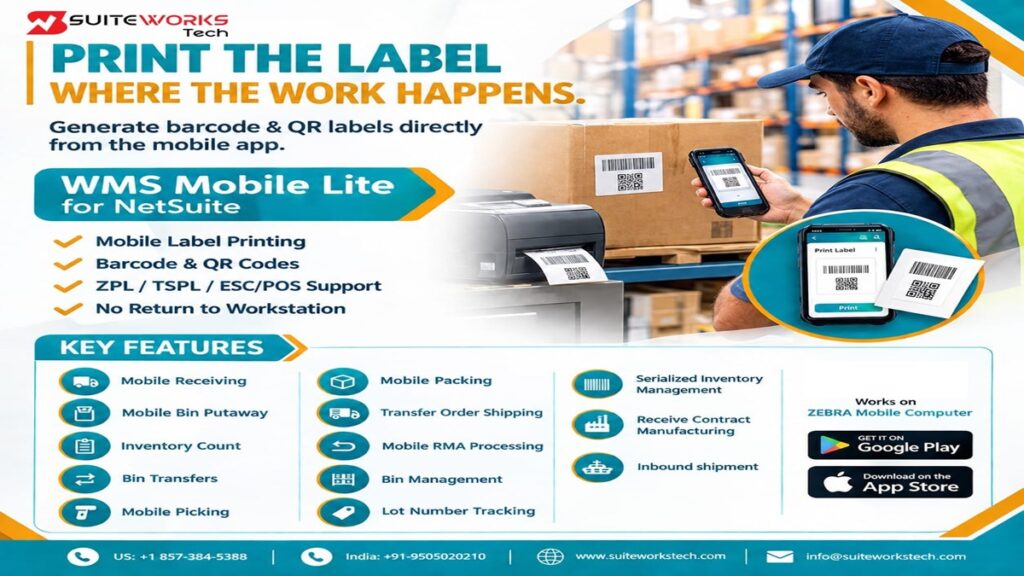
NetSuite Warehouse Management: Building More Consistent Processes Across Locations By Manasa, Sr. NetSuite Solution Architect at SuiteWorks TechOctober 7, 2026 A warehouse operation can look simple from the outside. Inventory arrives, employees put it away, orders are picked, products are packed, and shipments leave the facility. But behind each of these steps are many individual transactions that need to stay accurate. The challenge becomes more visible when warehouse operations involve multiple locations. Inventory needs to be received, placed, moved, counted, picked, packed, and shipped while the information remains synchronized with NetSuite. This is where NetSuite Warehouse Management can support more consistent warehouse execution. The supplied WMS Mobile Lite solution extends warehouse processes to iPhone and Android devices, allowing employees to perform supported warehouse activities through mobile workflows, barcode and QR code scanning, and real-time synchronization. The NetSuite WMS Mobile App by SuiteWorks Tech is designed for businesses that need warehouse mobility without adding complexity or additional NetSuite user licenses for warehouse mobile users. NetSuite Warehouse Management Across Multiple Locations When inventory is handled across different warehouse locations, consistency becomes an important part of daily operations. One warehouse employee may be receiving inventory while another is picking an order. Elsewhere, a team member may be transferring stock between bins or completing an inventory count. Each activity affects the warehouse records. The supplied WMS Mobile Lite solution brings these supported activities into a mobile workflow that works within NetSuite. Keeping Warehouse Activities Connected Warehouse users can log into the mobile application and perform activities such as: 🔹 Receiving inventory 🔹 Putaway 🔹 Picking 🔹 Packing 🔹 Shipping 🔹 Inventory counting 🔹 Bin transfers 🔹 RMA processing Each action is validated through barcode scanning and instantly synchronized with NetSuite. This creates a consistent connection between physical warehouse activities and the information maintained in the ERP. NetSuite Warehouse Management for Consistent Receiving Receiving is often the first point where inventory enters the warehouse. The information captured at this stage can include item quantities, lots, serial numbers, and bins. With the supplied mobile receiving workflow, warehouse employees can receive inventory directly from iPhone or Android devices against NetSuite Purchase Orders. Mobile Receiving and Inbound Shipments Employees can use barcode or QR code scanning to validate: 🔹 Items 🔹 Quantities 🔹 Lots 🔹 Serial numbers 🔹 Bins Inventory can then be updated in real time. Inbound Shipment Management also allows warehouse users to view inbound shipment details, receive items against associated purchase orders, and capture lot, serial, and bin information. For businesses operating across multiple warehouse locations, having a mobile receiving process connected to NetSuite provides a consistent way to handle supported inbound activities. NetSuite Warehouse Management for Accurate Bin Placement Receiving inventory correctly is only one part of warehouse management. The inventory also needs to be placed in the appropriate warehouse bins. The supplied Mobile Bin Putaway feature works with NetSuite Putaway Worksheets. Warehouse employees can scan destination bins and items from their mobile devices while putting inventory away. Validating Inventory Locations Bin Management supports validation of source and destination bins across several warehouse activities. 🔹 Receiving 🔹 Putaway 🔹 Picking 🔹 Transfers 🔹 Inventory counting Barcode scanning helps employees confirm inventory locations during these activities. This can be particularly relevant when warehouse operations involve multiple locations because inventory placement remains connected to the corresponding NetSuite records. NetSuite Warehouse Management for Picking and Batch Fulfillment Once inventory has been received and placed into bins, the next stage is order fulfillment. The supplied mobile picking workflow allows warehouse employees to pick items against one or multiple NetSuite Sales Orders using barcode or QR code scanning. Reducing Variation in Picking Processes Mobile picking supports: 🔹 Picking against individual Sales Orders 🔹 Picking against multiple Sales Orders 🔹 Barcode and QR code scanning 🔹 Real-time inventory validation The supplied content describes this workflow as helping reduce picking errors and improve warehouse productivity. For higher-volume warehouse operations, Batch Pick allows employees to pick multiple Sales Orders in a single trip. By reducing warehouse travel time and supporting batch-based fulfillment, the mobile workflow helps keep picking activities connected to the order fulfillment process. NetSuite Warehouse Management for Packing and Shipping After picking, products need to be packed and shipped. These activities are also part of the connected warehouse workflow. Mobile Packing allows warehouse employees to confirm packed quantities through the mobile application and update the NetSuite Item Fulfillment status to Packed. Connecting Packing With Shipping The mobile shipping workflow allows users to ship completed orders against one or multiple NetSuite Sales Orders. Employees can: 🔹 Confirm shipments using barcode scanning. 🔹 Update Item Fulfillment automatically. 🔹 Update inventory in NetSuite. This creates a connected process from picking to packing and shipping. For warehouse teams operating across locations, the same mobile approach can support consistent execution of these supported activities while keeping transaction information synchronized with NetSuite. NetSuite Warehouse Management for Inventory Counts Inventory accuracy depends on knowing what stock is available and where it is located. The supplied WMS Mobile Lite solution supports complete or partial inventory counts directly from mobile devices without paper count sheets. Counting Inventory by Different Levels Warehouse employees can count inventory by: 🔹 Item 🔹 Bin 🔹 Lot 🔹 Serial number The resulting quantities can be updated in NetSuite. The workflow also supports lot-numbered inventory across receiving, movement, counting, picking, and shipping. For serialized inventory, employees can scan individual serial numbers during receiving, inventory counts, transfers, picking, packing, shipping, and returns. This provides a mobile approach to inventory counting and traceability while keeping the supported information connected to NetSuite. NetSuite Warehouse Management for Transfers Between Bins Inventory does not always remain in the same location. It may need to move between warehouse bins or be shipped through Transfer Orders. The supplied Bin Transfers feature allows employees to move inventory between warehouse bins using barcode scanning on iPhone or Android devices. Real-Time Inventory Movement Employees can scan inventory and source bins while completing supported transfer activities. Every bin
NetSuite WMS: 8 Operational Gaps a Connected Warehouse Can Address
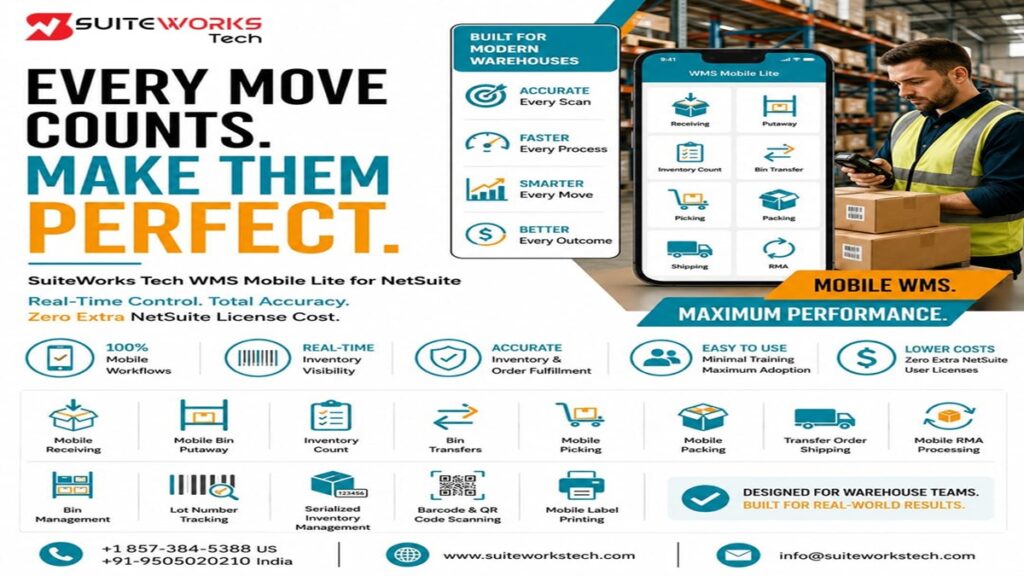
NetSuite WMS: 8 Operational Gaps a Connected Warehouse Can Address By Manasa, Sr. NetSuite Solution Architect at SuiteWorks TechOctober 7, 2026 A warehouse can be busy from the moment inventory arrives until the final order leaves the shipping area. Receiving, putaway, picking, packing, counting, transfers, returns, and shipping all happen as part of the same operation. When these activities are handled without a connected mobile workflow, small gaps can make everyday warehouse execution more difficult. For businesses using NetSuite, the focus is not only on storing inventory. Warehouse teams also need to execute transactions accurately and keep inventory information synchronized with what is happening on the floor. This is where NetSuite WMS can address several practical operational gaps. The supplied WMS Mobile Lite solution brings warehouse execution processes to iPhone and Android devices, using barcode and QR code scanning and real-time synchronization with NetSuite. The NetSuite WMS Mobile App by SuiteWorks Tech is designed to simplify warehouse execution without requiring additional NetSuite user licenses for warehouse mobile users. NetSuite WMS: Addressing the Gap Between Physical and Digital Inventory Consider a warehouse employee receiving a shipment. The physical inventory has arrived, but the system also needs to reflect what was received, in what quantity, and with which lot, serial number, or bin information. If the physical process and system transaction are not closely connected, maintaining accurate inventory information becomes more difficult. NetSuite WMS Mobile Lite addresses this through mobile receiving. 1. Gap: Manual Receiving Processes Warehouse employees can receive inventory directly from iPhone or Android devices against NetSuite Purchase Orders. 🔹 Scan barcodes or QR codes. 🔹 Validate items and quantities. 🔹 Capture lot numbers. 🔹 Capture serial numbers. 🔹 Validate bins. 🔹 Update inventory in real time. Inbound Shipment Management also allows users to view inbound shipment details and receive items against associated purchase orders while capturing lot, serial, and bin information. The result is a receiving workflow where warehouse activity and NetSuite inventory updates remain connected. NetSuite WMS: Closing Gaps in Inventory Placement Receiving inventory is only the beginning. Once products arrive, they need to be placed into the appropriate warehouse bins. A warehouse can receive the correct quantity but still face an inventory visibility problem if the system does not accurately reflect where those items were placed. 2. Gap: Unclear Bin Locations Mobile Bin Putaway allows warehouse staff to use NetSuite Putaway Worksheets while scanning destination bins and items through the mobile application. Bin Management also supports validation of source and destination bins during: 🔹 Receiving 🔹 Putaway 🔹 Picking 🔹 Transfers 🔹 Inventory counting Barcode scanning helps warehouse employees validate the inventory location while completing the physical movement. This creates a closer connection between where inventory is physically stored and the information maintained in NetSuite. NetSuite WMS and the Challenge of Picking Accuracy Picking is another area where warehouse execution can become complicated, particularly when employees are handling multiple Sales Orders. The supplied mobile workflow allows users to pick items against one or multiple NetSuite Sales Orders using barcode or QR code scanning. 3. Gap: Picking Errors and Manual Validation Instead of relying only on manual item identification, warehouse employees can scan items during the picking process. 🔹 Pick against one Sales Order. 🔹 Pick against multiple Sales Orders. 🔹 Scan items using barcodes or QR codes. 🔹 Validate inventory in real time. The supplied content describes mobile picking as a way to reduce picking errors while improving warehouse productivity. For higher-volume operations, Batch Pick allows multiple Sales Orders to be picked during a single trip. This reduces warehouse travel time while helping accelerate order fulfillment. NetSuite WMS for the Gap Between Picking and Shipping Picking an order is not the final warehouse step. The products still need to be packed and shipped correctly. When packing information is not updated promptly, there can be a gap between what has been physically packed and what the system shows. 4. Gap: Limited Packing and Shipping Visibility Mobile Packing allows warehouse users to confirm packed quantities directly through the mobile application. The NetSuite Item Fulfillment status can then be updated to Packed. The process continues with Mobile Shipping. 🔹 Ship completed orders from the mobile application. 🔹 Ship against one or multiple NetSuite Sales Orders. 🔹 Confirm shipments using barcode scanning. 🔹 Automatically update Item Fulfillment. 🔹 Update inventory in NetSuite. This creates a connected movement from picking to packing and then shipping. NetSuite WMS and Inventory Counting Gaps A warehouse may have inventory physically available while the quantity recorded in the system needs to be updated. Paper-based counting can create another step between the physical count and the system record. 5. Gap: Paper-Based Inventory Counting The supplied mobile workflow allows complete or partial inventory counts directly from a mobile device without paper count sheets. Warehouse teams can count by: 🔹 Item 🔹 Bin 🔹 Lot 🔹 Serial number The resulting quantities can then be updated in NetSuite. For lot-numbered inventory, warehouse employees can receive, move, count, pick, and ship inventory using barcode scanning. For serialized inventory, individual serial numbers can be scanned during receiving, inventory counts, transfers, picking, packing, shipping, and returns. This provides a connected approach to inventory counting and traceability. NetSuite WMS for Inter-Warehouse Movement Inventory does not always remain in one warehouse bin or location. It may need to move between warehouse locations through Transfer Orders. When physical movement and system updates are not closely connected, maintaining accurate inventory locations can become difficult. 6. Gap: Manual Inventory Transfers Transfer Order Shipping allows warehouse employees to ship inventory against NetSuite Transfer Orders using mobile devices. 🔹 Scan items. 🔹 Scan source bins. 🔹 Complete supported transfer activities. 🔹 Keep inventory information updated in real time. Bin Transfers also allow inventory to be moved between warehouse bins using barcode scanning on iPhone or Android devices. Every transfer is instantly synchronized with NetSuite. This keeps supported inventory movements connected with the warehouse records. NetSuite WMS and the Gap Created by
NetSuite Warehouse Management: Why Inventory Visibility Matters More as You Scale
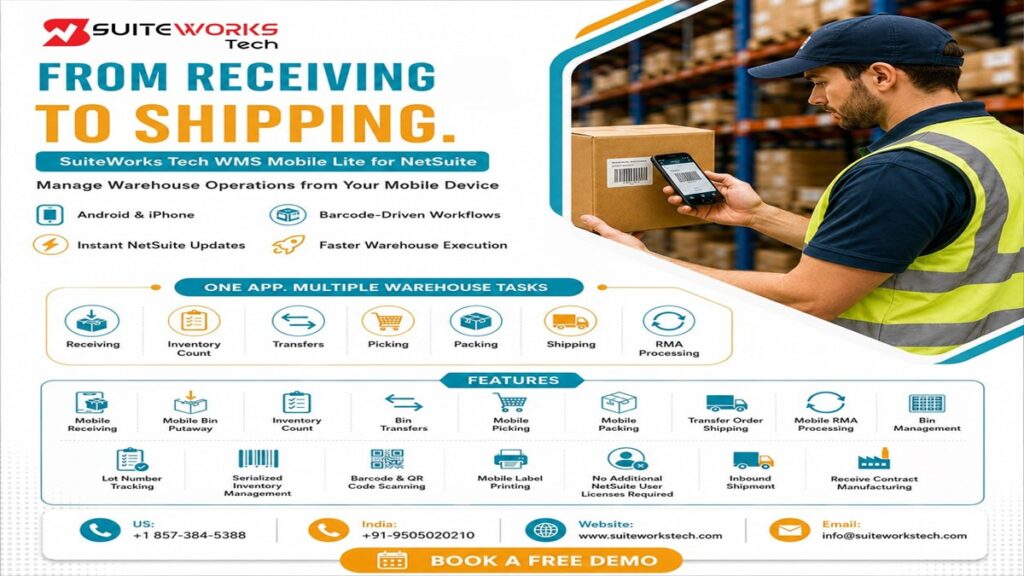
NetSuite Warehouse Management: Why Inventory Visibility Matters More as You Scale By Manasa, Sr. NetSuite Solution Architect at SuiteWorks TechOctober 1, 2026 A warehouse can look busy and still have gaps in inventory visibility. Products are being received, items are being picked, orders are being packed, and inventory is moving between bins throughout the day. But when these activities depend heavily on manual entry or disconnected processes, maintaining accurate inventory information becomes more difficult. This is where NetSuite Warehouse Management becomes important for businesses that need warehouse activities to remain connected with their NetSuite environment. The ability to perform receiving, picking, packing, inventory counting, bin transfers, and other warehouse tasks while keeping information synchronized with NetSuite creates a more connected way to manage daily warehouse execution. The NetSuite WMS Mobile App by SuiteWorks Tech extends these warehouse activities to mobile devices, including iPhone and Android smartphones. Warehouse staff can use barcode and QR code scanning, complete guided workflows, and update warehouse transactions while working directly from the warehouse floor. As warehouse operations grow, having inventory information updated through these activities becomes increasingly important. The focus is not simply on moving products faster. It is also about keeping inventory quantities, locations, lots, serial numbers, and fulfillment information accurately connected with NetSuite. Why NetSuite Warehouse Management Matters for Inventory Visibility Imagine a warehouse receiving several purchase orders during a busy morning. Employees need to identify the right items, confirm quantities, capture lot or serial information, and place inventory into the correct bins. If these activities are completed through manual processes, maintaining accurate inventory information can become challenging. NetSuite Warehouse Management provides a framework where these warehouse activities can be connected directly with NetSuite. With mobile workflows, employees can receive inventory against NetSuite Purchase Orders, validate items through barcode or QR code scanning, and update inventory in real time. This creates a direct connection between what happens physically inside the warehouse and the information maintained within NetSuite. Connecting Physical Inventory With NetSuite Records The supplied WMS Mobile Lite solution works entirely within NetSuite and extends NetSuite warehouse management capabilities to mobile devices. Warehouse users can log into the mobile application and perform tasks such as: 🔹 Receiving inventory 🔹 Picking orders 🔹 Packing orders 🔹 Processing RMAs 🔹 Counting inventory 🔹 Transferring inventory between bins Each action can be validated through barcode scanning and synchronized with NetSuite. The result is a warehouse workflow where inventory activities and NetSuite transactions remain connected. NetSuite Warehouse Management and Real-Time Inventory Accuracy Inventory visibility depends on accurate information. When warehouse transactions are completed, the corresponding inventory information needs to reflect what actually happened. The WMS Mobile Lite workflow supports real-time synchronization with NetSuite. Receiving, picking, packing, shipping, inventory counting, and bin transfers can be completed through mobile workflows while updates are synchronized with NetSuite. Receiving Inventory With Mobile Scanning Warehouse employees can receive inventory directly from iPhone or Android devices against NetSuite Purchase Orders. Barcode and QR code scanning can be used to validate: 🔹 Items 🔹 Quantities 🔹 Lots 🔹 Serial numbers 🔹 Bins The same approach is available for inbound shipment management. Employees can view inbound shipment details, receive items against associated purchase orders, and capture lot, serial, and bin information during receiving. This means the receiving activity and inventory information can be handled together within the mobile workflow. Putting Inventory Into the Correct Bins Receiving is only one part of inventory visibility. Once products arrive, they need to be placed in the correct warehouse locations. Mobile bin putaway allows warehouse staff to use NetSuite Putaway Worksheets while scanning destination bins and items from their mobile devices. Bin management also supports validation of source and destination bins during receiving, putaway, picking, transfers, and inventory counting. This helps maintain accurate information about where inventory is stored. NetSuite Warehouse Management for Picking and Fulfillment Once inventory has been received and placed into warehouse bins, the next stage is order fulfillment. Warehouse employees need to identify the correct items, pick the required quantities, and prepare orders for packing and shipping. NetSuite Warehouse Management supports these activities through mobile picking and barcode or QR code scanning. Mobile Picking Against Sales Orders Warehouse users can pick items against one or multiple NetSuite Sales Orders using mobile scanning. The workflow validates inventory while employees perform the picking activity. This supports warehouse productivity while reducing manual data entry. For businesses handling higher-volume operations, batch picking allows multiple Sales Orders to be picked during a single trip. The supplied content describes batch picking as a way to reduce warehouse travel time while accelerating order fulfillment. Moving From Picking to Packing After picking, warehouse employees can confirm packed quantities directly from the mobile application. The Item Fulfillment status can then be updated to Packed in NetSuite. This provides visibility into what has been picked and what has reached the packing stage. The workflow continues into mobile shipping, where completed orders can be shipped against one or multiple NetSuite Sales Orders. Barcode scanning can be used to confirm shipments while Item Fulfillment and inventory information are automatically updated in NetSuite. NetSuite Warehouse Management for Inventory Counting Inventory visibility is also connected to knowing what stock is physically available in the warehouse. The supplied WMS Mobile Lite solution supports complete or partial inventory counts directly from mobile devices without paper count sheets. Counting Inventory by Item, Bin, Lot, or Serial Number Warehouse staff can count inventory according to different requirements: 🔹 Item 🔹 Bin 🔹 Lot 🔹 Serial number The counted quantities can then be updated in NetSuite. This is particularly relevant for warehouses managing lot-numbered or serialized inventory, where simply knowing an overall quantity is not enough. Lot tracking allows warehouse teams to receive, move, count, pick, and ship lot-numbered inventory through barcode scanning. Serialized inventory management supports scanning individual serial numbers during receiving, counting, transfers, picking, packing, shipping, and returns. This keeps product traceability connected throughout the warehouse lifecycle. NetSuite Warehouse Management and Bin-Level Visibility Inventory visibility is













Working with SuiteWorks Tech on our AI Ordering Chatbot for NetSuite was outstanding. They delivered quickly, professionally, and with impressive attention to detail. I’m thrilled with the results and highly recommend their services.
Craig Michaud Partner, Evolve Salon Systems