


SuiteWorks Tech’s NetSuite WMS Mobile App: Transforming Warehouse Operations on the Go
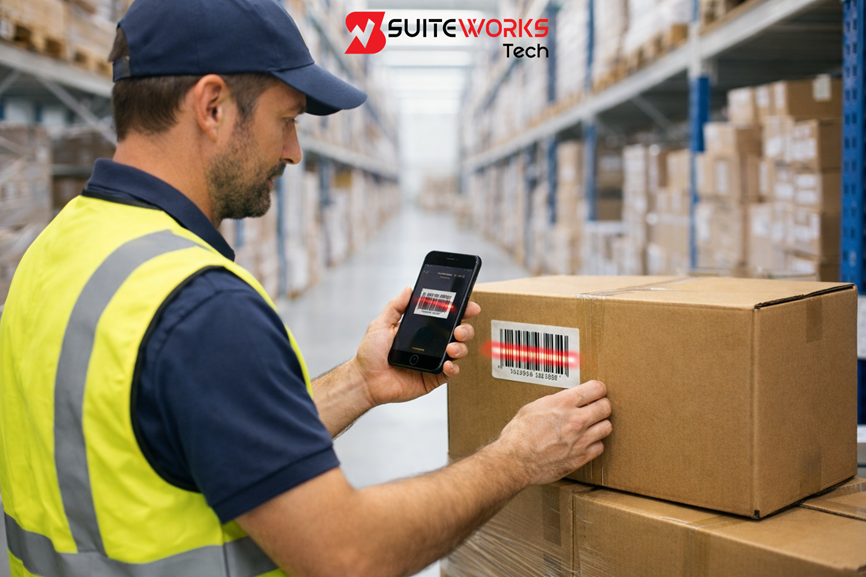
SuiteWorks Tech’s NetSuite WMS Mobile App: Transforming Warehouse Operations on the Go By Manasa, Sr. NetSuite Solution Architect at SuiteWorks TechJanuary 19, 2026 Warehouse operations rarely slow down. Orders keep flowing, inventory keeps moving, and warehouse teams are constantly balancing speed with accuracy. Over the years, I have seen many NetSuite-powered warehouses struggle not because NetSuite lacks capability, but because execution happens far away from desks and desktops. The real work happens on the warehouse floor. This is where SuiteWorks Tech’s NetSuite WMS Mobile App changes the story. By extending the NetSuite Warehouse Management Solution by SuiteWorks Tech directly to iPhone and Android devices, warehouse teams can execute tasks in real time, without complexity or additional licensing barriers. What once required paperwork, shared terminals, or delayed updates can now be completed on the go, exactly where inventory moves. The Shift Toward Mobile-First Warehouse Execution Traditional warehouse execution depends heavily on fixed systems. Workers move back and forth between storage locations and terminals, creating delays and increasing the risk of errors. As order volumes grow, these inefficiencies become visible very quickly. The SuiteWorks Tech’s NetSuite WMS Mobile App was designed to address this gap by bringing warehouse execution directly into the hands of users. Instead of adapting warehouse processes to technology limitations, the app adapts technology to the way warehouses actually operate. By working natively inside NetSuite, the solution ensures that every action taken on the warehouse floor reflects immediately in the ERP, maintaining a single source of truth across operations. How the NetSuite WMS Mobile App Transforms Daily Warehouse Operations Mobility Without Complexity One of the most practical transformations delivered by the SuiteWorks Tech NetSuite WMS Mobile App is mobility without added system complexity. Warehouse users can perform core tasks directly from mobile devices, without requiring additional NetSuite user licenses. 🔹 Tasks are executed directly on iPhone or Android smartphones🔹 No dependency on shared workstations🔹 Faster execution with fewer interruptions This approach allows warehouse teams to focus on movement and execution rather than system navigation. NetSuite WMS Mobile App and Smarter Picking Workflows Picking is often the most time-sensitive activity in warehouse operations. Delays or mistakes here directly affect customer satisfaction. With the SuiteWorks Tech’s NetSuite WMS Mobile App, picking becomes faster, more accurate, and more intuitive. 🔹 Pick items directly against one or multiple NetSuite Sales Orders🔹 Validate each pick using barcode or QR code scanning🔹 Instantly update inventory inside NetSuite For high-volume environments, batch picking allows multiple orders to be processed in a single workflow. This reduces unnecessary movement across the warehouse while keeping inventory levels accurate in real time. By enabling picking on the go, the NetSuite Warehouse Management Solution by SuiteWorks Tech helps warehouses ship faster without sacrificing accuracy. Packing and Shipping Without Delays Packing is where picked inventory turns into fulfilled orders. Delays at this stage often come from manual checks or disconnected systems. The NetSuite WMS Mobile App by SuiteWorks Tech allows packing and shipping to be completed directly from mobile devices. 🔹 Pack items using guided mobile workflows🔹 Validate quantities through scanning🔹 Ship directly against Sales Orders Because packing updates are synced instantly with NetSuite, fulfillment status and inventory levels stay aligned across the organization. NetSuite WMS Mobile App Improving Receiving Accuracy Receiving inventory is the foundation of accurate warehouse data. When receiving updates are delayed, inventory discrepancies ripple across purchasing, sales, and fulfillment. Using the NetSuite WMS Mobile App, warehouse teams can receive inventory on the go. 🔹 Scan barcodes or QR codes against Purchase Orders🔹 Validate received quantities immediately🔹 Update NetSuite inventory in real time This mobile-first approach ensures that inventory is available for picking as soon as it is physically received, eliminating waiting periods and manual reconciliation. Real-Time Inventory Sync Across All Warehouse Activities A defining strength of the NetSuite WMS Mobile App is real-time synchronization. Every warehouse transaction updates NetSuite instantly. 🔹 Sales Order shipping🔹 Purchase Order receiving🔹 RMA processing🔹 Batch picking This level of synchronization ensures accurate inventory levels, real-time visibility into warehouse activity, and reduced dependency on end-of-day reconciliations. Built to work seamlessly with NetSuite, the solution maintains a single source of truth across finance, operations, and fulfillment. Managing Returns Without Losing Control Returns are often overlooked when designing warehouse workflows, yet they have a significant impact on inventory accuracy. The NetSuite WMS Mobile App supports both Sales RMA and Vendor RMA processing from a single mobile interface. 🔹 Scan returned items directly on receipt🔹 Validate returns against RMA records🔹 Update inventory instantly inside NetSuite By processing returns in real time, warehouses regain control over returned stock and improve overall inventory visibility. Lot and Serial Tracking on the Warehouse Floor For industries that require traceability, mobile execution must support detailed tracking. The NetSuite WMS Mobile App includes support for lot-numbered and serialized items across warehouse workflows. 🔹 Capture lot and serial details during receiving🔹 Validate tracking during picking and packing🔹 Maintain full traceability within NetSuite This ensures compliance and accuracy without slowing down warehouse operations. Why No Extra Licenses Matter for Mobile Warehouses Scaling mobile execution across warehouse teams often becomes expensive when additional user licenses are required. The NetSuite WMS Mobile App removes this barrier. 🔹 Warehouse users operate without extra NetSuite licenses🔹 Lower operational costs🔹 Easier adoption across shifts and locations This makes it practical for businesses to enable mobility across the entire warehouse, not just a limited group of users. How the SuiteWorks Tech NetSuite WMS Mobile App Fits Existing NetSuite Workflows The NetSuite Warehouse Management Solution by SuiteWorks Tech does not replace NetSuite workflows. It extends them to mobile devices. Warehouse users log in to the app, follow guided workflows for receiving, picking, packing, and RMA processing, and validate actions through scanning. Each transaction is instantly synced with NetSuite, enabling businesses to run Oracle NetSuite WMS execution efficiently through a mobile-lite model. To explore the solution further, visit the website. Industries Benefiting from Mobile Warehouse Operations The NetSuite
SuiteWorks Tech’s NetSuite WMS Mobile App: Real-Time Inventory from the Warehouse Floor

SuiteWorks Tech’s NetSuite WMS Mobile App: Real-Time Inventory from the Warehouse Floor By Manasa, Sr. NetSuite Solution Architect at SuiteWorks TechJanuary 19, 2026 Warehouse inventory accuracy is rarely lost inside the ERP. It is usually lost on the warehouse floor, where execution happens faster than updates. Over the years, many NetSuite-driven warehouses have learned that real-time inventory visibility depends less on reports and more on how easily teams can capture transactions at the moment work is done. This is where SuiteWorks Tech’s NetSuite WMS Mobile App plays a critical role. By extending the NetSuite Warehouse Management Solution by SuiteWorks Tech directly to mobile devices, warehouse teams gain the ability to update inventory in real time while picking, packing, receiving, or processing returns. The result is a warehouse that operates with speed, accuracy, and transparency. This article explores how our NetSuite WMS Mobile App delivers real-time inventory visibility directly from the warehouse floor, using mobile-first execution that works natively inside NetSuite. Why Real-Time Inventory Matters on the Warehouse Floor Inventory data loses value the moment it becomes delayed. When receiving is entered hours later, when picking is confirmed at the end of a shift, or when returns sit unprocessed, NetSuite inventory numbers stop reflecting reality. SuiteWorks Tech NetSuite WMS Mobile App addresses this challenge by allowing warehouse teams to transact inventory at the point of action. Instead of walking back to a terminal or filling out paper forms, users scan, confirm, and update inventory instantly from iPhone or Android devices. For businesses using the NetSuite Warehouse Management Solution by SuiteWorks Tech, this real-time approach ensures that NetSuite always reflects what is physically happening in the warehouse. How the NetSuite WMS Mobile App Enables Real-Time Inventory Updates Mobile-First Execution Inside NetSuite The NetSuite WMS Mobile App by SuiteWorks Tech is built natively inside NetSuite. This means inventory transactions are not synced later or passed through third-party systems. Every scan, confirmation, and update flows directly into NetSuite ERP in real time. 🔹 Warehouse users log in to the mobile app🔹 Tasks are guided through intuitive mobile workflows🔹 Barcode and QR code scans validate each transaction🔹 Inventory updates instantly inside NetSuite This architecture eliminates data gaps and ensures that inventory accuracy is maintained throughout the day. NetSuite WMS Mobile App and Real-Time Receiving Accuracy Receiving is the first moment inventory enters the system, and it sets the tone for accuracy across the warehouse. With the SuiteWorks Tech NetSuite WMS Mobile App, receiving happens directly on the warehouse floor. 🔹 Scan barcodes or QR codes against Purchase Orders🔹 Validate quantities as items are received🔹 Update NetSuite inventory immediately By using mobile receiving within the NetSuite Warehouse Management Solution by SuiteWorks Tech, inventory becomes available for picking as soon as it is received. There is no waiting period and no manual reconciliation later. This real-time visibility is especially valuable in fast-moving warehouses where delays in receiving updates can impact order fulfillment. Real-Time Inventory Control During Picking Operations Picking is one of the most frequent inventory-touching activities in a warehouse. Without real-time updates, inventory accuracy erodes quickly. The NetSuite WMS Mobile App ensures that picking transactions update NetSuite instantly. 🔹 Pick items directly against NetSuite Sales Orders🔹 Scan each item to validate accuracy🔹 Reduce mis-picks through real-time checks For high-volume operations, batch picking further improves efficiency. Warehouse teams can pick multiple Sales Orders in a single workflow, while NetSuite reflects inventory reductions in real time. This direct connection between picking execution and NetSuite inventory ensures that available stock numbers remain accurate throughout the day. NetSuite WMS Mobile App and Real-Time Packing Visibility Packing is often where inventory discrepancies surface. Items are picked correctly, but packing confirmations are delayed or inaccurate. With the NetSuite WMS Mobile App, packing becomes a real-time inventory event. 🔹 Pack items directly from mobile devices🔹 Validate packed quantities using barcode scanning🔹 Sync fulfillment updates instantly to NetSuite Because packing transactions update NetSuite immediately, inventory levels, order status, and fulfillment records stay aligned. This real-time visibility reduces downstream issues in shipping and invoicing. NetSuite WMS Mobile App for Real-Time Inventory Sync One of the defining strengths of the SuiteWorks Tech NetSuite WMS Mobile App is real-time synchronization across all warehouse activities. 🔹 Sales Order shipping🔹 Purchase Order receiving🔹 RMA processing🔹 Batch picking Every transaction syncs instantly with Oracle NetSuite WMS, ensuring accurate inventory levels and real-time operational visibility. This tight integration aligns with the core design of NetSuite, where a single source of truth drives business decisions. For warehouse managers, this means fewer surprises and greater confidence in inventory data. Handling Returns Without Losing Inventory Visibility Returns are often a blind spot for inventory accuracy. Items may be physically back in the warehouse but not reflected in the system. The NetSuite WMS Mobile App supports both Sales RMA and Vendor RMA processing directly from mobile devices. 🔹 Scan returned items🔹 Validate against RMA records🔹 Update NetSuite inventory instantly By processing returns in real time, the NetSuite Warehouse Management Solution by SuiteWorks Tech ensures that returned inventory is visible and available as soon as it is processed. Lot and Serial Tracking in Real Time For warehouses handling regulated or traceable inventory, real-time tracking is essential. The NetSuite WMS Mobile App by SuiteWorks Tech supports lot-numbered and serialized items during all warehouse transactions. 🔹 Capture lot and serial details during receiving🔹 Validate lot and serial data during picking and packing🔹 Maintain full traceability inside NetSuite This capability ensures compliance while maintaining real-time inventory accuracy across the warehouse. Why No Extra NetSuite Licenses Support Real-Time Execution Real-time inventory updates require broad adoption across warehouse teams. The NetSuite WMS Mobile App allows warehouse users to operate without additional NetSuite user licenses. 🔹 Lower operational costs🔹 Easier scaling across shifts and locations🔹 More users capturing inventory data in real time This approach removes barriers to adoption and ensures that real-time inventory updates are not limited to a small group of licensed users. How the NetSuite WMS Mobile
How SuiteWorks Tech’s NetSuite WMS Mobile App Improves Picking, Packing, and Receiving
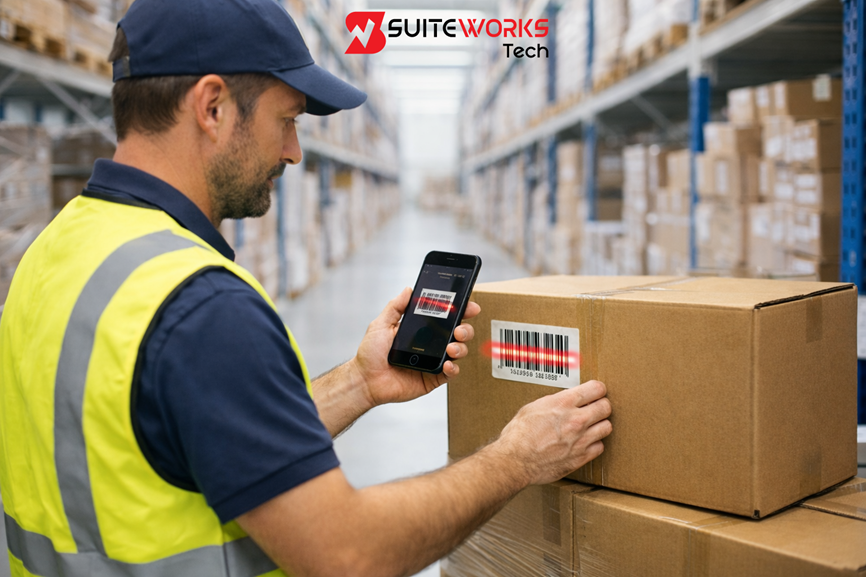
How SuiteWorks Tech’s NetSuite WMS Mobile App Improves Picking, Packing, and Receiving By Manasa, Sr. NetSuite Solution Architect at SuiteWorks TechJanuary 18, 2026 Warehouse teams today are under constant pressure to move faster without compromising accuracy. In many NetSuite-driven warehouses, the real challenge is not the ERP itself but how efficiently day-to-day execution happens on the warehouse floor. This is where a NetSuite WMS Mobile App by SuiteWorks Tech becomes central to smoother operations. Built natively inside NetSuite, the NetSuite Warehouse Management Solution by SuiteWorks Tech extends essential warehouse workflows directly to mobile devices. Instead of relying on paper, desktops, or complex handheld setups, warehouse users can execute picking, packing, and receiving right from iPhone or Android devices, with every transaction synced instantly to NetSuite. This article explores how the SuiteWorks Tech’s NetSuite WMS Mobile App improves picking, packing, and receiving by simplifying execution, reducing errors, and bringing real-time visibility to warehouse operations. Why Picking, Packing, and Receiving Need a NetSuite WMS Mobile App In many warehouses, delays start at the execution layer. Orders are released on time in NetSuite, but picking is slow. Receiving is done on paper and entered later. Packing teams wait for updates that never arrive in real time. These gaps create inventory mismatches and fulfillment delays. NetSuite Warehouse Management Solution by SuiteWorks Tech addresses this by bringing the SuiteApp directly into the hands of warehouse users. Mobile-driven workflows ensure that every scan, confirmation, and transaction updates NetSuite instantly, keeping inventory accurate and operations aligned. The SuiteWorks Tech WMS Mobile Lite SuiteApp was designed for this exact purpose: enabling mobility without adding complexity or requiring extra NetSuite licenses. How the NetSuite WMS Mobile App Transforms Picking Operations Guided Mobile Picking with Real-Time Validation Picking is often the most time-consuming warehouse activity. With the SuiteWorks Tech’s NetSuite WMS Mobile App, warehouse users pick items directly against one or multiple NetSuite Sales Orders using their mobile devices. 🔹 Pickers scan barcodes or QR codes using iPhone or Android cameras🔹 Each scan validates the item against the Sales Order in NetSuite🔹 Inventory updates happen instantly within NetSuite This approach ensures that only the correct items are picked, reducing mis-picks and rework. Because everything runs inside NetSuite, there is no lag between warehouse execution and ERP records. Batch Picking for Higher Throughput For high-volume warehouses, order-by-order picking creates unnecessary movement. The NetSuite WMS Mobile App supports batch pick logic, allowing teams to pick multiple Sales Orders in a single workflow. 🔹 Reduced warehouse walking time🔹 Faster order consolidation🔹 Higher daily pick rates Batch picking through the NetSuite Warehouse Management Solution by SuiteWorks Tech helps warehouses scale fulfillment without increasing headcount. NetSuite WMS Mobile App for Accurate and Faster Packing Packing Directly from Mobile Devices Packing errors often occur when teams rely on manual checks or printed pick lists. With the SuiteWorks Tech’s NetSuite WMS Mobile App, packing becomes a continuation of the picking workflow. 🔹 Pack items directly from the mobile interface🔹 Validate packed quantities using barcode scanning🔹 Ship items against one or multiple Sales Orders Because packing actions are recorded in real time, NetSuite always reflects the latest fulfillment status. This eliminates delays between warehouse execution and order updates. Real-Time Inventory Sync During Packing Every packing transaction syncs instantly with NetSuite, ensuring: 🔹 Accurate on-hand inventory🔹 No manual reconciliation🔹 Real-time visibility for operations and finance teams This real-time sync is a key reason why mobile execution improves fulfillment reliability across NetSuite-driven warehouses. NetSuite WMS Mobile App for Mobile Receiving Accuracy Receiving is the foundation of inventory accuracy. Errors at this stage cascade into picking and shipping issues later. The NetSuite WMS Mobile App enables warehouse teams to receive inventory directly on mobile devices. 🔹 Scan barcodes or QR codes against Purchase Orders🔹 Validate received quantities instantly🔹 Update NetSuite inventory in real time This mobile-first approach ensures that inventory is available for picking immediately after receipt, without delays caused by manual data entry. Receiving Without Paper or Desktops Using the NetSuite Warehouse Management Solution by SuiteWorks Tech, warehouse users can complete receiving workflows anywhere on the warehouse floor. This removes dependency on fixed terminals and eliminates paperwork delays. NetSuite WMS Mobile App and Real-Time Inventory Sync One of the strongest advantages of the SuiteWorks Tech’s NetSuite WMS Mobile App is real-time inventory synchronization. Whether it’s picking, packing, receiving, or RMA processing, every transaction updates NetSuite instantly. 🔹 Accurate inventory levels at all times🔹 Improved visibility into warehouse activity🔹 Stronger trust in NetSuite data This level of synchronization ensures that warehouse execution aligns perfectly with NetSuite ERP, as described on the official NetSuite platform. Handling Returns with the NetSuite WMS Mobile App Returns often slow down warehouses due to manual processing. The SuiteWorks Tech’s NetSuite WMS Mobile App supports both Sales RMA and Vendor RMA processing from the same mobile interface. 🔹 Process returns without paperwork🔹 Validate returned items via barcode scanning🔹 Update NetSuite inventory and RMA records instantly This capability helps maintain inventory accuracy while reducing return processing time. Why No Extra NetSuite Licenses Matter on the Warehouse Floor One of the practical challenges in warehouse mobility is user licensing. The NetSuite WMS Mobile App by SuiteWorks Tech allows warehouse technicians and pickers to operate without additional NetSuite user licenses. 🔹 Lower operational costs🔹 Easier onboarding of warehouse staff🔹 Scalable mobility for growing operations This makes mobile adoption feasible even for high-volume warehouses. How the NetSuite WMS Mobile App Works Inside NetSuite The NetSuite Warehouse Management Solution by SuiteWorks Tech works entirely within NetSuite. Warehouse users log in to the mobile app and follow guided workflows for picking, packing, receiving, and RMA processing. Each action is validated through barcode scanning and synced instantly with NetSuite. This mobile-lite execution model enables faster fulfillment while maintaining full control within Oracle NetSuite WMS. For a detailed view of the solution, visit the official page for the https://suiteworkstech.com/netsuite-wms-mobile-app/. Industries That Benefit from Mobile Picking, Packing, and Receiving The NetSuite
NetSuite WMS Mobile App for iPhone & Android: Features and Benefits
NetSuite WMS Mobile App for iPhone & Android: Features and Benefits By Manasa, Sr. NetSuite Solution Architect at SuiteWorks TechJanuary 18, 2026 As warehouses grow, one challenge consistently appears before any other: execution speed. Orders increase, inventory turns faster, and warehouse teams are expected to do more without adding complexity. Many NetSuite users reach a point where desktop-based warehouse execution slows down operations instead of supporting them. This is where the SuiteWorks Tech’s NetSuite WMS Mobile App becomes relevant. Instead of forcing warehouse teams to work around fixed terminals or paper-based workflows, mobile execution brings NetSuite warehouse processes directly to the warehouse floor. The NetSuite Warehouse Management Solution by SuiteWorks Tech is built with this reality in mind, focusing on speed, simplicity, and real-time accuracy. Understanding the NetSuite WMS Mobile App Approach The NetSuite WMS Mobile App by SuiteWorks Tech is a lightweight, high-performance solution designed to run natively inside NetSuite while extending execution to iPhone and Android devices. Rather than replacing NetSuite workflows, the app enhances them. Warehouse users perform essential tasks such as receiving, picking, packing, batch picking, and RMA processing directly from mobile devices. Every transaction syncs instantly with NetSuite ERP, ensuring inventory accuracy without delays. This mobile-first approach makes the NetSuite WMS Mobile App an ideal fit for businesses that want Oracle NetSuite WMS capabilities without unnecessary complexity. NetSuite WMS Mobile App for Faster Picking and Packing One of the biggest advantages of the SuiteWorks Tech’s NetSuite WMS Mobile App is how it simplifies picking and packing workflows. 🔹 Mobile Picking & PackingWarehouse teams can ship items directly from the mobile app against one or multiple NetSuite Sales Orders. Each scan validates the correct item and quantity, ensuring accurate fulfillment and immediate inventory updates in NetSuite. By moving picking and packing to handheld devices, businesses reduce errors caused by manual entry and improve order turnaround times. This directly supports higher customer satisfaction and smoother fulfillment operations. NetSuite WMS Mobile App for Real-Time Receiving Inbound inventory often creates bottlenecks when handled manually. The NetSuite WMS Mobile App removes this friction by enabling real-time receiving on mobile devices. 🔹 Mobile ReceivingWarehouse users scan barcodes or QR codes using iPhone or Android devices to receive items against purchase orders. Validation happens instantly, ensuring that only correct items are received into inventory. This approach improves data accuracy within NetSuite and reduces the time between physical receipt and system updates, which is critical for businesses managing high inventory turnover. Managing Returns with the NetSuite WMS Mobile App Returns are a reality for many industries, and inefficient return handling often leads to inventory discrepancies. The SuiteWorks Tech’s NetSuite WMS Mobile App simplifies return workflows without adding administrative overhead. 🔹 Mobile RMA ProcessingBoth Sales RMAs and Vendor RMAs are processed through the same mobile interface. Warehouse teams scan items, validate quantities, and complete return transactions directly within NetSuite warehouse management workflows. This eliminates paperwork delays and ensures returns are reflected immediately in NetSuite, maintaining accurate stock levels. NetSuite WMS Mobile App for Batch Picking Efficiency As order volumes grow, processing orders one by one becomes inefficient. The NetSuite WMS Mobile App addresses this challenge with batch picking functionality. 🔹 Batch Pick for Multiple Sales OrdersWarehouse users can pick items for multiple sales orders in a single run. This minimizes warehouse movement, reduces congestion, and improves overall throughput. Batch picking within the NetSuite WMS Mobile App aligns perfectly with high-volume fulfillment environments such as e-commerce, wholesale distribution, and 3PL operations. Barcode and QR Scanning on iPhone and Android Hardware dependency is often a barrier to mobile adoption. The NetSuite WMS Mobile App removes this by supporting fast camera-based scanning. 🔹 Mobile Scanning on iPhone and AndroidWarehouse teams scan barcodes and QR codes using smartphone cameras for picking, receiving, and RMA processing. The app is optimized for speed and reliability across both iOS and Android platforms. This flexibility allows businesses to enable mobile execution without investing in specialized scanning devices. Real-Time Inventory Accuracy with NetSuite WMS Mobile App Inventory accuracy is a core requirement for any warehouse management system. The SuiteWorks Tech’s NetSuite WMS Mobile App ensures accuracy by syncing every transaction instantly with NetSuite. 🔹 Real-Time Inventory Sync with NetSuiteSales order shipping, purchase order receiving, batch picking, and RMA processing are all updated in real time within the Oracle NetSuite WMS environment. This provides:🔹 Accurate inventory levels🔹 No manual reconciliation🔹 Real-time visibility across warehouse operations For businesses using NetSuite as their system of record, this real-time sync is critical. Lot and Serial Tracking Through Mobile Execution For industries that require traceability, the NetSuite WMS Mobile App by SuiteWorks Tech supports lot-numbered and serialized inventory. 🔹 Lot & Serial TrackingEach scan captures lot or serial details during picking, receiving, or returns. This ensures full traceability within NetSuite warehouse management workflows and supports compliance requirements across regulated industries. NetSuite WMS Mobile App Without Extra User Licenses Cost control is often a deciding factor when expanding warehouse systems. One key benefit of the NetSuite WMS Mobile App is that it does not require additional NetSuite user licenses for warehouse operators. Warehouse technicians and pickers can use the app without increasing licensing costs, making mobile execution accessible for growing businesses. How the NetSuite WMS Mobile App Works in Daily Operations The NetSuite Warehouse Management Solution by SuiteWorks Tech works entirely within NetSuite, extending execution to mobile devices. Warehouse users log in to the NetSuite WMS Mobile App and perform tasks such as receiving, picking, packing, batch picking, and RMA processing using guided workflows. Each action is validated through barcode scanning and synced instantly with NetSuite. This streamlined execution model enables faster fulfillment, tighter inventory control, and operational transparency across warehouse teams. Native Integration with NetSuite ERP The NetSuite WMS Mobile App is built natively for NetSuite, ensuring seamless integration with existing ERP workflows. All warehouse transactions sync instantly, eliminating duplicate data entry and maintaining a single source of truth across finance,
Is SuiteWorks Tech’s Oracle NetSuite WMS Mobile App the Right Warehouse Management Solution for You?

Is SuiteWorks Tech’s Oracle NetSuite WMS Mobile App the Right Warehouse Management Solution for You? By Manasa, Sr. NetSuite Solution Architect at SuiteWorks TechJanuary 18, 2026 Every growing business reaches a stage where warehouse operations become harder to manage. Orders increase, inventory expands across locations, and manual processes begin to create delays and errors. Many NetSuite users experience this turning point when spreadsheets, paper pick lists, or desktop-only workflows no longer keep up with daily execution. This is often the moment businesses start evaluating SuiteWorks Tech’s Oracle NetSuite WMS Solution. The goal is rarely just “adding a WMS.” Instead, it is about gaining control, improving accuracy, and enabling warehouse teams to work faster without disrupting existing NetSuite processes. The NetSuite Warehouse Management Solution by SuiteWorks Tech is designed for this exact stage of growth, where mobility, simplicity, and native integration matter more than complexity. Understanding What Oracle NetSuite WMS by SuiteWorks Tech Really Delivers At a practical level, Oracle NetSuite WMS focuses on warehouse execution rather than just inventory visibility. It connects physical warehouse actions directly with NetSuite ERP transactions so that what happens on the warehouse floor is immediately reflected in the system. SuiteWorks Tech’s WMS Mobile Lite extends these Oracle NetSuite WMS capabilities to mobile devices. Warehouse users can perform core tasks using iPhone or Android smartphones, without relying on fixed workstations or additional NetSuite user licenses. This approach keeps warehouse execution lightweight while preserving the accuracy and control expected from Oracle NetSuite WMS. Oracle NetSuite WMS and the Reality of Daily Warehouse Work A common question warehouse managers ask is whether Oracle NetSuite WMS can adapt to real-world workflows. The answer depends on how execution is enabled. The NetSuite WMS Mobile App supports everyday warehouse tasks through guided mobile workflows: 🔹 Mobile Picking & PackingWarehouse users ship items directly from mobile devices against one or multiple NetSuite Sales Orders. Each scan validates the item, ensuring accurate fulfillment and instant stock updates inside NetSuite. 🔹 Batch Pick for Multiple Sales OrdersInstead of processing orders individually, teams can batch pick across multiple sales orders. This reduces warehouse movement and increases throughput while staying aligned with Oracle NetSuite WMS logic. 🔹 Mobile Scanning on iPhone and AndroidBarcode and QR code scanning using smartphone cameras eliminates the need for specialized hardware while maintaining speed and accuracy. These capabilities help Oracle NetSuite WMS fit naturally into daily warehouse operations rather than forcing teams to change how they work. Why Oracle NetSuite WMS Improves Inventory Accuracy Inventory accuracy is one of the strongest reasons businesses move toward Oracle NetSuite WMS by SuiteWorks Tech. Errors usually happen when warehouse actions are recorded late or manually. 🔹 Real-Time Inventory Sync with NetSuiteEvery mobile transaction, including sales order shipping, purchase order receiving, RMA processing, and batch picking, syncs instantly with the Oracle NetSuite WMS environment. This ensures:🔹 Accurate inventory levels🔹 No manual reconciliation🔹 Real-time visibility into warehouse activity 🔹 Lot & Serial TrackingFor businesses handling regulated or traceable inventory, Oracle NetSuite WMS supports lot-numbered and serialized items. Each movement is linked to the correct lot or serial number, maintaining full traceability. This level of accuracy helps operations, finance, and fulfillment teams rely on NetSuite as a single source of truth. Oracle NetSuite WMS for Receiving and Returns Inbound processes often slow warehouses down when handled manually. Oracle NetSuite WMS simplifies both receiving and returns through mobile execution. 🔹 Mobile ReceivingWarehouse teams can receive inventory on the go by scanning barcodes or QR codes against purchase orders. Items are validated immediately, reducing errors and speeding up putaway. 🔹 Mobile RMA ProcessingBoth Sales RMA and Vendor RMA transactions are processed from the same mobile interface. This removes paperwork delays and improves return accuracy within NetSuite warehouse management. By keeping inbound and outbound workflows inside Oracle NetSuite WMS, warehouses maintain consistency across operations. How Oracle NetSuite WMS Works Inside NetSuite The NetSuite Warehouse Management Solution by SuiteWorks Tech works entirely within NetSuite, extending execution to mobile devices without breaking native workflows. Warehouse users log in to the mobile app and perform tasks such as receiving, picking, packing, and RMA processing using guided steps. Every action is validated through barcode scanning and synced instantly with NetSuite. This mobile-lite execution model allows businesses to run Oracle NetSuite WMS efficiently without complex infrastructure or heavy training requirements. You can explore the solution in more detail here: More Details Oracle NetSuite WMS Integration with NetSuite ERP One of the defining advantages of Oracle NetSuite WMS is native integration with NetSuite ERP. SuiteWorks Tech WMS Mobile Lite is built specifically for NetSuite, ensuring seamless alignment with existing data and processes. All fulfillment updates and warehouse transactions sync instantly, eliminating duplicate data entry and maintaining consistency across:🔹 Finance🔹 Operations🔹 Fulfillment For businesses working with a Trusted NetSuite Solution Provider, this native approach reduces long-term risk and supports scalability. Who Should Consider Oracle NetSuite WMS Oracle NetSuite WMS is well-suited for businesses that require mobility and accuracy in warehouse execution. It is commonly adopted across industries such as: 🔹 Pharma & Healthcare distribution🔹 Retail & E-commerce warehouses🔹 3PL and logistics providers🔹 Manufacturing warehouses🔹 Wholesale distribution hubs🔹 Fleet parts warehouses🔹 Cold storage and batch-managed inventory facilities Across these sectors, Oracle NetSuite WMS supports scalable growth without introducing unnecessary complexity. Scaling Warehouse Operations Without Extra Licensing Licensing costs are often a concern when expanding warehouse operations. The NetSuite WMS Mobile App by SuiteWorks Tech does not require additional NetSuite user licenses for warehouse operators. This allows businesses to:🔹 Enable mobile execution for warehouse staff🔹 Control operational costs🔹 Scale Oracle NetSuite WMS usage as volumes grow This practical approach makes Oracle NetSuite WMS accessible for growing businesses. Support That Makes Oracle NetSuite WMS SuiteApp by SuiteWorks Tech Sustainable Implementing SuiteWorks Tech’s Oracle NetSuite WMS is not just about features. Long-term success depends on support, training, and optimization. SuiteWorks Tech provides end-to-end support covering implementation, configuration, training, and ongoing optimization. As a NetSuite
Oracle NetSuite WMS SuiteApp by SuiteWorks Tech: A Complete Guide for Growing Businesses
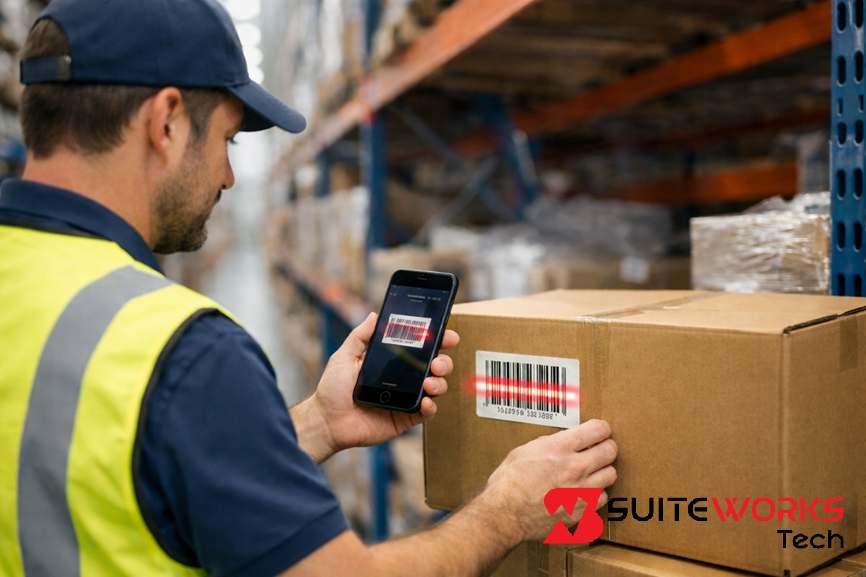
Oracle NetSuite WMS SuiteApp by SuiteWorks Tech: A Complete Guide for Growing Businesses By Manasa, Sr. NetSuite Solution Architect at SuiteWorks TechJanuary 18, 2026 As businesses scale, warehouse operations often become the first pressure point. Order volumes increase, inventory complexity grows, and manual processes begin to slow fulfillment. In many NetSuite environments, the ERP is already doing its job well, but warehouse execution still happens outside the system. This is where Oracle NetSuite WMS Mobile App by SuiteWorks Tech plays a critical role. It allows warehouse teams to execute daily operations directly inside NetSuite while maintaining real-time inventory accuracy. Instead of disconnected tools or paper-based processes, warehouse activities become structured, traceable, and immediately visible across the business. The NetSuite Warehouse Management Solution by SuiteWorks Tech is designed specifically to help growing businesses operationalize Oracle NetSuite WMS capabilities through a mobile-first approach, without adding unnecessary complexity. Understanding Oracle NetSuite WMS SuiteApp in a Real-World Context At its core, Oracle NetSuite WMS focuses on execution. It connects physical warehouse movements with digital transactions in NetSuite ERP. When implemented effectively, every scan, pick, receipt, and return updates inventory instantly. SuiteWorks Tech’s WMS Mobile Lite extends this execution layer to handheld devices, allowing warehouse teams to work directly from iPhone or Android smartphones. This approach removes the dependency on fixed workstations and ensures that warehouse data reflects reality at all times. By keeping warehouse execution native to NetSuite, businesses avoid delayed syncs, duplicate data entry, and reconciliation issues that often appear with external WMS tools. SuiteWorks Tech’s Oracle NetSuite WMS for Faster Picking and Packing Accuracy One of the most common reasons businesses explore Oracle NetSuite WMS is to improve picking and packing accuracy. Errors in fulfillment directly impact customer satisfaction and operational cost. SuiteWorks Tech’s NetSuite WMS Mobile App supports this through guided mobile workflows: 🔹 Mobile Picking & PackingWarehouse users can ship items directly from mobile devices against one or multiple NetSuite Sales Orders. Each item is validated through scanning, ensuring accurate fulfillment and instant inventory updates within NetSuite. 🔹 Batch Pick for Multiple Sales OrdersInstead of processing orders one by one, warehouse teams can batch pick across multiple sales orders. This minimizes warehouse movement and improves throughput while staying fully aligned with Oracle NetSuite WMS workflows. 🔹 Mobile Scanning on iPhone and AndroidBarcode and QR code scanning using smartphone cameras makes picking and packing faster without specialized hardware. This keeps warehouse execution simple while maintaining accuracy. Together, these capabilities turn picking and packing into structured, repeatable processes inside Oracle NetSuite WMS. Oracle NetSuite WMS and Real-Time Inventory Accuracy Inventory accuracy is only as good as the last transaction recorded. With Oracle NetSuite WMS, accuracy improves when every warehouse movement is captured immediately. 🔹 Real-Time Inventory Sync with NetSuiteAll mobile transactions, including sales order shipping, purchase order receiving, RMA processing, and batch picking, sync instantly with the Oracle NetSuite environment. This ensures:🔹 Accurate inventory levels🔹 No manual reconciliation🔹 Real-time visibility into warehouse activity 🔹 Lot & Serial TrackingFor businesses managing lot-numbered or serialized items, Oracle NetSuite WMS supports complete traceability. Each scan links inventory movement to the correct lot or serial number, maintaining compliance and audit readiness. This level of accuracy helps finance, operations, and fulfillment teams work from a single source of truth. Simplifying Receiving and Returns with Oracle NetSuite WMS Inbound processes often introduce delays when handled manually. Oracle NetSuite WMS simplifies both receiving and returns by bringing them into a single mobile workflow. 🔹 Mobile ReceivingWarehouse users can receive inventory on the go by scanning barcodes or QR codes against purchase orders. Items are validated instantly, reducing errors and speeding up putaway. 🔹 Mobile RMA ProcessingBoth Sales RMA and Vendor RMA transactions can be processed from the same mobile interface. This eliminates paperwork delays and improves return accuracy within NetSuite warehouse management. By handling inbound and outbound flows within Oracle NetSuite WMS, warehouses maintain consistency and control across operations. How Oracle NetSuite WMS Works in Daily Operations The NetSuite Warehouse Management Solution by SuiteWorks Tech works entirely within NetSuite while extending execution to mobile devices. Warehouse users log in to the mobile app and perform tasks such as receiving, picking, packing, and RMA processing through guided workflows. Each action is validated using barcode scanning and synced instantly with NetSuite. This mobile-lite model allows businesses to run Oracle NetSuite WMS efficiently without heavy infrastructure or complex training requirements. The focus stays on execution rather than system navigation. Learn more about the solution here: More Details Oracle NetSuite WMS Integration with NetSuite ERP A key strength of Oracle NetSuite WMS is its native integration with NetSuite ERP. SuiteWorks Tech WMS Mobile Lite is built specifically for NetSuite, ensuring seamless alignment with existing workflows. All warehouse transactions sync instantly, eliminating duplicate data entry and ensuring consistency across:🔹 Finance🔹 Operations🔹 Fulfillment By staying native, Oracle NetSuite WMS preserves NetSuite’s single source of truth while enhancing warehouse execution. For organizations evaluating NetSuite-native solutions, working with a Trusted NetSuite Solution Provider ensures long-term scalability and reliability. Industry Use Cases for Oracle NetSuite WMS Oracle NetSuite WMS is widely adopted across industries where speed, accuracy, and traceability matter. 🔹 Pharma & Healthcare distribution🔹 Retail & E-commerce warehouses🔹 3PL and logistics providers🔹 Manufacturing warehouses🔹 Wholesale distribution hubs🔹 Fleet parts warehouses🔹 Cold storage and batch-managed inventory facilities Across these sectors, mobile-first warehouse execution helps teams adapt quickly to volume growth and operational complexity. Cost-Efficient Scaling with Oracle NetSuite WMS A common challenge for growing businesses is scaling warehouse operations without increasing licensing costs. The NetSuite WMS Mobile App by SuiteWorks Tech requires no additional NetSuite user licenses for warehouse operators. This allows businesses to:🔹 Enable mobility for warehouse staff🔹 Reduce operational costs🔹 Scale warehouse execution without licensing constraints This practical approach aligns well with the needs of businesses growing on Oracle NetSuite WMS. Support and Long-Term Value with Oracle NetSuite WMS Suiteapp by SuiteWorks Tech Successful WMS adoption depends on more
Best WMS for NetSuite to Improve Picking, Packing, and Inventory Accuracy
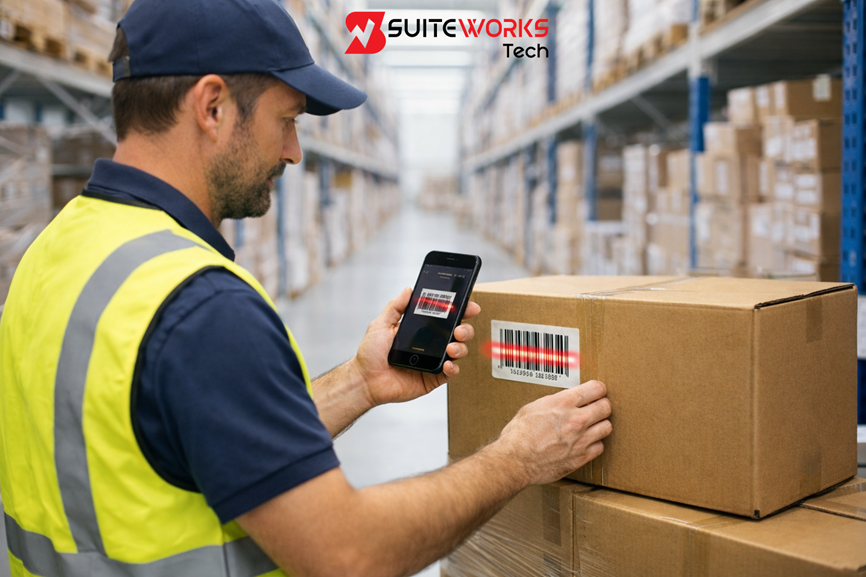
Best WMS for NetSuite to Improve Picking, Packing, and Inventory Accuracy By Manasa, Sr. NetSuite Solution Architect at SuiteWorks TechJanuary 18, 2026 Warehouses running on NetSuite often reach a turning point. Orders increase, SKUs multiply, returns become frequent, and suddenly manual warehouse processes start slowing everything down. I have seen this pattern repeatedly across industries during my years of working on NetSuite implementations. Businesses usually do not struggle because NetSuite lacks capability. The challenge appears when warehouse execution happens away from the system, on paper, spreadsheets, or shared terminals. That gap is exactly where choosing the best WMS for NetSuite becomes critical. A NetSuite-native warehouse management solution that works directly on mobile devices bridges this gap by connecting warehouse teams to real-time inventory, fulfillment, and returns processing. When done right, picking becomes faster, packing becomes accurate, and inventory data finally reflects what is happening on the warehouse floor. What Defines the Best WMS for NetSuite Not all WMS tools deliver the same value for NetSuite users. Over time, a few non-negotiable qualities consistently separate effective solutions from average ones. 🔹 Native NetSuite ArchitectureThe best WMS for NetSuite works fully inside the NetSuite ERP environment without external databases or delayed syncs. Native architecture ensures every transaction updates inventory instantly within NetSuite. 🔹 Mobile-First Warehouse ExecutionModern warehouses need mobility. A WMS that runs on iPhone and Android devices allows warehouse teams to work where inventory actually lives, not where desktops are placed. 🔹 Real-Time Inventory AccuracyBarcode and QR scanning combined with real-time sync eliminates guesswork and manual reconciliation. 🔹 Cost Efficiency Without Extra LicensesAvoiding additional NetSuite user licenses for warehouse staff keeps operational costs under control while enabling scalability. These principles are the foundation of the NetSuite Warehouse Management Solution by SuiteWorks Tech, designed specifically to simplify execution without adding complexity. Best WMS for NetSuite to Improve Picking and Packing Accuracy When businesses search for the best WMS for NetSuite, picking and packing accuracy is usually at the top of the list. Errors at this stage directly impact customer satisfaction, returns, and operational cost. SuiteWorks Tech’s WMS Mobile Lite addresses this through guided mobile workflows: 🔹 Mobile Picking & PackingWarehouse users can ship items directly from mobile devices against one or multiple NetSuite Sales Orders. Each scan validates the item before confirmation, ensuring accurate fulfillment and instant stock updates. 🔹 Batch Pick for Multiple Sales OrdersInstead of walking the same aisle multiple times, warehouse teams can batch pick across multiple orders. This reduces movement, saves time, and increases daily throughput. 🔹 Mobile Scanning on iPhone and AndroidCamera-based barcode and QR scanning allows teams to pick and pack faster without specialized hardware, making this one of the most practical NetSuite WMS mobile solutions. The result is fewer shipping errors and faster order turnaround, without changing core NetSuite workflows. Best WMS for NetSuite for Real-Time Inventory Accuracy Inventory accuracy is not achieved in reports. It is achieved on the warehouse floor. The best WMS for NetSuite ensures every physical movement is captured immediately. 🔹 Real-Time Inventory Sync with NetSuiteAll transactions, including sales order shipping, purchase order receiving, RMA processing, and batch picking, sync instantly with Oracle NetSuite WMS. This provides:🔹 Accurate inventory levels🔹 No manual reconciliation🔹 Real-time visibility into warehouse activity 🔹 Lot & Serial TrackingFor industries managing regulated or traceable inventory, lot-numbered and serialized item support ensures full traceability within NetSuite warehouse management workflows. By connecting scanning directly to NetSuite transactions, inventory data stays reliable across finance, operations, and fulfillment teams. Simplifying Receiving and Returns with the Best WMS for NetSuite Receiving and returns often introduce delays and errors when handled manually. A mobile-first NetSuite WMS transforms these processes into fast, validated workflows. 🔹 Mobile ReceivingWarehouse teams can receive inventory using iPhone or Android devices by scanning barcodes or QR codes against purchase orders. Items are validated instantly, ensuring accurate receiving. 🔹 Mobile RMA ProcessingBoth Sales RMA and Vendor RMA transactions can be processed from the same mobile interface. This reduces paperwork delays and improves accuracy within NetSuite warehouse management. By handling inbound and outbound flows from a single mobile app, warehouse teams maintain consistency and speed across operations. How the Best WMS for NetSuite Works in Daily Operations The NetSuite Warehouse Management Solution by SuiteWorks Tech is designed to work entirely within NetSuite while extending execution to mobile devices. Warehouse users log in to the mobile app and perform tasks such as:🔹 Receiving🔹 Picking🔹 Packing🔹 RMA processing Each step follows a guided workflow validated through barcode scanning. Every action syncs instantly with NetSuite, ensuring operational transparency and real-time inventory accuracy. This mobile-lite approach allows businesses to run Oracle NetSuite WMS execution efficiently without heavy infrastructure or complex training. Industry Use Cases That Benefit from the Best WMS for NetSuite The demand for mobile warehouse execution spans across industries. SuiteWorks Tech WMS Mobile Lite is widely used in environments where speed, accuracy, and traceability matter. 🔹 Pharma & Healthcare distribution🔹 Retail & E-commerce warehouses🔹 3PL and logistics providers🔹 Manufacturing warehouses🔹 Wholesale distribution hubs🔹 Fleet parts warehouses🔹 Cold storage and batch-managed inventory facilities Across these industries, the ability to execute warehouse operations directly inside NetSuite through mobile devices creates measurable operational gains. Integration That Makes This the Best WMS for NetSuite Integration is not about connectors. It is about architecture. Built natively for NetSuite, this solution integrates seamlessly with existing NetSuite ERP workflows. All warehouse transactions sync instantly, creating a single source of truth across:🔹 Finance🔹 Operations🔹 Fulfillment This level of integration is what allows businesses to confidently call it one of the best WMS for NetSuite options available for growing organizations. Learn more about the solution here: More Details Cost Efficiency Without Compromising Capability One of the most overlooked factors when choosing the best WMS for NetSuite is licensing cost. SuiteWorks Tech WMS Mobile Lite eliminates the need for additional NetSuite user licenses for warehouse operators. This approach allows businesses to:🔹 Enable
Looking for the Best WMS for NetSuite? Here’s What You Should Know

Looking for the Best WMS for NetSuite? Here’s What You Should Know By Manasa, Sr. NetSuite Solution Architect at SuiteWorks TechJanuary 18, 2026 Warehouse teams today operate under constant pressure to ship faster, maintain inventory accuracy, and keep costs under control. For NetSuite users, the search often begins with one question: how do you find the best WMS for NetSuite without adding complexity or cost? The answer increasingly points toward mobile-first, NetSuite-native warehouse execution. Rather than replacing NetSuite functionality, the right WMS enhances it directly inside the ERP. This is where lightweight mobile execution becomes critical for modern warehouse operations. Why the Best WMS for NetSuite Starts with Mobility The definition of the best WMS for NetSuite has evolved. Traditional desktop-driven warehouse workflows slow teams down, especially in high-volume environments. Warehouse staff need to move freely, scan quickly, and update inventory in real time. SuiteWorks Tech WMS Mobile Lite is built specifically to extend NetSuite warehouse management to handheld devices. Designed for iPhone and Android, it allows warehouse users to perform core tasks directly from mobile devices while staying fully inside NetSuite. This mobile-first approach eliminates paperwork, reduces delays, and ensures every transaction syncs instantly with NetSuite ERP. Best WMS for NetSuite Means Native, Not Third-Party One of the most important factors in identifying the best WMS for NetSuite is native integration. Third-party systems often introduce synchronization issues, delayed updates, and higher maintenance overhead. SuiteWorks Tech’s WMS Mobile Lite is a native SuiteApp that operates entirely within NetSuite. All warehouse transactions, from picking to receiving, update NetSuite in real time. There is no middleware and no external database, ensuring a single source of truth. Learn more about the solution here: More Details How the Best WMS for NetSuite Supports Core Warehouse Operations A strong NetSuite warehouse management solution must support essential execution workflows without complexity. 🔹 Mobile picking and packing allows items to be shipped directly against one or multiple NetSuite Sales Orders🔹 Mobile receiving enables barcode or QR scanning against purchase orders using iPhone or Android🔹 Mobile RMA processing supports both sales returns and vendor returns from one interface🔹 Batch picking for multiple sales orders reduces unnecessary warehouse movement These workflows help warehouse teams operate faster while keeping inventory accurate inside NetSuite. Real-Time Inventory Accuracy Defines the Best WMS for NetSuite Inventory accuracy is non-negotiable. The best WMS for NetSuite ensures that every scan updates inventory instantly. SuiteWorks Tech WMS Mobile Lite syncs all mobile transactions in real time with Oracle NetSuite WMS. This includes shipping, receiving, RMA processing, and batch picking. The result is accurate stock levels without manual reconciliation. Barcode and QR scanning further reduce errors, ensuring reliable inventory visibility across warehouse locations. Mobile Scanning as a Core Requirement for NetSuite WMS Mobile scanning is no longer optional. The best WMS for NetSuite must support fast, camera-based scanning on everyday devices. The NetSuite WMS Mobile App by SuiteWorks Tech is optimized for barcode and QR scanning using standard smartphone cameras. This removes the need for specialized hardware while still delivering high-speed execution for warehouse teams. Best WMS for NetSuite with Lot and Serial Tracking For industries requiring traceability, the best WMS for NetSuite must support lot-numbered and serialized items. SuiteWorks Tech WMS Mobile Lite includes built-in support for lot and serial tracking. This ensures compliance, audit readiness, and full traceability within NetSuite warehouse management workflows. Cost Efficiency Is a Key Factor in the Best WMS for NetSuite Cost is often overlooked when selecting a WMS. The best WMS for NetSuite delivers mobility without inflating licensing costs. A major advantage of SuiteWorks Tech WMS Mobile Lite is that it does not require additional NetSuite user licenses for warehouse staff. Pickers and technicians can operate the mobile app without increasing NetSuite licensing expenses. This makes it a practical choice for growing warehouses seeking operational efficiency without higher overhead. How the NetSuite WMS Mobile App Works in Daily Operations Warehouse users log into the NetSuite WMS Mobile App and follow guided workflows for receiving, picking, packing, and RMA processing. Each action is validated through scanning and synced instantly with NetSuite. This real-time execution model helps businesses achieve faster fulfillment, tighter inventory control, and consistent operational transparency. This mobile-lite execution approach allows businesses to operationalize Oracle NetSuite WMS efficiently. Industries That Commonly Choose the Best WMS for NetSuite The flexibility of a mobile-first solution makes it suitable across industries. 🔹 Pharma and healthcare distribution🔹 Retail and e-commerce warehouses🔹 3PL and logistics providers🔹 Manufacturing warehouses🔹 Wholesale distribution hubs🔹 Fleet parts warehouses🔹 Cold storage and batch-managed inventory environments In each of these industries, mobility and real-time inventory visibility are critical success factors. Integration as the Backbone of the Best WMS for NetSuite A WMS should never operate in isolation. SuiteWorks Tech WMS Mobile Lite integrates seamlessly with NetSuite ERP, ensuring fulfillment updates and warehouse transactions sync instantly. This integration supports finance, operations, and fulfillment teams with consistent data and eliminates duplicate entry across systems. Support and Implementation for Long-Term WMS Success Even the best WMS for NetSuite requires proper onboarding. End-to-end support ensures smooth adoption and sustained performance. SuiteWorks Tech provides implementation, configuration, training, and ongoing optimization aligned with real warehouse workflows. This structured approach ensures that warehouse teams achieve value quickly and consistently. Selecting the Right NetSuite Partner for WMS Mobility Choosing the right partner is just as important as choosing the solution. As a Trusted NetSuite Solution Provider and experienced NetSuite Provider, SuiteWorks Tech focuses on enabling practical warehouse execution inside NetSuite rather than overengineering processes. The result is a WMS experience that supports warehouse teams quietly and effectively without disrupting existing NetSuite operations. Book a Free Consultation with Our NetSuite Experts Our NetSuite Solutions Written By Manasa Manasa is a Senior NetSuite Solution Architect at SuiteWorks Tech, with over 10 years of experience designing and implementing NetSuite-based solutions across industries. She has led successful implementations across retail, distribution, manufacturing, and service-based industries. Her expertise spans automation,
SuiteWorks Tech Business Card Capture Solution for NetSuite for Seamless CRM Integration
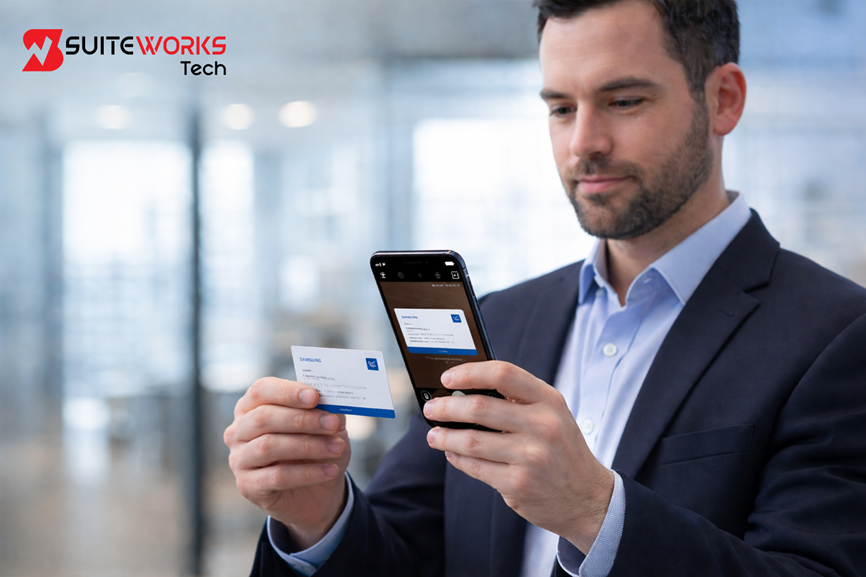
SuiteWorks Tech Business Card Capture Solution for NetSuite for Seamless CRM Integration By Manasa, Sr. NetSuite Solution Architect at SuiteWorks TechJanuary 18, 2026 Every meaningful customer journey in NetSuite begins with accurate contact information. In real business scenarios, those details often arrive in the form of physical business cards exchanged during meetings, conferences, and networking events. Turning those cards into actionable CRM records quickly is where SuiteWorks Tech Business Card Capture Solution plays a critical role in enabling seamless CRM integration within NetSuite. Designed as a native SuiteApp, the NetSuite OCR Business Card Capture Solution helps businesses bridge the gap between offline interactions and digital CRM workflows. By combining intelligent OCR technology with NetSuite-native automation, Business Card Capture ensures that valuable contact data reaches the CRM without delays or manual effort. Business Card Capture as the Foundation for Seamless CRM Integration Business Card Capture is not just about scanning cards. It is about ensuring that every new connection becomes a structured, usable CRM record in NetSuite. When business cards are manually entered, delays and errors are common. This often results in missed follow-ups and inconsistent CRM data. SuiteWorks Tech’s NetSuite OCR Business Card Capture Solution uses OCR Business Card Scanner and OCR Business Card Reader technology to extract essential information such as name, phone number, email address, company name, and job title. Because it is built entirely on the NetSuite platform, captured data flows directly into NetSuite CRM without external tools or integrations. This native approach ensures that CRM integration remains seamless, secure, and aligned with NetSuite best practices. Why Business Card Capture Matters for NetSuite CRM Accuracy CRM accuracy directly impacts sales effectiveness and customer engagement. Business Card Capture helps maintain that accuracy by eliminating manual data entry and reducing human error. The solution includes a review and edit option that allows users to validate extracted information before syncing it to NetSuite. This ensures that CRM records remain clean, complete, and reliable. Over time, this accuracy supports better reporting, smarter follow-ups, and stronger customer relationships. By automating how contacts are created, Business Card Capture ensures that NetSuite CRM reflects real-world interactions almost instantly. How Business Card Capture Streamlines Lead and Contact Creation In fast-paced environments such as trade shows and client meetings, capturing leads quickly is essential. Business Card Capture simplifies this process by automating lead and contact creation in NetSuite. 🔹 Scan or upload business cards using a mobile device🔹 Automatically extract and map contact details🔹 Instantly create Lead, Customer, or Contact records in NetSuite This automated workflow ensures that every interaction is recorded while the context is still fresh, improving follow-up quality and CRM engagement. Native Business Card Capture Built on the NetSuite Platform One of the defining strengths of this solution is that it is a native NetSuite SuiteApp. Unlike third-party OCR tools, Business Card Capture operates entirely within the NetSuite ecosystem. Because it is built on the SuiteCloud platform, the solution delivers enterprise-grade security, consistent performance, and seamless upgrades. CRM integration feels natural because data never leaves NetSuite. You can explore the solution in detail here: More Details Business Card Capture for Mobile Sales and Marketing Teams Modern sales teams operate beyond office desks. The Business Card Capture mobile app, available on Android and iOS, allows teams to scan business cards directly from their phones. 🔹 Capture cards during meetings and events🔹 Sync contact data and images instantly into NetSuite🔹 Keep CRM records updated without additional licenses This mobility ensures that CRM integration happens in real time, regardless of where teams are working from. Intelligent OCR Business Card Capture for Accurate Data Mapping The OCR Business Card Reader embedded in the solution is designed for precision. It intelligently recognizes and maps contact fields into the correct NetSuite CRM records. This intelligent data mapping eliminates repetitive tasks and ensures consistent data structure across the CRM. Over time, Business Card Capture contributes to a well-organized and searchable CRM environment. Business Card Capture Integration with NetSuite CRM and ERP Seamless CRM integration requires more than data capture. It requires synchronization across NetSuite CRM and ERP modules. SuiteWorks Tech’s Business Card Capture Solution integrates directly with NetSuite CRM and ERP, ensuring real-time data availability across sales, vendor management, and internal operations. Once scanned, business card data becomes immediately usable within NetSuite workflows. Industries That Benefit from Business Card Capture in NetSuite Business Card Capture delivers value across industries where relationship management is key. 🔹 Sales & Marketing Agencies🔹 Professional Services🔹 Real Estate & Property Management🔹 Financial Services🔹 Technology & SaaS Companies🔹 Manufacturing & Industrial Equipment🔹 Healthcare & Pharma🔹 Education & Training Firms Across these sectors, Business Card Capture ensures that every connection is recorded, tracked, and converted into CRM intelligence. Cost Efficiency Through Native Business Card Capture From a cost perspective, native Business Card Capture reduces dependency on third-party OCR tools. This lowers licensing costs and simplifies maintenance. SuiteWorks Tech’s NetSuite OCR Business Card Capture Solution follows a transparent pricing model with a one-time implementation and annual subscription. This structure allows organizations to scale CRM automation without unpredictable expenses. Support and Training for Long-Term CRM Success Adoption plays a critical role in successful CRM automation. Comprehensive support and training ensure that Business Card Capture delivers consistent value. 🔹 Guided onboarding within NetSuite🔹 Dedicated OCR and CRM support🔹 User training and clear documentation🔹 Ongoing optimization as business needs evolve This approach ensures that Business Card Capture remains aligned with real business workflows over time. Choosing the Right NetSuite Partner for Business Card Capture Implementing Business Card Capture effectively requires deep NetSuite expertise. As a Trusted NetSuite Solution Provider and experienced NetSuite Provider, SuiteWorks Tech brings platform knowledge gained from projects across multiple industries. The focus remains on enabling seamless CRM integration rather than aggressive promotion. Business Card Capture works quietly in the background, allowing teams to focus on building relationships instead of managing data. Book a Free Consultation with Our NetSuite Experts Our NetSuite Solutions Written By
Why Business Card Capture SuiteApp by SuiteWorks Tech Is Critical for Lead Management

Why Business Card Capture SuiteApp by SuiteWorks Tech Is Critical for Lead Management By Manasa, Sr. NetSuite Solution Architect at SuiteWorks TechJanuary 18, 2026 Every meaningful business relationship begins with a simple exchange of contact information. A business card handed over at a trade show, conference, or client meeting often represents a potential opportunity. However, the real challenge starts after the handshake. If that information is not captured accurately and quickly, valuable leads can be lost forever. This is where SuiteWorks Tech Business Card Capture SuiteApp becomes a critical component of modern lead management within NetSuite. As organizations increasingly rely on NetSuite CRM to manage prospects, customers, and partners, automating the capture of contact details has become essential. Manual data entry is time-consuming, error-prone, and often delayed. A native OCR-based Business Card Capture solution helps businesses move from scattered paper cards to structured, actionable data without friction. Understanding the Role of Business Card Capture in NetSuite CRM Business Card Capture refers to the process of scanning or uploading business card images and automatically extracting contact details into structured CRM records. Within NetSuite, this capability transforms how sales and marketing teams manage leads. SuiteWorks Tech’s NetSuite OCR Business Card Capture Solution is built entirely on the NetSuite platform and uses intelligent OCR technology to read business cards with precision. The solution captures key details such as name, phone number, email address, company name, and job title, and maps them directly to NetSuite Customer or Contact records. By eliminating manual typing, Business Card Capture ensures that every lead collected in the field enters NetSuite quickly and accurately, keeping the CRM ready for timely follow-ups and engagement. Why Business Card Capture Is Critical for Lead Management Lead management is only as strong as the quality and speed of data capture. When business cards remain on desks or in wallets for days, the opportunity window shrinks. Business Card Capture addresses this challenge by making lead entry instant and reliable. Sales teams attending networking events or exhibitions can scan cards on the spot using an OCR Business Card Scanner. The captured information flows directly into NetSuite CRM, enabling immediate action. This speed not only improves response times but also demonstrates professionalism and preparedness to prospects. From a lead management perspective, Business Card Capture creates consistency. Every contact is stored in a standardized format, making segmentation, reporting, and follow-ups far more effective. How Business Card Capture Improves Data Accuracy and Trust One of the biggest issues with manual data entry is human error. Misspelled names, incorrect phone numbers, or missing email addresses can render leads unusable. Business Card Capture powered by OCR Business Card Reader technology minimizes these risks. The solution provides an editable preview, allowing users to review and correct extracted data before syncing it to NetSuite. This balance of automation and human validation ensures that CRM data remains accurate and trustworthy. Clean data strengthens lead management processes across departments. Sales teams can rely on CRM records, marketing teams can run accurate campaigns, and management gains confidence in reports derived from NetSuite data. Business Card Capture as a Native NetSuite Experience A major advantage of SuiteWorks Tech’s Business Card Capture SuiteApp is that it is built natively on the NetSuite platform. This means no third-party tools, no external integrations, and no security compromises. Because it is a native SuiteApp, Business Card Capture integrates seamlessly with NetSuite CRM and ERP workflows. Once a business card is scanned, the data is immediately available within NetSuite, supporting sales, vendor management, and internal collaboration. This native approach aligns with NetSuite best practices and ensures long-term scalability. Businesses benefit from consistent performance, enterprise-grade security, and faster deployment without added complexity. Learn more. Business Card Capture in Action for Sales and Marketing Teams For sales and marketing teams, time is the most valuable asset. The Business Card Capture mobile app available on Android and iOS enables teams to scan or upload cards directly from their devices. 🔹 Capture business cards instantly during meetings or events🔹 Sync contact details and card images directly into NetSuite🔹 Keep CRM records updated and ready for follow-ups This mobility ensures that no lead is forgotten or delayed. By using Business Card Capture, teams spend less time on administration and more time building relationships. Streamlining CRM Workflows with Business Card Capture Business Card Capture does more than digitize cards. It streamlines entire CRM workflows. Once scanned, the OCR Business Card Scanner extracts data and maps it to the correct NetSuite fields automatically. This automation eliminates repetitive tasks and ensures immediate creation of Customer and Contact records. As a result, lead management becomes faster, more reliable, and easier to scale as the business grows. Because the solution is tightly integrated with NetSuite CRM and ERP, it supports end-to-end workflows without disrupting existing processes. You can explore NetSuite’s ERP capabilities here: Industries That Rely on Business Card Capture for Lead Management Business Card Capture is especially valuable in industries where networking and relationship building are core activities. 🔹 Sales & Marketing Agencies🔹 Professional Services🔹 Real Estate & Property Management🔹 Financial Services🔹 Technology & SaaS Companies🔹 Manufacturing & Industrial Equipment🔹 Healthcare & Pharma🔹 Education & Training Firms Across these industries, Business Card Capture ensures that every interaction is recorded, tracked, and converted into meaningful CRM data. Cost-Effective Lead Automation with Business Card Capture From a cost perspective, a native Business Card Capture solution offers strong ROI. By removing the need for third-party OCR tools, businesses reduce licensing costs and operational complexity. SuiteWorks Tech’s NetSuite OCR Business Card Capture Solution follows a transparent pricing model with a one-time implementation and an annual subscription. This predictable structure allows organizations to automate lead capture without hidden expenses while improving CRM efficiency. Support, Training, and Long-Term Value Effective adoption is just as important as functionality. Comprehensive support and training ensure that Business Card Capture delivers value from day one. 🔹 Guided onboarding and quick setup within NetSuite🔹 Dedicated OCR and NetSuite support🔹 Clear documentation













Working with SuiteWorks Tech on our AI Ordering Chatbot for NetSuite was outstanding. They delivered quickly, professionally, and with impressive attention to detail. I’m thrilled with the results and highly recommend their services.
Craig Michaud Partner, Evolve Salon Systems