


Delivery Routing in NetSuite: What Happens Between Dispatch and Delivery

Delivery Routing in NetSuite: What Happens Between Dispatch and Delivery By Manasa, Sr. NetSuite Solution Architect at SuiteWorks TechMay 7, 2026 For many businesses, the dispatch process inside a NetSuite is only one part of the logistics journey. The bigger challenge begins after routes are assigned and drivers leave the warehouse. That is usually where communication gaps appear. Managers want visibility into deliveries. Drivers need accurate routes and customer information. Customers expect timely deliveries and proof of completion. Meanwhile, operations teams often struggle with disconnected tools, manual status updates, spreadsheets, and delayed delivery confirmations. This operational gap is exactly why businesses are investing in delivery routing for NetSuite solutions that connect dispatch teams, drivers, and delivery records inside one workflow. SuiteWorks Tech, a NetSuite Solution Provider, designed its Delivery Routing Solution for NetSuite to bridge this gap natively within NetSuite. Instead of relying on third-party routing platforms or disconnected apps, businesses can manage delivery execution, proof of delivery, route tracking, and driver updates directly inside their ERP environment. Why Delivery Routing for NetSuite Matters After Dispatch A dispatcher may create the perfect route in the morning, but real delivery operations rarely stay predictable throughout the day. Drivers encounter traffic delays. Customers may not be available. Stops may require proof of delivery photos or signatures. Some deliveries fail due to incorrect addresses or unavailable recipients. Without connected delivery routing for NetSuite, these updates are often communicated through phone calls, paper notes, or delayed manual entries. As delivery volumes grow, this process becomes difficult to manage efficiently. This is where real-time route synchronization becomes important. With SuiteWorks Tech Delivery Routing Solution for NetSuite, dispatchers can create routes directly inside NetSuite while drivers receive assignments instantly through the SuiteWorks Tech NetSuite Route Planning Mobile App. The system creates a connected workflow between dispatch and field execution. How Delivery Routing for NetSuite Connects Drivers and Dispatchers The biggest operational improvement comes from eliminating manual coordination. In many delivery operations, dispatchers spend hours calling drivers for updates or manually tracking completed stops. Drivers may also struggle with outdated delivery lists or disconnected navigation tools. The SuiteWorks Tech solution changes this process by synchronizing delivery activities automatically. Real-Time Driver Assignment and Route Dispatch Dispatchers create routes directly within NetSuite. Once routes are assigned, customer details, stops, and delivery information automatically flow into the mobile app used by drivers. This eliminates duplicate entry and reduces the possibility of missed deliveries. 🔹 Drivers can access assigned routes immediately🔹 Customer information stays updated in real time🔹 Delivery stops sync automatically with NetSuite🔹 Dispatchers gain live visibility into delivery execution The result is smoother delivery coordination between office teams and field drivers. Delivery Routing for NetSuite Improves Visibility During Deliveries One of the biggest frustrations in logistics operations is the lack of real-time visibility after dispatch. Managers often ask questions like: 🔹 Which deliveries are completed?🔹 Which routes are delayed?🔹 Which driver missed a stop?🔹 Which customer signed for delivery? Without integrated delivery routing for NetSuite, answering these questions may require multiple systems and manual follow-ups. The SuiteWorks Tech Delivery Routing Solution centralizes this information directly inside NetSuite. Automatic Delivery Status Updates As drivers progress through routes, delivery outcomes sync automatically with NetSuite. Drivers can: 🔹 Mark deliveries as completed🔹 Record failed deliveries🔹 Upload supporting photos🔹 Capture customer signatures🔹 Submit proof of delivery instantly Each update reflects back in NetSuite automatically. Sales Orders, Item Fulfillments, and route records stay updated without requiring manual intervention. This creates a single source of truth for logistics operations. The Role of Mobile Apps in Delivery Routing for NetSuite Modern delivery operations depend heavily on mobility. Drivers cannot rely on paper delivery sheets or disconnected navigation tools while managing multiple stops throughout the day. The SuiteWorks Tech NetSuite Route Planning Mobile App helps drivers manage deliveries directly from smartphones. What Drivers Can Do Using the Mobile App The mobile application supports Android and iOS devices and integrates directly with NetSuite. Drivers can: 🔹 View assigned delivery routes🔹 Navigate using Google Maps integration🔹 Update delivery statuses🔹 Capture proof of delivery signatures🔹 Upload delivery photos🔹 Record failed delivery reasons🔹 Submit completed routes at day-end This helps businesses avoid manual paperwork and disconnected delivery tracking. Another important operational advantage is that the app does not require additional NetSuite user licenses for drivers, helping businesses manage operational costs more efficiently. For businesses already using mobile-based operations, solutions like the Field Service Management Mobile App and WMS Mobile App also support connected workflows directly within NetSuite. Real-Time NetSuite Route Planning Integration Changes Daily Operations Many delivery businesses struggle because their route planning system and ERP operate separately. Orders may exist inside NetSuite, while delivery tracking happens somewhere else entirely. This creates delays, duplicated effort, and visibility gaps. With real-time delivery routing for NetSuite integration, route data and delivery updates remain synchronized continuously. How Real-Time Integration Helps The SuiteWorks Tech solution automatically syncs: 🔹 Delivery timestamps🔹 GPS coordinates🔹 Route completion updates🔹 Failed delivery reasons🔹 POD signatures and photos🔹 Delivery exceptions Because everything stays connected inside NetSuite, managers gain better operational visibility without switching between multiple systems. This also improves accountability across dispatch teams and drivers. Delivery Routing for NetSuite Helps Reduce Delivery Delays Delivery delays are not always caused by drivers. In many cases, delays happen because dispatchers lack visibility into changing delivery conditions throughout the day. The combination of real-time updates and route visibility helps reduce these operational bottlenecks. Smarter Route Management With delivery routing for NetSuite, businesses can improve delivery performance through: 🔹 Better route coordination🔹 Faster delivery confirmations🔹 Reduced idle time🔹 Optimized stop sequencing🔹 Live delivery monitoring🔹 Improved communication between teams Google Maps integration also helps drivers navigate more efficiently, reducing confusion during multi-stop routes. Industries Benefiting from Delivery Routing for NetSuite Delivery coordination challenges are common across many industries. Businesses managing frequent deliveries often need better visibility, faster proof of delivery tracking, and automated route updates. Industries benefiting from delivery routing for NetSuite include:
The Missing Link Between NetSuite Orders and Delivery Routing
The Missing Link Between NetSuite Orders and Delivery Routing By Manasa, Sr. NetSuite Solution Architect at SuiteWorks TechMay 6, 2026 When orders are created in NetSuite, everything feels structured and controlled. Customer details are accurate, inventory is aligned, and fulfillment is ready to move forward. But as soon as those orders transition into delivery, many businesses experience a disconnect. This gap between order management and execution is where delivery routing for netsuite becomes critical. It’s not just about getting goods from point A to point B—it’s about ensuring that every delivery is connected, tracked, and reflected back into NetSuite in real time. Over the years, I’ve worked with businesses that had strong ERP processes but struggled with last-mile execution. The issue wasn’t the system—it was the missing link between orders and delivery routing. Where the Gap Begins Between Orders and Delivery At first glance, the process seems straightforward: create an order, assign delivery, complete the job. But in practice, there are multiple disconnects that emerge. 🔹 Delivery plans created outside NetSuite🔹 Drivers relying on manual instructions or separate apps🔹 Delayed updates on delivery status🔹 Limited visibility into failed deliveries or exceptions This fragmentation leads to inefficiencies that affect both operations and customer experience. SuiteWorks Tech Delivery routing for netsuite addresses this by ensuring that delivery workflows are not external processes—but a natural extension of NetSuite itself. Delivery Routing for NetSuite as the Missing Link The real transformation happens when delivery routing is tightly integrated with order data. Solutions like the SuiteWorks Tech Delivery Routing Solution for NetSuite are designed to bridge this gap by connecting order entry, route planning, and delivery execution into one continuous workflow. Instead of switching between systems, teams can manage everything within NetSuite—from route creation to proof of delivery. How Delivery Routing for NetSuite Connects the Workflow From Orders to Route Creation The process starts where it should—inside NetSuite. 🔹 Dispatchers create routes using existing order and customer data🔹 Stops and delivery sequences are defined within the system🔹 Routes are assigned without duplicating information This eliminates manual errors and ensures consistency across the process. Driver Execution with Real-Time Guidance Once routes are created, execution shifts to the field. 🔹 Drivers access routes through the SuiteWorks Tech NetSuite Route Planning Mobile App🔹 Navigation is enabled through Google Maps integration🔹 Delivery actions are recorded directly in the mobile app Drivers no longer depend on fragmented communication. Instead, they operate within a structured and guided workflow that aligns with NetSuite data. Proof of Delivery and Instant Updates The final stage is where visibility often breaks—but not in a connected system. 🔹 Digital signatures, photos, and timestamps are captured at each stop🔹 Failed deliveries are logged with reasons and images🔹 Completed routes are submitted directly from the mobile app All updates sync back to NetSuite automatically, ensuring that order records are always up to date. Delivery Routing for NetSuite Improves Visibility Across Teams One of the biggest advantages of delivery routing for netsuite is the visibility it provides across departments. For Dispatch Teams 🔹 Real-time view of route progress🔹 Ability to monitor driver performance🔹 Immediate insights into delays or failed deliveries For Management 🔹 Access to route completion reports🔹 Data-driven decision-making based on delivery performance🔹 Visibility into overall fleet efficiency For Customer-Facing Teams 🔹 Accurate delivery status updates🔹 Better communication with customers🔹 Improved service reliability This unified visibility ensures that every team operates with the same information. Why Native Delivery Routing for NetSuite Matters A common challenge businesses face is relying on third-party tools for routing. While these tools may offer functionality, they often create additional complexity. With a native approach to delivery routing for netsuite: 🔹 No external platforms or integrations are required🔹 Data flows seamlessly within NetSuite🔹 There is no need for duplicate entries or manual syncing This creates a single source of truth for delivery operations. Working with a NetSuite Solution Provider like SuiteWorks Tech helps ensure that delivery routing is designed as part of the ERP ecosystem rather than an add-on process. Key Capabilities That Close the Gap To truly bridge the gap between orders and delivery, certain capabilities are essential. Seamless Route Assignment 🔹 Routes are created and assigned directly within NetSuite🔹 Driver details and stops are automatically synced🔹 No manual coordination is required Real-Time Route Tracking 🔹 GPS-enabled tracking provides accurate location data🔹 Delivery progress is visible in real time🔹 Managers can monitor operations as they happen Exception Handling 🔹 Failed deliveries are recorded with reasons🔹 Supporting images provide additional context🔹 Follow-up actions can be planned quickly Automated Status Updates 🔹 Delivery outcomes update Sales Orders and Item Fulfillments🔹 No delays in reflecting delivery completion🔹 Accurate data across all departments These capabilities ensure that delivery routing for netsuite is not just functional—but reliable and scalable. Industries That Benefit from Delivery Routing for NetSuite The need for connected delivery workflows spans across industries. 🔹 Wholesale distribution businesses managing high delivery volumes🔹 Logistics providers handling complex routing requirements🔹 Field service teams coordinating service visits🔹 E-commerce companies ensuring timely order fulfillment In each case, delivery routing for netsuite helps align planning and execution within a single system. The Role of Mobile in Closing the Gap A key part of connecting orders and delivery is empowering field teams. The SuiteWorks Tech NetSuite Route Planning Mobile App plays a central role by enabling drivers to: 🔹 View assigned routes and stops🔹 Navigate efficiently using integrated maps🔹 Update delivery status in real time🔹 Capture proof of delivery with photos and signatures Since all actions sync directly with NetSuite, there is no delay in updating records or tracking performance. Operational Benefits of a Connected Approach When delivery routing is fully integrated, the impact is felt across the organization. 🔹 Faster deliveries due to optimized routes🔹 Reduced fuel costs and idle time🔹 Improved delivery accuracy with proof of delivery🔹 Better customer satisfaction through real-time updates🔹 Stronger operational control with centralized visibility These improvements help
From Order Entry to Doorstep: Optimizing Delivery Routing in NetSuite
From Order Entry to Doorstep: Optimizing Delivery Routing in NetSuite By Manasa, Sr. NetSuite Solution Architect at SuiteWorks TechMay 6, 2026 When delivery operations begin to scale, a familiar challenge starts to surface—orders are created seamlessly in NetSuite, but what happens after that often feels disconnected. Dispatch teams rely on manual coordination, drivers depend on scattered instructions, and delivery updates arrive late or incomplete. This is where delivery routing for netsuite becomes more than just planning routes—it becomes the backbone of a connected delivery workflow. In my experience working across multiple industries, I’ve seen how businesses struggle not because of lack of tools, but because their systems don’t speak to each other in real time. The gap between order entry and final delivery can create delays, errors, and visibility issues. Bridging that gap requires a fully integrated approach—one that aligns planning, execution, and reporting inside NetSuite itself. Why Delivery Routing for NetSuite Needs a Connected Approach Most teams assume delivery routing is simply about assigning routes and sending drivers on their way. But in reality, delivery routing for netsuite plays a much bigger role in ensuring operational accuracy and efficiency. When routing is disconnected from the ERP, teams often face: 🔹 Manual data entry between systems🔹 Limited visibility into delivery progress🔹 Delays in updating order and fulfillment status🔹 Difficulty tracking failed deliveries or exceptions A connected delivery routing system eliminates these challenges by ensuring that every action—from route creation to proof of delivery—happens within NetSuite. Solutions like the SuiteWorks Tech Delivery Routing Solution for NetSuite demonstrate how routing can be seamlessly embedded into the ERP, creating a single source of truth for logistics operations. Delivery Routing for NetSuite Across the Entire Workflow To truly understand the impact, it helps to look at delivery routing for netsuite as a continuous journey rather than isolated steps. From Order Creation to Route Assignment The process begins inside NetSuite, where dispatchers create routes directly using existing order data. 🔹 Routes are assigned with customer details and delivery stops🔹 Drivers receive complete route plans instantly on their mobile devices🔹 No manual duplication or external tools are required This ensures every delivery starts with clarity and accuracy. Driver Execution with Real-Time Updates Once routes are assigned, the execution phase becomes critical. 🔹 Drivers access routes, stops, and customer details via the SuiteWorks Tech NetSuite Route Planning Mobile App🔹 Navigation is simplified through Google Maps integration🔹 Delivery status is updated in real time Drivers no longer rely on paper instructions or disconnected apps. Instead, they operate within a structured and guided workflow. Proof of Delivery and Completion The final step is often where many businesses lose visibility. 🔹 Digital signatures, photos, and timestamps are captured at each stop🔹 Failed deliveries are recorded with reasons and supporting images🔹 Completed routes are submitted directly from the mobile app All this data syncs instantly back to NetSuite, ensuring accurate records without manual intervention. What Makes Delivery Routing for NetSuite Truly Efficient Efficiency in delivery operations doesn’t come from speed alone—it comes from accuracy, automation, and visibility. Real-Time Synchronization One of the most critical aspects of delivery routing for netsuite is real-time data flow. 🔹 Delivery statuses update automatically in Sales Orders and Item Fulfillments🔹 GPS coordinates and timestamps provide accurate tracking🔹 Managers get live insights into route progress This eliminates the lag between execution and reporting. Centralized Visibility for Managers Instead of relying on multiple tools, managers can monitor everything within NetSuite. 🔹 Track delivery performance by driver or route🔹 Analyze failed deliveries and exceptions🔹 Generate route completion reports for better decision-making This level of visibility helps teams move from reactive to proactive operations. Delivery Routing for NetSuite Is More Than Navigation Many assume route planning is about mapping the shortest path. But delivery routing for netsuite goes far beyond that. Intelligent Route Planning 🔹 Routes are optimized with ETAs🔹 Stops are structured for efficiency🔹 Driver confusion is minimized Exception Handling 🔹 Failed deliveries are logged with clear reasons🔹 Supporting images provide additional context🔹 Follow-up actions can be planned directly in NetSuite Automated Status Updates 🔹 Delivery outcomes sync automatically🔹 No manual updates required🔹 Accurate data flows across departments This combination ensures that routing is not just operational—but strategic. Eliminating Third-Party Dependencies A major challenge in logistics operations is reliance on multiple external tools. With a native solution, delivery routing for netsuite removes this complexity: 🔹 No external platforms or integrations🔹 No additional logins for drivers or managers🔹 No data inconsistencies between systems Everything operates within NetSuite, creating a unified ecosystem. This is where working with a NetSuite Solution Provider like SuiteWorks Tech can help businesses design workflows that stay entirely within their ERP environment without unnecessary dependencies. Industries Benefiting from Delivery Routing for NetSuite Across industries, the need for structured delivery workflows is increasing. 🔹 Wholesale distribution businesses managing large delivery volumes🔹 Logistics providers handling complex routes and schedules🔹 Field service teams coordinating on-site visits🔹 E-commerce and retail companies ensuring timely deliveries In each of these cases, delivery routing for netsuite ensures better coordination between planning and execution. How Delivery Routing for NetSuite Improves Operational Outcomes When implemented effectively, the impact is visible across multiple areas: 🔹 Faster deliveries due to optimized routing🔹 Reduced fuel costs and idle time🔹 Improved delivery accuracy with proof of delivery🔹 Better customer satisfaction through timely updates🔹 Stronger operational control with real-time visibility These improvements are not isolated—they build on each other to create a more efficient delivery ecosystem. A Practical Perspective on Closing the Gap In many implementations I’ve worked on, the biggest shift happens when teams stop treating delivery as a separate function and start viewing it as part of the core ERP workflow. Delivery routing for netsuite enables this shift by connecting: 🔹 Order management🔹 Route planning🔹 Driver execution🔹 Delivery confirmation All within a single system. This alignment ensures that every stakeholder—from dispatchers to drivers to finance teams—works with the same data in real time.
Route Planning in NetSuite Isn’t Just Mapping—Here’s What Matters

Route Planning in NetSuite Isn’t Just Mapping—Here’s What Matters By Manasa, Sr. NetSuite Solution Architect at SuiteWorks TechMay 6, 2026 Why Route Planning Feels Simple—Until It Isn’t At first glance, route planning seems straightforward. A dispatcher assigns routes, drivers follow them, and deliveries get completed. On paper, it looks clean and predictable. But in reality, logistics teams working inside NetSuite know that route planning is rarely just about drawing lines on a map. It involves coordination, real-time updates, delivery verification, and constant adjustments. This is where netsuite route planning starts to reveal its true complexity. It’s not just about getting from point A to point B—it’s about ensuring every delivery is tracked, verified, and reflected back into the system without gaps. And that’s where businesses begin to realize something important: mapping alone doesn’t solve delivery challenges. SuiteWorks Tech NetSuite Route Planning Is About End-to-End Visibility The real value of netsuite route planning comes from visibility—not just planning routes, but understanding what happens during execution. A well-designed system ensures that every delivery step is connected back to NetSuite. 🔹 Routes created in NetSuite are instantly available to drivers🔹 Delivery progress is tracked in real time🔹 Every update flows back into NetSuite automatically This level of visibility transforms how logistics teams operate. Instead of relying on assumptions or manual updates, managers can see exactly what’s happening across routes, drivers, and deliveries. To understand how this works in practice, you can explore this SuiteWorks Tech netsuite route planning solution. What Makes SuiteWorks Tech NetSuite Route Planning SuiteApp Truly Effective Many businesses assume route planning ends once routes are assigned. But that’s only the beginning. Effective netsuite route planning depends on how well planning connects with execution. 🔹 Driver assignment must be seamless and error-free🔹 Routes must be accessible through mobile devices🔹 Navigation should be intuitive with tools like Google Maps🔹 Delivery outcomes must be captured accurately When these elements come together, route planning becomes more than a static plan—it becomes a dynamic, real-time workflow. This shift is what separates basic routing from intelligent delivery operations. NetSuite Route Planning and Real-Time Execution The biggest gap in traditional logistics operations is the disconnect between planning and execution. Dispatchers plan routes in NetSuite, but once drivers leave, visibility often drops. Updates come in late, errors go unnoticed, and delivery confirmation becomes a manual process. Netsuite route planning solves this by integrating execution directly into the workflow. 🔹 Drivers receive routes instantly on mobile devices🔹 Each stop is tracked with timestamps and GPS data🔹 Delivery status updates sync automatically with NetSuite The SuiteWorks Tech NetSuite Route Planning Mobile App ensures that drivers are always connected to the system, even while on the move. This real-time execution eliminates delays and ensures that every delivery is accounted for. Proof of Delivery: The Missing Piece in Route Planning One of the most overlooked aspects of NetSuite route planning is proof of delivery. Without proper verification, businesses often struggle with disputes, missed deliveries, or incomplete records. A complete routing solution ensures that every delivery is verified and documented. 🔹 Capture digital signatures at delivery points🔹 Upload photos as proof of completed deliveries🔹 Record timestamps and delivery confirmations automatically All of this data syncs back to NetSuite, creating a reliable audit trail for every delivery. This not only improves accountability but also strengthens customer trust. NetSuite Route Planning and Exception Handling No delivery operation runs perfectly every day. Customers may not be available, addresses may be incorrect, or unexpected delays may occur. What matters is how these exceptions are handled. SuiteWorks Tech NetSuite route planning app provides a structured way to capture and manage these situations. 🔹 Drivers can mark deliveries as failed with reasons🔹 Supporting images can be uploaded for clarity🔹 All exceptions are tracked within NetSuite for follow-up This ensures that issues are not lost or overlooked. Instead, they become actionable insights that help improve future operations. From Manual Coordination to Automated Workflows In many organizations, delivery coordination still relies on spreadsheets, calls, and manual updates. This approach not only slows down operations but also increases the risk of errors. SuiteWorks Tech NetSuite route planning app replaces manual coordination with automated workflows. 🔹 Route assignments are pushed directly to drivers🔹 Delivery updates are captured without manual entry🔹 Order statuses update automatically in NetSuite By removing manual dependencies, businesses can focus on efficiency and accuracy. This automation is especially valuable for growing operations where scalability becomes a challenge. NetSuite Route Planning and Cost Optimization Beyond operational efficiency, netsuite route planning also plays a critical role in cost management. Optimized routing reduces unnecessary travel, improves delivery timelines, and minimizes fuel consumption. 🔹 Shorter routes reduce fuel costs🔹 Faster deliveries improve customer satisfaction🔹 Better planning reduces idle time When combined with real-time tracking, businesses can continuously refine their delivery strategies for better performance. A Unified System Without Third-Party Complexity One of the biggest challenges businesses face is managing multiple tools for routing, tracking, and delivery confirmation. SuiteWorks Tech NetSuite route planning app eliminates this complexity by operating within a single system. 🔹 No need for external routing tools🔹 No duplicate data entry across systems🔹 No integration challenges For companies working with SuiteWorks Tech a NetSuite Solution Provider, this unified approach ensures smoother operations and better long-term scalability. NetSuite Route Planning Across Industries The importance of SuiteWorks Tech NetSuite route planning app extends across multiple industries where delivery efficiency is critical. 🔹 Wholesale distribution managing high-volume deliveries🔹 Food and beverage businesses ensuring timely shipments🔹 Logistics providers handling complex delivery networks🔹 E-commerce fulfillment teams managing last-mile delivery🔹 Field service operations coordinating on-site visits Across these sectors, the ability to plan, execute, and track deliveries within NetSuite creates a significant operational advantage. What Truly Matters in Netsuite Route Planning When you look beyond mapping, netsuite route planning becomes a combination of visibility, execution, and control. It’s about ensuring that every route planned in NetSuite is executed exactly as intended—and every outcome is captured accurately. 🔹
The Operational Gap Between NetSuite and Field Teams (And the Software That Closes It)

The Operational Gap Between NetSuite and Field Teams (And the Software That Closes It) By Manasa, Sr. NetSuite Solution Architect at SuiteWorks TechMay 2, 2026 Where the Disconnect Begins in Field Operations In many organizations, the journey of a service job doesn’t begin in the field—it begins inside the ERP. A job is created, assigned, scheduled, and expected to flow seamlessly into execution. But somewhere between planning and execution, a gap forms. This is where SuiteWorks Tech’s NetSuite field service management software bridges the gap. Teams working inside NetSuite often assume that once a job is assigned, everything else will follow naturally. Yet, field technicians operate in a completely different environment—dynamic, unpredictable, and often disconnected from the core system. This is where the real challenge lies. The ERP holds the data, but the field holds the execution. Without a strong bridge between the two, businesses begin to experience inefficiencies that compound over time. That’s where SuiteWorks Tech NetSuite field service management software plays a critical role—not by replacing processes, but by connecting them. Why SuiteWorks Tech NetSuite Field Service Management Software Becomes Essential The operational gap isn’t always obvious at first. It starts small—missed updates, delayed communication, manual tracking—but eventually grows into a systemic issue. NetSuite field service management software addresses this gap by aligning backend operations with real-time field execution. 🔹 Job orders created in NetSuite are directly accessible to field technicians🔹 Updates made in the field reflect instantly back in the ERP🔹 Billing, inventory, and service tracking remain fully synchronized Instead of relying on disconnected tools or manual coordination, everything flows through a unified system. This ensures that what is planned in NetSuite is exactly what gets executed in the field. For businesses evaluating solutions, understanding this alignment is key. You can explore how this works in practice through this SuiteWorks Tech NetSuite Field Service Management Software solution. SuiteWorks Tech NetSuite Field Service Management Software and Real-Time Visibility One of the biggest challenges companies face is the lack of real-time visibility. Without accurate updates, decision-making becomes reactive instead of proactive. NetSuite field service management software transforms this by enabling: 🔹 Real-time job tracking with status updates from technicians🔹 Live visibility into technician availability and workload🔹 Immediate reflection of job progress inside NetSuite Technicians no longer need to report back manually. Their updates—whether it’s job completion, time logs, or images—are captured directly through the SuiteWorks Tech NetSuite Field Service Management Mobile App. This level of transparency ensures that operations teams always have an accurate picture of what’s happening on the ground. Closing the Gap with Automation and Intelligent Workflows Another major contributor to the operational gap is manual dependency. When processes rely heavily on human intervention, delays and errors are inevitable. SuiteWorks Tech NetSuite field service management software reduces this dependency through automation. 🔹 Automated job scheduling based on time intervals or usage thresholds🔹 Intelligent technician assignment based on skillset and availability🔹 Automatic billing generation once jobs are completed These workflows ensure that operations move forward without constant manual oversight. Instead of chasing updates or reconciling data, teams can focus on improving service quality and efficiency. The shift from manual coordination to automated workflows is often what transforms field operations from reactive to strategic. NetSuite Field Service Management Software and Technician Empowerment The field technician is at the center of service operations, yet traditionally, they’ve had limited access to system data. This disconnect often leads to delays, miscommunication, and incomplete job execution. NetSuite field service management software changes this dynamic by empowering technicians directly. 🔹 Access to job details, inventory, and schedules via mobile🔹 Ability to update job status, log time, and capture images in real time🔹 Seamless coordination without needing additional NetSuite licenses The SuiteWorks Tech NetSuite Field Service Management Mobile App ensures that technicians are not just executors—but active participants in the system. With real-time data at their fingertips, technicians can make informed decisions, complete jobs efficiently, and maintain accurate records. Seamless Integration: The Core of SuiteWorks Tech NetSuite Field Service Management Software One of the defining aspects of effective field service software is how well it integrates with existing systems. NetSuite field service management software stands out because it is built natively within NetSuite. This means: 🔹 No third-party integrations or middleware required🔹 Real-time synchronization of data across departments🔹 Consistent data accuracy across ERP, CRM, and field operations This native approach eliminates the fragmentation often seen with external tools. Instead of juggling multiple systems, businesses operate within a single, unified platform. NetSuite Field Service Management Software Across Industries The operational gap is not limited to a single industry. It exists wherever field service operations are present. SuiteWorks Tech NetSuite field service management software is particularly effective for: 🔹 Construction projects requiring scheduled and reactive maintenance🔹 Manufacturing units managing equipment lifecycle and uptime🔹 Fleet services tracking usage-based maintenance🔹 Energy and utilities managing large-scale field operations🔹 Real estate and facilities teams handling ongoing service requests Across these industries, the ability to connect field execution with ERP planning becomes a critical success factor. From Disconnected Processes to Unified Operations At its core, the operational gap between NetSuite and field teams is a gap of visibility, control, and coordination. SuiteWorks Tech NetSuite field service management software addresses this by bringing everything together: 🔹 Job creation, assignment, and execution within one system🔹 Real-time updates from field to ERP without delays🔹 Automated workflows that reduce manual effort🔹 Integrated billing and inventory tracking What once required multiple tools and constant follow-ups is now handled within a single, cohesive environment. The result isn’t just efficiency—it’s clarity. Teams know what’s happening, when it’s happening, and how it impacts the business. A Practical Perspective on Bridging the Gap Organizations often don’t realize how much time and effort is lost due to disconnected systems until they experience a unified approach. SuiteWorks Tech NetSuite field service management software doesn’t introduce complexity—it removes it. By aligning field operations with ERP processes, it creates a seamless flow of information that benefits
Field Service in NetSuite Isn’t Just Scheduling—Here’s What You’re Missing

Field Service in NetSuite Isn’t Just Scheduling—Here’s What You’re Missing By Manasa, Sr. NetSuite Solution Architect at SuiteWorks TechMay 2, 2026 Why Field Service NetSuite Feels Limited When Seen as Just Scheduling When many teams first explore field service NetSuite, they tend to focus only on scheduling—assigning jobs, allocating technicians, and managing calendars. On the surface, it feels like the core of field operations. But in real-world scenarios, scheduling is just one part of a much larger system. Field teams deal with job execution, parts usage, technician tracking, service quality, billing, and reporting. When these elements are not connected, even the best scheduling process starts to break down. This is where SuiteWorks Tech field service NetSuite begins to show its true value—not as a scheduling tool, but as a complete operational system built inside NetSuite ERP. Organizations working with SuiteWorks Tech often realize that once field service is treated as an end-to-end workflow instead of a calendar activity, efficiency improves significantly. SuiteWorks Tech Field Service NetSuite as a Complete Operational Workflow Field service NetSuite is designed to manage the entire lifecycle of a service job—from creation to completion and billing—within a single system. It begins with job order creation. Instead of manually assigning tasks, the system allows intelligent technician assignment based on availability and skill sets. This ensures the right technician is deployed for the right job. From there, scheduling becomes more structured. Maintenance tasks can be automated at regular intervals such as weekly, monthly, or annually. In addition, usage-based triggers allow service jobs to be scheduled based on metrics like hours or cycles, helping prevent equipment overuse. You can explore how this is structured here:https://suiteworkstech.com/netsuite-field-service-management-software/ Field service NetSuite also supports both preventive and reactive maintenance strategies. This ensures that businesses can handle planned service activities as well as unexpected repairs without switching systems. What SuiteWorks Tech Field Service NetSuite Enables Beyond Scheduling Once scheduling is in place, the real strength of field service NetSuite begins to show in execution and tracking. 🔹 Technician dispatch and real-time job tracking allow teams to monitor progress without manual follow-ups. Managers can see job status updates instantly, improving visibility across operations. 🔹 Job reassignment and rescheduling ensure flexibility. If a technician is unavailable, tasks can be reassigned or rescheduled with minimal disruption. 🔹 Multi-technician support allows complex jobs to be handled collaboratively, ensuring faster completion and better service quality. 🔹 Technician work logs capture detailed information such as time spent, tasks performed, parts used, and even GPS location. This creates accurate service records and improves reporting. 🔹 On-job consumables tracking ensures that materials used during service are automatically recorded, with inventory updates happening in real time. 🔹 Parts and materials requisition enables technicians to request missing items directly from the job interface, triggering purchase workflows without delays. These capabilities show that field service NetSuite is not just about assigning work—it’s about managing how that work gets done. SuiteWorks Tech Field Service NetSuite and Mobile-First Execution A major limitation of traditional field service systems is the gap between office teams and field technicians. Field service NetSuite addresses this through mobile integration. The SuiteWorks Tech NetSuite Field Service Management Mobile App allows technicians to access job details, update status, and complete tasks directly from their smartphones. This mobile-first approach ensures that field service NetSuite operates in real time. Updates made in the field reflect instantly in NetSuite, eliminating delays and manual data entry. Technicians can log time, capture images, and track job progress directly within the app. GPS-based tracking adds another layer of accountability, ensuring accurate reporting of job locations and timings. One practical advantage is that this mobile app does not require additional NetSuite licenses, making it easier for businesses to scale their field teams without increasing operational costs. SuiteWorks Tech Field Service NetSuite and Billing Automation One of the most overlooked aspects of field service NetSuite is billing. In many organizations, billing is handled separately from service execution. This often leads to delays, errors, and missed revenue opportunities. Field service NetSuite solves this by integrating billing directly into the workflow. 🔹 Once a job is completed, invoices are generated automatically.🔹 Billing aligns with job schedules and service completion.🔹 Manual intervention is reduced, improving accuracy and speed. This seamless connection between service and finance ensures faster collections and better cash flow management. More about NetSuite ERP capabilities can be explored here:https://www.netsuite.com/portal/products/erp.shtml Field Service NetSuite and Real-Time Visibility Another key area where field service NetSuite goes beyond scheduling is visibility. Managers need to understand what is happening across multiple jobs, technicians, and locations at any given time. SuiteWorks Tech Field service NetSuite provides this through: 🔹 Field service map view that shows customer locations, technician assignments, and job schedules🔹 Maintenance calendar view that centralizes all service activities🔹 Real-time updates from technicians through the mobile app This level of visibility helps organizations make better decisions, optimize resource allocation, and improve service delivery. How SuiteWorks Tech Field Service NetSuite Improves Resource and Cost Control When field service is managed in isolation, tracking costs becomes difficult. Field service NetSuite addresses this by connecting service operations with inventory and billing. Every part used, every hour logged, and every job completed is recorded within the system. This ensures that businesses have full control over service costs. Optimized technician assignment also plays a role here. By matching skills and availability, field service NetSuite reduces delays and improves job completion rates. Preventive maintenance scheduling further reduces unexpected breakdowns, lowering long-term costs and improving asset performance. Field Service NetSuite and Seamless ERP Integration One of the defining strengths of SuiteWorks Tech field service NetSuite is its native integration. Since the system is built inside NetSuite, there is no need for third-party connectors or external tools. All data flows seamlessly between service operations and ERP modules. Customer records, service history, inventory, and billing remain synchronized across the platform. This ensures consistency and eliminates data duplication. Organizations working with SuiteWorks Tech benefit from this unified approach, where
What Makes SuiteWorks Tech Field Service Software Truly ‘NetSuite-Native’?

What Makes SuiteWorks Tech Field Service Software Truly ‘NetSuite-Native’? By Manasa, Sr. NetSuite Solution Architect at SuiteWorks TechMay 2, 2026 Why NetSuite Field Service Becomes Complex Without Native Alignment In many organizations, field operations grow faster than the systems supporting them. Work orders, technician assignments, consumable tracking, and service billing often get handled through disconnected tools or manual processes. This is where NetSuite Field Service becomes critical—but also where complexity begins to surface. When field service processes are not tightly connected to an ERP system like NetSuite ERP, teams struggle with delays, data duplication, and lack of real-time visibility. Scheduling becomes reactive instead of automated, and billing gets delayed due to missing job updates. SuiteWorks Tech observed this gap while implementing field operations for industries such as manufacturing, utilities, and fleet services. The need was clear: a system where NetSuite Field Service is not an add-on, but a fully embedded operational layer inside NetSuite itself. This is where the concept of a truly native approach becomes important. Instead of forcing field service tools to “connect” with ERP, the entire workflow needs to exist within NetSuite Field Service architecture itself. What Makes NetSuite Field Service Truly NetSuite-Native at SuiteWorks Tech A system is only as strong as its integration depth. In SuiteWorks Tech’s approach, NetSuite Field Service is built directly inside NetSuite rather than sitting outside as a connected application. This changes how data flows, how technicians operate, and how finance teams close jobs. The SuiteWorks Tech NetSuite Field Service Management Software is designed so that every field activity—from job creation to invoicing—remains inside the ERP. There is no dependency on external middleware or disconnected databases. This is what makes NetSuite Field Service truly native. You can explore the solution structure here:https://suiteworkstech.com/netsuite-field-service-management-software/ From a technical perspective, NetSuite Field Service integrates directly with ERP and CRM modules, ensuring real-time synchronization of customer records, service history, inventory, and billing. This removes the need for duplicate entry and ensures operational accuracy. The key idea is simple: NetSuite Field Service should feel like an extension of NetSuite itself—not an external layer. Core Capabilities Inside SuiteWorks Tech NetSuite Field Service Once field operations are embedded into NetSuite Field Service, the next step is enabling full lifecycle automation. SuiteWorks Tech’s SuiteApp is designed to support both preventive and reactive maintenance models within the same environment. SuiteWorks Tech NetSuite Field Service enables structured job order creation where technicians are assigned based on availability and skill sets. This ensures better workload distribution and faster execution. Scheduling plays a major role in NetSuite Field Service. Maintenance tasks can be automated based on time intervals such as weekly, monthly, or annually, or even triggered by usage thresholds like hours or mileage. This ensures proactive service execution. Another important layer in NetSuite Field Service is technician dispatch and tracking. Real-time updates allow managers to monitor job progress without switching systems. Job reassignment and rescheduling ensure flexibility when field conditions change. Consumable tracking and parts requisition are also part of NetSuite Field Service workflows. When technicians use materials during a job, the system automatically reflects inventory updates and can generate purchase requisitions when required. Even billing becomes part of the same flow. Once a job is completed, SuiteWorks Tech NetSuite Field Service automatically triggers invoice creation, reducing manual effort and accelerating cash flow. How SuiteWorks Tech NetSuite Field Service Mobile Execution Works On Ground Field execution is where many systems fail—but NetSuite Field Service is designed to extend ERP directly into the technician’s hands. With the SuiteWorks Tech mobile application, technicians can access job details, update status, and capture work evidence directly from their smartphones. This mobile extension ensures that NetSuite Field Service is not limited to office users but extends fully into the field. The mobile experience is tightly integrated with NetSuite, meaning every update made in the field reflects instantly in the ERP system. This real-time sync is one of the defining strengths of NetSuite Field Service. Technicians can log work hours, update task progress, and even capture GPS-based job tracking for better accountability. This improves transparency and ensures accurate service reporting. Importantly, the mobile application does not require additional NetSuite user licenses, making NetSuite Field Service cost-efficient for large field teams. Benefits of NetSuite Field Service for Operations and Finance The real impact of NetSuite Field Service is visible in operational efficiency and financial performance. One of the key benefits is optimized technician utilization. By assigning the right technician to the right job based on availability and skill set, NetSuite Field Service improves first-time fix rates and reduces downtime. From a financial perspective, automated billing plays a major role. Since invoices are generated immediately after job completion, NetSuite Field Service helps accelerate cash flow and reduce billing delays. Preventive maintenance scheduling is another major advantage. NetSuite Field Service ensures that recurring maintenance tasks are never missed, reducing equipment failures and emergency repairs. The mobile-first approach also reduces dependency on additional NetSuite licenses, allowing organizations to scale field operations without increasing ERP costs. Industries such as construction, manufacturing, fleet services, energy, real estate, and utilities benefit significantly from this structured approach to NetSuite Field Service. ERP Alignment That Strengthens NetSuite Field Service One of the most important aspects of NetSuite Field Service is its deep ERP alignment. Since the system is built natively inside NetSuite, all operational data flows across modules without manual intervention. Customer records, equipment history, inventory levels, and billing data remain synchronized across the platform. This ensures that NetSuite Field Service acts as a single source of truth for field operations. This unified approach also improves collaboration between departments. Sales, finance, and operations teams work with the same real-time data, reducing communication gaps. More details about NetSuite ERP capabilities can be explored here:https://www.netsuite.com/portal/products/erp.shtml Why Native Design Defines the Future of NetSuite Field Service As field operations continue to evolve, organizations are moving away from disconnected tools toward unified ERP-driven systems. NetSuite Field Service represents this shift. A native architecture ensures faster
Choosing Field Service Software for NetSuite? Ask These 7 Questions First

Choosing Field Service Software for NetSuite? Ask These 7 Questions First By Manasa, Sr. NetSuite Solution Architect at SuiteWorks TechMay 2, 2026 When field operations start growing, most teams realize that spreadsheets, calls, and manual coordination are no longer enough. That’s usually the point where the search begins—for the right field service software for netsuite. But here’s what often happens: businesses jump straight into features, demos, and pricing… without asking the right questions first. Over the years, working closely with organizations implementing solutions within NetSuite, I’ve seen that the difference between a smooth implementation and a frustrating one often comes down to clarity at the beginning. So before you choose any field service software for netsuite, here are seven practical questions that can guide your decision in the right direction. Why Choosing the Right Field Service Software for NetSuite Matters Field service operations are not isolated. They are deeply connected to inventory, billing, customer data, and financial reporting. That’s why selecting the right field service software for netsuite is not just about managing jobs—it’s about ensuring everything works together seamlessly. A solution like the SuiteWorks Tech NetSuite Field Service Management Mobile App is built directly inside NetSuite, which means operations, finance, and service teams stay aligned without relying on disconnected tools. Businesses working with a SuiteWorks Tech often notice that this alignment significantly reduces manual effort and improves visibility across teams. 1. Does the Field Service Software for NetSuite Support Preventive and Reactive Maintenance? One of the first things to evaluate is whether the system supports both preventive and reactive service models. 🔹 Preventive maintenance ensures regular servicing based on schedules🔹 Reactive maintenance handles unexpected breakdowns A complete field service software for netsuite should support both, allowing businesses to maximize uptime and extend equipment life without switching between systems. 2. Can It Handle Job Order Management Efficiently? Field operations revolve around job orders. If this part isn’t structured, everything else becomes complicated. A robust field service software for netsuite should allow: 🔹 Easy creation and tracking of job orders🔹 Assignment of technicians based on skills and availability🔹 Alignment of job execution with billing workflows This ensures that every job is traceable, measurable, and efficiently executed. 3. Does It Automate Scheduling Based on Time and Usage? Manual scheduling is one of the biggest bottlenecks in field service. The right field service software for netsuite should support: 🔹 Fixed schedules like weekly, monthly, or yearly maintenance🔹 Usage-based triggers such as hours, mileage, or cycles When these thresholds are met, the system should automatically generate maintenance jobs—reducing the risk of missed services or unexpected failures. 4. How Well Does It Support Technicians in the Field? Field technicians are at the center of operations. If the system doesn’t work well for them, adoption becomes a challenge. That’s where the SuiteWorks Tech NetSuite Field Service Management Mobile App plays a critical role. 🔹 Technicians can view and update jobs in real time🔹 Capture images and log work directly from the field🔹 Record time, materials, and job progress instantly Because it works directly within NetSuite, updates reflect immediately across the system—without delays. You can explore how this works here:https://suiteworkstech.com/netsuite-field-service-management-software/ 5. Does the Field Service Software for NetSuite Provide Real-Time Visibility? Lack of visibility often leads to delays, missed deadlines, and inefficient resource allocation. A well-designed field service software for netsuite should include: 🔹 Real-time job tracking🔹 Technician dispatch based on availability🔹 GPS-based job tracking for accountability🔹 Map and calendar views for planning This allows managers to understand what’s happening in the field at any moment—and make decisions accordingly. 6. Can It Handle Inventory and Parts Management During Jobs? Field service isn’t just about labor—it’s also about materials and consumables. A complete field service software for netsuite should provide: 🔹 Real-time tracking of consumables used in jobs🔹 Automatic inventory updates🔹 On-demand parts requisition directly from job interface This ensures technicians don’t face delays due to missing parts and inventory teams stay informed without manual updates. 7. Does It Automate Billing and Integrate Seamlessly with NetSuite? Billing is often where inefficiencies become most visible. The right field service software for netsuite should: 🔹 Automatically generate invoices after job completion🔹 Capture all job-related costs accurately🔹 Integrate seamlessly with ERP and CRM Since solutions like the SuiteWorks Tech NetSuite Field Service Management Mobile App are built natively, there’s no need for external integrations—everything flows within the same system. Organizations working with a NetSuite Solution Provider often find this eliminates reconciliation issues and speeds up cash flow. Field Service Software for NetSuite and End-to-End Workflow When all the above elements come together, the workflow becomes significantly simpler. 🔹 Job orders are created and assigned intelligently🔹 Maintenance schedules run automatically🔹 Technicians execute jobs using mobile apps🔹 Data is captured in real time🔹 Billing is triggered instantly This is what a complete field service software for netsuite should deliver—not just features, but a connected process. Industries That Benefit from Field Service Software for NetSuite While the solution is flexible, certain industries benefit the most due to the nature of their operations. 🔹 Construction🔹 Manufacturing🔹 Fleet services🔹 Energy🔹 Real estate🔹 Utilities In these industries, even small inefficiencies can lead to significant operational delays. A structured system helps maintain consistency and control. A Practical Way to Evaluate Your Options Instead of comparing tools based only on features, start with these seven questions. They will help you understand whether a solution truly fits your operational needs or just looks good in a demo. If the system supports preventive maintenance, automates scheduling, empowers technicians, provides visibility, manages inventory, and integrates seamlessly—then you’re looking at a strong fit. And if it’s built natively within NetSuite, the transition becomes even smoother. Book a Free Consultation with Our NetSuite Experts Our NetSuite Solutions Written By Manasa Manasa is a Senior NetSuite Solution Architect at SuiteWorks Tech, with over 10 years of experience designing and implementing NetSuite-based solutions across industries. She has led successful implementations across retail, distribution,
Still Using Paper for Field Jobs? Switch to NetSuite Field Service Management by SuiteWorks Tech

Still Using Paper for Field Jobs? Switch to NetSuite Field Service Management by SuiteWorks Tech By Manasa, Sr. NetSuite Solution Architect at SuiteWorks TechMay 2, 2026 There’s a moment every operations manager recognizes—when a simple field job turns into a chain of calls, paperwork, delays, and missed updates. What starts as a routine service request ends up consuming hours across teams. This is where many businesses begin to rethink their approach and explore how NetSuite Field Service Management can transform their operations. Built directly within NetSuite, modern field service tools are no longer just about tracking jobs—they’re about connecting technicians, finance teams, inventory, and customers in real time. And that’s exactly where the SuiteWorks Tech NetSuite Field Service Management Mobile App begins to change the story. Why SuiteWorks Tech NetSuite Field Service Management Is Replacing Paper-Based Processes For years, field teams relied on paper job sheets, manual logs, and disconnected communication. While this may have worked at a smaller scale, it often creates inefficiencies as operations grow. With SuiteWorks Tech NetSuite Field Service Management Mobile App, everything shifts from manual to automated workflows. 🔹 Job orders are created and tracked within a centralized system🔹 Technicians receive real-time updates instead of phone calls🔹 Maintenance schedules run automatically without manual follow-ups🔹 Billing happens instantly after job completion Instead of juggling spreadsheets and handwritten notes, teams now operate within a single, connected platform. Businesses working with a SuiteWorks Tech often notice that this shift alone removes a significant portion of operational delays. How NetSuite Field Service Management Improves Daily Operations The real impact of SuiteWorks Tech NetSuite Field Service Management Mobile App becomes clear when you look at day-to-day field activities. Preventive and Reactive Maintenance Together Field service isn’t just about fixing issues—it’s about preventing them. The system supports both preventive maintenance and reactive service workflows, ensuring equipment operates efficiently and downtime is minimized. Intelligent Job Order Management Creating and managing job orders becomes structured and predictable. Teams can assign technicians, track materials, and align billing—all from a single workflow. Automated Scheduling That Actually Works Scheduling is no longer a manual effort. The system automatically plans maintenance based on: 🔹 Weekly, monthly, or yearly intervals🔹 Usage thresholds like hours or mileage🔹 Real-time operational requirements This ensures that no service is missed and no asset is overused. SuiteWorks Tech NetSuite Field Service Management for Technician Productivity One of the biggest changes happens on the field—where technicians interact with the system daily. The SuiteWorks Tech NetSuite Field Service Management Mobile App empowers technicians to manage their work directly from their smartphones. 🔹 View assigned jobs instantly🔹 Update job status in real time🔹 Capture images of completed work🔹 Log time, materials, and expenses This eliminates the need to return to the office just to update records. More importantly, technicians don’t need additional ERP licenses to use the mobile app—making it both practical and cost-efficient. You can explore how this works in detail here:https://suiteworkstech.com/netsuite-field-service-management-software/ Real-Time Tracking and Visibility with SuiteWorks Tech NetSuite Field Service Management In traditional systems, managers often lack visibility into what’s happening in the field. With SuiteWorks Tech NetSuite Field Service Management, that changes completely. Technician Dispatch and Tracking Technicians are assigned based on availability and skillset. Managers can track progress in real time, ensuring jobs stay on schedule. GPS-Based Job Tracking Every job includes precise location tracking. Start and end points are captured automatically, improving accountability and transparency. Map and Calendar Views Operations teams can visualize everything at once: 🔹 Map view for technician locations and job sites🔹 Calendar view for scheduled maintenance and ongoing tasks This level of visibility allows better planning and faster decision-making. Automating Billing and Financial Accuracy Billing is often one of the most time-consuming parts of field service operations. With SuiteWorks Tech NetSuite Field Service Management, billing becomes automatic. 🔹 Invoices are generated immediately after job completion🔹 All job-related data flows directly into billing🔹 Manual errors are eliminated This not only improves accuracy but also accelerates cash flow—something finance teams deeply value. For businesses already using NetSuite, this seamless integration ensures that billing aligns perfectly with operational data. Inventory and Material Management in the Field Field service often depends on having the right parts at the right time. Without proper tracking, delays become inevitable. The system addresses this with: 🔹 Real-time consumables tracking🔹 Automatic inventory updates🔹 On-demand parts requisition Technicians can request materials directly from the job interface, triggering purchase orders when needed. This reduces downtime and keeps operations moving smoothly. SuiteWorks Tech NetSuite Field Service Management Integration Across ERP and CRM One of the strongest advantages of this solution is its native integration. Because it is built directly within NetSuite, all data flows seamlessly across departments. 🔹 Customer records sync with service history🔹 Inventory updates reflect in real time🔹 Billing aligns with completed jobs🔹 CRM and ERP stay fully connected This creates a unified system where every team—from service to finance—works with the same data. Organizations working with a NetSuite Solution Provider often find that this integration eliminates the need for multiple disconnected tools. Who Benefits Most from SuiteWorks Tech NetSuite Field Service Management While the solution is flexible, it’s especially valuable for industries that depend on consistent service operations. 🔹 Construction🔹 Manufacturing🔹 Fleet services🔹 Energy🔹 Real estate🔹 Utilities In these industries, even small inefficiencies can lead to major delays. NetSuite Field Service Management helps standardize processes and maintain consistency across all service activities. How SuiteWorks Tech NetSuite Field Service Management Works in Practice At its core, the system follows a streamlined workflow: 🔹 Job orders are created and assigned based on availability and skills🔹 Maintenance schedules are automated🔹 Technicians execute jobs using the mobile app🔹 Data is captured in real time🔹 Billing is triggered automatically after completion This end-to-end flow ensures that nothing falls through the cracks. The SuiteWorks Tech NetSuite Field Service Management Mobile App plays a critical role here—bridging the gap between field operations and backend systems.
Why NetSuite Invoicing Gets Complex—and How Consolidation Helps
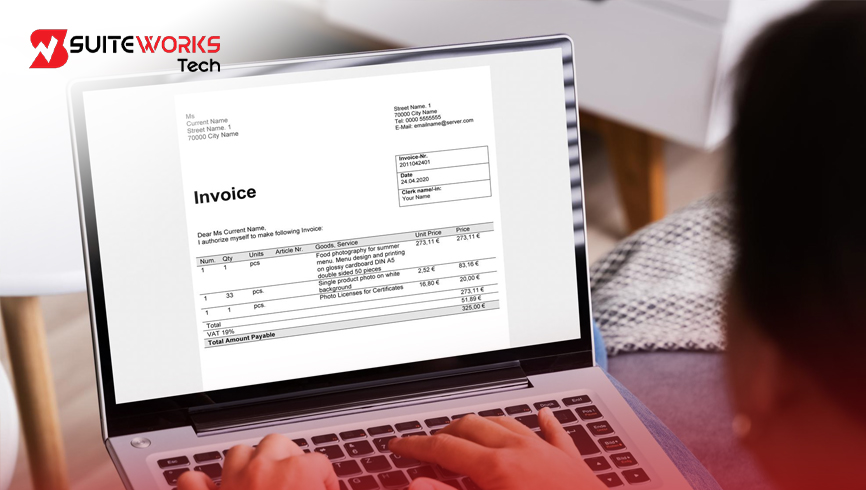
Why NetSuite Invoicing Gets Complex—and How Consolidation Helps By Manasa, Sr. NetSuite Solution Architect at SuiteWorks TechMay 2, 2026 When Billing Complexity Starts Creeping In In the early stages of using NetSuite, invoicing feels simple. Each transaction creates a clear, trackable invoice. Finance teams manage billing without much friction, and customers receive straightforward documents. But as businesses grow, that simplicity begins to fade. Customers no longer have just one invoice—they have many. Multiple projects, multiple services, and multiple billing events create a growing list of invoices for the same account. What used to be a structured process slowly turns into a fragmented one. This is where SuiteWorks Tech NetSuite consolidated invoicing becomes increasingly relevant. Instead of struggling with scattered billing records, businesses begin to look for ways to bring structure back into their invoicing process. Why NetSuite Consolidated Invoicing Becomes Essential The complexity in invoicing doesn’t come from the system—it comes from scale and business needs. As transaction volume increases, managing invoices individually becomes inefficient. The SuiteWorks Tech NetSuite Consolidated Invoicing Solution addresses this challenge by allowing finance teams to combine multiple invoices into a single master invoice. This approach changes how billing is handled: 🔹 Multiple invoices are grouped into one consolidated record🔹 Customers receive a single, clear invoice🔹 Payments are applied across all linked invoices automatically🔹 Financial traceability is fully maintained With SuiteWorks Tech NetSuite consolidated invoicing, businesses can move from fragmented billing to a more structured and controlled approach. NetSuite Consolidated Invoicing Features That Simplify Complexity Centralized Invoice Selection One of the biggest challenges in managing multiple invoices is simply finding and selecting them. A centralized interface allows users to view all open invoices for a customer and choose which ones to consolidate. This reduces confusion and improves accuracy in billing decisions. Automated Master Invoice Creation Once invoices are selected, the system generates a master invoice instantly. This becomes the primary billing document shared with the customer. This feature is at the heart of SuiteWorks Tech NetSuite consolidated invoicing, as it eliminates the need to manage multiple documents separately. Smart Payment Distribution Payment reconciliation is often one of the most time-consuming tasks for finance teams. With automated distribution logic: 🔹 Payments are applied to each invoice within the master record🔹 No manual allocation is required🔹 Financial records remain accurate This ensures that even with consolidation, every invoice is accounted for. Real-Time Validation Checks Errors in invoice consolidation can create significant downstream issues. To prevent this, the system performs validation checks before consolidation: 🔹 Verifies invoice status🔹 Confirms customer consistency🔹 Ensures eligibility for consolidation These checks make SuiteWorks Tech NetSuite consolidated invoicing reliable and error-resistant. Native Integration Within NetSuite The solution is built entirely within NetSuite, eliminating the need for external tools. This ensures: 🔹 Seamless data flow🔹 No integration risks🔹 Consistent system performance NetSuite Consolidated Invoicing and Its Impact on Finance Teams Reduced Administrative Work Handling invoices individually requires significant effort—grouping, tracking, and reconciling payments manually. Consolidation reduces this burden by automating these steps. Finance teams can shift their focus from repetitive tasks to strategic activities. Faster Collections When customers receive multiple invoices, delays are common. They need time to review each one, which slows down payments. With SuiteWorks Tech NetSuite consolidated invoicing, customers receive a single invoice, making it easier to process payments quickly. Improved Financial Transparency Even though invoices are grouped, visibility is not lost. Every invoice remains linked to the master record, ensuring: 🔹 Clear audit trails🔹 Accurate reporting🔹 Complete financial transparency Better Customer Experience Customers prefer simplicity. A single invoice reduces confusion and improves communication. This leads to stronger relationships and fewer billing disputes. How NetSuite Consolidated Invoicing Works in Practice The workflow behind SuiteWorks Tech NetSuite consolidated invoicing is designed to be both simple and efficient: 🔹 Select multiple open invoices for the same customer🔹 Validate them in real time🔹 Generate a master invoice🔹 Share one consolidated invoice with the customer🔹 Receive payment and distribute it automatically This structured process ensures consistency and accuracy in billing. To explore how this works in detail, you can refer to this solution:https://suiteworkstech.com/netsuite-consolidated-invoicing-solution/ Seamless Integration Across Your ERP One of the biggest advantages of the SuiteWorks Tech NetSuite Consolidated Invoicing Solution is its native architecture. Because it is built within NetSuite: 🔹 No third-party connectors are required🔹 Data remains within the system🔹 Reporting is accurate and real-time This makes adoption easier and reduces long-term maintenance challenges. Industries That Benefit from NetSuite Consolidated Invoicing The need for SuiteWorks Tech NetSuite consolidated invoicing is common across industries where customers receive multiple invoices regularly. 🔹 Software & SaaS Companies🔹 Professional Services🔹 Wholesale & Distribution🔹 Construction & Real Estate🔹 Healthcare Services🔹 Manufacturing🔹 Education & Training Providers🔹 Facilities Management🔹 Logistics & Transportation In each of these industries, consolidation helps reduce billing complexity while improving efficiency. Cost Efficiency and Scalability As businesses scale, billing processes need to keep up. Managing hundreds of invoices manually is not sustainable. The SuiteWorks Tech NetSuite Consolidated Invoicing Solution offers a cost-effective way to handle this growth. Since it is built natively, businesses avoid additional integration costs while gaining advanced functionality. This ensures that the solution grows alongside the business. Supporting Long-Term Billing Efficiency Adopting SuiteWorks Tech NetSuite consolidated invoicing is not just about solving immediate challenges—it’s about building a sustainable billing process. With the right support and setup: 🔹 Teams can onboard quickly🔹 Processes can be customized to business needs🔹 Continuous improvements can be implemented This ensures that billing remains efficient as operations evolve. Bringing Structure Back to Complex Billing Billing complexity is a natural outcome of business growth. More customers, more transactions, and more services inevitably lead to more invoices. But complexity doesn’t have to mean chaos. With SuiteWorks Tech NetSuite consolidated invoicing, businesses can bring structure back into their billing process—combining multiple invoices into a single, clear, and manageable format. This not only improves efficiency but also enhances customer experience and financial visibility, making it easier to scale operations













Working with SuiteWorks Tech on our AI Ordering Chatbot for NetSuite was outstanding. They delivered quickly, professionally, and with impressive attention to detail. I’m thrilled with the results and highly recommend their services.
Craig Michaud Partner, Evolve Salon Systems