


NetSuite WMS Mobile App: Transform Warehouse Productivity
NetSuite WMS Mobile App: Transform Warehouse Productivity By Manasa, Sr. NetSuite Solution Architect at SuiteWorks TechNovember 13, 2026 Warehouse productivity depends on how efficiently employees manage inventory from the moment products arrive until customer orders are shipped. Receiving, putaway, picking, packing, inventory counting, and returns are all connected activities. When employees need to switch repeatedly between warehouse tasks and desktop-based transaction entry, daily operations can take more time and require additional manual effort. Consider a warehouse handling several customer orders while receiving new inventory at the same time. Employees must verify incoming products, identify the correct storage bins, locate items for Sales Orders, confirm packed quantities, and update shipment records. Every activity requires accurate information to keep inventory and fulfillment records aligned. A NetSuite WMS Mobile App helps bring these warehouse activities directly to mobile devices. Instead of depending entirely on workstation-based processes, warehouse employees can use mobile scanning and guided workflows to perform supported transactions from the warehouse floor. The NetSuite WMS Mobile App by SuiteWorks Tech is a lightweight, high-performance SuiteApp built natively inside NetSuite. It extends warehouse execution to iPhone and Android devices, supporting barcode and QR code scanning, real-time inventory updates, and mobile access without requiring additional NetSuite user licenses for warehouse mobile users. How NetSuite WMS Mobile App Transforms Warehouse Productivity Warehouse productivity is not simply about completing more transactions. Employees also need to maintain accurate inventory information while moving products through different stages of warehouse operations. A mobile warehouse application connects physical activities with the corresponding NetSuite transactions. Employees can scan products, validate information, and complete supported workflows directly from their mobile devices. The NetSuite WMS Mobile App by SuiteWorks Tech supports everyday warehouse activities such as: 🔹 Receiving inventory against NetSuite Purchase Orders. 🔹 Picking products against one or multiple NetSuite Sales Orders. 🔹 Batch picking multiple Sales Orders in a single trip. 🔹 Confirming packed quantities and updating Item Fulfillment status. 🔹 Processing shipments through barcode scanning. 🔹 Managing warehouse bins, transfers, and inventory counts. 🔹 Processing customer and vendor returns. 🔹 Tracking lot-numbered and serialized inventory. These connected capabilities help warehouse employees spend less time navigating screens and more time performing their daily tasks. Completed warehouse transactions are synchronized with NetSuite, supporting a consistent source of information across finance, operations, and fulfillment teams. Improve Receiving Efficiency With Mobile Inventory Processing Receiving is one of the first activities that influences warehouse inventory accuracy. When products arrive, employees need to verify the items and quantities against the relevant Purchase Orders. They may also need to capture lot numbers, serial numbers, and bin information. With mobile receiving, employees can process inventory directly against NetSuite Purchase Orders using an iPhone or Android device. The NetSuite WMS Mobile App by SuiteWorks Tech supports barcode and QR code scanning during receiving. Employees can use the built-in camera on their mobile devices to validate inventory information while handling incoming products. Dedicated scanning hardware is not required. Manage Inbound Shipments From Mobile Devices Inbound shipments contain important information about products expected at the warehouse. Employees need to connect received goods with the associated purchase orders and capture the required inventory details. The mobile application allows warehouse teams to view inbound shipment details and receive items against associated Purchase Orders. During this process, employees can capture: 🔹 Item and quantity information. 🔹 Lot and serial numbers. 🔹 Warehouse bin details. 🔹 Inventory information associated with inbound shipments. These receiving workflows help connect incoming products with their NetSuite inventory records while employees work on the warehouse floor. Reduce Warehouse Travel Time Through Batch Picking Picking is an important part of order fulfillment, particularly for warehouses processing multiple customer orders throughout the day. When employees pick each order separately, they may need to travel through the same warehouse areas repeatedly. This can increase warehouse travel time, especially when several Sales Orders contain products stored in similar locations. Batch picking provides a more organized way to handle multiple orders. The NetSuite WMS Mobile App by SuiteWorks Tech allows employees to pick items for multiple NetSuite Sales Orders in a single trip. By combining picking activities, warehouse teams can reduce repeated movement while supporting faster order fulfillment. Maintain Picking Accuracy With Barcode Scanning Picking the correct item and quantity is essential for completing customer orders accurately. Mobile picking supports barcode and QR code scanning against one or multiple Sales Orders. Employees can validate inventory information in real time while performing picking activities. The mobile picking workflow supports: 🔹 Picking against individual NetSuite Sales Orders. 🔹 Picking items for multiple Sales Orders. 🔹 Barcode and QR code scanning during item selection. 🔹 Real-time inventory validation. 🔹 Batch picking to reduce warehouse travel time. This combination supports a more efficient picking process while keeping warehouse activities connected with NetSuite. Connect Packing and Shipping With Mobile Fulfillment After products are picked, employees need to confirm packed quantities and complete shipment processing. These activities are important because they connect warehouse execution with customer order fulfillment. Mobile packing allows employees to confirm packed quantities directly from the application. Once the packing activity is completed, the corresponding NetSuite Item Fulfillment status is updated to Packed. This provides better visibility into the packing stage before shipment. Process Customer Shipments Through the Mobile App Shipping is the next stage after packing. Employees can process completed orders directly from the mobile application against one or multiple NetSuite Sales Orders. Barcode scanning supports shipment confirmation, while Item Fulfillment and inventory information are automatically updated in NetSuite. The mobile application also supports Transfer Order Shipping. Employees can scan items and source bins while shipping inventory against NetSuite Transfer Orders. These transactions support accurate inter-warehouse transfers with real-time inventory updates. Print Item Labels and Pack Slips Without Returning to a Workstation Printing is another activity that warehouse employees may need to complete during daily operations. The application supports mobile item label printing, allowing employees to generate and print barcode or QR code item labels directly from their devices. Compatible label printers
NetSuite WMS: Simplify Inventory and Warehouse Operations
NetSuite WMS: Simplify Inventory and Warehouse Operations By Manasa, Sr. NetSuite Solution Architect at SuiteWorks TechNovember 13, 2026 A warehouse handles a continuous flow of inventory. Products arrive against purchase orders, employees verify quantities, stock is placed into storage bins, customer orders are picked and packed, and shipments are prepared. Alongside these activities, warehouse teams manage inventory counts, product returns, stock transfers, and other transactions that need to be recorded accurately. When these activities are handled through disconnected processes, maintaining visibility across inventory and fulfillment can become challenging. Employees need to know which products have arrived, where they are stored, how much stock is available, and which orders are ready to ship. NetSuite WMS helps connect warehouse execution with inventory and fulfillment activities inside the NetSuite environment. Mobile applications can extend these processes to handheld devices, allowing warehouse employees to scan products, validate information, and update supported transactions directly from the warehouse floor. The NetSuite WMS Mobile App by SuiteWorks Tech is built natively inside NetSuite. It brings mobile receiving, picking, packing, shipping, bin management, inventory counting, and return processing to iPhone and Android devices through barcode and QR code scanning and guided workflows. 1. Understanding NetSuite WMS for Inventory and Warehouse Operations Warehouse management involves more than storing products. Employees need to manage inventory from the moment goods arrive until they are picked, packed, shipped, or returned. NetSuite WMS supports a connected approach to these warehouse activities by keeping supported transactions within the NetSuite environment. Consider a typical warehouse workflow. Products arrive against NetSuite Purchase Orders. Employees verify the items and quantities, capture relevant lot or serial details, and place the inventory into warehouse bins. Later, when a customer order needs to be fulfilled, employees pick the required items against NetSuite Sales Orders, confirm packing quantities, and process shipment updates. Each stage involves inventory information that needs to remain connected with the corresponding NetSuite transactions. With mobile warehouse execution, employees can complete supported activities using handheld devices instead of relying entirely on workstation-based processes. This helps bring inventory operations closer to the physical movement of products. 2. How NetSuite WMS Improves Inventory Accuracy Inventory accuracy depends on capturing the correct information during everyday warehouse activities. Employees need to validate products and quantities during receiving, identify the right bins, and maintain accurate records when inventory moves. Repeated manual data entry can make these activities more time-consuming. Barcode and QR code scanning provides warehouse teams with a mobile way to identify products and validate information during supported transactions. The NetSuite WMS Mobile App by SuiteWorks Tech uses the built-in camera on iPhone and Android devices to scan barcodes and QR codes. Dedicated scanning hardware is not required for these mobile scanning activities. Warehouse employees can use scanning to: 🔹 Validate items and quantities during purchase order receiving. 🔹 Capture lot numbers, serial numbers, and bin information. 🔹 Identify products during picking and shipping. 🔹 Scan source and destination bins during inventory movements. 🔹 Scan bins and items during inventory counting. 🔹 Maintain lot and serial number details across supported warehouse processes. Inventory updates and completed warehouse transactions are synchronized with NetSuite. This helps reduce duplicate data entry and supports better inventory accuracy across daily operations. 3. Simplify Inventory Receiving and Inbound Shipment Management Receiving is one of the first stages of warehouse inventory management. When products arrive, employees need to verify the items and quantities against the relevant NetSuite Purchase Orders. With mobile receiving, warehouse employees can receive inventory directly against purchase orders using an iPhone or Android device. The mobile workflow supports barcode and QR code scanning to validate: 🔹 Items received against purchase orders. 🔹 Received quantities. 🔹 Lot numbers and serial numbers. 🔹 Warehouse bin information. Inventory is updated in real time during the receiving process. Manage Inbound Shipments Inbound shipment management allows employees to view shipment details directly from the mobile application. They can receive items against associated purchase orders and capture lot, serial, and bin information during receiving. This connects incoming inventory details with the corresponding NetSuite transactions while employees are handling the products. 4. Manage Warehouse Bins, Inventory Movement, and Counting Knowing the quantity of available inventory is important, but knowing where products are stored is equally necessary. Warehouses using NetSuite Bin Management need accurate source and destination bin information during receiving, putaway, picking, transfers, and inventory counting. The NetSuite WMS Mobile App by SuiteWorks Tech supports several bin-related activities through mobile scanning. Mobile Bin Putaway After receiving, inventory needs to be placed in the appropriate warehouse locations. WMS Mobile Lite supports mobile bin putaway using NetSuite Putaway Worksheets. Employees can scan destination bins and items directly from their mobile devices while placing received inventory into storage locations. This supports accurate inventory placement and keeps bin information connected with NetSuite. Bin Transfers and Transfer Order Shipping Inventory sometimes needs to move between warehouse bins or locations. Employees can perform bin transfers by scanning items using iPhone or Android devices. Each transfer is instantly synchronized with NetSuite. The application also supports shipping inventory against NetSuite Transfer Orders. Employees can scan items and source bins to support accurate inter-warehouse transfers with real-time inventory updates. Bin Inventory Search and Counting Warehouse employees can search and view item quantities available in specific warehouse bins using their mobile devices. They can also perform inventory counts directly from the application by scanning bins and items. This supports cycle counting and helps maintain better visibility of warehouse stock. 5. Improve Picking, Packing, and Shipping Activities Order fulfillment involves several connected warehouse activities. Employees need to pick the correct products against customer orders, confirm packed quantities, and complete shipment processing. Mobile workflows help bring these activities together. Mobile Picking Employees can pick items against one or multiple NetSuite Sales Orders using barcode or QR code scanning. Real-time inventory validation supports accurate picking activities. Batch Picking for Multiple Sales Orders For warehouses handling several orders, batch picking allows employees to pick items for multiple Sales Orders in a
WMS for NetSuite: How to Build a More Efficient Warehouse

WMS for NetSuite: How to Build a More Efficient Warehouse By Manasa, Sr. NetSuite Solution Architect at SuiteWorks TechNovember 13, 2026 A warehouse depends on many connected activities working together. Products arrive against purchase orders, employees verify quantities, inventory is placed into storage bins, customer orders are picked and packed, and completed shipments are processed. Each activity contributes to the accuracy and speed of warehouse operations. As businesses manage more inventory and fulfillment activities, keeping these processes organized becomes increasingly important. Employees need to know what has arrived, where products are stored, which items are available, and what needs to be shipped. They also need to ensure that warehouse transactions are reflected correctly in the business system. This is where WMS for NetSuite becomes relevant. By connecting warehouse execution with NetSuite ERP, businesses can manage inventory activities within their existing system while improving visibility across receiving, storage, picking, packing, and shipping. Mobile warehouse applications add another layer of convenience by allowing employees to perform supported tasks directly from iPhone and Android devices. The NetSuite WMS Mobile App by SuiteWorks Tech, for example, brings barcode scanning, QR code scanning, guided workflows, and real-time transaction synchronization to the warehouse floor. 1. Understanding WMS for NetSuite and Its Role in Warehouse Operations A warehouse management system helps organize the activities involved in handling inventory. These activities include receiving products, managing storage locations, moving stock, counting inventory, picking orders, packing products, and processing shipments. When warehouse operations are connected with NetSuite, employees can manage supported warehouse transactions within the same ERP environment used by the business. WMS for NetSuite helps bring warehouse execution closer to inventory and fulfillment records. Rather than treating receiving, stock movement, and order processing as disconnected activities, businesses can manage these operations through workflows connected with NetSuite. For example, when inventory arrives, employees can receive items against NetSuite Purchase Orders. When products are needed for customer orders, warehouse teams can pick items against NetSuite Sales Orders. Once orders are packed and shipped, the corresponding Item Fulfillment and inventory information can be updated in NetSuite. This connection supports a more organized approach to warehouse execution and helps maintain a consistent source of information across finance, operations, and fulfillment teams. 2. How WMS for NetSuite Improves Inventory Accuracy Inventory accuracy depends on capturing the right information during everyday warehouse activities. Employees need to verify products and quantities during receiving, identify the correct storage bins, and maintain accurate records when inventory moves. Manual data entry across these activities can make warehouse processes more time-consuming. Mobile barcode and QR code scanning provides another way to identify items and validate information during supported transactions. The NetSuite WMS Mobile App by SuiteWorks Tech supports scanning through the built-in camera on iPhone and Android devices. Dedicated scanning hardware is not required for these mobile scanning activities. Warehouse employees can use scanning to: 🔹 Validate items and quantities during purchase order receiving. 🔹 Capture lot numbers, serial numbers, and bin information. 🔹 Identify products during picking and shipping. 🔹 Scan source and destination bins during inventory movements. 🔹 Scan bins and items during inventory counting. 🔹 Maintain lot and serial number details across supported warehouse processes. Inventory updates and completed warehouse transactions are synchronized with NetSuite. This helps reduce duplicate data entry and supports better inventory accuracy across daily operations. 3. Organize Receiving and Putaway With Mobile Warehouse Workflows Receiving is one of the first stages in warehouse inventory management. When products arrive, employees need to check them against the relevant purchase orders and capture the information required for inventory records. With mobile receiving, warehouse employees can receive inventory directly against NetSuite Purchase Orders using an iPhone or Android device. The receiving workflow supports barcode and QR code scanning to validate items, quantities, lots, serial numbers, and bins while updating inventory in real time. Manage Inbound Shipments Inbound shipment management allows employees to view shipment details through the mobile application. They can receive items against associated purchase orders and capture lot, serial, and bin information during receiving. This keeps important inventory details connected with the receiving process. Put Received Inventory Into the Correct Bins After receiving, products need to be placed in their appropriate warehouse locations. WMS Mobile Lite supports mobile bin putaway using NetSuite Putaway Worksheets. Employees can scan destination bins and items from their mobile devices while placing received inventory into storage locations. This supports accurate inventory placement and keeps bin information connected with NetSuite. 4. Improve Warehouse Storage and Bin Management Knowing how much inventory is available is important, but knowing where it is stored is equally necessary. Warehouses using NetSuite Bin Management need accurate source and destination bin information during receiving, putaway, picking, transfers, and inventory counting. WMS for NetSuite can support these activities through mobile bin management workflows. The NetSuite WMS Mobile App by SuiteWorks Tech provides capabilities for managing bin-related activities, including: 🔹 Bin inventory search: Employees can search and view item quantities available in specific warehouse bins. 🔹 Inventory counting: Employees can scan bins and items directly from the mobile application to perform inventory counts and cycle counting. 🔹 Bin transfers: Inventory can be moved between warehouse bins using barcode scanning on iPhone or Android devices. Transfers are instantly synchronized with NetSuite. 🔹 Transfer Order shipping: Employees can scan items and source bins while shipping inventory against NetSuite Transfer Orders. These capabilities help warehouse teams maintain accurate inventory location records while performing their regular activities. 5. Make Picking and Order Fulfillment More Efficient Once customer orders are ready for fulfillment, warehouse employees need to locate and pick the correct products. Picking accuracy and the time required to complete this activity both influence warehouse productivity. Mobile picking allows employees to pick items against one or multiple NetSuite Sales Orders using barcode or QR code scanning. Real-time inventory validation supports accurate picking activities. For warehouses processing multiple orders, batch picking can make the process more efficient. Instead of making separate trips for each Sales Order, employees can
Oracle NetSuite WMS: 17 Essential Capabilities to Improve Warehouse Efficiency
Oracle NetSuite WMS: 17 Essential Capabilities to Improve Warehouse Efficiency By Manasa, Sr. NetSuite Solution Architect at SuiteWorks TechNovember 13, 2026 Managing warehouse operations efficiently requires accurate inventory tracking, streamlined order fulfillment, and better coordination across warehouse activities. Businesses handling multiple orders, inventory movements, and warehouse locations need reliable processes to maintain operational accuracy and productivity. Oracle NetSuite WMS provides warehouse management capabilities that help businesses organize inventory operations and manage essential warehouse activities. From receiving incoming goods to picking, packing, shipping, and inventory counting, an effective warehouse management solution helps simplify daily operations. The SuiteWorks Tech Oracle NetSuite WMS App extends essential NetSuite warehouse operations to Android and iOS devices, allowing warehouse employees to perform supported inventory and fulfillment activities directly from the warehouse floor. With barcode and QR code scanning, mobile inventory workflows, and NetSuite ERP synchronization, the SuiteWorks Tech Oracle NetSuite WMS App helps businesses improve inventory accuracy, simplify warehouse processes, and manage order fulfillment more efficiently. What Is Oracle NetSuite WMS? Oracle NetSuite WMS refers to warehouse management capabilities within the NetSuite ERP environment that help businesses manage inventory and warehouse execution processes. Warehouse management involves several interconnected activities, including inventory receiving, storage, picking, packing, shipping, transfers, and returns. Managing these activities accurately helps businesses maintain inventory visibility and coordinate warehouse operations. The SuiteWorks Tech Oracle NetSuite WMS App provides mobile access to essential warehouse workflows, enabling employees to complete supported inventory transactions through compatible smartphones. Key warehouse activities supported by the solution include: 🔹 Mobile inventory receiving against Purchase Orders. 🔹 Picking items for individual and multiple Sales Orders. 🔹 Batch picking for multiple orders. 🔹 Mobile packing and shipping. 🔹 Inbound shipment management. 🔹 Transfer order shipping. 🔹 Warehouse bin management and putaway. 🔹 Inventory counting and bin transfers. 🔹 Lot and serial number tracking. 🔹 Customer and vendor return processing. 🔹 Assembly Build transactions. 🔹 Outsourced manufacturing receiving. 🔹 Barcode and QR code scanning. 🔹 Mobile item label and pack slip printing. 17 Essential Oracle NetSuite WMS App Capabilities for Modern Warehouses An efficient warehouse management process requires accurate inventory information and streamlined execution across different warehouse activities. The SuiteWorks Tech Oracle NetSuite WMS App brings multiple warehouse workflows together through a mobile application integrated with NetSuite. 1. Mobile Inventory Receiving Inventory receiving is one of the most important warehouse activities. Businesses need to verify incoming products, quantities, and inventory details before updating stock records. The SuiteWorks Tech Oracle NetSuite WMS App enables warehouse employees to receive inventory directly against NetSuite Purchase Orders using Android and iOS devices. Employees can scan barcodes or QR codes to verify: 🔹 Item details and quantities. 🔹 Lot numbers and serial numbers. 🔹 Warehouse bin information. Receiving transactions are updated in NetSuite, helping businesses maintain accurate inventory records and simplify incoming stock management. 2. Mobile Order Picking Order picking requires employees to select the correct products and quantities for customer orders. The App supports mobile picking for one or multiple NetSuite Sales Orders. Warehouse employees can scan products, validate inventory, and complete picking activities through mobile workflows. This helps reduce manual picking errors and improve warehouse productivity. 3. Batch Picking for Multiple Sales Orders Processing individual orders separately can involve unnecessary movement across warehouse aisles. The App supports batch picking, allowing employees to pick items for multiple Sales Orders in a single trip. This functionality helps: 🔹 Reduce warehouse travel time. 🔹 Simplify picking activities. 🔹 Minimize unnecessary movement across warehouse aisles. 🔹 Improve order fulfillment efficiency. 4. Mobile Packing Management Accurate packing helps ensure that customer orders contain the correct products and quantities before shipment. The Oracle NetSuite WMS App allows warehouse employees to verify packed quantities directly through the mobile application. Users can update NetSuite Item Fulfillment records to Packed status, helping maintain accurate fulfillment information and better visibility into packing activities. 5. Mobile Shipping Operations Shipping requires accurate confirmation of products and quantities being dispatched from the warehouse. The App supports shipment processing against one or multiple NetSuite Sales Orders. Employees can confirm shipments through barcode scanning while updating Item Fulfillment records and inventory information in NetSuite. 6. Inbound Shipment Management Managing incoming shipments requires accurate coordination between Purchase Orders and received inventory. The Oracle NetSuite WMS App provides access to inbound shipment details through mobile devices. Warehouse employees can receive items against associated Purchase Orders and capture: 🔹 Lot numbers. 🔹 Serial numbers. 🔹 Warehouse bin information. 7. NetSuite Bin Management Proper bin management helps businesses maintain accurate warehouse inventory locations. The SuiteWorks Tech Oracle NetSuite WMS App supports bin validation during: 🔹 Inventory receiving. 🔹 Putaway. 🔹 Order picking. 🔹 Inventory transfers. 🔹 Inventory counting. Barcode scanning helps warehouse employees validate source and destination bins, ensuring inventory is managed in the correct warehouse locations. 8. Mobile Bin Putaway After receiving inventory, warehouse employees need to place products in appropriate storage locations. The App supports mobile bin putaway using NetSuite Putaway Worksheets. Employees can scan received items and destination bins directly through their smartphones, helping simplify inventory placement and maintain accurate warehouse location records. 9. Bin Inventory and Cycle Counting Maintaining accurate inventory quantities is essential for effective warehouse operations. The Oracle NetSuite WMS App allows employees to search and view item quantities available within specific warehouse bins. Warehouse teams can also perform inventory counts by scanning bins and items through the application. This helps simplify cycle counting and maintain accurate inventory information within NetSuite. 10. Mobile Bin Transfers Inventory frequently needs to move between different warehouse bins. The Oracle NetSuite WMS App allows warehouse employees to transfer inventory between bins using barcode scanning on Android and iOS devices. Each supported transfer transaction synchronizes with NetSuite, helping maintain accurate inventory location information. 11. Lot and Serial Number Tracking Businesses handling lot-numbered and serialized products need accurate inventory traceability throughout warehouse operations. The SuiteWorks Tech Oracle NetSuite WMS App supports lot and serial number tracking during: 🔹 Inventory receiving. 🔹 Bin transfers. 🔹 Inventory counting. 🔹 Order picking. 🔹 Packing and
NetSuite Warehouse Management System: 15 Ways to Improve Inventory Accuracy and Warehouse Efficiency
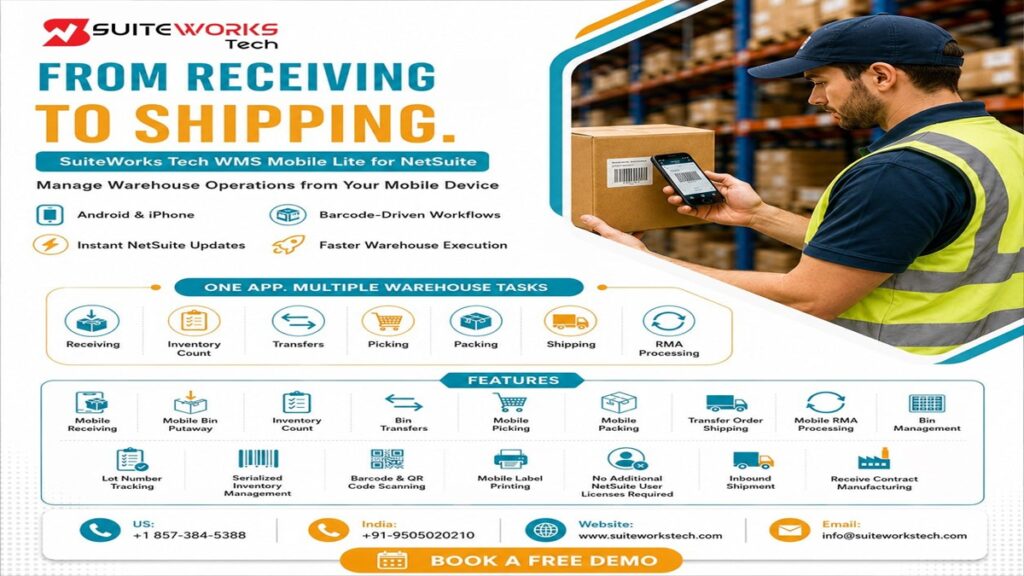
NetSuite Warehouse Management System: 15 Ways to Improve Inventory Accuracy and Warehouse Efficiency By Manasa, Sr. NetSuite Solution Architect at SuiteWorks TechNovember 12, 2026 Managing warehouse operations requires more than tracking incoming and outgoing inventory. Businesses must coordinate receiving, storage, picking, packing, shipping, and inventory transfers while maintaining accurate stock information. A well-organized NetSuite Warehouse Management System helps businesses manage these activities within their ERP environment and improve visibility across warehouse operations. However, manual inventory updates, incorrect bin assignments, picking errors, and disconnected warehouse workflows can affect productivity and order fulfillment. The SuiteWorks Tech NetSuite Warehouse Management System extends essential warehouse execution capabilities to Android and iOS devices, helping warehouse employees perform supported inventory and fulfillment transactions directly from the warehouse floor. With barcode and QR code scanning, mobile inventory operations, and NetSuite ERP synchronization, the SuiteWorks Tech NetSuite Warehouse Management System helps businesses simplify warehouse workflows, improve inventory accuracy, and manage fulfillment activities more efficiently. What Is a NetSuite Warehouse Management System? A NetSuite Warehouse Management System helps businesses manage inventory-related warehouse activities within the NetSuite ERP environment. It supports the coordination of inventory receiving, storage, picking, packing, shipping, stock transfers, and returns. An effective warehouse management process helps businesses: 🔹 Maintain accurate inventory information. 🔹 Manage warehouse locations. 🔹 Track inventory movements. 🔹 Coordinate order fulfillment activities. The SuiteWorks Tech NetSuite Warehouse Management System provides mobile access to essential warehouse workflows, allowing employees to complete supported inventory transactions using compatible Android and iOS smartphones. Key warehouse operations supported by the solution include: 🔹 Inventory receiving against NetSuite Purchase Orders. 🔹 Picking products for individual and multiple Sales Orders. 🔹 Batch picking for multiple orders. 🔹 Mobile packing and shipping. 🔹 Inbound shipment management. 🔹 Transfer order shipping. 🔹 Bin management and mobile putaway. 🔹 Inventory counting and bin transfers. 🔹 Lot and serial number tracking. 🔹 Customer and vendor return processing. 🔹 Assembly Build transactions. 🔹 Outsourced manufacturing receiving. 🔹 Barcode and QR code scanning. 🔹 Mobile item label and pack slip printing. Why Businesses Need a NetSuite Warehouse Management System Warehouse operations involve multiple activities that depend on accurate inventory information and timely transaction updates. When employees rely on manual processes, businesses may experience: 🔹 Inventory discrepancies. 🔹 Incorrect product selection. 🔹 Delays in order processing. 🔹 Difficulties tracking warehouse stock. 🔹 Increased manual data entry. A mobile-enabled warehouse management solution helps simplify these activities. 1. Reduce Manual Inventory Entry Manual inventory recording can increase processing time and create opportunities for data entry errors. The SuiteWorks Tech NetSuite Warehouse Management System supports barcode and QR code scanning, allowing warehouse employees to capture inventory information directly through compatible smartphones. This helps: 🔹 Simplify inventory data entry. 🔹 Scan product information through mobile devices. 🔹 Reduce dependence on manual inventory recording. 2. Improve Warehouse Inventory Accuracy Maintaining accurate inventory quantities and locations is essential for efficient warehouse operations. The NetSuite Warehouse Management System supports: 🔹 Bin validation. 🔹 Inventory counting. 🔹 Barcode-based inventory transactions. 🔹 Synchronized inventory updates. These capabilities help businesses maintain accurate stock records. 3. Simplify Order Fulfillment Picking, packing, and shipping require accurate coordination between warehouse employees. The NetSuite Warehouse Management System provides mobile workflows for supported fulfillment activities, helping employees: 🔹 Pick products for customer orders. 🔹 Verify packed quantities. 🔹 Process shipments. 🔹 Maintain fulfillment information in NetSuite. 4. Improve Inventory Visibility Businesses need access to item quantities, warehouse bins, lot numbers, and serial numbers to manage inventory effectively. The NetSuite Warehouse Management System allows employees to: 🔹 Search and view item quantities within specific warehouse bins. 🔹 Manage inventory through mobile workflows. 🔹 Track lot-numbered products. 🔹 Track serialized inventory. 5. Simplify Warehouse Operations Depending on desktop systems for every warehouse transaction can interrupt daily workflows. The NetSuite Warehouse Management System extends supported warehouse activities to mobile devices, allowing employees to: 🔹 Perform essential warehouse operations from the warehouse floor. 🔹 Scan products and inventory information. 🔹 Complete supported inventory transactions through smartphones. 15 Essential Features of SuiteWorks Tech NetSuite Warehouse Management System An effective warehouse management solution should support different stages of inventory movement, from receiving products to completing customer shipments. The SuiteWorks Tech NetSuite Warehouse Management System provides the following capabilities to simplify warehouse execution. 1. Mobile Inventory Receiving Accurate receiving is essential for maintaining reliable inventory records. The SuiteWorks Tech NetSuite Warehouse Management System enables warehouse employees to receive inventory directly against NetSuite Purchase Orders using Android and iOS devices. Employees can scan barcodes or QR codes to verify: 🔹 Item details and quantities. 🔹 Lot numbers and serial numbers. 🔹 Warehouse bin information. Receiving transactions are updated in NetSuite, helping businesses simplify incoming inventory management. 2. Mobile Order Picking Order picking involves selecting the correct products and quantities for customer orders. The NetSuite Warehouse Management System supports mobile picking for individual and multiple NetSuite Sales Orders. Employees can: 🔹 Scan items. 🔹 Validate product quantities. 🔹 Complete picking activities through mobile workflows. This helps reduce manual picking errors and improve order fulfillment accuracy. 3. Batch Picking for Multiple Sales Orders Picking items for individual orders can increase warehouse travel time when processing multiple orders. The NetSuite Warehouse Management System supports batch picking, allowing employees to pick items for multiple Sales Orders in a single warehouse trip. This helps: 🔹 Reduce unnecessary movement across warehouse aisles. 🔹 Simplify picking activities. 🔹 Improve warehouse productivity. 🔹 Support efficient order fulfillment. 4. Mobile Packing Management Packing accuracy is important for ensuring that customer orders contain the correct products and quantities. The NetSuite Warehouse Management System allows warehouse employees to verify packed quantities through the mobile application. Employees can: 🔹 Verify packed quantities. 🔹 Update NetSuite Item Fulfillment records to Packed status. 🔹 Maintain accurate fulfillment information. 5. Mobile Shipping Operations Shipping activities require accurate confirmation of products and quantities being dispatched. The NetSuite Warehouse Management System supports shipping against one or multiple NetSuite Sales Orders. Employees can: 🔹 Confirm shipments through barcode scanning. 🔹 Update Item Fulfillment records. 🔹 Maintain inventory
NetSuite WMS: 17 Powerful Features to Streamline Warehouse Operations and Improve Inventory Accuracy

NetSuite WMS: 17 Powerful Features to Streamline Warehouse Operations and Improve Inventory Accuracy By Manasa, Sr. NetSuite Solution Architect at SuiteWorks TechNovember 11, 2026 Managing warehouse operations efficiently is essential for businesses handling inventory, customer orders, and multiple stock movements. From receiving incoming goods to picking, packing, and shipping orders, every warehouse activity requires accurate inventory information and coordinated workflows. NetSuite WMS helps businesses manage warehouse activities and maintain better control over inventory operations within their NetSuite ERP environment. With capabilities covering inventory receiving, order fulfillment, bin management, stock transfers, and inventory tracking, businesses can streamline warehouse processes and improve operational visibility. The SuiteWorks Tech NetSuite WMS App extends essential warehouse management activities to Android and iOS devices, allowing warehouse employees to perform supported inventory and fulfillment transactions directly from the warehouse floor. With barcode and QR code scanning, mobile warehouse workflows, and NetSuite ERP synchronization, the SuiteWorks Tech NetSuite WMS App helps businesses simplify warehouse activities, reduce manual data entry, and improve inventory accuracy. What Is NetSuite WMS? NetSuite WMS (Warehouse Management System) refers to warehouse management capabilities that help businesses manage inventory movements and warehouse execution activities within the NetSuite ERP environment. An effective warehouse management process connects different activities, including receiving, putaway, inventory tracking, picking, packing, shipping, and returns. The SuiteWorks Tech NetSuite WMS App provides mobile access to essential warehouse workflows, enabling employees to perform supported inventory transactions through compatible smartphones. Key warehouse activities supported by the application include: 🔹 Inventory receiving against NetSuite Purchase Orders. 🔹 Mobile picking for individual and multiple Sales Orders. 🔹 Batch picking for multiple orders. 🔹 Mobile packing and shipping. 🔹 Inbound shipment management. 🔹 Transfer order shipping. 🔹 Bin management and mobile putaway. 🔹 Inventory counting and bin transfers. 🔹 Lot and serial number tracking. 🔹 Customer and vendor return processing. 🔹 Assembly Build transactions. 🔹 Outsourced manufacturing receiving. 🔹 Barcode and QR code scanning. 🔹 Mobile item label and pack slip printing. 17 Essential NetSuite WMS Features for Efficient Warehouse Management Warehouse productivity depends on how effectively employees manage inventory and complete daily fulfillment activities. The SuiteWorks Tech NetSuite WMS App brings essential warehouse workflows together through a mobile application integrated with NetSuite. 1. Mobile Inventory Receiving Accurate inventory receiving helps businesses ensure that incoming goods are correctly recorded before becoming part of available stock. The SuiteWorks Tech NetSuite WMS App enables warehouse employees to receive inventory directly against NetSuite Purchase Orders using Android and iOS devices. Employees can scan barcodes or QR codes to verify: 🔹 Item details and quantities. 🔹 Lot numbers and serial numbers. 🔹 Warehouse bin information. Receiving transactions are updated in NetSuite, helping maintain accurate inventory information. 2. Mobile Order Picking Order picking requires employees to select the correct products and quantities for customer orders. The App supports picking for individual and multiple NetSuite Sales Orders through mobile workflows. Warehouse employees can: 🔹 Scan items. 🔹 Validate product quantities. 🔹 Complete picking activities through mobile devices. This helps reduce manual errors and improve order fulfillment accuracy. 3. Batch Picking for Multiple Sales Orders Processing multiple orders individually can increase warehouse travel time and reduce employee productivity. The App supports batch picking, allowing warehouse employees to pick products for multiple Sales Orders in a single trip. This helps: 🔹 Reduce unnecessary movement across warehouse aisles. 🔹 Simplify picking activities. 🔹 Improve warehouse productivity. 🔹 Support efficient order processing in high-volume warehouse environments. 4. Mobile Packing Management Packing accuracy is important for ensuring that customer orders contain the correct items and quantities. The NetSuite WMS App allows warehouse employees to verify packed quantities through the mobile application. Employees can update NetSuite Item Fulfillment records to Packed status, helping maintain accurate fulfillment information and improve visibility into packing activities. 5. Mobile Shipping Operations Shipping involves confirming completed orders and maintaining accurate fulfillment records. The App supports shipping against one or multiple NetSuite Sales Orders. Warehouse employees can: 🔹 Confirm shipments through barcode scanning. 🔹 Update Item Fulfillment records. 🔹 Maintain inventory information in NetSuite. 6. Inbound Shipment Management Managing incoming shipments requires accurate coordination between purchase orders and received inventory. The NetSuite WMS App provides access to inbound shipment details through mobile devices. Employees can receive items against associated Purchase Orders and record: 🔹 Lot numbers. 🔹 Serial numbers. 🔹 Warehouse bin information. 7. NetSuite Bin Management Warehouse bin management helps businesses maintain accurate inventory locations and simplify stock movements. The App supports bin validation during: 🔹 Receiving. 🔹 Putaway. 🔹 Picking. 🔹 Inventory transfers. 🔹 Inventory counting. Barcode scanning helps employees validate source and destination bins, ensuring inventory is managed in the appropriate warehouse locations. 8. Mobile Bin Putaway After receiving goods, warehouse employees must place inventory in the correct storage locations. The App supports mobile bin putaway using NetSuite Putaway Worksheets. Employees can: 🔹 Scan received items. 🔹 Scan destination bins. 🔹 Complete inventory placement through their smartphones. This helps simplify inventory placement and maintain accurate warehouse location records. 9. Bin Inventory and Cycle Counting Inventory counting helps businesses maintain accurate stock information and identify discrepancies. The NetSuite WMS App allows employees to search and view item quantities within specific warehouse bins. Warehouse teams can also perform inventory counts by: 🔹 Scanning warehouse bins. 🔹 Scanning inventory items. 🔹 Recording inventory information through the application. This simplifies cycle counting and helps maintain accurate inventory records within NetSuite. 10. Mobile Bin Transfers Inventory frequently moves between different warehouse bins to support storage and fulfillment requirements. The NetSuite WMS App enables warehouse users to transfer inventory between bins using barcode scanning. Employees can: 🔹 Scan the source bin. 🔹 Scan the destination bin. 🔹 Transfer inventory through the mobile application. Each supported transfer transaction synchronizes with NetSuite, helping maintain accurate inventory location information. 11. Lot and Serial Number Tracking Businesses managing lot-numbered and serialized products require accurate inventory traceability. The NetSuite WMS App supports lot and serial number tracking across: 🔹 Inventory receiving. 🔹 Inventory transfers. 🔹 Inventory counting. 🔹 Order picking. 🔹
NetSuite Warehouse Management: How Mobile Technology Improves Warehouse Operations
NetSuite Warehouse Management: How Mobile Technology Improves Warehouse Operations By Manasa, Sr. NetSuite Solution Architect at SuiteWorks TechNovember 11, 2026 Managing warehouse operations efficiently is essential for businesses that handle large inventory volumes, multiple orders, and frequent stock movements. From receiving incoming goods to picking, packing, and shipping customer orders, every warehouse activity requires accurate inventory information and smooth coordination between warehouse employees. However, businesses using traditional warehouse processes often face challenges such as manual data entry, inventory discrepancies, picking errors, delayed order fulfillment, and limited visibility into stock movements. These challenges can affect productivity and make warehouse management more complicated. NetSuite Warehouse Management helps businesses organize inventory activities and manage warehouse operations within their ERP environment. By extending warehouse workflows to mobile devices, businesses can simplify daily tasks, improve inventory accuracy, and maintain better control over stock movements. The SuiteWorks Tech NetSuite Warehouse Management App takes this approach further by providing mobile-enabled warehouse operations with barcode and QR code scanning, real-time NetSuite synchronization, and simplified inventory workflows. Let’s explore how mobile-enabled NetSuite warehouse management can help businesses improve warehouse efficiency and streamline inventory operations. What Is NetSuite Warehouse Management? NetSuite Warehouse Management refers to managing inventory and warehouse activities within the NetSuite ERP environment. It helps businesses coordinate essential warehouse processes, including inventory receiving, storage, picking, packing, shipping, transfers, and stock counting. An effective warehouse management process helps businesses maintain accurate inventory records, track stock movements, and manage order fulfillment more efficiently. With mobile warehouse management capabilities, employees can perform supported warehouse transactions directly from smartphones instead of depending on desktop workstations for every activity. Key warehouse operations include: 🔹 Inventory Receiving: Record incoming goods against Purchase Orders and verify item quantities. 🔹 Inventory Tracking: Monitor stock quantities, warehouse bins, lot numbers, and serial numbers. 🔹 Order Picking: Select the correct products and quantities for customer orders. 🔹 Order Packing: Verify packed items and update fulfillment records. 🔹 Order Shipping: Process shipments and maintain accurate fulfillment information. 🔹 Inventory Transfers: Move stock between warehouse bins and locations. 🔹 Inventory Counting: Perform inventory counts and improve stock accuracy. 🔹 Returns Management: Process customer and vendor returns while maintaining inventory records. These activities help businesses maintain better warehouse visibility and coordinate inventory operations more effectively. Common Warehouse Management Challenges Businesses Face Warehouse teams handle several interconnected activities every day. When these activities depend heavily on manual processes, maintaining inventory accuracy and operational efficiency becomes difficult. Some common warehouse management challenges include: 1. Manual Inventory Data Entry Recording item quantities, product details, and warehouse locations manually can consume valuable time. Manual entry also increases the possibility of incorrect inventory information. 2. Inventory Location Errors Without proper bin validation, employees may store or pick products from incorrect warehouse locations. This can create inventory discrepancies and delays during order fulfillment. 3. Picking and Packing Mistakes Selecting incorrect products or quantities can affect order accuracy and create additional work for warehouse employees. 4. Slow Warehouse Operations Switching between warehouse activities and desktop systems can interrupt workflows and reduce employee productivity. 5. Limited Inventory Visibility Businesses need accurate information about available quantities, bin locations, lot numbers, and serial numbers to manage warehouse inventory effectively. 6. Additional Operational Expenses Paper-based workflows, manual processes, and additional software licensing requirements can increase warehouse operating expenses. Mobile-enabled NetSuite warehouse management capabilities can help businesses address these challenges through simplified workflows and synchronized inventory transactions. How Mobile Technology Improves NetSuite Warehouse Management Mobile technology allows warehouse employees to perform essential inventory activities directly from the warehouse floor. Instead of depending on desktop systems for every transaction, employees can use compatible smartphones to scan items, validate quantities, and complete supported warehouse workflows. The NetSuite Warehouse Management App brings these capabilities to Android and iOS devices. Here are some important ways mobile warehouse management improves daily operations. 1. Faster Inventory Receiving Receiving accuracy is important because incoming inventory becomes part of the business’s available stock. With mobile receiving capabilities, warehouse employees can access NetSuite Purchase Orders and scan barcodes or QR codes to verify: 🔹 Item details and quantities. 🔹 Lot numbers and serial numbers. 🔹 Warehouse bin information. 🔹 Received inventory details. This simplifies receiving activities and helps maintain accurate inventory records within NetSuite. 2. More Accurate Order Picking Order picking involves selecting the correct products and quantities for customer orders. The SuiteWorks Tech NetSuite Warehouse Management App supports mobile picking for individual and multiple NetSuite Sales Orders. Warehouse employees can scan items, validate products and quantities, and complete picking activities through mobile workflows. This helps minimize manual picking errors and improves warehouse productivity. 3. Efficient Batch Picking For warehouses processing multiple orders, picking products separately can increase unnecessary warehouse travel. Batch picking allows employees to pick items for multiple Sales Orders during a single warehouse trip. This approach helps: 🔹 Reduce repeated movement across warehouse aisles. 🔹 Minimize unnecessary warehouse travel. 🔹 Improve picking efficiency. 🔹 Support faster order fulfillment. This is particularly useful for businesses managing high-volume warehouse operations. 4. Simplified Packing and Shipping Packing and shipping require accurate product and quantity verification before orders leave the warehouse. Mobile packing workflows allow warehouse employees to verify packed quantities and update NetSuite Item Fulfillment records to Packed status. The mobile shipping functionality also supports shipment processing against one or multiple Sales Orders using barcode scanning. These capabilities help warehouse teams maintain accurate fulfillment information while simplifying packing and shipping activities. 5. Better Warehouse Bin Management Warehouse bin management helps businesses maintain accurate inventory locations. The NetSuite Warehouse Management App supports bin validation during: 🔹 Inventory receiving. 🔹 Mobile bin putaway. 🔹 Order picking. 🔹 Inventory transfers. 🔹 Inventory counting. Employees can scan source and destination bins to validate inventory locations and help ensure products are stored in the appropriate warehouse bins. The application also supports inventory putaway through NetSuite Putaway Worksheets. 6. Improved Inventory Counting and Tracking Accurate inventory information is important for warehouse planning and order fulfillment. Mobile inventory counting allows employees to scan bins and
NetSuite WMS App: How to Connect Purchase Orders, Inventory, and Fulfillment in One Workflow
NetSuite WMS App: How to Connect Purchase Orders, Inventory, and Fulfillment in One Workflow By Manasa, Sr. NetSuite Solution Architect at SuiteWorks TechNovember 11, 2026 A warehouse operation involves more than receiving products and sending customer orders. Every activity is connected. Products arrive against purchase orders, move into warehouse bins, get counted and tracked, and are eventually picked, packed, and shipped. When these activities are recorded separately, warehouse employees may need to switch between processes and enter inventory information manually. A connected workflow makes it easier to manage these activities while keeping inventory and transaction records updated in the business system. This is where the NetSuite WMS Mobile App by SuiteWorks Tech can support warehouse teams by bringing receiving, inventory handling, and fulfillment activities together on mobile devices. Built natively inside NetSuite ERP, SuiteWorks Tech WMS Mobile Lite extends warehouse execution to iPhone and Android smartphones. It supports barcode and QR code scanning, guided mobile workflows, inventory tracking, and real-time synchronization with NetSuite. Warehouse mobile users can perform supported activities without requiring additional NetSuite user licenses. Understanding how these activities connect helps explain how mobile warehouse execution can support day-to-day operations. 1. How a NetSuite WMS App Connects Purchase Orders With Receiving The warehouse workflow begins when inventory arrives at the facility. Employees need to identify the products received, verify quantities, and capture relevant inventory details against the purchase orders. For example, when a warehouse receives products against a NetSuite Purchase Order, employees need to confirm that the received items and quantities match the transaction. For lot-numbered or serialized inventory, they also need to capture the relevant lot or serial numbers and warehouse bin information. A NetSuite WMS App brings these receiving activities to mobile devices. With the NetSuite WMS Mobile App by SuiteWorks Tech, warehouse employees can receive inventory directly against NetSuite Purchase Orders using an iPhone or Android device. Barcode and QR code scanning helps validate the information during the receiving process. The receiving workflow supports: 🔹 Receiving items against NetSuite Purchase Orders. 🔹 Scanning barcodes and QR codes to validate items. 🔹 Capturing received quantities. 🔹 Recording lot and serial numbers. 🔹 Capturing warehouse bin details. 🔹 Updating inventory in real time. The application also supports inbound shipment management. Employees can view inbound shipment details, receive items against associated purchase orders, and capture lot, serial, and bin information during receiving. This connects the purchase order receiving process with inventory updates in NetSuite, allowing warehouse employees to record important details while handling incoming goods. 2. NetSuite WMS App for Inventory Movement and Bin Management Receiving inventory is only the beginning. Once products enter the warehouse, they need to be placed in the correct storage locations. Employees may also need to move stock between bins as warehouse requirements change. Maintaining accurate bin information is important because warehouse employees depend on item location details when picking orders, transferring inventory, and performing stock counts. The NetSuite WMS Mobile App by SuiteWorks Tech supports bin validation throughout receiving, putaway, picking, transfers, and inventory counting. Mobile Bin Putaway After receiving products, employees need to move them into the appropriate warehouse bins. The application supports mobile bin putaway using NetSuite Putaway Worksheets. Warehouse staff can scan destination bins and items directly from their mobile devices while completing putaway activities. This helps connect the physical movement of inventory with its recorded warehouse location. Bin Transfers When products need to move from one warehouse bin to another, employees can perform bin transfers using barcode scanning on iPhone or Android devices. Every transfer is instantly synchronized with NetSuite, helping maintain accurate inventory locations. Transfer Order Shipping Inventory may also need to move between warehouse locations. The application supports shipping inventory against NetSuite Transfer Orders using mobile devices. Employees can scan items and source bins to support accurate inter-warehouse transfers with real-time inventory updates. Together, these capabilities help connect receiving, storage, and inventory movement within the same NetSuite environment. 3. Track Inventory Quantities, Lots, and Serial Numbers Warehouse teams need more than a general view of available stock. They also need to identify the quantities stored in specific bins and maintain the details associated with lot-numbered and serialized products. A NetSuite WMS App can support these activities by allowing employees to scan items and capture inventory information while performing warehouse tasks. WMS Mobile Lite supports mobile bin inventory searches. Employees can search and view item quantities available in specific warehouse bins using their mobile devices. The application also supports inventory counting directly from the mobile app. Employees can scan bins and items to perform counts and support cycle counting activities. Lot and serial number tracking is available across multiple warehouse processes, including: 🔹 Receiving inventory. 🔹 Moving products between warehouse locations. 🔹 Performing inventory counts. 🔹 Picking and packing customer orders. 🔹 Shipping products. 🔹 Processing inventory returns. Capturing these details during supported activities helps maintain lot and serial number traceability as products move through the warehouse. This is particularly relevant for businesses handling pharmaceutical and healthcare distribution, manufacturing inventory, cold storage, and other batch-managed stock. 4. Connect Inventory With Sales Orders Through Mobile Picking Once inventory is available, the next important stage is fulfilling customer orders. Warehouse employees need to identify the correct products and quantities against the relevant NetSuite Sales Orders. The mobile picking feature allows employees to pick items against one or multiple NetSuite Sales Orders using barcode or QR code scanning. During picking, real-time inventory validation helps employees confirm inventory information while processing orders. This supports picking accuracy and improves warehouse productivity. For businesses handling multiple orders, batch picking provides another way to organize warehouse activities. Batch Picking for Multiple Sales Orders Instead of making separate trips for every order, employees can pick items for multiple Sales Orders in a single trip. Batch picking reduces warehouse travel time and supports faster fulfillment in high-volume warehouse operations. By connecting Sales Orders with mobile picking activities, warehouse employees can perform order-related inventory tasks directly from their devices. 5. Connect Picking,
NetSuite Warehouse Management SuiteApp: 7 Ways to Improve Warehouse Traceability Without More Paperwork
NetSuite Warehouse Management SuiteApp: 7 Ways to Improve Warehouse Traceability Without More Paperwork By Manasa, Sr. NetSuite Solution Architect at SuiteWorks TechNovember 11, 2026 A warehouse handles a continuous movement of inventory every day. Products arrive against purchase orders, move into storage bins, get picked for customer orders, and eventually pass through packing and shipping. Returns, stock transfers, and inventory counting add further activities to this process. At every stage, businesses need accurate information about items, quantities, locations, and inventory movements. When employees depend on paper records and manual data entry, maintaining consistent inventory information can become difficult. Teams may need to record the same details in different places, while warehouse managers need visibility into stock movements and daily operations. NetSuite WMS Mobile App by SuiteWorks Tech supports inventory control by connecting warehouse activities with business transactions. Extending these processes to mobile devices gives employees another way to record information while performing their daily tasks. SuiteWorks Tech WMS Mobile Lite is a lightweight, high-performance SuiteApp built natively inside NetSuite ERP. It extends warehouse execution to iPhone and Android smartphones with barcode and QR code scanning, guided workflows, inventory tracking, and real-time transaction synchronization. Warehouse mobile users do not require additional NetSuite user licenses. Here are seven ways mobile warehouse capabilities can improve inventory traceability and reduce dependence on paper-based processes. 1. Improve Inventory Receiving With NetSuite Warehouse Management Inventory traceability begins when products arrive at the warehouse. Employees need to verify received items against purchase orders and record relevant quantities, lot numbers, serial numbers, and bin details. When receiving depends on manual records, employees may need to enter the same information separately. This can make the process time-consuming and increase the amount of manual data entry. With the NetSuite WMS Mobile App by SuiteWorks Tech, employees can receive inventory against NetSuite Purchase Orders using an iPhone or Android device. Barcode and QR code scanning helps validate: 🔹 Items received against purchase orders. 🔹 Received quantities. 🔹 Lot and serial numbers. 🔹 Warehouse bin information. Inventory is updated in real time during receiving, keeping the information connected to NetSuite. The application also supports inbound shipment management. Employees can view shipment details, receive items against associated purchase orders, and capture lot, serial, and bin information during the receiving process. This mobile approach helps warehouse employees record important inventory details as products enter the facility. 2. Maintain Accurate Warehouse Locations Through Mobile Bin Management Knowing how much inventory is available is important, but employees also need to know where products are stored. Accurate bin information helps warehouse teams locate items during picking, transfers, and inventory counting. Within NetSuite Warehouse Management, source and destination bin validation plays an important role in maintaining inventory location records. WMS Mobile Lite supports bin validation during receiving, putaway, picking, transfers, and inventory counting. Employees can scan the relevant bins using their mobile devices while performing these activities. Mobile Bin Putaway After receiving products, employees need to move inventory into the appropriate storage locations. The application supports mobile bin putaway using NetSuite Putaway Worksheets. Employees can scan destination bins and items through the mobile application while carrying out putaway activities. Bin Transfers Inventory sometimes needs to move from one bin to another within the warehouse. Employees can scan items during bin transfers using their iPhone or Android devices. These transfers are instantly synchronized with NetSuite, helping maintain accurate inventory location information. By bringing bin-related activities into mobile workflows, businesses can maintain better visibility into where their inventory is stored. 3. Strengthen Lot and Serial Number Tracking Across Warehouse Activities Businesses that handle batch-managed or serialized inventory need accurate identification details throughout the inventory lifecycle. Capturing lot and serial numbers during receiving is important, but these details also need to be recorded when inventory is moved, counted, picked, packed, shipped, or returned. WMS Mobile Lite supports lot and serial number tracking through barcode scanning across several warehouse activities: 🔹 Receiving inventory. 🔹 Moving inventory between locations. 🔹 Performing inventory counts. 🔹 Picking and packing products. 🔹 Shipping customer orders. 🔹 Processing inventory returns. Employees can capture lot and serial information through the mobile application during these supported processes. This helps maintain traceability as inventory moves through different warehouse operations. For businesses handling pharmaceutical products, healthcare distribution, manufacturing inventory, or other batch-managed stock, maintaining these records is an important part of inventory control. 4. Improve Order Picking, Packing, and Shipping Visibility Inventory traceability continues when products are selected for customer orders. Employees need to pick the correct items against the relevant Sales Orders and update fulfillment information as orders move through the warehouse. The mobile picking feature allows employees to pick items against one or multiple NetSuite Sales Orders using barcode or QR code scanning. Real-time inventory validation helps reduce picking errors. For warehouses processing several orders, batch picking allows employees to pick items for multiple Sales Orders in one trip. This reduces warehouse travel time and supports faster fulfillment activities. Once picking is completed, employees can use the mobile packing feature to confirm packed quantities. The corresponding NetSuite Item Fulfillment status is updated to Packed. During shipping, employees can scan items to confirm shipments against one or multiple Sales Orders. Item Fulfillment and inventory information are automatically updated in NetSuite. These connected activities help warehouse employees maintain visibility from order picking through packing and shipping. 5. Improve Inventory Counting and Returns Management Inventory records need regular attention to remain useful. Warehouse teams need to check available quantities, identify stock within specific bins, and record inventory movements accurately. WMS Mobile Lite supports mobile bin inventory searches, allowing employees to search and view item quantities available in specific warehouse bins. Employees can also perform inventory counts using their mobile devices by scanning bins and items. This supports cycle counting and provides better visibility into warehouse stock. Returns are another important part of the inventory process. The application supports both Customer Return Authorizations (Sales RMAs) and Vendor Return Authorizations (Vendor RMAs). By bringing inventory searches, counting, and return
WMS Mobile App: How to Process Returns Without Switching Between Multiple Workflows
WMS Mobile App: How to Process Returns Without Switching Between Multiple Workflows By Manasa, Sr. NetSuite Solution Architect at SuiteWorks TechNovember 6, 2026 A customer returns a product, or a business needs to send inventory back to a vendor. In both situations, warehouse employees need to process the relevant return authorization while keeping inventory records accurate in NetSuite. For warehouses that handle multiple orders and inventory movements every day, returns are part of a much larger operational process. Employees may already be receiving new goods, picking sales orders, transferring inventory between bins, and preparing shipments. Managing returns alongside these activities can add more work when each task requires a separate process. This is where a WMS Mobile App can make a difference. Rather than limiting mobile access to receiving and picking, businesses can use a mobile application that also supports customer returns, vendor returns, inventory movements, and other warehouse activities. The NetSuite WMS Mobile App by SuiteWorks Tech brings these supported warehouse operations to iPhone and Android devices. Built natively inside NetSuite, SuiteWorks Tech WMS Mobile Lite supports mobile RMA processing, barcode and QR code scanning, and real-time synchronization with NetSuite inventory records. Why Warehouse Teams Need a Connected Returns Workflow Imagine a warehouse employee handling inventory throughout the day. The employee may receive goods against purchase orders, pick items for sales orders, and prepare packed orders for shipping. During the same working period, the warehouse may also need to process customer and vendor returns. These activities are connected through inventory records in NetSuite. When employees need to manage them through disconnected processes, maintaining accurate information becomes more difficult. A connected mobile workflow allows warehouse staff to access multiple supported activities through one application. This includes receiving, picking, packing, shipping, inventory counting, bin transfers, and return processing. The main advantage is that return processing is available alongside other warehouse activities instead of being treated as an entirely separate mobile application. How a WMS Mobile App Handles Customer and Vendor Returns Returns can involve different types of NetSuite authorization records. A customer return and a vendor return are not the same transaction, so warehouse employees need to work with the relevant return authorization. Process Sales RMAs and Vendor RMAs From One Application The mobile RMA processing feature in SuiteWorks Tech WMS Mobile Lite supports both: 🔹 Customer Return Authorizations (Sales RMAs). 🔹 Vendor Return Authorizations (Vendor RMAs). Warehouse teams can process both return types from a single mobile application. This simplifies return processing while helping maintain accurate inventory records in NetSuite. For businesses already using mobile devices for daily warehouse activities, having both return types available within the same application provides a more connected way to manage warehouse execution. Maintain Inventory Visibility During Return Processing Accurate inventory information is important when managing warehouse returns. The application supports barcode and QR code scanning and real-time synchronization with NetSuite. Lot and serial number tracking is also supported during returns, along with receiving, moving, counting, picking, packing, and shipping. This helps businesses maintain traceability for lot-numbered and serialized inventory across supported warehouse activities. How a WMS Mobile App Connects Returns With Other Warehouse Workflows Return processing is only one part of warehouse execution. The same mobile application supports several activities that warehouse teams perform before and after handling returns. Mobile Receiving and Inbound Shipment Management Warehouse employees can receive inventory directly from iPhone or Android devices against NetSuite Purchase Orders. Barcode and QR code scanning helps validate items, quantities, lots, serial numbers, and bins while updating inventory in real time. Inbound Shipment Management allows users to view shipment details, receive items against associated purchase orders, and capture lot, serial, and bin information during receiving. Mobile Picking and Batch Picking Employees can pick items against one or multiple NetSuite Sales Orders using barcode or QR code scanning. Real-time inventory validation helps reduce picking errors. For warehouses handling several orders, Batch Pick allows staff to pick items for multiple Sales Orders in a single trip. This reduces warehouse travel time and helps accelerate order fulfillment. Mobile Packing and Shipping After picking, warehouse staff can confirm packed quantities through the mobile application. The corresponding NetSuite Item Fulfillment status is updated to Packed. The mobile shipping feature supports completed orders against one or multiple NetSuite Sales Orders. Barcode-based shipment confirmation automatically updates Item Fulfillment and inventory records in NetSuite. Transfer Order Shipping Warehouse employees can ship inventory against NetSuite Transfer Orders using mobile devices. Scanning items and source bins helps support accurate inter-warehouse transfers with real-time inventory updates. How Barcode Scanning Helps Simplify Warehouse Activities Scanning is an important part of mobile warehouse execution. It helps employees validate inventory information during different warehouse activities without repeatedly entering details manually. Barcode and QR Code Scanning The application uses the built-in camera on iPhone and Android devices to scan barcodes and QR codes. Dedicated scanning hardware is not required. Mobile scanning supports activities such as receiving, picking, bin transfers, inventory counting, and returns. It helps improve productivity and reduce manual data entry. Bin Management and Inventory Counting Warehouses using NetSuite Bin Management need accurate source and destination bin information. The application supports bin validation during receiving, putaway, picking, transfers, and inventory counting. Employees can also search for item quantities in specific bins and perform inventory counts by scanning bins and items. Mobile Bin Transfers and Putaway Warehouse teams can move inventory between bins using barcode scanning on iPhone or Android devices. Transfers are synchronized with NetSuite to maintain accurate inventory locations. For putaway, employees can use NetSuite Putaway Worksheets and scan destination bins and items directly from the mobile application. Lot and Serial Number Tracking Lot-numbered and serialized inventory can be tracked during receiving, moving, counting, picking, packing, shipping, and returns. Barcode scanning supports traceability and helps reduce manual data entry. How the WMS Mobile App Supports Other Warehouse Requirements In addition to returns and inventory movement, the application supports other warehouse activities that can be completed through mobile devices. Assembly Build Warehouse teams can create Assembly Build transactions













Working with SuiteWorks Tech on our AI Ordering Chatbot for NetSuite was outstanding. They delivered quickly, professionally, and with impressive attention to detail. I’m thrilled with the results and highly recommend their services.
Craig Michaud Partner, Evolve Salon Systems