


How AI-Powered NetSuite Invoice Scanning Improves Data Accuracy
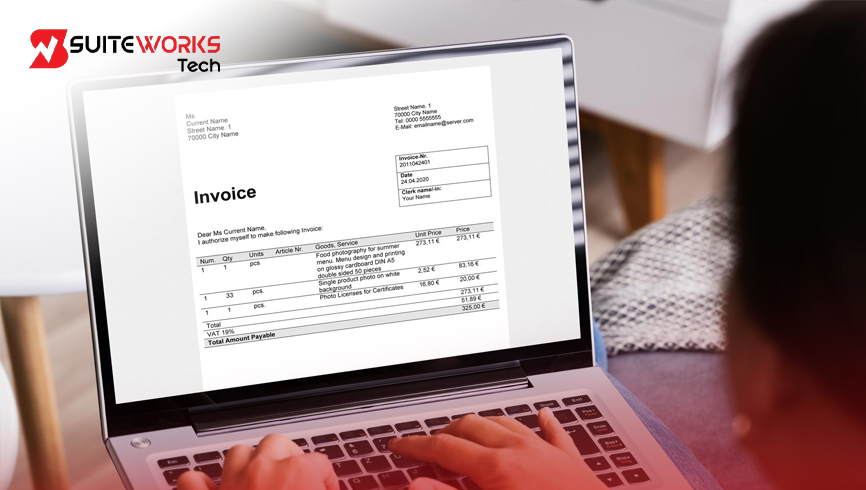
How AI-Powered NetSuite Invoice Scanning Improves Data Accuracy By Manasa, Sr. NetSuite Solution Architect at SuiteWorks TechSeptember 12, 2026 A vendor invoice can look like a straightforward document. It contains the vendor details, invoice number, date, line items, amounts, and totals. But before that information can be used inside an ERP, it needs to be captured accurately and mapped to the right fields. For finance teams processing invoices regularly, manually entering this information can become repetitive. Every invoice may also come in a different layout, making the intake and data-entry process more demanding. For businesses using NetSuite, this creates an important question: how can invoice information be captured accurately without depending entirely on manual data entry? This is where NetSuite Invoice Scanning can fit into modern accounts payable workflows. The NetSuite Invoice OCR Software by SuiteWorks Tech is designed to automate invoice data capture and field mapping directly within NetSuite. Businesses can upload invoice PDFs, extract important information using advanced OCR technology, and use AI to map the extracted data to the correct NetSuite fields. For finance teams looking to improve invoice accuracy while reducing repetitive processing, AI-powered invoice scanning provides a practical way to connect invoice documents with NetSuite transaction records. Why NetSuite Invoice Scanning Matters for Invoice Processing As businesses process more vendor invoices, manual invoice entry can require considerable attention from accounts payable teams. An invoice may contain entity details, an invoice number, an invoice date, multiple line items, amounts, and totals. Entering each of these details manually creates additional work and can also introduce human errors. NetSuite Invoice Scanning addresses this challenge by bringing automated invoice data extraction directly into the NetSuite environment. Common invoice processing activities include: 🔹 Uploading vendor invoice PDFs 🔹 Extracting invoice information 🔹 Capturing entity details 🔹 Reading invoice numbers and dates 🔹 Extracting line items 🔹 Capturing amounts and totals 🔹 Mapping information to NetSuite transaction fields 🔹 Reviewing and processing invoice records Instead of manually keying information from every invoice, finance teams can use OCR and AI-powered mapping to simplify the process. The result is a more connected invoice workflow where information moves from the invoice document into NetSuite with less manual effort. How NetSuite Invoice Scanning Captures Invoice Data The first step in invoice processing is getting the invoice document into the system. Vendor invoice PDFs can be uploaded directly into NetSuite. Once the document is uploaded, the software processes the invoice and prepares it for automated data extraction. The NetSuite Invoice OCR Software by SuiteWorks Tech is designed to process invoice PDFs and extract important information from the document. This provides a simpler starting point for invoice processing because the invoice document can move directly into the extraction workflow. Intelligent OCR Data Extraction Invoice documents contain several important fields that finance teams need when creating or processing invoice records. OCR technology reads the invoice PDF and extracts critical information such as: 🔹 Entity details 🔹 Invoice number 🔹 Invoice date 🔹 Line items 🔹 Amounts 🔹 Totals This removes the need to manually key the same information from the invoice into NetSuite. For finance teams processing vendor invoices regularly, automated extraction can reduce repetitive data-entry activities while helping improve the reliability of information captured from invoice documents. NetSuite Invoice Scanning Improves Data Accuracy With AI Mapping Extracting invoice information is only one part of the process. Once the information has been captured, it needs to be placed into the correct NetSuite transaction fields. This is where AI-powered field mapping becomes important. The NetSuite Invoice OCR Software by SuiteWorks Tech uses advanced AI to automatically map extracted invoice data to the appropriate NetSuite fields. The workflow can be understood through four simple steps: 🔹 Upload the invoice PDF into NetSuite 🔹 OCR technology extracts invoice data 🔹 AI maps the extracted information to the correct NetSuite fields 🔹 The invoice record is ready for review and processing By connecting extraction and field mapping, the process helps reduce the manual work involved in transferring information from an invoice document into NetSuite. This also helps finance teams maintain cleaner and more consistent financial data. Supporting Different Vendor Invoice Formats Vendor invoices do not always follow one standard layout. Different vendors may use different invoice structures and formats. If finance teams have to manually interpret each document and enter the information, invoice processing can become more time-consuming. The NetSuite Invoice OCR solution is designed to handle varying invoice structures and formats. It does not require template maintenance for different vendor invoice layouts. This means the invoice workflow can work with multiple vendor invoice formats while continuing to extract the information needed for processing. For organizations working with several vendors, this can help simplify invoice intake without requiring finance teams to create a separate manual process for every invoice structure. NetSuite Invoice Scanning Reduces Manual Invoice Entry Manual invoice entry is repetitive by nature. A finance employee may need to look at the invoice, identify the required information, enter it into the relevant fields, and then review the information before continuing with invoice processing. When this happens across hundreds or thousands of invoices, the amount of manual effort can increase significantly. NetSuite Invoice Scanning helps reduce this repetitive work by automating invoice capture and data extraction. This can help finance teams: 🔹 Reduce manual data entry 🔹 Reduce repetitive invoice processing tasks 🔹 Minimize human errors 🔹 Process more invoices in less time 🔹 Focus on higher-value accounts payable activities The purpose is not simply to scan an invoice. It is to make the information on that invoice easier to use inside NetSuite. Improving Accounts Payable Efficiency With NetSuite Invoice Scanning Accounts payable teams need accurate information to process invoices efficiently. When invoice information is manually entered, the process depends on employees repeatedly transferring information from documents into the ERP. AI-powered extraction can reduce this dependency. The NetSuite Invoice OCR Software can automate invoice capture and field mapping so finance teams can process more invoices in
Why CFOs Are Investing in SuiteWorks Tech NetSuite Invoice Scanning Solutions

Why CFOs Are Investing in SuiteWorks Tech NetSuite Invoice Scanning Solutions By Manasa, Sr. NetSuite Solution Architect at SuiteWorks TechSeptember 4, 2026 For a finance team, an invoice may look like a simple document. But behind every vendor invoice are details that need to reach the right records inside the ERP: entity information, invoice number, invoice date, line items, amounts, and totals. Instead of manually reading vendor invoice PDFs and entering information into NetSuite, businesses can use OCR to extract invoice data and AI to map that information to the correct NetSuite fields. The result is a more streamlined invoice workflow that stays within the ERP environment. NetSuite Invoice OCR Software by SuiteWorks Tech is designed around this process, helping finance teams automate invoice data capture, reduce manual effort, and gain real-time visibility into invoice processing. Why NetSuite Invoice Scanning Matters to Finance Teams Imagine a finance team receiving vendor invoices in PDF format throughout the day. Each document needs to be opened, reviewed, and entered into the accounting system. The same types of information appear again and again: vendor or entity details, invoice numbers, dates, line items, amounts, and totals. The repetitive nature of this work is exactly where invoice automation can make a difference. NetSuite Invoice Scanning allows vendor invoice PDFs to be uploaded directly into NetSuite. OCR technology then reads the document and extracts the required information. AI-powered field mapping takes the extracted data and connects it to the appropriate NetSuite transaction fields. The process moves from document to structured invoice information without requiring every field to be manually keyed. For finance teams working with vendor invoices inside NetSuite, this creates a more direct path from invoice intake to invoice processing. From Invoice PDF to NetSuite Record The workflow is straightforward: 🔹 A vendor invoice PDF is uploaded into NetSuite. 🔹 OCR technology reads the invoice and extracts important information. 🔹 AI maps the extracted information to the appropriate NetSuite fields. 🔹 The invoice record is prepared for review and processing. This workflow is designed to reduce processing time while maintaining accuracy across different invoice formats. How NetSuite Invoice Scanning Uses OCR and AI The value of NetSuite Invoice Scanning comes from the combination of OCR-based data extraction and AI-powered field mapping. OCR technology reads the information contained in invoice PDFs. Instead of asking finance employees to manually type every value, the system extracts important invoice details automatically. The extracted information can include: 🔹 Entity details 🔹 Invoice number 🔹 Invoice date 🔹 Line items 🔹 Amounts 🔹 Totals After the information is extracted, AI automatically maps it to the correct NetSuite transaction fields. This creates a connected process where the information from a vendor invoice can move into the appropriate NetSuite invoice records. Handling Different Vendor Invoice Formats Vendor invoices do not always have identical layouts. One vendor may organize information differently from another. If a business processes invoices from multiple vendors, the ability to handle different invoice structures becomes important. The NetSuite Invoice OCR solution by SuiteWorks Tech is designed to support multiple vendor invoice formats without requiring template maintenance. This means the invoice processing workflow can intelligently handle varying invoice structures rather than depending on one fixed format. For finance teams, that provides flexibility while keeping the invoice capture process within NetSuite. NetSuite Invoice Scanning Helps Reduce Manual Effort One of the clearest reasons to consider NetSuite Invoice Scanning is the amount of repetitive work involved in invoice entry. Manual invoice processing requires employees to repeatedly read documents and enter information. This can take time that AP teams could otherwise use for higher-value activities. Automated invoice capture changes that process. With OCR extracting invoice information and AI mapping it to NetSuite fields, repetitive invoice entry tasks can be reduced. The focus is not simply on removing manual typing. The workflow also connects invoice documents directly with NetSuite transaction records. Because the solution is built natively for NetSuite, finance teams can continue working within familiar NetSuite screens rather than moving between disconnected tools. A More Direct AP Workflow A streamlined invoice workflow can be viewed as a series of connected steps rather than separate tasks. The invoice arrives as a PDF. It is uploaded into NetSuite. OCR extracts the information. AI maps the information to the correct fields. The invoice record is then ready for review and processing. Each stage is connected. This makes the invoice process easier to follow while reducing the amount of repetitive manual entry required from the AP team. Improving Data Accuracy With Intelligent Invoice Capture Invoice processing is not only about speed. The information captured from vendor invoices also needs to be reliable. Manual keying can require employees to enter information from documents into NetSuite one field at a time. With AI-driven extraction and mapping, the invoice information is processed automatically before being mapped to the relevant NetSuite fields. NetSuite Invoice Scanning is therefore designed to reduce human errors and improve the reliability of financial data inside NetSuite. The solution extracts invoice information using OCR and then uses AI to map that information to the appropriate transaction fields. For finance teams, this provides a more structured way to move invoice data from vendor documents into the ERP. Why CFOs Look at Scalability in Invoice Processing Invoice volumes can change as a business grows. A process that is manageable when a finance team handles a smaller number of invoices may need to support significantly more documents as the business expands. The SuiteWorks Tech invoice OCR solution is designed to scale with business needs, whether organizations process hundreds or thousands of invoices. This scalability means the invoice capture workflow can continue supporting growing invoice volumes without relying entirely on increasing manual data-entry effort. For businesses processing vendor invoices inside NetSuite, that makes automated invoice capture relevant not only for current processing requirements but also for growing workloads. Faster Invoice Processing Without Complex Workflows Time is another important consideration. Manual invoice entry requires finance employees to spend time reading documents and entering
NetSuite Consolidated Invoicing SuiteApp: Simplify Billing for Growing Businesses
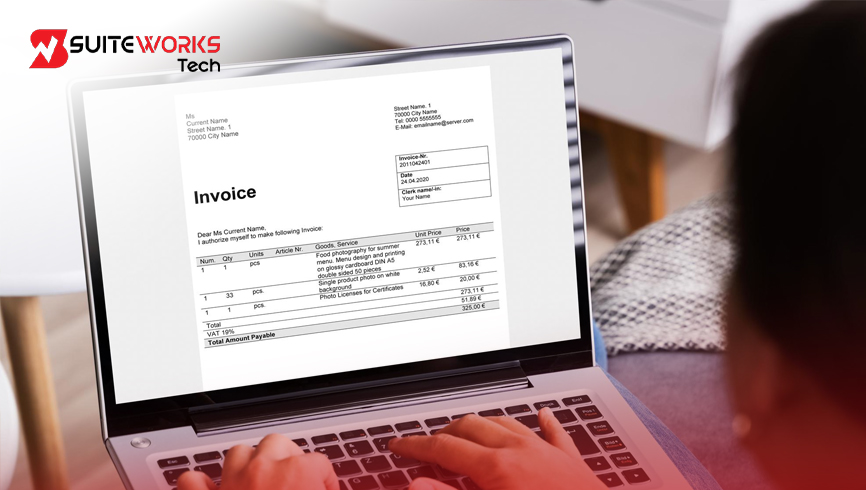
NetSuite Consolidated Invoicing SuiteApp: Simplify Billing for Growing Businesses By Manasa, Sr. NetSuite Solution Architect at SuiteWorks TechAugust 28, 2026 As a business grows, billing can become more complicated than it first appears. A single customer may have multiple open invoices resulting from frequent transactions or different billing events. For finance teams, managing those invoices individually can create additional administrative work, repeated payment applications, and more opportunities for reconciliation errors. This is where the NetSuite Consolidated Invoicing SuiteApp can make a meaningful difference. Instead of asking finance teams and customers to manage several separate invoices, the solution allows multiple invoices for the same customer to be combined into one master invoice. The process is designed to simplify billing while maintaining visibility into the individual invoices included in the consolidation. For businesses already using NetSuite, this approach keeps the billing workflow within the existing ERP environment. SuiteWorks Tech’s NetSuite Consolidated Invoicing Solution by SuiteWorks Tech is built natively on the NetSuite platform and focuses on making invoice grouping, payment distribution, and financial tracking easier to manage. Why NetSuite Consolidated Invoicing SuiteApp Matters Imagine a finance team preparing billing for a customer that has several open invoices. Each invoice needs to be reviewed, communicated, and eventually reconciled when payment arrives. Managing those invoices separately can create unnecessary complexity. With the NetSuite Consolidated Invoicing SuiteApp, eligible open invoices for the same customer can be selected through a centralized screen. Those invoices can then be combined into a single master invoice. The customer receives one clearer billing document, while the finance team retains visibility into the invoices that make up the consolidated record. This approach can be particularly useful for companies serving customers with frequent transactions or multiple billing events. How NetSuite Consolidated Invoicing SuiteApp Simplifies Billing The core idea behind consolidated invoicing is straightforward: bring related invoices together without losing the connection to the original transactions. Users can select multiple eligible open invoices for the same customer through a dedicated interface. Real-time validation checks help confirm invoice status, customer matching, and payment eligibility before consolidation takes place. Once the invoices are validated, the system generates a master invoice. The master invoice becomes a single billing record that simplifies customer communication and supports the accounts receivable process. Instead of repeatedly managing several invoices for the same customer, the billing process becomes more centralized. The NetSuite Consolidated Invoicing Solution by SuiteWorks Tech is designed around this workflow. Key Features of the NetSuite Consolidated Invoicing SuiteApp Centralized Invoice Selection The process begins with a dedicated invoice selection screen. Finance users can view and filter eligible open invoices for a particular customer before deciding which transactions should be consolidated. This provides control over the invoices being grouped rather than automatically combining unrelated transactions. Automated Master Invoice Creation After the appropriate invoices are selected and validated, the NetSuite Consolidated Invoicing SuiteApp creates a master invoice. This master invoice brings the selected billing information together into one record, making customer communication and collections easier to manage. Smart Payment Distribution Payment handling is an important part of the consolidation workflow. When the master invoice is paid, the solution automatically applies the payment to the associated invoices. This reduces the need for finance teams to manually distribute payments across multiple records. The result is a cleaner reconciliation process while maintaining the relationship between the master invoice and the original invoices. Real-Time Validation Checks Before invoices can be consolidated, the system performs validation checks. These checks cover invoice status, customer matching, and payment eligibility. By validating the transactions before consolidation, the workflow helps prevent invalid invoices from being included in the master billing record. Native NetSuite Integration The solution is built entirely on the NetSuite platform and does not require external plugins, middleware, or third-party integrations. This native approach supports compatibility with existing NetSuite workflows while maintaining data integrity within the ERP environment. Role-Based Security and Audit Trails Security and traceability remain important when handling financial transactions. The solution uses standard NetSuite permissions and provides audit history for the invoicing process. This allows businesses to maintain visibility into consolidation activities while supporting security and compliance requirements. Benefits of the NetSuite Consolidated Invoicing SuiteApp The benefits become clearer when looking at what happens before and after invoice consolidation. Instead of managing multiple billing records independently, finance teams can bring related invoices together into one master record. Simplified Billing and Faster Collections A consolidated invoice gives customers one billing document instead of several separate invoices. This can simplify communication and reduce the repetitive work involved in handling multiple payments. By making the billing process more straightforward, businesses can support faster collections. Better Financial Transparency Consolidating invoices does not mean losing visibility into the underlying transactions. The system tracks which invoices were included in each consolidation and how payments are distributed. This provides financial teams with a clear connection between the master invoice and its associated invoices. That visibility supports accurate reporting and audit readiness. Improved Customer Experience Customers may find it easier to manage one clear billing document rather than receiving multiple invoices for frequent transactions. A single consolidated invoice can make billing communication easier to understand and reduce confusion around payments. For businesses managing customers with recurring or frequent billing events, this can create a more organized billing experience. Reduced Administrative Work Invoice grouping and payment distribution can consume significant finance-team time when handled manually. The NetSuite Consolidated Invoicing SuiteApp automates these activities, allowing finance users to spend less time on repetitive reconciliation tasks. The broader purpose is not simply to create fewer invoices. It is to reduce the administrative effort surrounding the billing process. How the NetSuite Consolidated Invoicing SuiteApp Works The workflow follows a clear sequence within NetSuite. 🔹 Finance users access the centralized invoice selection screen. 🔹 Eligible open invoices for the same customer are identified. 🔹 Real-time validation checks confirm invoice status, customer matching, and payment eligibility. 🔹 Selected invoices are combined into a master invoice. 🔹 The master invoice becomes the consolidated
Best NetSuite Consolidated Invoicing Solutions: Features, Automation & What to Look For
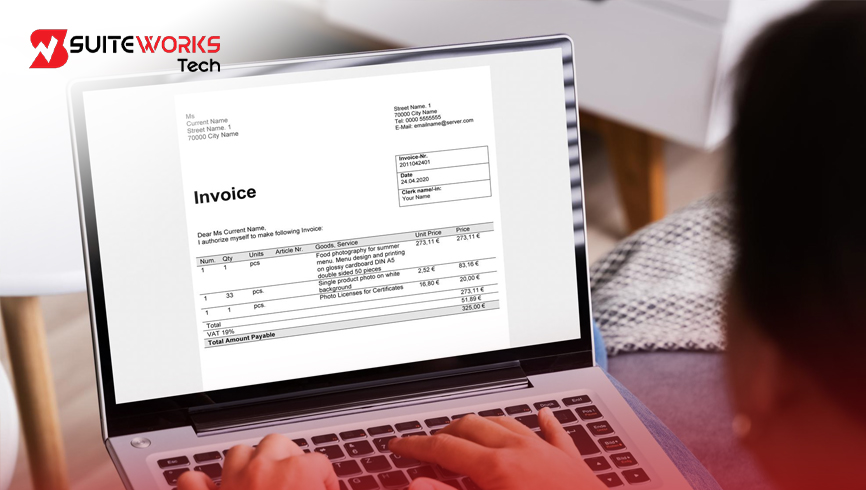
Best NetSuite Consolidated Invoicing Solutions: Features, Automation & What to Look For By Manasa, Sr. NetSuite Solution Architect at SuiteWorks TechAugust 20, 2026 A customer may have several invoices open at the same time. For finance teams, managing each invoice separately can turn routine billing into a repetitive process. Selecting invoices, communicating multiple billing documents, reconciling payments, and keeping financial records accurate can all take valuable time. This is where NetSuite Consolidated Invoicing can make the billing process more organized. Instead of handling multiple invoices separately, businesses can combine related open invoices for the same customer into a single master invoice. The result is a simpler billing process, reduced manual work, and better visibility into how payments are applied. The NetSuite Consolidated Invoicing SuiteApp by SuiteWorks Tech is a native solution designed specifically to streamline invoice consolidation within NetSuite. It brings invoice selection, validation, master invoice creation, payment distribution, and audit tracking into one workflow. For businesses evaluating a consolidated billing solution, understanding the features and automation behind the process is an important first step. Why NetSuite Consolidated Invoicing Matters for Billing Teams Imagine a finance team preparing billing for a customer who has several open invoices. Instead of sending and managing each invoice individually, the team can select eligible invoices and combine them into one master billing record. This is the basic idea behind NetSuite Consolidated Invoicing. The SuiteApp provides a dedicated invoice selection screen where users can view and filter eligible transactions for a particular customer. Once the required invoices are selected, a master invoice can be generated. This approach gives finance teams greater control over the consolidation process while reducing repetitive billing tasks. The solution is also designed to maintain financial traceability. When the master invoice is paid, payments are automatically distributed across the invoices linked to that master record. This helps keep the general ledger accurate without requiring manual reconciliation. Key Features to Look for in NetSuite Consolidated Invoicing When evaluating NetSuite Consolidated Invoicing solutions, the workflow should go beyond simply combining invoices. The ability to validate transactions, track relationships, and automate payment distribution is equally important. Centralized Invoice Selection The process begins with a centralized screen where users can select multiple open invoices belonging to the same customer. Users can filter and review eligible transactions before deciding which invoices should be consolidated. This provides precise control over what becomes part of the master invoice. Automated Master Invoice Creation After selecting the required invoices, the system generates a master invoice containing the consolidated billing information. This is one of the core capabilities of NetSuite Consolidated Invoicing because it simplifies customer communication and supports a more streamlined collections process. Instead of managing several billing records separately, the customer can receive one clear billing document. Smart Payment Distribution The process does not stop when the master invoice is created. Once the master invoice is paid, the SuiteApp automatically applies the payment to the associated invoices. This payment distribution logic helps maintain accurate financial records and keeps the general ledger up to date. For finance teams, this means less manual reconciliation and better control over payment processing. Real-Time Validation Checks Before invoices are consolidated, the solution performs validation checks related to invoice status, customer matching, and payment eligibility. These checks help ensure that only valid invoices are included in the master record. By validating transactions before consolidation, businesses can reduce the possibility of billing errors. Native NetSuite Integration Another important factor when evaluating NetSuite Consolidated Invoicing is how the solution integrates with the ERP environment. The SuiteApp is developed entirely on the NetSuite platform and does not require external plugins, middleware, or third-party integrations. This native approach supports platform compatibility, data integrity, and seamless performance within existing NetSuite workflows. For more information about NetSuite, businesses can explore its ERP capabilities and platform environment. Role-Based Security and Audit Trails Financial information requires controlled access and traceability. The solution uses standard NetSuite permissions and provides audit history so businesses can maintain visibility into the invoicing process. This supports security, compliance, and financial accountability. How NetSuite Consolidated Invoicing Automates the Billing Workflow The value of NetSuite Consolidated Invoicing becomes clearer when looking at the complete workflow. A finance user starts by accessing the dedicated consolidation interface within NetSuite. Eligible open invoices for the same customer can then be reviewed and selected. The system validates the selected invoices before creating the master billing record. Once the master invoice is generated, the related invoices remain traceable through the consolidation process. When the customer makes the payment, the system automatically distributes the payment across the linked invoices. This creates a connected workflow from invoice selection through payment reconciliation. Instead of finance teams repeatedly moving between billing records and manually applying payments, automation handles the repetitive parts while maintaining financial visibility. Benefits of NetSuite Consolidated Invoicing for Businesses The purpose of invoice consolidation is not simply to create fewer invoices. It is about making billing easier to manage while preserving financial accuracy. Simplified Customer Billing Customers can receive one clear and concise billing document rather than managing multiple invoices. This can make billing communication easier and reduce confusion when several transactions are associated with the same customer. Faster Collections With invoices combined into a master billing record, the payment process becomes more streamlined. Automated payment application also reduces delays caused by repetitive manual reconciliation, supporting faster collections. Reduced Administrative Work Invoice selection, grouping, master invoice creation, and payment distribution can require considerable manual effort when handled separately. Automation reduces these repetitive activities and allows finance teams to spend more time on strategic financial tasks. Better Financial Transparency NetSuite Consolidated Invoicing maintains visibility into which invoices were included in a consolidation and how payments were applied. This traceability supports accurate reporting and audit readiness while giving finance teams a clearer view of billing activity. Improved Customer Experience A simpler invoice experience can make communication with customers easier. Instead of receiving several billing documents for related transactions, customers can work with one consolidated record,
SuiteWorks Tech NetSuite Invoice Scanning: Top Features Every Finance Team Should Know
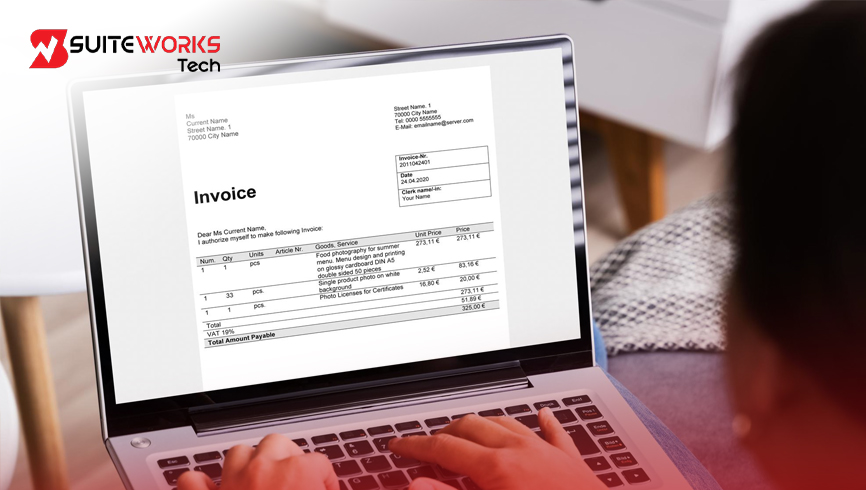
SuiteWorks Tech NetSuite Invoice Scanning: Top Features Every Finance Team Should Know By Manasa, Sr. NetSuite Solution Architect at SuiteWorks TechJuly 29, 2026 Every finance department knows the pressure of processing vendor invoices accurately and on time. As businesses grow, invoice volumes increase, suppliers use different invoice layouts, and manual data entry becomes a significant challenge. Finance professionals often spend hours typing invoice details, validating information, correcting mistakes, and preparing transactions for approval. This is where NetSuite Invoice Scanning changes the way finance teams work. Instead of relying on manual processes, organizations can automate invoice capture, data extraction, and field mapping while continuing to work entirely inside NetSuite. The NetSuite Invoice OCR Software by SuiteWorks Tech is designed specifically for businesses that want faster invoice processing, improved data accuracy, and scalable accounts payable automation without introducing disconnected third-party applications. In this article, we’ll explore the key capabilities of NetSuite Invoice Scanning and understand why modern finance teams are moving toward AI-powered invoice automation. Why NetSuite Invoice Scanning Matters for Modern Finance Teams Imagine receiving hundreds of invoices every week. Some arrive as PDFs. Others have different layouts. Vendor information appears in different positions. Invoice numbers, dates, tax values, totals, and line items all require careful attention. Traditionally, finance teams manually entered every field into the ERP system. While this process works, it consumes valuable time and increases the possibility of human error. NetSuite Invoice Scanning replaces repetitive data entry with intelligent OCR and AI-driven automation. Instead of typing information manually, finance users simply upload invoice PDFs into NetSuite. The software automatically reads the invoice, extracts important data, and maps it directly to the appropriate NetSuite transaction fields. Because everything happens inside NetSuite, finance teams continue working in a familiar environment while significantly improving productivity. How NetSuite Invoice Scanning Simplifies Invoice Processing One of the biggest strengths of NetSuite Invoice Scanning is its straightforward workflow. Instead of introducing additional software or complicated integrations, the solution works natively within NetSuite. The typical process includes: 🔹 Upload vendor invoice PDFs directly into NetSuite. 🔹 OCR technology reads the invoice automatically. 🔹 AI extracts invoice numbers, vendor details, invoice dates, totals, taxes, and line items. 🔹 Intelligent mapping places extracted values into the correct NetSuite transaction fields. 🔹 Finance teams review the information before continuing the approval process. This streamlined approach dramatically reduces processing time while improving invoice accuracy across the organization. Key Features of NetSuite Invoice Scanning Intelligent Invoice PDF Upload Finance teams no longer need to manually create invoice records before entering information. Users simply upload invoice PDF files directly into NetSuite. Once uploaded, the system prepares the document for intelligent OCR processing. This simple first step removes unnecessary manual work and allows finance staff to focus on reviewing invoices instead of entering them. AI-Powered OCR Data Extraction The core of NetSuite Invoice Scanning is its advanced OCR engine. Instead of recognizing only text, the software intelligently identifies important invoice fields such as: 🔹 Vendor information 🔹 Invoice Number 🔹 Invoice Date 🔹 Invoice Amount 🔹 Invoice Totals 🔹 Line Items By extracting these values automatically, finance teams eliminate repetitive typing while significantly reducing manual errors. Automatic AI Field Mapping Capturing invoice information is only part of the process. The real advantage comes from intelligent field mapping. The software automatically maps extracted invoice data into the appropriate NetSuite transaction fields. This minimizes manual validation and ensures consistency across invoice records regardless of vendor format. As invoice volumes continue growing, automated field mapping becomes one of the biggest productivity improvements available to finance departments. Support for Multiple Invoice Formats Every supplier designs invoices differently. Some include tables. Others include multiple tax sections. Some vendors position invoice numbers at the top, while others place them near the bottom. Rather than depending on fixed templates, NetSuite Invoice Scanning intelligently recognizes different invoice structures. Finance teams can process invoices from multiple suppliers without constantly adjusting templates or modifying workflows. This flexibility makes the solution suitable for organizations working with large supplier networks. Native NetSuite Integration One of the biggest concerns with automation software is integration complexity. The NetSuite Invoice OCR Software by SuiteWorks Tech avoids this challenge by being built specifically for NetSuite. Invoice information flows directly into NetSuite transaction records without relying on disconnected applications or third-party synchronization. As a result, finance teams benefit from: 🔹 Better visibility 🔹 Consistent financial records 🔹 Simplified workflows 🔹 Improved user adoption Because users remain inside NetSuite, training requirements are also reduced. How Finance Teams Benefit from NetSuite Invoice Scanning Organizations adopting NetSuite Invoice Scanning quickly notice improvements across multiple areas of finance operations. Instead of spending valuable hours entering invoices manually, accounts payable teams focus on reviewing exceptions, approving transactions, and supporting business decisions. Some of the biggest operational improvements include: 🔹 Faster invoice processing 🔹 Improved financial accuracy 🔹 Reduced manual data entry 🔹 Better visibility into invoice status 🔹 Higher finance team productivity 🔹 Scalable invoice processing for growing businesses These improvements allow finance departments to process increasing invoice volumes without significantly increasing administrative effort. How NetSuite Invoice Scanning Works One of the biggest reasons organizations adopt NetSuite Invoice Scanning is its simple, intelligent workflow. Rather than introducing a separate application, the process remains entirely inside NetSuite, allowing finance teams to continue working in a familiar environment. The process follows these intelligent steps: 🔹 Upload the vendor invoice PDF directly into NetSuite. 🔹 AI-powered OCR reads and extracts important invoice details. 🔹 The system identifies vendor information, invoice number, invoice date, totals, and line-item details. 🔹 AI automatically maps the extracted information to the correct NetSuite transaction fields. 🔹 Finance users review the data before completing the invoice approval process. This workflow significantly reduces invoice processing time while maintaining high levels of accuracy across every transaction. Native ERP Integration with NetSuite A major advantage of the NetSuite Invoice OCR Software by SuiteWorks Tech is that it is built natively for NetSuite. There is no
NetSuite Invoice Scanning: The Smartest Way to Eliminate Manual Invoice Entry
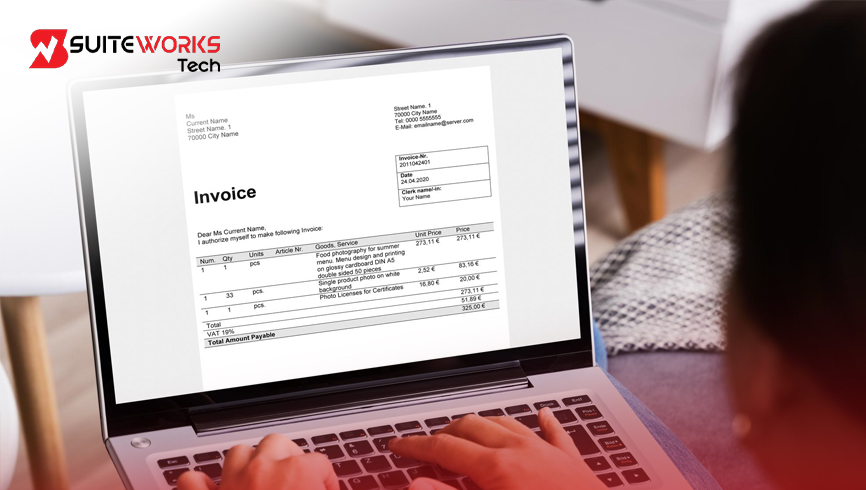
NetSuite Invoice Scanning: The Smartest Way to Eliminate Manual Invoice Entry By Manasa, Sr. NetSuite Solution Architect at SuiteWorks TechJuly 23, 2026 When Manual Invoice Entry Starts Holding Your Finance Team Back For many finance teams, invoice processing begins as a simple daily task. A vendor sends an invoice, someone opens the PDF, verifies the details, and manually enters the information into NetSuite. While this process may work when invoice volumes are low, it becomes increasingly difficult as businesses grow and receive invoices from multiple vendors every day. Each invoice often has a different layout, different field positions, and different formatting. Accounts payable teams spend valuable time identifying invoice numbers, dates, vendor details, line items, and totals before manually entering the information into the ERP. Besides being repetitive, manual invoice entry increases the possibility of typing errors, duplicate records, and slower invoice approvals. This is where NetSuite Invoice Scanning changes the way finance teams work. Instead of manually entering invoice data, organizations can automate invoice capture using the NetSuite Invoice OCR Software by SuiteWorks Tech. Built specifically for NetSuite, the solution uses AI-powered OCR technology to extract invoice information and intelligently map it to the correct NetSuite transaction fields. The result is a faster, more accurate, and scalable accounts payable process that helps eliminate manual invoice entry while keeping teams working inside NetSuite. Why Businesses Are Moving Away from Manual Invoice Entry As organizations expand, the number of vendor invoices continues to grow. Finance teams often receive invoices from suppliers, distributors, and service providers, with each vendor using a unique invoice format. Processing these invoices manually requires employees to review every document carefully before entering the details into NetSuite. Over time, this repetitive process creates several challenges. Manual invoice entry consumes valuable employee time, delays invoice processing, and increases the risk of human error. Even a small mistake in entering an invoice number or amount can create additional work during reconciliation and approvals. NetSuite Invoice Scanning addresses these challenges by automating the entire invoice capture process. Instead of manually reading every invoice, AI-powered OCR technology extracts important information directly from vendor invoice PDFs. This allows finance teams to focus on reviewing and approving invoices rather than spending hours on repetitive data entry. What Is NetSuite Invoice Scanning? NetSuite Invoice Scanning is an intelligent invoice automation solution designed to simplify accounts payable processes within NetSuite. It enables organizations to upload vendor invoice PDFs directly into NetSuite, where advanced OCR technology automatically reads the document and extracts important invoice information. The solution captures key invoice details such as: 🔹 Vendor information 🔹 Invoice number 🔹 Invoice date 🔹 Line items 🔹 Invoice amounts 🔹 Totals After extracting the required information, AI automatically maps the data to the appropriate NetSuite transaction fields. Because the solution is built natively for NetSuite, finance teams continue working within their existing ERP environment without relying on external applications or complicated integrations. This intelligent workflow helps organizations eliminate manual invoice entry while improving consistency across accounts payable operations. How NetSuite Invoice Scanning Eliminates Manual Invoice Entry One of the biggest advantages of NetSuite Invoice Scanning is its simple and intelligent workflow. Instead of manually transferring information from invoice PDFs into NetSuite, the solution automates the process from invoice upload to invoice review. Upload Vendor Invoice PDFs Finance users upload vendor invoice PDFs directly into NetSuite. The software immediately prepares each document for automated processing, eliminating the need to move files between different systems. Intelligent OCR Extracts Invoice Data Once the invoice is uploaded, OCR technology scans the document and extracts essential information, including vendor details, invoice numbers, invoice dates, line items, and invoice totals. This removes the need for manual typing while reducing the risk of human error. AI Automatically Maps Invoice Information After extracting invoice data, AI intelligently maps each field to the correct NetSuite transaction field. Instead of manually entering information into multiple fields, finance teams receive an invoice record that is ready for review. Review Before Processing The extracted invoice information can then be reviewed within NetSuite before continuing through the standard invoice approval process. This streamlined workflow reduces processing time while maintaining greater data accuracy. AI-Powered OCR Makes Invoice Processing Faster and More Accurate One of the biggest challenges in invoice automation is handling invoices from different vendors. Every supplier uses a unique invoice layout, making traditional template-based OCR systems difficult to maintain. NetSuite Invoice Scanning uses AI-powered OCR technology to intelligently understand different invoice structures without requiring separate templates for each vendor. Whether invoices come from manufacturing suppliers, distributors, retailers, or service providers, the solution automatically extracts the required information and prepares it for processing. This flexibility allows organizations to automate invoice capture while reducing administrative effort and improving the overall efficiency of accounts payable teams. Key Benefits of NetSuite Invoice Scanning Organizations implementing NetSuite Invoice Scanning often experience immediate improvements in invoice processing efficiency. 🔹 Faster Invoice Processing – Automating invoice capture allows finance teams to process more invoices in less time. 🔹 Reduced Manual Data Entry – Repetitive invoice entry tasks are minimized, allowing employees to focus on higher-value finance activities. 🔹 Improved Data Accuracy – AI-powered extraction and intelligent field mapping help reduce manual typing errors. 🔹 Scalable Invoice Processing – Whether processing hundreds or thousands of invoices, the solution supports growing business requirements. 🔹 Native NetSuite Experience – Because the solution is built specifically for NetSuite, users continue working within familiar NetSuite screens without relying on disconnected software. Why Native NetSuite Integration Makes Invoice Processing Simpler One of the biggest advantages of NetSuite Invoice Scanning is that it works entirely within NetSuite. Finance teams no longer need to switch between multiple applications or rely on disconnected systems to capture invoice information. Everything happens inside the ERP, creating a smooth and familiar experience for users. The workflow is simple: 🔹 Upload the vendor invoice PDF into NetSuite. 🔹 OCR technology automatically extracts invoice data. 🔹 AI maps the extracted information to the correct NetSuite
How Consolidated Invoice NetSuite Improves Customer Billing Experience

How Consolidated Invoice NetSuite Improves Customer Billing Experience By Manasa, Sr. NetSuite Solution Architect at SuiteWorks TechMay 14, 2026 Customer billing becomes more challenging as businesses grow. What starts as a simple invoicing process can quickly turn into a complicated workflow when customers receive multiple invoices for related transactions, projects, or service cycles. Finance teams often spend valuable time tracking open invoices, reconciling payments, and responding to customer questions about billing records. Customers, on the other hand, may struggle to manage multiple invoices separately, especially when transactions happen frequently. This is why many organizations using NetSuite are now looking at Consolidated Invoice NetSuite workflows to simplify billing operations and improve customer communication. The Solution by SuiteWorks Tech (https://suiteworkstech.com/contact-us/) is designed specifically to streamline invoice consolidation inside NetSuite. By allowing businesses to combine multiple invoices into a single master invoice, the solution helps simplify accounts receivable processes while maintaining complete financial traceability. Instead of sending several invoices separately, businesses can provide customers with one organized billing document that is easier to review, process, and manage. Why Businesses Are Moving Toward Consolidated Invoice NetSuite Processes As transaction volumes increase, manual invoice handling often becomes inefficient. Finance teams dealing with large numbers of invoices commonly face challenges such as: 🔹 Multiple invoices for the same customer🔹 Delayed collections🔹 Payment reconciliation issues🔹 Higher administrative workload🔹 Billing confusion for customers🔹 Limited visibility into invoice relationships When businesses manage recurring transactions or multiple billing events, customers may receive several invoices over a short period. This can create unnecessary complexity and slow down payment processing. Consolidated Invoice NetSuite workflows simplify this by grouping related invoices into one master invoice directly inside NetSuite. According to the shared solution content, the SuiteWorks Tech SuiteApp helps businesses merge invoices while preserving accurate audit trails and financial controls. The result is a cleaner billing process for both finance teams and customers. How Consolidated Invoice NetSuite Simplifies Customer Communication Customers generally prefer billing processes that are simple and transparent. When customers receive multiple invoices individually, it often becomes difficult to track payment obligations, outstanding balances, and billing timelines. Finance teams may also spend extra time answering customer questions related to invoice details and payment allocations. Consolidated Invoice NetSuite workflows improve this experience by generating one master invoice that groups all selected invoices together. This creates several advantages: 🔹 Customers receive one easy-to-manage invoice🔹 Billing communication becomes clearer🔹 Payment tracking improves🔹 Invoice visibility becomes more organized🔹 Customer confusion is reduced The simplified structure also improves transparency because businesses can clearly identify which invoices belong to each consolidated billing record. Organizations already optimizing finance operations inside NetSuite may also benefit from the Expense Management Mobile Apphttps://suiteworkstech.com/netsuite-expense-management-with-ai-ocr/ Consolidated Invoice NetSuite for Faster Payment Collections One of the most important goals in accounts receivable management is improving collection speed. When customers receive multiple invoices separately, payment processing may slow down because invoice tracking becomes more complicated. Finance teams may then spend additional time manually applying payments across invoices. The shared webpage content explains how the SuiteWorks Tech solution automatically distributes payments across all linked invoices once the master invoice is paid. This automation helps businesses: 🔹 Accelerate payment collections🔹 Reduce manual reconciliation🔹 Improve payment accuracy🔹 Maintain cleaner general ledger records🔹 Eliminate repetitive payment applications Instead of manually reconciling invoices one by one, finance teams can rely on automated workflows inside NetSuite. This not only improves operational efficiency but also creates a smoother payment experience for customers. How Consolidated Invoice NetSuite Improves Financial Visibility Financial transparency becomes increasingly important as businesses scale. Finance teams need accurate tracking of invoice relationships, payment applications, and billing history to maintain reporting accuracy and audit readiness. The Consolidated Invoice NetSuite workflow maintains full visibility into every invoice included within a master invoice. According to the shared solution details, the system tracks invoice groupings and payment allocations while preserving audit history throughout the billing process. This helps businesses: 🔹 Maintain accurate reporting🔹 Improve audit readiness🔹 Simplify invoice tracking🔹 Reduce reconciliation confusion🔹 Strengthen financial controls Businesses using native NetSuite workflows often prefer centralized financial operations because they improve consistency across billing and reporting processes. Companies modernizing warehouse and logistics workflows may also explore the WMS Mobile Apphttps://suiteworkstech.com/netsuite-wms-mobile-app/ and Delivery Routing Apphttps://suiteworkstech.com/delivery-route-planner-netsuite-suiteapp/ Consolidated Invoice NetSuite with Native ERP Integration Many organizations prefer solutions that operate directly inside NetSuite instead of depending on external third-party tools. According to the webpage content, the Solution by SuiteWorks Tech is developed entirely within the NetSuite platform, eliminating the need for middleware or disconnected integrations. This creates operational benefits such as: 🔹 Real-time data consistency🔹 Seamless ERP integration🔹 Better system reliability🔹 Improved workflow compatibility🔹 Secure financial processing Because the solution functions natively inside NetSuite, businesses can implement invoice consolidation without disrupting existing financial workflows. Native integration also helps maintain cleaner data synchronization and more reliable reporting. Organizations expanding automation initiatives inside NetSuite may also explore the Business Card Capture Apphttps://suiteworkstech.com/business-card-capture-suiteapp-for-netsuite/ and Order Management AI Apphttps://suiteworkstech.com/netsuite-order-management-ai-solution Industries That Benefit from Consolidated Invoice NetSuite Invoice consolidation is particularly useful for businesses managing frequent customer transactions or recurring billing cycles. The shared solution content identifies industries where Consolidated Invoice NetSuite workflows can simplify operations and improve customer billing experiences. These industries include: 🔹 Software and SaaS companies🔹 Professional services🔹 Wholesale and distribution🔹 Construction and real estate🔹 Healthcare services🔹 Manufacturing🔹 Education and training providers🔹 Logistics and transportation In these industries, customers often receive multiple invoices for ongoing projects, deliveries, or recurring services. Consolidating these invoices into one master invoice creates a more organized billing process and improves customer satisfaction. Creating a Better Billing Experience Inside NetSuite Customer billing experiences directly affect operational efficiency and customer relationships. Businesses managing multiple invoices for the same customer often benefit from a more centralized billing process that improves transparency, reduces manual work, and accelerates collections. The Solution by SuiteWorks Tech (https://suiteworkstech.com/contact-us/) helps businesses streamline billing workflows through native Consolidated Invoice NetSuite automation that combines invoice grouping, payment allocation, audit visibility, and financial accuracy directly inside NetSuite. Organizations looking to simplify billing operations can explore the Consolidated
The Operational Gap Between NetSuite and Field Teams (And the Software That Closes It)

The Operational Gap Between NetSuite and Field Teams (And the Software That Closes It) By Manasa, Sr. NetSuite Solution Architect at SuiteWorks TechMay 2, 2026 Where the Disconnect Begins in Field Operations In many organizations, the journey of a service job doesn’t begin in the field—it begins inside the ERP. A job is created, assigned, scheduled, and expected to flow seamlessly into execution. But somewhere between planning and execution, a gap forms. This is where SuiteWorks Tech’s NetSuite field service management software bridges the gap. Teams working inside NetSuite often assume that once a job is assigned, everything else will follow naturally. Yet, field technicians operate in a completely different environment—dynamic, unpredictable, and often disconnected from the core system. This is where the real challenge lies. The ERP holds the data, but the field holds the execution. Without a strong bridge between the two, businesses begin to experience inefficiencies that compound over time. That’s where SuiteWorks Tech NetSuite field service management software plays a critical role—not by replacing processes, but by connecting them. Why SuiteWorks Tech NetSuite Field Service Management Software Becomes Essential The operational gap isn’t always obvious at first. It starts small—missed updates, delayed communication, manual tracking—but eventually grows into a systemic issue. NetSuite field service management software addresses this gap by aligning backend operations with real-time field execution. 🔹 Job orders created in NetSuite are directly accessible to field technicians🔹 Updates made in the field reflect instantly back in the ERP🔹 Billing, inventory, and service tracking remain fully synchronized Instead of relying on disconnected tools or manual coordination, everything flows through a unified system. This ensures that what is planned in NetSuite is exactly what gets executed in the field. For businesses evaluating solutions, understanding this alignment is key. You can explore how this works in practice through this SuiteWorks Tech NetSuite Field Service Management Software solution. SuiteWorks Tech NetSuite Field Service Management Software and Real-Time Visibility One of the biggest challenges companies face is the lack of real-time visibility. Without accurate updates, decision-making becomes reactive instead of proactive. NetSuite field service management software transforms this by enabling: 🔹 Real-time job tracking with status updates from technicians🔹 Live visibility into technician availability and workload🔹 Immediate reflection of job progress inside NetSuite Technicians no longer need to report back manually. Their updates—whether it’s job completion, time logs, or images—are captured directly through the SuiteWorks Tech NetSuite Field Service Management Mobile App. This level of transparency ensures that operations teams always have an accurate picture of what’s happening on the ground. Closing the Gap with Automation and Intelligent Workflows Another major contributor to the operational gap is manual dependency. When processes rely heavily on human intervention, delays and errors are inevitable. SuiteWorks Tech NetSuite field service management software reduces this dependency through automation. 🔹 Automated job scheduling based on time intervals or usage thresholds🔹 Intelligent technician assignment based on skillset and availability🔹 Automatic billing generation once jobs are completed These workflows ensure that operations move forward without constant manual oversight. Instead of chasing updates or reconciling data, teams can focus on improving service quality and efficiency. The shift from manual coordination to automated workflows is often what transforms field operations from reactive to strategic. NetSuite Field Service Management Software and Technician Empowerment The field technician is at the center of service operations, yet traditionally, they’ve had limited access to system data. This disconnect often leads to delays, miscommunication, and incomplete job execution. NetSuite field service management software changes this dynamic by empowering technicians directly. 🔹 Access to job details, inventory, and schedules via mobile🔹 Ability to update job status, log time, and capture images in real time🔹 Seamless coordination without needing additional NetSuite licenses The SuiteWorks Tech NetSuite Field Service Management Mobile App ensures that technicians are not just executors—but active participants in the system. With real-time data at their fingertips, technicians can make informed decisions, complete jobs efficiently, and maintain accurate records. Seamless Integration: The Core of SuiteWorks Tech NetSuite Field Service Management Software One of the defining aspects of effective field service software is how well it integrates with existing systems. NetSuite field service management software stands out because it is built natively within NetSuite. This means: 🔹 No third-party integrations or middleware required🔹 Real-time synchronization of data across departments🔹 Consistent data accuracy across ERP, CRM, and field operations This native approach eliminates the fragmentation often seen with external tools. Instead of juggling multiple systems, businesses operate within a single, unified platform. NetSuite Field Service Management Software Across Industries The operational gap is not limited to a single industry. It exists wherever field service operations are present. SuiteWorks Tech NetSuite field service management software is particularly effective for: 🔹 Construction projects requiring scheduled and reactive maintenance🔹 Manufacturing units managing equipment lifecycle and uptime🔹 Fleet services tracking usage-based maintenance🔹 Energy and utilities managing large-scale field operations🔹 Real estate and facilities teams handling ongoing service requests Across these industries, the ability to connect field execution with ERP planning becomes a critical success factor. From Disconnected Processes to Unified Operations At its core, the operational gap between NetSuite and field teams is a gap of visibility, control, and coordination. SuiteWorks Tech NetSuite field service management software addresses this by bringing everything together: 🔹 Job creation, assignment, and execution within one system🔹 Real-time updates from field to ERP without delays🔹 Automated workflows that reduce manual effort🔹 Integrated billing and inventory tracking What once required multiple tools and constant follow-ups is now handled within a single, cohesive environment. The result isn’t just efficiency—it’s clarity. Teams know what’s happening, when it’s happening, and how it impacts the business. A Practical Perspective on Bridging the Gap Organizations often don’t realize how much time and effort is lost due to disconnected systems until they experience a unified approach. SuiteWorks Tech NetSuite field service management software doesn’t introduce complexity—it removes it. By aligning field operations with ERP processes, it creates a seamless flow of information that benefits
Field Service in NetSuite Isn’t Just Scheduling—Here’s What You’re Missing

Field Service in NetSuite Isn’t Just Scheduling—Here’s What You’re Missing By Manasa, Sr. NetSuite Solution Architect at SuiteWorks TechMay 2, 2026 Why Field Service NetSuite Feels Limited When Seen as Just Scheduling When many teams first explore field service NetSuite, they tend to focus only on scheduling—assigning jobs, allocating technicians, and managing calendars. On the surface, it feels like the core of field operations. But in real-world scenarios, scheduling is just one part of a much larger system. Field teams deal with job execution, parts usage, technician tracking, service quality, billing, and reporting. When these elements are not connected, even the best scheduling process starts to break down. This is where SuiteWorks Tech field service NetSuite begins to show its true value—not as a scheduling tool, but as a complete operational system built inside NetSuite ERP. Organizations working with SuiteWorks Tech often realize that once field service is treated as an end-to-end workflow instead of a calendar activity, efficiency improves significantly. SuiteWorks Tech Field Service NetSuite as a Complete Operational Workflow Field service NetSuite is designed to manage the entire lifecycle of a service job—from creation to completion and billing—within a single system. It begins with job order creation. Instead of manually assigning tasks, the system allows intelligent technician assignment based on availability and skill sets. This ensures the right technician is deployed for the right job. From there, scheduling becomes more structured. Maintenance tasks can be automated at regular intervals such as weekly, monthly, or annually. In addition, usage-based triggers allow service jobs to be scheduled based on metrics like hours or cycles, helping prevent equipment overuse. You can explore how this is structured here:https://suiteworkstech.com/netsuite-field-service-management-software/ Field service NetSuite also supports both preventive and reactive maintenance strategies. This ensures that businesses can handle planned service activities as well as unexpected repairs without switching systems. What SuiteWorks Tech Field Service NetSuite Enables Beyond Scheduling Once scheduling is in place, the real strength of field service NetSuite begins to show in execution and tracking. 🔹 Technician dispatch and real-time job tracking allow teams to monitor progress without manual follow-ups. Managers can see job status updates instantly, improving visibility across operations. 🔹 Job reassignment and rescheduling ensure flexibility. If a technician is unavailable, tasks can be reassigned or rescheduled with minimal disruption. 🔹 Multi-technician support allows complex jobs to be handled collaboratively, ensuring faster completion and better service quality. 🔹 Technician work logs capture detailed information such as time spent, tasks performed, parts used, and even GPS location. This creates accurate service records and improves reporting. 🔹 On-job consumables tracking ensures that materials used during service are automatically recorded, with inventory updates happening in real time. 🔹 Parts and materials requisition enables technicians to request missing items directly from the job interface, triggering purchase workflows without delays. These capabilities show that field service NetSuite is not just about assigning work—it’s about managing how that work gets done. SuiteWorks Tech Field Service NetSuite and Mobile-First Execution A major limitation of traditional field service systems is the gap between office teams and field technicians. Field service NetSuite addresses this through mobile integration. The SuiteWorks Tech NetSuite Field Service Management Mobile App allows technicians to access job details, update status, and complete tasks directly from their smartphones. This mobile-first approach ensures that field service NetSuite operates in real time. Updates made in the field reflect instantly in NetSuite, eliminating delays and manual data entry. Technicians can log time, capture images, and track job progress directly within the app. GPS-based tracking adds another layer of accountability, ensuring accurate reporting of job locations and timings. One practical advantage is that this mobile app does not require additional NetSuite licenses, making it easier for businesses to scale their field teams without increasing operational costs. SuiteWorks Tech Field Service NetSuite and Billing Automation One of the most overlooked aspects of field service NetSuite is billing. In many organizations, billing is handled separately from service execution. This often leads to delays, errors, and missed revenue opportunities. Field service NetSuite solves this by integrating billing directly into the workflow. 🔹 Once a job is completed, invoices are generated automatically.🔹 Billing aligns with job schedules and service completion.🔹 Manual intervention is reduced, improving accuracy and speed. This seamless connection between service and finance ensures faster collections and better cash flow management. More about NetSuite ERP capabilities can be explored here:https://www.netsuite.com/portal/products/erp.shtml Field Service NetSuite and Real-Time Visibility Another key area where field service NetSuite goes beyond scheduling is visibility. Managers need to understand what is happening across multiple jobs, technicians, and locations at any given time. SuiteWorks Tech Field service NetSuite provides this through: 🔹 Field service map view that shows customer locations, technician assignments, and job schedules🔹 Maintenance calendar view that centralizes all service activities🔹 Real-time updates from technicians through the mobile app This level of visibility helps organizations make better decisions, optimize resource allocation, and improve service delivery. How SuiteWorks Tech Field Service NetSuite Improves Resource and Cost Control When field service is managed in isolation, tracking costs becomes difficult. Field service NetSuite addresses this by connecting service operations with inventory and billing. Every part used, every hour logged, and every job completed is recorded within the system. This ensures that businesses have full control over service costs. Optimized technician assignment also plays a role here. By matching skills and availability, field service NetSuite reduces delays and improves job completion rates. Preventive maintenance scheduling further reduces unexpected breakdowns, lowering long-term costs and improving asset performance. Field Service NetSuite and Seamless ERP Integration One of the defining strengths of SuiteWorks Tech field service NetSuite is its native integration. Since the system is built inside NetSuite, there is no need for third-party connectors or external tools. All data flows seamlessly between service operations and ERP modules. Customer records, service history, inventory, and billing remain synchronized across the platform. This ensures consistency and eliminates data duplication. Organizations working with SuiteWorks Tech benefit from this unified approach, where
What Makes SuiteWorks Tech Field Service Software Truly ‘NetSuite-Native’?

What Makes SuiteWorks Tech Field Service Software Truly ‘NetSuite-Native’? By Manasa, Sr. NetSuite Solution Architect at SuiteWorks TechMay 2, 2026 Why NetSuite Field Service Becomes Complex Without Native Alignment In many organizations, field operations grow faster than the systems supporting them. Work orders, technician assignments, consumable tracking, and service billing often get handled through disconnected tools or manual processes. This is where NetSuite Field Service becomes critical—but also where complexity begins to surface. When field service processes are not tightly connected to an ERP system like NetSuite ERP, teams struggle with delays, data duplication, and lack of real-time visibility. Scheduling becomes reactive instead of automated, and billing gets delayed due to missing job updates. SuiteWorks Tech observed this gap while implementing field operations for industries such as manufacturing, utilities, and fleet services. The need was clear: a system where NetSuite Field Service is not an add-on, but a fully embedded operational layer inside NetSuite itself. This is where the concept of a truly native approach becomes important. Instead of forcing field service tools to “connect” with ERP, the entire workflow needs to exist within NetSuite Field Service architecture itself. What Makes NetSuite Field Service Truly NetSuite-Native at SuiteWorks Tech A system is only as strong as its integration depth. In SuiteWorks Tech’s approach, NetSuite Field Service is built directly inside NetSuite rather than sitting outside as a connected application. This changes how data flows, how technicians operate, and how finance teams close jobs. The SuiteWorks Tech NetSuite Field Service Management Software is designed so that every field activity—from job creation to invoicing—remains inside the ERP. There is no dependency on external middleware or disconnected databases. This is what makes NetSuite Field Service truly native. You can explore the solution structure here:https://suiteworkstech.com/netsuite-field-service-management-software/ From a technical perspective, NetSuite Field Service integrates directly with ERP and CRM modules, ensuring real-time synchronization of customer records, service history, inventory, and billing. This removes the need for duplicate entry and ensures operational accuracy. The key idea is simple: NetSuite Field Service should feel like an extension of NetSuite itself—not an external layer. Core Capabilities Inside SuiteWorks Tech NetSuite Field Service Once field operations are embedded into NetSuite Field Service, the next step is enabling full lifecycle automation. SuiteWorks Tech’s SuiteApp is designed to support both preventive and reactive maintenance models within the same environment. SuiteWorks Tech NetSuite Field Service enables structured job order creation where technicians are assigned based on availability and skill sets. This ensures better workload distribution and faster execution. Scheduling plays a major role in NetSuite Field Service. Maintenance tasks can be automated based on time intervals such as weekly, monthly, or annually, or even triggered by usage thresholds like hours or mileage. This ensures proactive service execution. Another important layer in NetSuite Field Service is technician dispatch and tracking. Real-time updates allow managers to monitor job progress without switching systems. Job reassignment and rescheduling ensure flexibility when field conditions change. Consumable tracking and parts requisition are also part of NetSuite Field Service workflows. When technicians use materials during a job, the system automatically reflects inventory updates and can generate purchase requisitions when required. Even billing becomes part of the same flow. Once a job is completed, SuiteWorks Tech NetSuite Field Service automatically triggers invoice creation, reducing manual effort and accelerating cash flow. How SuiteWorks Tech NetSuite Field Service Mobile Execution Works On Ground Field execution is where many systems fail—but NetSuite Field Service is designed to extend ERP directly into the technician’s hands. With the SuiteWorks Tech mobile application, technicians can access job details, update status, and capture work evidence directly from their smartphones. This mobile extension ensures that NetSuite Field Service is not limited to office users but extends fully into the field. The mobile experience is tightly integrated with NetSuite, meaning every update made in the field reflects instantly in the ERP system. This real-time sync is one of the defining strengths of NetSuite Field Service. Technicians can log work hours, update task progress, and even capture GPS-based job tracking for better accountability. This improves transparency and ensures accurate service reporting. Importantly, the mobile application does not require additional NetSuite user licenses, making NetSuite Field Service cost-efficient for large field teams. Benefits of NetSuite Field Service for Operations and Finance The real impact of NetSuite Field Service is visible in operational efficiency and financial performance. One of the key benefits is optimized technician utilization. By assigning the right technician to the right job based on availability and skill set, NetSuite Field Service improves first-time fix rates and reduces downtime. From a financial perspective, automated billing plays a major role. Since invoices are generated immediately after job completion, NetSuite Field Service helps accelerate cash flow and reduce billing delays. Preventive maintenance scheduling is another major advantage. NetSuite Field Service ensures that recurring maintenance tasks are never missed, reducing equipment failures and emergency repairs. The mobile-first approach also reduces dependency on additional NetSuite licenses, allowing organizations to scale field operations without increasing ERP costs. Industries such as construction, manufacturing, fleet services, energy, real estate, and utilities benefit significantly from this structured approach to NetSuite Field Service. ERP Alignment That Strengthens NetSuite Field Service One of the most important aspects of NetSuite Field Service is its deep ERP alignment. Since the system is built natively inside NetSuite, all operational data flows across modules without manual intervention. Customer records, equipment history, inventory levels, and billing data remain synchronized across the platform. This ensures that NetSuite Field Service acts as a single source of truth for field operations. This unified approach also improves collaboration between departments. Sales, finance, and operations teams work with the same real-time data, reducing communication gaps. More details about NetSuite ERP capabilities can be explored here:https://www.netsuite.com/portal/products/erp.shtml Why Native Design Defines the Future of NetSuite Field Service As field operations continue to evolve, organizations are moving away from disconnected tools toward unified ERP-driven systems. NetSuite Field Service represents this shift. A native architecture ensures faster













Working with SuiteWorks Tech on our AI Ordering Chatbot for NetSuite was outstanding. They delivered quickly, professionally, and with impressive attention to detail. I’m thrilled with the results and highly recommend their services.
Craig Michaud Partner, Evolve Salon Systems