


NetSuite Service Management: How to Deliver Faster, Smarter Customer Service
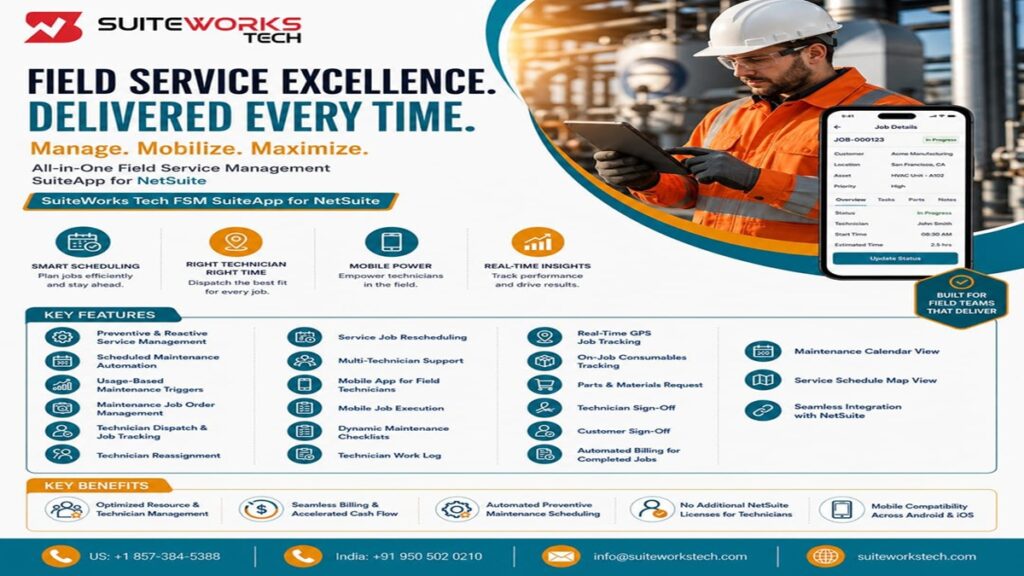
NetSuite Service Management: How to Deliver Faster, Smarter Customer Service By Manasa, Sr. NetSuite Solution Architect at SuiteWorks TechAugust 13, 2026 When a customer needs service, speed matters. A maintenance request can quickly become a complicated process involving job creation, technician availability, scheduling, parts, inventory, service documentation, customer approval, and billing. For businesses managing field service operations, keeping all these activities coordinated is essential. Delays in assigning technicians or updating job information can affect service quality, while disconnected processes can make it difficult for managers to understand what is happening in the field. This is where NetSuite Service Management can help create a more connected service operation. Built around the capabilities of NetSuite, the NetSuite Field Service Management Software by SuiteWorks Tech brings service and maintenance activities together within the ERP environment. It supports preventive and reactive maintenance, technician assignment, job tracking, mobile execution, inventory management, expenses, and automated billing. The result is a connected approach that helps businesses manage service activities from job creation through completion. Why NetSuite Service Management Matters for Faster Service Service teams often manage several activities at the same time. A technician may need to complete a maintenance job while the service manager is coordinating schedules, inventory teams are managing parts, and finance teams are waiting for job completion before billing. When these activities are handled separately, delays can occur. A connected service management process brings these activities together. The NetSuite Field Service Management Software by SuiteWorks Tech supports: 🔹 Automated job scheduling 🔹 Intelligent technician assignment 🔹 Real-time job tracking 🔹 Inventory tracking 🔹 Maintenance expense capture 🔹 Automated billing By keeping these processes connected, businesses gain better visibility into service operations while reducing unnecessary administrative work. How NetSuite Service Management Connects the Service Lifecycle A service job does not begin and end with a technician visit. It involves several stages that need to work together. The workflow begins with job order creation. Technicians are then assigned based on skills and availability. Maintenance schedules can be created based on fixed intervals or equipment usage. Technicians receive job information through the mobile application and update progress from the field. Once the job is completed, service information flows back into NetSuite and billing can be triggered. This connected workflow supports: 🔹 Job order creation 🔹 Technician assignment 🔹 Maintenance scheduling 🔹 Mobile job execution 🔹 Inventory and parts management 🔹 Job completion 🔹 Automated billing For organizations managing service operations through NetSuite, this approach provides a unified view of customer records, equipment, service history, inventory, and billing. NetSuite Service Management Supports Preventive and Reactive Maintenance Not every service requirement begins with an equipment failure. Some businesses need regular maintenance based on time, while others need servicing based on equipment usage. A strong service process needs to support both preventive and reactive maintenance. The NetSuite Field Service Management Software by SuiteWorks Tech supports both strategies. Scheduled Maintenance Automation Recurring maintenance can be scheduled using fixed intervals such as: 🔹 Weekly 🔹 Bi-weekly 🔹 Monthly 🔹 Quarterly 🔹 Half-yearly 🔹 Annually Automated scheduling helps ensure maintenance activities are performed on time and reduces the possibility of service gaps. Usage-Based Maintenance Triggers Maintenance can also be scheduled based on usage metrics such as: 🔹 Operating hours 🔹 Mileage 🔹 Equipment cycles When defined thresholds are reached, the system automatically schedules a maintenance job. This provides businesses with a more proactive approach to service operations and helps support equipment uptime and lifecycle reliability. Smarter Technician Assignment Improves Service Performance Even a well-planned maintenance schedule can become difficult to manage if the right technician is not available. NetSuite Service Management supports technician assignment based on skill sets and availability. Service managers can: 🔹 Assign technicians according to skills 🔹 Check technician availability 🔹 Monitor workload 🔹 Reassign jobs when schedules change 🔹 Assign multiple technicians to complex jobs If a technician becomes unavailable, service jobs can be reassigned to another technician without disrupting the overall workflow. This flexibility helps organizations maintain service continuity while improving workforce utilization. Mobile NetSuite Service Management Keeps Technicians Connected Field technicians do not work from office desks. They need access to job information while working at customer locations. The NetSuite Field Service Management Mobile App by SuiteWorks Tech provides technicians with access to jobs, parts, and progress information through Android and iOS devices. Technicians can: 🔹 View job details 🔹 Update job status 🔹 Enter time details 🔹 Capture images 🔹 Complete maintenance checklists 🔹 Record work performed 🔹 Log maintenance expenses 🔹 Complete technician sign-off Because updates are synchronized with NetSuite, service managers can maintain real-time visibility into field activities. The mobile application also requires no additional NetSuite user licenses for field technicians. NetSuite Service Management Improves Job Tracking and Accountability Knowing whether a service job is scheduled is only part of managing field operations. Managers also need visibility into actual job progress. The mobile application captures detailed technician work logs, including: 🔹 Job start time 🔹 Job end time 🔹 Tasks performed 🔹 Parts used 🔹 GPS location This information creates more accurate service records while improving operational visibility. Real-time GPS job tracking also captures technician coordinates when jobs start and end, providing better accountability and documentation. Maintenance Checklists Improve Consistency Different technicians may approach similar maintenance tasks differently without a standardized process. NetSuite Service Management supports dynamic maintenance checklists that can be created in NetSuite and made available to technicians through the mobile application. Technicians can complete checklist responses while working in the field. This helps businesses maintain consistent service execution while creating accurate maintenance records. For service organizations handling recurring maintenance activities, standardized checklists can support a more structured workflow. Parts and Inventory Management Keep Service Jobs Moving A technician may have the right skills and schedule, but a missing part can still delay a job. NetSuite Service Management connects service activities with inventory and parts management. The solution supports: 🔹 On-job consumables tracking 🔹 Parts usage recording 🔹 Inventory synchronization 🔹 Parts and materials requests 🔹 Automatic Purchase Order generation
Why NetSuite Service Management Is Driving the Next Generation of Field Operations

Why NetSuite Service Management Is Driving the Next Generation of Field Operations By Manasa, Sr. NetSuite Solution Architect at SuiteWorks TechAugust 7, 2026 Field service has changed dramatically over the last decade. Customers no longer expect businesses to simply complete maintenance requests—they expect technicians to arrive on time, have complete service information, resolve issues quickly, and provide updates throughout the entire service lifecycle. For growing organizations, delivering that level of service becomes increasingly difficult when technicians, dispatchers, inventory teams, and finance departments operate independently. Maintenance schedules are often managed through spreadsheets, technicians rely on phone calls for updates, and billing teams wait until paperwork is returned before creating invoices. As service operations expand, these disconnected processes slow productivity and reduce customer satisfaction. This is exactly why NetSuite Service Management has become an important part of modern field operations. Built natively within NetSuite, the NetSuite Field Service Management by SuiteWorks Tech extends the ERP platform beyond the office and into the field. Instead of treating maintenance scheduling, technician management, inventory tracking, and billing as separate activities, the solution connects every stage of the service lifecycle inside one unified NetSuite environment. For organizations looking to improve operational efficiency without changing their existing ERP platform, NetSuite Service Management provides a practical way to modernize field operations while maintaining complete visibility across technicians, maintenance jobs, service history, inventory, and billing. Why NetSuite Service Management Is Becoming Essential for Growing Businesses As organizations grow, field service becomes more complex. More customer locations, larger technician teams, recurring maintenance schedules, emergency service requests, inventory management, and billing activities all require better coordination than traditional manual processes can provide. Many organizations continue to experience challenges such as: 🔹 Manual maintenance scheduling 🔹 Technician assignment delays 🔹 Limited visibility into ongoing service jobs 🔹 Difficulty tracking maintenance expenses 🔹 Delayed invoice generation 🔹 Inefficient communication between office staff and field technicians 🔹 Higher equipment downtime These challenges rarely appear overnight. Instead, they gradually increase as businesses take on more customers and larger service contracts. NetSuite Service Management helps eliminate these operational bottlenecks by connecting maintenance planning, technician dispatch, inventory tracking, mobile job execution, and billing inside a single NetSuite platform. Because every department works from the same information, organizations gain better operational visibility while reducing unnecessary administrative effort. How NetSuite Service Management Connects Every Stage of Field Operations Successful field service involves much more than assigning technicians. Every maintenance visit requires coordination between scheduling, inventory, technicians, customers, finance teams, and management. The NetSuite Field Service Management by SuiteWorks Tech brings these activities together through intelligent automation. The solution supports: 🔹 Preventive maintenance scheduling 🔹 Reactive maintenance management 🔹 Usage-based maintenance automation 🔹 Maintenance job order management 🔹 Technician dispatch 🔹 Inventory tracking 🔹 Automated billing Rather than relying on multiple disconnected systems, businesses manage every service activity from within NetSuite. As technicians complete work, information immediately becomes available throughout the organization. Managers gain complete visibility into maintenance progress while finance teams receive accurate billing information without waiting for paperwork. This connected workflow helps organizations reduce delays while improving service quality. NetSuite Service Management Improves Maintenance Scheduling One of the biggest responsibilities for service organizations is ensuring maintenance happens before equipment failures occur. Traditional scheduling methods often depend on spreadsheets or manual reminders, increasing the likelihood that important maintenance activities will be delayed. The NetSuite Field Service Management by SuiteWorks Tech automates recurring maintenance schedules based on predefined intervals. Organizations can schedule maintenance using: 🔹 Weekly intervals 🔹 Bi-weekly schedules 🔹 Monthly servicing 🔹 Quarterly inspections 🔹 Half-yearly maintenance 🔹 Annual service plans In addition to time-based scheduling, the solution also supports usage-based maintenance. Businesses can define maintenance thresholds using operational measurements such as: 🔹 Equipment operating hours 🔹 Vehicle mileage 🔹 Production cycles When these thresholds are reached, maintenance jobs are automatically generated inside NetSuite. This proactive approach helps reduce equipment downtime while improving asset reliability and extending equipment lifespan. NetSuite Service Management Supports Intelligent Technician Assignment Assigning the correct technician plays an important role in delivering efficient field service. Without proper visibility into technician availability or expertise, organizations often experience scheduling conflicts, delayed service, and inconsistent customer experiences. The NetSuite Field Service Management by SuiteWorks Tech helps managers assign technicians according to their: 🔹 Skill sets 🔹 Availability 🔹 Current workload 🔹 Job requirements If schedules change unexpectedly, technicians can be reassigned immediately without interrupting ongoing operations. The solution also supports: 🔹 Multi-technician job assignments 🔹 Technician workload balancing 🔹 Real-time job monitoring 🔹 Flexible job rescheduling These capabilities allow organizations to maximize technician productivity while ensuring customers receive timely service from appropriately qualified personnel. Mobile Access Makes NetSuite Service Management More Effective Field technicians spend very little time inside the office. Instead, they travel between customer locations, maintenance sites, and service calls throughout the day. Without mobile access, technicians often rely on printed job sheets, emails, or phone calls to receive updated work instructions. The NetSuite Field Service Management Mobile App by SuiteWorks Tech provides technicians with complete access to their assigned work directly from Android and iOS devices. Using the mobile application, technicians can: 🔹 View assigned maintenance jobs 🔹 Access customer information 🔹 Record work performed 🔹 Update maintenance status 🔹 Complete maintenance checklists 🔹 Capture job photographs 🔹 Log maintenance expenses 🔹 Submit technician sign-off Every update synchronizes directly with NetSuite, ensuring office staff always have accurate information without requiring technicians to return paperwork at the end of the day. This mobile-first approach significantly improves communication while allowing technicians to focus more time on customer service and maintenance activities. Mobile Job Execution Keeps Service Teams Connected One of the biggest advantages of NetSuite Service Management is giving field technicians everything they need while they are on-site. Instead of relying on printed job sheets or constant communication with dispatch teams, technicians can access all job information directly through the NetSuite Field Service Management Mobile App by SuiteWorks Tech. Using the mobile application, technicians can: 🔹 View assigned maintenance
How NetSuite Service Management Helps Businesses Simplify End-to-End Service Delivery

How NetSuite Service Management Helps Businesses Simplify End-to-End Service Delivery By Manasa, Sr. NetSuite Solution Architect at SuiteWorks TechJuly 29, 2026 Managing field service operations has never been easy. As businesses grow, so do customer expectations, service requests, technician schedules, maintenance plans, and operational costs. When these processes rely on spreadsheets, phone calls, or disconnected systems, service delays become common and visibility across teams is lost. This is where NetSuite Service Management changes the way organizations operate. Built directly within NetSuite, NetSuite Field Service Management by SuiteWorks Tech enables businesses to manage the complete service lifecycle—from creating maintenance jobs and assigning technicians to tracking work in real time and automatically generating invoices after job completion. Instead of juggling multiple systems, organizations gain a single platform that connects field technicians, service managers, finance teams, inventory, and customers. The result is a more organized, transparent, and efficient service operation. You can also learn more about NetSuite and how it supports integrated ERP operations. Why NetSuite Service Management Matters for Growing Businesses Imagine a maintenance company managing dozens of technicians every day. Some technicians are assigned preventive maintenance visits, while others respond to emergency breakdowns. Customers expect quick service, managers need visibility into technician availability, finance teams require accurate billing, and inventory teams must know which parts were used during every job. Without an integrated system, coordinating all these moving parts becomes difficult. NetSuite Service Management brings these operations together by managing scheduling, technician assignment, inventory tracking, job execution, billing, and reporting inside one connected environment. Rather than switching between multiple applications, service teams work within NetSuite while technicians complete their jobs directly from a mobile device. How NetSuite Service Management Simplifies Daily Operations One reason businesses adopt NetSuite Service Management is because it automates many repetitive activities that traditionally consume valuable administrative time. The solution supports both preventive maintenance and reactive maintenance, allowing organizations to manage scheduled servicing as well as unexpected repairs. Key capabilities include: 🔹 Automated recurring maintenance scheduling 🔹 Usage-based maintenance triggers 🔹 Technician assignment based on availability 🔹 Maintenance job order management 🔹 Technician reassignment 🔹 Service rescheduling 🔹 Multi-technician job support These capabilities help ensure maintenance activities are completed on time while reducing equipment downtime and improving operational consistency. NetSuite Service Management Improves Technician Productivity Field technicians spend most of their day away from the office. They need immediate access to job information without waiting for phone calls or printed work orders. The NetSuite Field Service Management Mobile App by SuiteWorks Tech provides technicians with everything they need directly on their Android or iPhone devices. Technicians can: 🔹 View assigned jobs 🔹 Update job status 🔹 Record work completed 🔹 Capture images 🔹 Complete maintenance checklists 🔹 Track work hours 🔹 Submit technician sign-offs 🔹 Collect customer signatures Because updates synchronize instantly with NetSuite, managers always know the current status of every service request without manually contacting technicians. This real-time communication improves customer service while reducing unnecessary administrative work. How NetSuite Service Management Automates the Complete Service Lifecycle Managing field service involves much more than assigning technicians. Every service request moves through multiple stages—from scheduling and dispatching to maintenance execution, inventory usage, customer approval, and final billing. NetSuite Service Management brings all these stages together within a single workflow. The process begins with creating a maintenance job inside NetSuite. Depending on business requirements, jobs can be scheduled at fixed intervals or automatically triggered when predefined usage thresholds such as operating hours, mileage, or equipment cycles are reached. Managers can assign technicians based on availability, expertise, and workload. If circumstances change, jobs can easily be reassigned or rescheduled without disrupting the overall service plan. Once technicians arrive on-site, the mobile application provides instant access to assigned jobs, maintenance history, checklists, required inventory, and customer information. Every update is synchronized with NetSuite in real time, allowing office teams to monitor progress as work is completed. This streamlined workflow reduces communication delays while helping organizations deliver faster and more reliable service. Mobile-First Field Operations Improve Service Quality Field technicians rarely work from an office. They need the ability to manage service activities wherever the job takes them. The NetSuite Field Service Management Mobile App by SuiteWorks Tech is designed specifically for this purpose. Compatible with both Android and iOS devices, the application allows technicians to complete nearly every service activity directly from their smartphones. Key mobile capabilities include: 🔹 Real-time job updates 🔹 Digital maintenance checklists 🔹 Technician work logs 🔹 GPS job tracking 🔹 Parts and materials requests 🔹 On-job consumables tracking 🔹 Technician digital sign-off 🔹 Customer signature capture Because information is captured immediately in the field, businesses eliminate delays caused by paper forms and manual office updates. NetSuite Service Management Supports Accurate Inventory Control Inventory plays a critical role in successful field service operations. Technicians frequently require spare parts, consumables, and replacement components while completing maintenance jobs. Without accurate inventory tracking, businesses risk delays, stock shortages, and inaccurate service costs. NetSuite Service Management simplifies inventory control by allowing technicians to record every part used during maintenance. The solution also supports: 🔹 Automated inventory updates 🔹 Parts & Materials Requisition 🔹 Purchase Order generation for preferred vendors 🔹 Real-time stock visibility 🔹 Service inventory tracking Because inventory transactions occur directly inside NetSuite, businesses maintain accurate stock records while avoiding duplicate data entry. NetSuite Service Management Improves Billing and Cash Flow Many organizations experience billing delays because service completion and invoice generation happen in separate systems. NetSuite Service Management eliminates this gap. After technicians complete a maintenance job and submit the required updates, invoices can be generated automatically within NetSuite. This automation offers several business benefits: 🔹 Faster invoice generation 🔹 Reduced administrative workload 🔹 Improved billing accuracy 🔹 Better customer satisfaction 🔹 Stronger cash flow Instead of waiting days for paperwork to reach the finance department, billing can begin immediately after service completion. Helpful NetSuite Solutions to Extend Your ERP Businesses looking to further optimize their NetSuite environment can
NetSuite Field Service Software: A Modern Approach to Managing Field Technicians

NetSuite Field Service Software: A Modern Approach to Managing Field Technicians By Manasa, Sr. NetSuite Solution Architect at SuiteWorks TechJuly 24, 2026 Field service organizations manage complex daily activities. Technicians travel to different locations, service teams coordinate multiple jobs, equipment requires regular maintenance, and customers expect faster service completion. Behind every successful service operation, there is a need for accurate scheduling, technician coordination, job tracking, inventory visibility, and timely billing. When these processes are managed manually, service teams often face challenges in tracking job progress, assigning technicians, maintaining service records, and keeping different departments aligned. A modern approach requires a connected system that allows technicians and service teams to work efficiently from anywhere. This is where NetSuite Field Service Software helps businesses manage field operations in a more organized way. By connecting service activities directly with NetSuite, organizations can streamline maintenance workflows, improve technician management, and maintain better visibility across their service operations. Businesses using NetSuite can create a unified environment where field service activities connect with ERP processes. Understanding NetSuite Field Service Software for Modern Field Operations Field service teams handle different types of service requirements, including preventive maintenance, reactive repairs, inspections, and equipment servicing. Managing these activities requires accurate planning and real-time communication between technicians and office teams. NetSuite Field Service Software provides businesses with tools to manage service operations from job creation to completion. The NetSuite Field Service Management Software by SuiteWorks Tech is designed to streamline and optimize field service and maintenance operations natively within NetSuite. The solution supports complete service lifecycle management, including: 🔹 Service task management 🔹 Technician assignment 🔹 Job scheduling 🔹 Real-time job tracking 🔹 Inventory tracking 🔹 Maintenance expense management 🔹 Billing automation By bringing these activities together, businesses can improve coordination between field teams and internal departments. NetSuite Field Service Software Helps Manage Field Technicians Efficiently Technicians are at the center of field service operations. Assigning the right technician to the right job is important for completing services on time and maintaining service quality. NetSuite Field Service Software helps businesses assign technicians based on their skills and availability. This allows service managers to: 🔹 Improve technician workload distribution 🔹 Assign jobs efficiently 🔹 Track technician performance 🔹 Monitor job completion status 🔹 Reduce service delays The system also supports technician reassignment when availability changes. This flexibility helps organizations continue service operations without interruption. For complex maintenance activities, multiple technicians can be assigned to a single job. This allows teams with different skills to collaborate and complete service tasks effectively. Automating Maintenance Scheduling with NetSuite Field Service Software Maintenance planning is an important part of field service operations. Businesses need to ensure equipment receives regular service to avoid unexpected failures. NetSuite Field Service Software supports both preventive and reactive maintenance strategies. For scheduled maintenance, businesses can automate recurring service activities based on: 🔹 Weekly schedules 🔹 Bi-weekly schedules 🔹 Monthly schedules 🔹 Quarterly schedules 🔹 Half-yearly schedules 🔹 Annual schedules Automated scheduling helps organizations perform maintenance activities on time and reduce service gaps. The system also supports usage-based maintenance triggers. Businesses can define service requirements based on usage measurements such as: 🔹 Hours 🔹 Mileage 🔹 Cycles When predefined limits are reached, maintenance jobs can be scheduled to support proactive service management. Improving Technician Productivity Through Mobile Field Service Capabilities Field technicians often work outside the office and need access to updated job information while performing service activities. The mobile capabilities of NetSuite Field Service Software allow technicians to manage service tasks directly from their smartphones. The NetSuite Field Service Management Mobile App by SuiteWorks Tech provides technicians with real-time access to: 🔹 Job orders 🔹 Parts information 🔹 Service updates 🔹 Job progress tracking The mobile app is available for Android and iOS devices and helps technicians complete jobs without requiring additional NetSuite user licenses. Technicians can: 🔹 Update job status 🔹 Enter time details 🔹 Capture images of completed work 🔹 Record work progress 🔹 Complete maintenance activities This improves communication between field technicians and service managers while ensuring job information remains updated in NetSuite. Real-Time Job Tracking and Better Field Service Visibility with NetSuite Field Service Software Managing field technicians requires accurate visibility into ongoing service activities. Service managers need to understand where jobs stand, what tasks are completed, and whether technicians have the required information to complete their work efficiently. NetSuite Field Service Software improves field service visibility by providing real-time job tracking and detailed technician updates. Technicians can maintain accurate work records directly from the mobile application, including: 🔹 Job start and end times 🔹 Tasks performed during service visits 🔹 Parts and materials used 🔹 GPS location details 🔹 Job completion information The technician work log captures important service details and creates accurate records inside NetSuite. This helps simplify reporting, improve operational visibility, and maintain complete service documentation. The real-time GPS job tracking capability captures technician location information when a job starts and ends. This provides better accountability and helps service teams understand field activities more effectively. With accurate updates flowing back into NetSuite, managers can make better decisions and coordinate service operations more efficiently. Managing Parts, Inventory, and Consumables Through NetSuite Field Service Software Field service operations often require technicians to use parts, materials, and consumables while completing maintenance jobs. Without proper tracking, businesses may experience inventory mismatches, delays, and difficulty understanding service costs. NetSuite Field Service Software helps organizations manage inventory-related activities connected with field jobs. The solution supports: 🔹 On-job consumables tracking 🔹 Parts and materials requests 🔹 Real-time stock updates 🔹 Sales Order and Fulfillment creation When technicians use consumables during service activities, the system updates inventory information in real time. This reduces manual effort and helps maintain accurate stock records. If technicians require additional parts during a maintenance activity, they can raise a Parts & Materials Requisition directly from the job interface. The request can automatically generate a Purchase Order for the preferred vendor. This connected approach helps technicians complete jobs without unnecessary
NetSuite Field Service Management: How to Build a High-Performance Service Organization
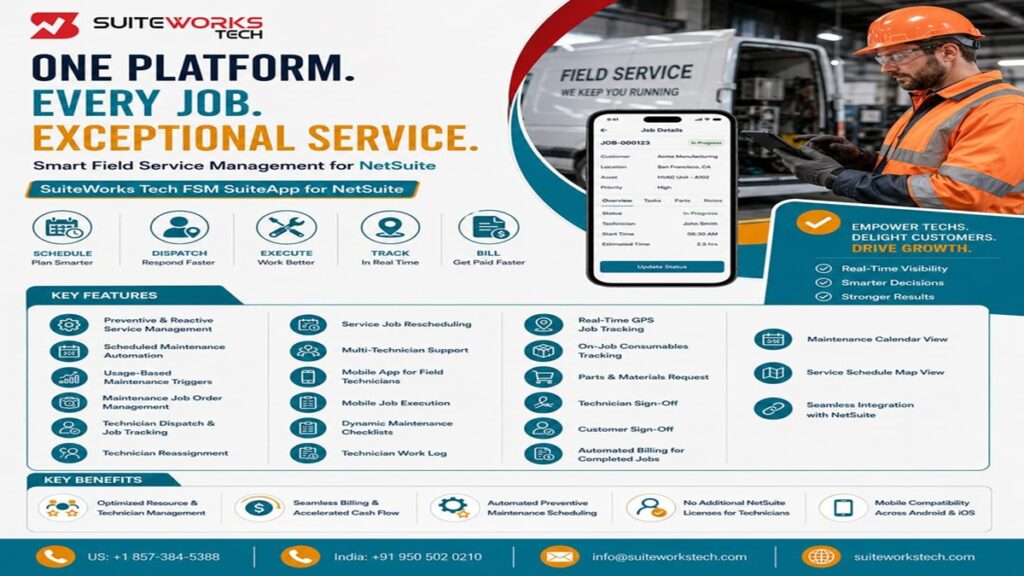
NetSuite Field Service Management: How to Build a High-Performance Service Organization By Manasa, Sr. NetSuite Solution Architect at SuiteWorks TechJuly 24, 2026 Managing field service operations involves many moving parts. Service organizations need to schedule maintenance activities, assign technicians, track job progress, manage parts, capture expenses, and complete billing accurately. For many businesses, keeping these activities connected can become challenging. Service teams may handle multiple jobs at different locations, technicians may need real-time access to job information, and managers need visibility into ongoing work. A high-performance service organization requires more than just completing service requests. It requires a connected system that helps teams plan, execute, and monitor every stage of the service lifecycle. This is where NetSuite Field Service Management helps businesses create a more organized and efficient service environment. By connecting scheduling, technician management, mobile job execution, inventory tracking, and billing workflows within NetSuite, organizations can improve service operations and deliver better outcomes. Businesses using NetSuite can create a unified platform where field service activities connect with their ERP processes. Understanding NetSuite Field Service Management for Modern Service Organizations Field service teams manage different types of maintenance activities every day. Some services require preventive maintenance based on schedules, while others require reactive support when equipment issues occur. Without a connected system, managing these activities manually can create service delays, inaccurate records, and limited visibility. NetSuite Field Service Management provides a structured approach to managing field service operations directly within NetSuite. The NetSuite Field Service Management Software by SuiteWorks Tech is purpose-built to streamline and optimize field service and maintenance operations. The solution supports organizations in managing: 🔹 Service tasks handled by internal teams or third-party vendors 🔹 Preventive and reactive maintenance activities 🔹 Technician assignment and job tracking 🔹 Inventory items used during service activities 🔹 Maintenance expenses and billing processes By bringing these activities together, businesses can maintain better control over service operations while improving visibility into resources and costs. NetSuite Field Service Management Helps Build Efficient Service Workflows A successful service organization depends on effective planning and execution. Teams need to ensure the right technician is assigned to the right job at the right time. NetSuite Field Service Management helps businesses automate important service workflows, reducing manual coordination and improving operational efficiency. One of the important capabilities is automated job scheduling. Organizations can schedule recurring maintenance activities based on intervals such as: 🔹 Weekly 🔹 Bi-weekly 🔹 Monthly 🔹 Quarterly 🔹 Half-yearly 🔹 Annually This helps businesses complete maintenance activities on time and reduce unexpected service gaps. The system also supports usage-based maintenance triggers. Businesses can define service requirements based on usage metrics such as: 🔹 Hours 🔹 Mileage 🔹 Cycles When these limits are reached, the system can schedule maintenance activities to help prevent overuse and unplanned equipment downtime. Improving Technician Management with NetSuite Field Service Management Technicians play a critical role in delivering quality service. Assigning jobs efficiently and providing technicians with accurate information can directly impact service performance. NetSuite Field Service Management helps organizations assign technicians based on skills and availability. This allows service teams to: 🔹 Distribute workloads effectively 🔹 Improve technician utilization 🔹 Track job progress in real time 🔹 Complete service activities faster The system also supports technician reassignment when schedules change or additional resources are required. For complex service tasks, businesses can assign multiple technicians to the same job. This improves collaboration and ensures teams have the required expertise to complete maintenance activities successfully. Mobile Field Service Operations with NetSuite Field Service Management Field technicians often work away from the office and need access to accurate job information while they are on-site. The mobile capabilities of NetSuite Field Service Management allow technicians to manage service activities directly from their smartphones. The NetSuite Field Service Management Mobile App by SuiteWorks Tech provides technicians with real-time access to: 🔹 Job orders 🔹 Inventory information 🔹 Job status updates 🔹 Service progress tracking The mobile app supports Android and iOS devices, allowing technicians to complete jobs efficiently without requiring additional NetSuite user licenses. Technicians can update job status, record time details, capture images of completed work, and maintain accurate service records directly from the field. This creates better communication between field teams and office teams while ensuring service information is updated in real time. Enhancing Field Service Accuracy Through Real-Time Job Tracking Visibility is important for managing field service operations. Managers need to understand job progress, technician activity, and service completion status. NetSuite Field Service Management improves operational visibility through real-time job tracking capabilities. Technicians can maintain detailed work logs including: 🔹 Job start and end times 🔹 Tasks completed 🔹 Parts used 🔹 GPS location information Real-time GPS job tracking helps organizations capture accurate location details when jobs begin and end. This improves accountability and provides better visibility into field activities. Dynamic maintenance checklists also help organizations maintain consistent service execution. Businesses can create customized checklists within NetSuite and make them available to technicians through the mobile application. Technicians can complete checklist responses in the field, helping organizations maintain accurate maintenance records. Benefits of Using NetSuite Field Service Management for Service Operations Building a high-performance service organization requires more than completing service jobs. Businesses need better resource management, faster communication, accurate records, and improved control over service costs. NetSuite Field Service Management helps organizations create a connected service workflow by bringing scheduling, technician management, inventory tracking, and billing processes together within NetSuite. Some key benefits include: 🔹 Optimized Resource and Technician Management Assigning the right technician based on availability and skill set helps businesses complete jobs faster and improve service quality. NetSuite Field Service Management supports better technician utilization by providing visibility into job assignments and completion status. Managers can monitor service activities and identify opportunities for continuous improvement. 🔹 Automated Preventive Maintenance Scheduling Preventive maintenance plays an important role in reducing unexpected equipment failures. The system supports automated maintenance scheduling based on time intervals or usage thresholds. This helps organizations complete maintenance activities on
How NetSuite Field Service Helps Businesses Deliver Consistent Customer Experiences

How NetSuite Field Service Helps Businesses Deliver Consistent Customer Experiences By Manasa, Sr. NetSuite Solution Architect at SuiteWorks TechJuly 16, 2026 Customer expectations have changed dramatically over the past few years. Whether servicing manufacturing equipment, managing construction projects, supporting utilities, or maintaining commercial facilities, customers expect technicians to arrive on time, complete work efficiently, and provide immediate updates throughout the service process. Unfortunately, many businesses still rely on spreadsheets, phone calls, emails, and disconnected systems to manage field operations. As service requests increase, these manual processes often create scheduling conflicts, delayed technician assignments, inconsistent communication, and slower response times that directly affect customer satisfaction. This is where NetSuite Field Service becomes an important part of modern service operations. Built natively on NetSuite ,NetSuite Field Service Management by SuiteWorks Tech helps businesses manage maintenance schedules, technician assignments, service execution, inventory usage, billing, and customer approvals from one connected platform. Instead of switching between multiple systems, businesses gain complete visibility into every stage of the service lifecycle while delivering a more consistent customer experience. Why NetSuite Field Service Is Becoming Essential for Modern Service Teams Customer service no longer depends only on fixing problems quickly. Customers also expect accurate appointment scheduling, clear communication, reliable technicians, and complete visibility into ongoing maintenance activities. Many organizations still experience challenges such as: 🔹 Manual technician scheduling 🔹 Delayed maintenance visits 🔹 Poor visibility into job progress 🔹 Limited communication between technicians and office staff 🔹 Difficulty tracking maintenance history 🔹 Delayed billing after service completion As service operations expand, these issues become increasingly difficult to manage. NetSuite Field Service helps eliminate these operational gaps by connecting scheduling, technician management, mobile execution, inventory, and billing directly within NetSuite. How NetSuite Field Service Improves Customer Experience One of the biggest advantages of NetSuite Field Service is the ability to keep customers informed throughout the maintenance process. Rather than manually coordinating technicians and updating customers through multiple channels, businesses can manage every activity from one centralized environment. Service teams can: 🔹 Schedule maintenance jobs 🔹 Assign qualified technicians 🔹 Monitor job progress 🔹 Capture customer approvals 🔹 Track service expenses 🔹 Generate invoices automatically Because all information remains synchronized inside NetSuite, customer interactions become more consistent and professional. NetSuite Field Service Supports Preventive and Reactive Maintenance One reason customers experience inconsistent service is that maintenance often begins only after equipment fails. NetSuite Field Service supports both preventive and reactive maintenance strategies. Businesses can automate recurring maintenance schedules using: 🔹 Weekly schedules 🔹 Monthly maintenance 🔹 Quarterly inspections 🔹 Half-yearly servicing 🔹 Annual maintenance plans The solution also supports usage-based maintenance by automatically generating maintenance jobs when predefined usage thresholds such as operating hours, mileage, or equipment cycles are exceeded. This proactive approach helps businesses reduce equipment downtime while improving customer confidence. NetSuite Field Service Makes Technician Scheduling Smarter Assigning the right technician at the right time is critical for delivering reliable customer service. NetSuite Field Service Management by SuiteWorks Tech allows organizations to assign technicians based on: 🔹 Skills 🔹 Availability 🔹 Workload 🔹 Job requirements If schedules change unexpectedly, service managers can quickly reassign jobs without disrupting operations. This flexibility ensures customers receive timely service while improving technician productivity. Mobile Access Keeps Field Teams Connected Field technicians spend most of their time away from the office. Without mobile access, they often rely on paperwork, phone calls, or manual updates that slow communication. The Field Service Management Mobile App allows technicians to: 🔹 View assigned jobs 🔹 Update job progress 🔹 Record work performed 🔹 Upload photos 🔹 Capture technician sign-off 🔹 Collect customer signatures 🔹 View maintenance checklists Because updates synchronize instantly with NetSuite, office teams always know the status of every maintenance activity. Real-Time GPS Tracking Improves Service Visibility One of the biggest advantages of NetSuite Field Service is real-time visibility into technician activities. Managers no longer have to rely on phone calls or manual status updates to understand where technicians are or how jobs are progressing. The mobile application captures GPS coordinates automatically when technicians start and complete service jobs. Benefits include: 🔹 Real-time technician location tracking 🔹 Accurate job start and completion times 🔹 Improved workforce accountability 🔹 Better service coordination 🔹 Faster response to customer requests Because this information synchronizes directly with NetSuite , service managers always have complete visibility into field operations. NetSuite Field Service Simplifies Parts and Materials Management A common reason for delayed service visits is unavailable spare parts. NetSuite Field Service Management by SuiteWorks Tech allows technicians to request additional parts directly from the mobile application whenever inventory is unavailable. Technicians can: 🔹 Request missing parts 🔹 Generate Parts & Materials Requests 🔹 Automatically create Purchase Orders 🔹 Track inventory consumption 🔹 Reduce maintenance delays This integrated workflow helps businesses complete service jobs faster while maintaining accurate inventory records. Maintenance Checklists Improve Service Consistency Delivering consistent customer experiences requires standardized service procedures. NetSuite Field Service allows businesses to create customized maintenance checklists directly inside NetSuite. These checklists automatically become available within the technician’s mobile application before work begins. Technicians can: 🔹 Complete inspection checklists 🔹 Record maintenance observations 🔹 Submit completed responses 🔹 Attach supporting photos 🔹 Maintain accurate service documentation This structured process helps ensure every technician follows the same service standards regardless of location. Automated Billing Speeds Up Customer Invoicing Many businesses experience delays between completing service work and generating invoices. Manual billing often creates additional administrative work while slowing cash flow. NetSuite Field Service Management by SuiteWorks Tech automatically generates invoices after service completion. Benefits include: 🔹 Faster invoice generation 🔹 Reduced manual administration 🔹 Improved cash flow 🔹 Accurate billing 🔹 Better customer satisfaction Because billing is directly connected to completed service jobs, businesses eliminate unnecessary delays while improving financial efficiency. NetSuite Field Service Improves Resource Management Growing service organizations often struggle to balance technician workloads efficiently. NetSuite Field Service helps managers optimize workforce utilization by providing complete visibility into technician schedules and job
Field Service Software NetSuite: How Mobile Technology Is Transforming Service Operations

Field Service Software NetSuite: How Mobile Technology Is Transforming Service Operations By Manasa, Sr. NetSuite Solution Architect at SuiteWorks TechJuly 16, 2026 A field service team can only perform at its best when technicians have the right information at the right time. Whether it’s a scheduled maintenance visit, an emergency repair, or routine equipment inspection, every delay affects customer satisfaction, technician productivity, and operational costs. Many businesses still struggle with manual scheduling, disconnected communication, and limited visibility into field activities. Technicians often need to contact the office for job updates, paperwork must be completed after every visit, and billing is delayed because service information isn’t available immediately. This is exactly where Field Service Software NetSuite is changing modern service operations. By combining intelligent scheduling with mobile technology, businesses can manage every stage of the field service lifecycle directly within NetSuite. The NetSuite Field Service Management by SuiteWorks Tech is purpose-built to streamline field service and maintenance operations. Built natively on NetSuite, the SuiteApp enables businesses to manage preventive maintenance, reactive service requests, technician scheduling, inventory tracking, maintenance expenses, billing automation, and mobile job execution from a single platform. Instead of managing multiple systems, service teams work inside one connected environment where technicians, dispatchers, finance teams, and managers share the same real-time information. This connected approach helps reduce equipment downtime, improve technician utilization, and extend the life of valuable business assets. Why Field Service Software NetSuite Is Driving Mobile Service Operations Today’s field technicians rarely work from a single location. They travel between customer sites, inspect equipment, complete repairs, perform preventive maintenance, and respond to emergency service requests throughout the day. Traditional paper-based processes make these activities difficult to manage efficiently. Delays in communication often result in missed appointments, scheduling conflicts, incomplete documentation, and slower billing. With Field Service Software NetSuite, technicians receive everything they need directly on their smartphones. The NetSuite Field Service Management by SuiteWorks Tech includes a powerful mobile application for Android and iOS that allows technicians to manage jobs from anywhere without requiring additional NetSuite user licenses. Using the mobile application, technicians can: 🔹 View assigned maintenance jobs in real time 🔹 Access customer and equipment information instantly 🔹 Update job status during service visits 🔹 Record technician work logs 🔹 Capture images of completed work 🔹 Complete digital maintenance checklists 🔹 Request parts and materials directly from the job screen 🔹 Record technician and customer signatures 🔹 Synchronize every update instantly with NetSuite This mobile-first approach helps businesses eliminate unnecessary paperwork while giving technicians complete visibility into their assigned work. How Field Service Software NetSuite Improves Maintenance Management Maintenance is one of the most important responsibilities for organizations managing valuable equipment and assets. Missing scheduled maintenance can result in unexpected breakdowns, higher repair costs, and reduced equipment reliability. Field Service Software NetSuite helps businesses adopt a proactive maintenance strategy through automated scheduling and intelligent service management. The solution supports multiple maintenance approaches, including: Preventive Maintenance Preventive maintenance allows businesses to schedule recurring service activities based on fixed intervals such as weekly, monthly, quarterly, half-yearly, or annual schedules. Automating these maintenance cycles helps reduce unexpected equipment failures while improving operational reliability. Usage-Based Maintenance Not every asset requires maintenance based on calendar dates. Some equipment should be serviced after reaching predefined usage thresholds such as operating hours, mileage, or production cycles. The NetSuite Field Service Management SuiteApp automatically creates maintenance jobs once those usage limits are reached, helping businesses avoid overuse and unnecessary downtime. Reactive Maintenance Unexpected service requests are also managed efficiently. When equipment requires immediate attention, maintenance job orders can be created quickly, assigned to available technicians, and tracked throughout the service process. Intelligent Technician Scheduling and Job Tracking Assigning the right technician can significantly improve service quality and response times. The NetSuite Field Service Management by SuiteWorks Tech supports intelligent technician assignment based on skills and availability. Managers can: 🔹 Assign technicians based on expertise 🔹 Reassign jobs when schedules change 🔹 Support multiple technicians on complex maintenance work 🔹 Reschedule jobs instantly 🔹 Monitor technician progress in real time Every schedule update is reflected immediately in the technician’s mobile application, reducing confusion while improving workforce flexibility. Real-time GPS tracking also provides additional visibility by recording technician locations when jobs begin and end, helping organizations improve accountability and operational efficiency. Mobile Technology Simplifies Every Service Visit Field technicians need more than just job assignments. They require access to customer history, maintenance records, inventory availability, spare parts, and documentation while working on-site. The NetSuite Field Service Management Mobile App by SuiteWorks Tech provides all of these capabilities from a single mobile interface. Technicians can complete maintenance checklists, upload service images, track consumables used during repairs, submit parts requests, and complete digital sign-offs without returning to the office. Every action is synchronized directly with NetSuite, ensuring managers always have accurate, real-time information about ongoing service operations. This connected mobile experience reduces delays, improves communication, and enables faster service execution while maintaining complete visibility across the organization. How Field Service Software NetSuite Improves Billing and Cost Control Completing a service job is only one part of the field service process. Businesses also need accurate billing, expense tracking, and inventory management to maintain profitability. When invoices are delayed or service expenses are recorded manually, administrative work increases and cash flow can be affected. Field Service Software NetSuite simplifies these activities by connecting service execution with billing automation. Once a technician completes a job, the system automatically generates invoices based on the completed work, reducing manual effort and helping businesses accelerate their billing cycle. The solution also provides complete visibility into maintenance expenses and resource utilization by tracking inventory, consumables, and materials used during every service visit. Key capabilities include: 🔹 Automated invoice generation after job completion 🔹 Real-time tracking of maintenance expenses 🔹 Inventory tracking for serviced items 🔹 On-job consumables tracking with automatic Sales Order and Fulfillment creation 🔹 Parts and materials requisitions that generate Purchase Orders for preferred vendors These features
Why Service Managers Are Investing in NetSuite FSM in 2026

Why Service Managers Are Investing in NetSuite FSM in 2026 By Manasa, Sr. NetSuite Solution Architect at SuiteWorks TechJuly 4, 2026 Managing field service operations has never been more challenging. Customer expectations continue to rise, equipment has become more sophisticated, and businesses are expected to resolve service requests faster than ever before. For service managers, every delayed maintenance visit or missed appointment can affect customer satisfaction, operational efficiency, and overall business performance. Many organizations already rely on NetSuite to manage finance, inventory, procurement, and customer information.However, managing technicians, scheduling maintenance, tracking service progress, and coordinating field activities often requires more than traditional ERP capabilities. This is where NetSuite Field Service Management by SuiteWorks Tech delivers significant value. Built natively within NetSuite, the solution helps organizations automate maintenance scheduling, assign technicians intelligently, monitor jobs in real time, and streamline billing—all while keeping every service activity connected to the ERP. Instead of relying on disconnected spreadsheets, emails, or manual coordination, businesses can manage their complete field service lifecycle through one integrated platform. Why NetSuite FSM Is Becoming Essential for Modern Service Teams Imagine beginning a Monday morning with dozens of scheduled maintenance visits, urgent customer breakdowns, preventive inspections, and technicians working across multiple locations. Without a centralized system, service managers often spend valuable time answering questions such as: 🔹 Which technician is available? 🔹 Who has experience with this equipment? 🔹 Has this customer reported similar issues before? 🔹 Are the required spare parts available? 🔹 Can the maintenance visit still happen on time? Finding these answers manually delays service execution and creates unnecessary pressure for dispatch teams. NetSuite FSM simplifies these everyday challenges by bringing scheduling, technician assignment, maintenance planning, inventory, and billing together inside NetSuite. Instead of reacting to service issues throughout the day, managers gain better visibility and control before problems occur. How NetSuite FSM Improves Daily Field Service Operations One of the biggest strengths of NetSuite FSM is its ability to manage every stage of field service from a single platform. Rather than switching between multiple systems, service managers can oversee maintenance activities while technicians receive everything they need through the mobile application. The solution supports both preventive maintenance and reactive maintenance, allowing organizations to handle routine servicing alongside unexpected breakdowns. Service schedules can be created automatically based on recurring intervals including weekly, monthly, quarterly, half-yearly, and annual maintenance plans. Businesses can also trigger maintenance based on equipment usage such as operating hours, mileage, or production cycles. Once predefined thresholds are reached, maintenance jobs are automatically scheduled within NetSuite. This proactive maintenance strategy helps reduce equipment downtime while extending asset life and improving operational reliability. NetSuite FSM Helps Service Managers Schedule Smarter Scheduling technicians manually becomes increasingly difficult as businesses grow. Unexpected emergencies, technician availability, changing customer priorities, and multiple service locations all require constant adjustments throughout the day. The NetSuite Field Service Management by SuiteWorks Tech simplifies scheduling through intelligent automation. Service managers can: 🔹 Create maintenance job orders quickly. 🔹 Assign technicians based on availability and skillset. 🔹 Reassign jobs whenever priorities change. 🔹 Reschedule appointments with only a few clicks. 🔹 Allocate multiple technicians for complex maintenance activities. Every schedule update is immediately reflected in the technician mobile application, ensuring field teams always work from the latest information. This reduces communication delays while improving overall service efficiency. NetSuite FSM Empowers Technicians with Mobile Productivity Field technicians spend most of their working hours away from the office. When job updates depend on phone calls or paperwork, valuable service time is lost. The NetSuite Field Service Management Mobile App by SuiteWorks Tech allows technicians to manage their complete workday directly from Android and iOS devices without requiring additional NetSuite user licenses. Technicians can: 🔹 View assigned jobs. 🔹 Update maintenance progress in real time. 🔹 Record work performed. 🔹 Capture job photos. 🔹 Complete maintenance checklists. 🔹 Track work logs. 🔹 Record GPS start and finish locations. 🔹 Request missing parts. 🔹 Complete technician sign-off. 🔹 Capture customer signatures digitally. Every update synchronizes immediately with NetSuite, giving service managers complete visibility into ongoing maintenance activities without waiting for manual reports. This real-time communication improves collaboration between dispatchers, technicians, finance teams, and customers while helping businesses deliver faster and more reliable field service. How NetSuite FSM Supports Complete Job Visibility One of the biggest frustrations for service managers is not knowing the real-time status of maintenance jobs once technicians leave the office. Delays in communication often result in missed deadlines, inaccurate reporting, and dissatisfied customers. This is where NetSuite FSM delivers measurable value. Because every technician works within the NetSuite Field Service Management by SuiteWorks Tech mobile application, managers receive instant visibility into ongoing service activities. Technicians can: 🔹 Update job status in real time. 🔹 Record start and finish times. 🔹 Upload photos from the service location. 🔹 Complete maintenance checklists. 🔹 Record work performed. 🔹 Submit technician work logs. 🔹 Capture GPS locations automatically. Instead of waiting until the end of the day for updates, managers always know which jobs are in progress, completed, delayed, or require immediate attention. This visibility helps improve customer communication while enabling better operational decisions throughout the day. NetSuite FSM Improves Billing Accuracy and Cash Flow For many service organizations, completing maintenance work is only part of the process. Delays often occur when billing depends on manually collecting technician reports and entering information into accounting systems. The NetSuite Field Service Management by SuiteWorks Tech eliminates this gap by connecting field service directly with NetSuite. Once technicians complete maintenance jobs, the software automatically supports invoice generation within the ERP. This creates several operational advantages: 🔹 Faster invoice processing. 🔹 Reduced administrative effort. 🔹 Improved billing accuracy. 🔹 Better cash flow. 🔹 Reduced manual data entry. Because job completion, labor details, maintenance records, inventory usage, and billing remain connected inside NetSuite, finance teams no longer need to reconcile information from multiple systems. NetSuite FSM Integrates Every Service Activity Inside NetSuite Businesses often struggle when field service
The Business Benefits of Implementing NetSuite WMS Mobile App in 2026

The Business Benefits of Implementing NetSuite WMS Mobile App in 2026 By Manasa, Sr. NetSuite Solution Architect at SuiteWorks TechJuly 4, 2026 Warehouse operations have changed dramatically over the last few years. Customer expectations have grown, order volumes continue to rise, and businesses are expected to deliver products faster than ever before. Yet many warehouse teams still struggle with manual processes, delayed inventory updates, paper-based workflows, and limited visibility into daily operations. These challenges don’t always begin with warehouse staff. More often, they arise because employees don’t have the right tools to perform tasks while moving around the warehouse. Walking back and forth to desktop systems, manually recording inventory transactions, or correcting picking mistakes can consume valuable time throughout the day. Organizations already using NetSuite have a strong ERP foundation for managing finance, inventory, purchasing, and order processing. This is exactly where the NetSuite WMS Mobile App by SuiteWorks Tech adds value. Built natively within NetSuite, it enables warehouse operators to complete receiving, picking, packing, shipping, inventory counting, transfers, and returns using smartphones while keeping inventory synchronized in real time. Instead of replacing existing warehouse processes, the application extends NetSuite warehouse management capabilities directly to mobile devices, allowing businesses to improve operational efficiency without adding unnecessary complexity. Why NetSuite WMS Mobile App Is Becoming Essential for Modern Warehouses Imagine a warehouse team starting its morning with dozens of purchase orders waiting to be received, hundreds of customer orders ready for picking, inventory transfers scheduled between warehouse bins, and multiple shipments that must leave before the end of the day. Without mobile warehouse execution, every transaction involves unnecessary movement between warehouse racks and office workstations. Employees often rely on printed documents, manually verify inventory, and update transactions only after returning to a computer. This not only slows warehouse operations but also increases the chances of inventory discrepancies and order fulfillment errors. The NetSuite WMS Mobile App by SuiteWorks Tech transforms this experience by allowing warehouse operators to perform every essential warehouse activity directly from Android and iPhone devices. Instead of waiting until tasks are completed, every barcode scan immediately updates NetSuite, ensuring warehouse inventory always reflects actual stock movement. This real-time synchronization helps warehouse teams work with greater confidence while providing managers with better operational visibility. How NetSuite WMS Mobile App Simplifies Everyday Warehouse Activities One of the biggest advantages of the NetSuite WMS Mobile App is that it supports the complete warehouse workflow inside one connected mobile experience. Warehouse teams no longer need multiple systems to perform different tasks. Everything happens inside NetSuite through guided mobile workflows designed for speed, simplicity, and accuracy. The application supports essential warehouse activities including: 🔹 Mobile Receiving against NetSuite Purchase Orders using barcode and QR code scanning. 🔹 Mobile Bin Putaway using NetSuite Putaway Worksheets for accurate inventory placement. 🔹 Inventory Counts by item, bin, lot, and serial number without paper count sheets. 🔹 Bin Transfers with instant synchronization to NetSuite. 🔹 Mobile Picking against one or multiple Sales Orders using barcode validation. 🔹 Batch Picking to reduce warehouse travel time while increasing fulfillment efficiency. 🔹 Mobile Packing that updates Item Fulfillment status directly inside NetSuite. 🔹 Mobile Shipping for Sales Orders with real-time shipment confirmation. 🔹 Transfer Order Shipping for accurate warehouse-to-warehouse inventory movement. 🔹 Mobile RMA Processing supporting both Customer and Vendor Return Authorizations. Since every warehouse activity is validated through barcode or QR code scanning, businesses significantly reduce manual entry while improving inventory accuracy throughout daily operations. Unlike traditional warehouse processes that depend heavily on paperwork, mobile-driven execution helps warehouse employees spend more time moving inventory and less time updating records. NetSuite WMS Mobile App Improves Inventory Accuracy Through Real-Time Updates Inventory accuracy remains one of the most important performance indicators for every warehouse. Even small inventory errors can affect purchasing decisions, customer deliveries, production planning, and financial reporting. The NetSuite WMS Mobile App by SuiteWorks Tech improves inventory accuracy by validating transactions before they are completed. Warehouse teams can scan: 🔹 Items 🔹 Warehouse bins 🔹 Lot numbers 🔹 Serial numbers 🔹 Barcode labels 🔹 QR Codes Every successful scan instantly updates NetSuite, eliminating delays caused by manual transaction entry. The application also supports warehouses operating with NetSuite Bin Management, ensuring inventory is always stored, transferred, picked, and shipped from the correct warehouse locations. For organizations managing regulated inventory, the solution also supports complete lot number tracking and serialized inventory management throughout receiving, inventory counting, transfers, picking, packing, shipping, and returns. This level of traceability helps businesses maintain accurate inventory records while improving operational confidence across warehouse teams. Faster Warehouse Operations Without Additional Complexity Warehouse productivity often depends on how quickly employees can complete repetitive daily activities. The NetSuite WMS Mobile App removes unnecessary administrative work by allowing employees to perform transactions directly where inventory is stored. Instead of writing information on paper or returning to desktop systems throughout the day, warehouse operators complete tasks immediately using their mobile devices. One of the biggest advantages is that businesses can empower warehouse operators without purchasing additional NetSuite user licenses. This makes the solution a practical option for growing businesses looking to expand warehouse mobility while managing software costs efficiently. The application also supports mobile label printing using compatible ZPL, TSPL, and ESC/POS printers, allowing warehouse staff to generate barcode and QR code labels without leaving the warehouse floor. This improves workflow continuity while reducing delays between receiving, labeling, storage, and shipment. NetSuite WMS Mobile App Helps Warehouses Scale with Confidence As businesses grow, warehouse operations naturally become more complex. More inventory, more customer orders, additional warehouse locations, and higher fulfillment volumes all require better coordination. The NetSuite WMS Mobile App by SuiteWorks Tech is designed to grow alongside your warehouse operations without adding unnecessary complexity. Whether your organization operates a single warehouse or multiple facilities, the mobile application extends NetSuite warehouse management directly to smartphones, enabling employees to perform warehouse tasks wherever inventory is located. Because every warehouse transaction is synchronized instantly with NetSuite, warehouse
NetSuite FSM: The Smart Way to Connect Field Service and Back-Office Operations

NetSuite FSM: The Smart Way to Connect Field Service and Back-Office Operations By Manasa, Sr. NetSuite Solution Architect at SuiteWorks TechJune 27, 2026 Connecting Field Service Operations with NetSuite FSM Field service operations often struggle with coordination gaps between on-site technicians and back-office teams. Delays in communication, manual tracking, and lack of visibility can slow down service delivery and impact customer satisfaction. NetSuite FSM simplifies this by creating a connected ecosystem where field service and back-office operations work seamlessly together. Businesses can manage jobs, track technicians, automate schedules, and monitor performance within NetSuite. As highlighted in the solution, NetSuite Field Service Management Software is designed to streamline and optimize field service operations while ensuring real-time visibility and control across the organization. Why NetSuite FSM Is Essential for Modern Field Service Teams Managing service operations manually can lead to inefficiencies and delays. NetSuite FSM provides a structured approach to handle service workflows efficiently. Automates job scheduling and technician assignment Tracks service tasks in real time Manages maintenance operations efficiently Provides visibility into resource utilization Solutions like NetSuite Field Service Management by SuiteWorks Tech help businesses bring these capabilities into a single platform. How NetSuite FSM Improves Service Scheduling and Execution Scheduling is one of the most critical aspects of field service operations. Without proper planning, businesses may face missed appointments or inefficient resource allocation. NetSuite FSM improves scheduling through automation and intelligent planning. Automated Maintenance Scheduling Recurring maintenance tasks can be scheduled automatically based on time intervals or usage thresholds, ensuring timely service execution. Usage-Based Triggers Service jobs can be triggered based on equipment usage, helping prevent breakdowns and improving asset performance. Job Order Management The system streamlines job creation, resource allocation, and tracking, ensuring smooth service execution. These capabilities ensure that service operations are proactive rather than reactive. NetSuite FSM and Real-Time Technician Management Technician productivity plays a major role in service efficiency. NetSuite FSM provides tools to manage technicians effectively. Assign technicians based on skills and availability Track job progress in real time Reassign tasks when needed Support multiple technicians for complex jobs With real-time tracking and updates, managers can ensure that service tasks are completed on time and with better accuracy. Enhancing Field Operations with NetSuite FSM Mobile App Field technicians require access to real-time information while working on-site. NetSuite FSM provides a mobile application that enables technicians to manage their tasks efficiently. View job details and schedules Update job status instantly Capture images and service data Log work progress and time The mobile app ensures that all updates are synced directly with NetSuite, enabling seamless coordination between field teams and back-office operations. NetSuite FSM Benefits for Business Operations NetSuite FSM delivers multiple benefits that improve overall service efficiency. Optimized resource and technician management Automated billing for completed jobs Reduced downtime through preventive maintenance Real-time tracking of service operations By integrating service operations within NetSuite, businesses can maintain better control and visibility. How NetSuite FSM Streamlines End-to-End Workflows NetSuite FSM connects every stage of the service lifecycle into a unified workflow. Job creation and technician assignment Automated scheduling and tracking Real-time updates from field technicians Billing and reporting after job completion This end-to-end automation ensures that service operations run smoothly without manual intervention. Integrating NetSuite FSM with Business Processes NetSuite FSM integrates seamlessly with CRM, ERP, and financial systems. This ensures that all service-related data is connected and accessible across departments. Customer records and service history sync automatically Inventory and parts usage are tracked in real time Billing is generated instantly after job completion Data flows seamlessly across departments This integration eliminates silos and creates a unified platform for business operations. Extending NetSuite Capabilities with Connected Applications Businesses often enhance their NetSuite ecosystem with additional applications such as Expense Management Mobile App , Field Service Management Mobile App , WMS Mobile App , and Business Card Capture App . They also leverage Delivery Routing App , Order Management AI App , and Consolidated Invoicing App to build a fully connected operational ecosystem. Driving Efficiency with NetSuite FSM As service operations grow, businesses need systems that provide both control and flexibility. NetSuite FSM enables organizations to manage field service activities, track performance, and improve coordination between teams. By automating workflows and providing real-time visibility, businesses can reduce delays, improve service quality, and enhance customer satisfaction. Organizations often work with SuiteWorks Tech , a NetSuite Solutions Provider , to implement solutions that align with operational needs and support long-term growth. Book a Free Consultation with Our NetSuite Experts Our NetSuite Solutions Written By Manasa Manasa is a Senior NetSuite Solution Architect at SuiteWorks Tech, with over 10 years of experience designing and implementing NetSuite-based solutions across industries. She has led successful implementations across retail, distribution, manufacturing, and service-based industries. Her expertise spans automation, customization, and AI integration for NetSuite systems. She specializes in creating tailored SuiteApps that streamline operations and increase ROI.











Working with SuiteWorks Tech on our AI Ordering Chatbot for NetSuite was outstanding. They delivered quickly, professionally, and with impressive attention to detail. I’m thrilled with the results and highly recommend their services.
Craig Michaud Partner, Evolve Salon Systems