


NetSuite Expense Management: How AI Maps Receipt Data to the Correct Expense Report Fields

NetSuite Expense Management: How AI Maps Receipt Data to the Correct Expense Report Fields By Manasa, Sr. NetSuite Solution Architect at SuiteWorks TechNovember 6, 2026 An employee finishes a business trip and has several receipts to submit. Each receipt contains important information, including the merchant name, expense date, amount, and details of the purchase. Before reimbursement can move forward, this information needs to be captured and entered into the correct expense report fields in NetSuite. When employees enter these details manually, the process can take time. Finance teams may also need to spend additional effort reviewing expense information and checking whether reports contain the required details. As the number of employees and expense reports grows, managing this process can become more demanding. NetSuite Expense Management can simplify this workflow through AI-powered receipt extraction and expense mapping. The NetSuite Expense Management Suite App by SuiteWorks Tech allows employees to capture or upload receipts through a mobile app. AI-powered OCR extracts the available expense information, and AI automatically maps the extracted data to the correct NetSuite Expense Report fields. This approach connects receipt capture, expense data extraction, field mapping, and report submission in one workflow. Instead of entering every receipt detail manually, employees can use a mobile-first process while finance teams receive expense information within their NetSuite environment. How NetSuite Expense Management Uses AI to Read Receipt Data A receipt contains several pieces of information that finance teams need when processing an employee expense. These details may include the merchant name, expense date, amount, and other receipt information. The expense management mobile app uses AI-powered OCR to read the receipt and extract these details. Employees can take a photo of a receipt using their mobile device or upload an expense document directly through the app. The extracted information includes: 🔹 Merchant name. 🔹 Expense date. 🔹 Amount. 🔹 Category suggestions. 🔹 Receipt details. This reduces the need for employees to type each piece of information manually. Once the receipt data has been extracted, the application uses AI-powered mapping to place the information into the appropriate NetSuite Expense Report fields. Capture Receipts Directly From a Mobile Device Employees do not always have access to a computer when they make business-related purchases. They may need to submit expenses while travelling or working outside the office. The mobile app allows employees to take photos of receipts or upload expense documents directly from their mobile devices. They can also attach multiple receipts to a single expense report. This makes receipt collection more convenient and reduces paperwork involved in expense submission. Extract Important Expense Details Using OCR After a receipt is captured or uploaded, OCR reads the available information and extracts the relevant expense details. For example, the merchant name, date, and amount can be extracted from the receipt. Category suggestions and other receipt details are also captured to support expense processing. Instead of entering these details individually, employees can use the extracted information as part of their expense submission workflow. How NetSuite Expense Management Maps Receipt Data to Correct Fields Extracting information from a receipt is only one part of expense automation. The extracted details also need to reach the appropriate fields in the expense report. This is where AI-powered expense mapping becomes important. The solution uses advanced AI to automatically map the extracted receipt data to the correct NetSuite Expense Report fields. Rather than requiring employees to enter every detail into the relevant fields themselves, the application connects receipt extraction with expense report data mapping. AI-Powered Mapping for Consistent Expense Records Once OCR extracts the receipt information, AI maps the data to the appropriate NetSuite fields. The extracted merchant name, expense date, amount, category suggestions, and receipt details are used in the expense processing workflow. This helps create clean and consistent financial records within NetSuite. For finance teams, having expense information mapped into the appropriate report fields supports a more organized expense management process. Reduce Manual Data Entry and Human Errors Manual receipt entry requires employees to read the receipt and transfer its information into an expense report. Repeating this process for multiple receipts can increase the effort involved in expense submission. AI-driven extraction and mapping reduce this manual work. By automatically reading receipt details and mapping the information to NetSuite Expense Report fields, the solution minimizes human errors and improves the reliability of expense data. How NetSuite Expense Management Connects Receipt Capture With Expense Reports Consider an employee who has completed a business trip and needs to submit several receipts. Instead of handling each receipt as a separate manual entry task, the employee can use the mobile app to capture the documents and prepare an expense report. The workflow follows four main steps: 🔹 Step 1 – Capture or Upload the Receipt: The employee takes a photo of the receipt or uploads an expense document through the mobile app. 🔹 Step 2 – Extract Expense Data: OCR automatically reads the receipt and extracts information such as merchant name, expense date, amount, category suggestions, and receipt details. 🔹 Step 3 – Map Data to NetSuite Fields: AI maps the extracted information to the correct NetSuite Expense Report fields. 🔹 Step 4 – Submit the Expense Report: The employee submits the expense report for approval. This connected process helps reduce manual expense entry and speeds up the submission workflow. It also allows finance teams to receive expense information within their NetSuite environment. How NetSuite Expense Management Handles Travel and Multi-Currency Expenses Business expenses are not always limited to purchases made at an employee’s usual workplace. Employees may travel for business and need to record information about their trips along with the expenses they submit. The mobile app supports travel expense details capture, allowing employees to record important trip information directly through the application. Record Travel Purpose, Location, and Expense Notes Employees can enter details such as: 🔹 Travel purpose. 🔹 Travel location. 🔹 Expense notes. These details help provide documentation for approvals, compliance, and financial reporting. Keeping trip information connected with
NetSuite Expense Management: How AI Turns Receipt Photos Into Ready-to-Submit Expense Reports

NetSuite Expense Management: How AI Turns Receipt Photos Into Ready-to-Submit Expense Reports By Manasa, Sr. NetSuite Solution Architect at SuiteWorks TechOctober 29, 2026 An employee finishes a client meeting, pays for travel, or purchases something needed for work. A receipt is issued, photographed on a mobile phone, and kept for expense reimbursement. But collecting receipts is only the beginning. The employee still needs to enter the expense details, organize the information, and submit an expense report for approval. When employees handle several expenses, manually entering every receipt detail can become repetitive. Finance teams also need accurate expense information to review submissions, maintain financial records, and manage reimbursement workflows. NetSuite Expense Management can simplify this process by using AI-powered Optical Character Recognition (OCR) to extract information from receipt photos and map it to the appropriate expense report fields. Instead of starting with manual data entry, employees can capture or upload a receipt through a mobile app and review the extracted information before submitting the report. The NetSuite Expense Management Suite App by SuiteWorks Tech is designed to bring receipt capture, expense data extraction, and report submission into an existing NetSuite environment. Its mobile-first workflow helps employees submit expenses while giving finance teams better visibility into employee spending. What Is NetSuite Expense Management and How Does AI Help? NetSuite Expense Management supports the process of capturing employee expenses, preparing expense reports, and submitting them for approval within NetSuite. AI-powered OCR helps by reading receipt images and extracting relevant expense information. Rather than requiring employees to type every detail manually, the system can identify information such as the merchant name, expense date, amount, category suggestions, and other receipt details. The extracted information is then mapped to the appropriate NetSuite Expense Report fields using AI-powered expense mapping. This creates a connected workflow in which employees capture receipts on their mobile devices, expense information is extracted and organized, and reports can be submitted for approval. The process is designed to reduce manual entry, improve expense data accuracy, and simplify expense reimbursement workflows without moving expense information through separate third-party synchronization tools. How NetSuite Expense Management Turns Receipt Photos Into Expense Reports Imagine an employee returning from a business trip with several receipts. Each receipt represents an expense that needs to be documented. Instead of manually entering every transaction from the beginning, the employee can use the mobile app to capture or upload the receipt images. NetSuite Expense Management supports this process through a series of steps. 1. Capture or Upload Receipt Photos The employee begins by taking photos of receipts using a mobile device or uploading expense documents through the app. Multiple receipts can be attached to a single expense report, helping employees organize related expenses in one submission. This is useful when employees need to document daily business expenses or expenses accumulated during travel. 🔹 Take a photo of a receipt using a mobile device. 🔹 Upload an existing receipt or expense document. 🔹 Attach multiple receipts to one expense report. 🔹 Keep expense documentation together for submission. The mobile-first approach allows employees to begin recording expenses while they are on the go, rather than waiting until they return to their desks. 2. Let AI-Powered OCR Extract Expense Details Once a receipt photo has been captured or uploaded, OCR technology reads the information printed on the receipt. The NetSuite Expense Management solution can extract key details, including: 🔹 Merchant name. 🔹 Expense date. 🔹 Amount. 🔹 Category suggestions. 🔹 Other receipt details. This reduces the need to type each piece of information manually. The extracted data becomes the basis for preparing the expense report. For employees handling multiple receipts, this automated extraction can simplify the initial data capture process and reduce repetitive administrative work. 3. Map the Extracted Data to NetSuite Fields Extracting information is only one part of preparing an expense report. The extracted details also need to be placed in the appropriate fields. The solution uses AI-powered expense mapping to map the receipt information to the correct NetSuite Expense Report fields. This helps maintain consistent expense records within the existing NetSuite environment. Instead of manually transferring each extracted value into the relevant field, employees can use the automated mapping workflow to prepare their expense information for submission. 4. Add Travel Details and Expense Notes Some expenses need additional context beyond the receipt itself. For example, a business trip may require information about the purpose of travel, location, and related expense notes. The mobile app allows employees to record these details alongside their expense information. This supports documentation for approvals, compliance, and financial reporting. By keeping relevant trip information with the expense submission, employees can provide context that helps the approval process. 5. Submit the Expense Report for Approval After receipt capture and data mapping, the expense report can be submitted for approval. This completes the core workflow described by the solution: mobile receipt capture, OCR extraction, AI-powered field mapping, and report submission. The resulting process reduces the amount of manual data entry required from employees and helps finance teams manage expense submissions within NetSuite. Key Benefits of NetSuite Expense Management for Employees and Finance Teams Turning receipt photos into structured expense information can help both employees submitting expenses and finance teams managing them. Faster Expense Processing Manual receipt entry can add time to expense preparation. Automated receipt capture and data extraction help reduce this work, supporting shorter reimbursement processing cycles. Employees can capture receipts on their mobile devices and use the extracted information to prepare their reports instead of entering every detail manually. Improved Expense Data Accuracy Manual typing can introduce errors into expense records. AI-driven extraction and automated field mapping help minimize these errors by transferring information from receipts into the appropriate NetSuite fields. The aim is to maintain more consistent expense data for processing and financial reporting. A More Convenient Employee Experience The mobile-first design lets employees submit expenses from their devices. They can capture or upload receipts, attach multiple documents to a report, and record
NetSuite Expense Management: How to Handle Missing Receipts Without Delaying Reimbursements

NetSuite Expense Management: How to Handle Missing Receipts Without Delaying Reimbursements By Manasa, Sr. NetSuite Solution Architect at SuiteWorks TechOctober 23, 2026 Imagine an employee returning from a business trip with several expenses to submit. Most receipts are available, but one is missing. Another employee has photographed receipts but still needs to organize the expense details. Meanwhile, the finance team is waiting for expense reports to review and approve. Situations like these can make expense reimbursement more time-consuming. Employees need a convenient way to capture receipts, record expense information, and submit reports. Finance teams need accurate, organized data to review expenses and maintain consistent financial records. NetSuite Expense Management helps streamline these activities through mobile receipt capture, AI-powered optical character recognition (OCR), automated expense data mapping, and expense report submission. The NetSuite Expense Management Suite App by SuiteWorks Tech is designed to simplify employee expense capture, travel and expense processing, and reimbursement workflows directly within NetSuite. Employees can capture available receipts using their mobile devices, extract expense details using AI-powered OCR, and submit expense reports for approval. Although OCR cannot recreate a missing receipt, an organized workflow helps employees document available information and enables finance teams to review expenses more consistently. Why NetSuite Expense Management Matters When Receipts Are Missing Employees who travel, visit customer locations, or work across different sites may collect multiple receipts throughout the day. Organizing these documents and manually entering their details later can create additional work. When a receipt is unavailable or expense information is incomplete, finance teams may need to review the submission and request additional documentation before proceeding with approval. 🔹 Incomplete documentation can make expense review more complicated. 🔹 Manual data entry requires employees to transfer merchant names, expense dates, amounts, and other details into expense reports. 🔹 Additional verification may be necessary when submitted information is incomplete. 🔹 Repeated data entry and review can increase the time needed to process expense reports. A structured expense workflow helps employees organize available information and gives finance teams a more consistent process for managing submissions. NetSuite Expense Management: How to Handle Missing Receipts When an employee discovers a missing receipt, the first step is to identify what information is available and follow the organization’s documentation requirements. An incomplete expense should not automatically be treated as fully documented. 1. Capture available receipts immediately Employees can photograph receipts or upload expense documents directly from their mobile devices. Multiple receipts can be attached to a single expense report, making it easier to organize related transactions. Capturing receipts when they are available reduces the effort involved in collecting documents later. A mobile-first process is especially useful for employees travelling or working away from the office. If a receipt is genuinely missing, employees should record the available information and follow the company’s documentation and approval procedures. OCR can extract information from an available receipt image, but it cannot replace a missing document. 2. Record travel purpose and expense notes A receipt provides transaction details, while additional information helps explain the business purpose of an expense. Employees can record travel purpose, location, and expense notes directly through the mobile app. This information supports documentation for approvals, compliance, and financial reporting. Keeping these details organized helps employees communicate the context of their expenses and gives finance teams relevant information to review. 3. Organize expense information before submission Once available receipts and relevant details have been collected, employees can submit their expense reports through the workflow. Finance teams can review the information and identify submissions that require additional attention. This helps distinguish reports with complete documentation from those that need further review before approval. How AI-Powered OCR Improves NetSuite Expense Management Manually entering information from receipts can become repetitive when employees submit multiple expenses. AI-powered optical character recognition helps reduce this effort by reading available receipt images and extracting important details. The NetSuite Expense Management Suite App by SuiteWorks Tech uses AI-powered OCR to extract information such as: 🔹 Merchant name 🔹 Expense date 🔹 Expense amount 🔹 Category suggestions 🔹 Receipt details After extraction, AI-powered expense mapping automatically maps the information to the appropriate NetSuite Expense Report fields. This supports consistent financial records while reducing manual data entry. For example, an employee returning from a business trip may have several receipts to submit. Instead of manually entering every available detail, the employee can capture or upload the documents through the mobile app. The extracted information is then mapped into the appropriate fields for expense reporting. This process helps employees prepare expense reports more efficiently and reduces repetitive work for finance teams. However, missing receipts still require appropriate documentation and review according to company procedures. NetSuite Expense Management Workflow: From Receipt to Approval A consistent workflow helps employees understand how to submit expenses and allows finance teams to manage reports more efficiently. 🔹 Step 1: Capture or upload receipts. Employees photograph receipts or upload expense documents using the mobile app. Multiple receipts can be attached to a single report. 🔹 Step 2: Extract available information. AI-powered OCR reads receipt images and extracts important expense details, reducing manual entry. 🔹 Step 3: Map data into NetSuite. AI-powered mapping transfers extracted information into the appropriate NetSuite Expense Report fields. 🔹 Step 4: Submit for approval. Employees submit expense reports so the applicable review and approval process can take place. When a receipt is unavailable, the employee should follow the organization’s documentation requirements. This workflow helps organize available information without removing the need for appropriate financial controls. Managing Travel Expenses and Multiple Currencies Organizations with employees travelling between locations may need to manage several transactions, travel details, and currencies within their expense reporting process. The mobile app allows employees to record travel purpose, location, and expense notes directly from their devices. This helps maintain documentation for approvals and financial reporting. The solution also supports expense submissions in multiple currencies, including USD, CAD, EUR, and other global currencies. Organizations can use these capabilities to track and manage international travel and
NetSuite Expense Management Suite App: Best Practices for Streamlining Corporate Expense Workflows

NetSuite Expense Management Suite App: Best Practices for Streamlining Corporate Expense Workflows By Manasa, Sr. NetSuite Solution Architect at SuiteWorks TechOctober 10, 2026 Managing employee expenses involves more than collecting receipts. Employees need to submit expense details, finance teams need accurate records, and travel expenses must be documented properly for approvals and financial reporting. When these activities require repeated manual entry, processing reimbursements can take additional time and create avoidable data errors. The NetSuite Expense Management Suite App by SuiteWorks Tech is designed to simplify employee expense capture, travel and expense processing, and reimbursement workflows directly within NetSuite. With mobile receipt capture, AI-powered optical character recognition (OCR), and automated expense data mapping, organizations can move from collecting receipts to submitting expense reports through a connected workflow. Understanding how these capabilities work together helps businesses make better use of NetSuite Expense Management and organize corporate expense workflows as their teams grow. Why NetSuite Expense Management Matters for Corporate Workflows Consider an employee returning from a business trip with several receipts. Each receipt contains information such as the merchant name, expense date, and amount. The employee needs to submit these details, while the finance team needs expense information that is complete and accurately recorded in NetSuite. When employees must enter receipt details manually, the process requires additional effort. Finance teams also need reliable information to review expense reports and maintain financial records. NetSuite Expense Management addresses this workflow through mobile receipt capture and AI-powered automation. Employees can take photographs of receipts or upload expense documents from their mobile devices. The app extracts relevant information and maps it to the appropriate NetSuite Expense Report fields. This approach supports several important objectives: 🔹 Simplifying expense submission for employees. 🔹 Reducing manual expense data entry. 🔹 Improving the accuracy of expense records. 🔹 Supporting faster expense processing and reimbursement workflows. 🔹 Giving finance teams real-time visibility into employee spending. By connecting expense capture and reporting within NetSuite, businesses can manage employee expenses through a more consistent process. NetSuite Expense Management Best Practices for Receipt Capture Receipt collection is the starting point of an organized expense workflow. Employees may incur expenses during travel, customer visits, or other business activities. Capturing the supporting documents while the information is available helps keep the submission process moving. The mobile app by SuiteWorks Tech allows employees to photograph receipts or upload expense documents directly from their mobile devices. 1. Capture Receipts Through the Mobile App Instead of relying only on paperwork, employees can submit receipts from their phones. This mobile-first approach makes it easier to record expenses while travelling or working away from the office. The app also allows multiple receipts to be attached to a single expense report. This is useful when an employee has several expenses to document and wants to submit them together. A consistent receipt capture process helps employees organize expense documentation and reduces the need to manage physical paperwork throughout the submission process. 2. Use AI-Powered OCR to Extract Expense Details After a receipt is captured or uploaded, AI-powered OCR reads the document and extracts key information. The extracted details include: 🔹 Merchant name. 🔹 Expense date. 🔹 Amount. 🔹 Category suggestions. 🔹 Receipt details. This reduces the need for employees to enter every receipt detail manually. It also helps speed up expense submission by making the information available for the next stage of the workflow. For organizations handling many employee expenses, automating receipt extraction can reduce repetitive work and help finance teams receive expense information in a more consistent format. NetSuite Expense Management Improves Expense Data Accuracy Capturing receipt information is only one part of expense automation. The extracted details must also reach the correct fields in the expense report. 3. Map Extracted Data to the Correct NetSuite Fields The NetSuite Expense Management Suite App by SuiteWorks Tech uses AI-powered expense mapping to transfer extracted receipt information into the appropriate NetSuite Expense Report fields. This step helps maintain clean and consistent financial records. Rather than requiring employees to manually enter each extracted value into the relevant field, the app maps the information into the NetSuite expense workflow. AI-driven extraction and mapping are designed to minimize human errors and improve expense data reliability. For finance teams, accurate expense information is important because it supports expense processing and financial reporting. Connecting receipt capture with expense report fields helps maintain continuity between the supporting document and the submitted record. 4. Keep Travel Expense Details Documented Business travel often requires context beyond the amount shown on a receipt. Organizations may need information about why an employee travelled, where the expense occurred, and any relevant notes. The mobile app allows employees to record: 🔹 Travel purpose. 🔹 Travel location. 🔹 Expense notes. These details support documentation for approvals, compliance, and financial reporting. Capturing them through the mobile workflow helps employees submit relevant information alongside their expense records. For businesses managing travel and expense activities through NetSuite, maintaining these details as part of the submission process helps keep expense documentation organized. Manage Multi-Currency Expenses Within NetSuite Organizations with international travel or business expenses may need to record expenses in different currencies. The supplied solution supports expense submissions in multiple currencies, including USD, CAD, EUR, and other global currencies. 5. Support International Business Expense Submissions Multi-currency support helps organizations manage international travel and business expenses within NetSuite. Employees can submit expenses involving supported currencies through the mobile expense workflow. This capability is particularly relevant for organizations whose employees incur expenses across different locations. Keeping expense submissions connected with NetSuite allows finance teams to manage these records within their existing ERP environment. Rather than treating travel expense capture as a separate activity, businesses can use the mobile app to connect receipt information, travel details, and expense report submission in one workflow. NetSuite Expense Management Workflow: From Receipt to Approval A clear workflow helps employees understand what happens after a receipt is submitted. The mobile app follows a sequence that connects receipt capture, data extraction, field mapping,
Why NetSuite Expense Report App Is Changing the Way Employees Submit Expenses

Why NetSuite Expense Report App Is Changing the Way Employees Submit Expenses By Manasa, Sr. NetSuite Solution Architect at SuiteWorks TechSeptember 22, 2026 Submitting an expense report often begins with something simple: an employee receives a receipt, saves it, and later needs to enter the details into the expense system. When receipts, dates, amounts, merchant details, and travel information have to be entered manually, the process can become time-consuming for both employees and finance teams. A NetSuite Expense Report App can change this workflow by bringing receipt capture, AI-powered OCR, expense data extraction, and report submission together through a mobile-first experience. Instead of treating receipt capture and expense reporting as separate activities, the workflow can move from a mobile receipt directly toward an Expense Report within NetSuite. NetSuite Expense Management Mobile App by SuiteWorks Tech is designed around this approach. It enables employees to capture receipts on the go, extract important expense information using AI-powered OCR, map the information to NetSuite Expense Report fields, and submit expense reports for approval. Why NetSuite Expense Report App Matters for Employees Employees may need to record expenses while travelling, working at customer locations, or handling regular business activities. A mobile expense process gives them a way to capture expense information when it happens instead of waiting until later. The NetSuite Expense Management Mobile App by SuiteWorks Tech allows employees to take photos of receipts or upload expense documents directly from their mobile devices. Multiple receipts can also be attached to a single expense report. This creates a more straightforward sequence: 🔹 Capture or upload the receipt from a mobile device 🔹 Let AI-powered OCR extract the important expense information 🔹 Map the extracted information to the appropriate NetSuite Expense Report fields 🔹 Submit the expense report for approval For employees, the process is designed to make expense submission quick and frictionless while reducing paperwork. NetSuite Expense Report App and AI-Powered OCR One of the important parts of this workflow is intelligent OCR expense extraction. The NetSuite Expense Management Mobile App by SuiteWorks Tech uses AI-powered OCR to read receipts and extract details such as merchant name, expense date, amount, category suggestions, and receipt details. Instead of requiring employees to manually enter every piece of information, the extracted data can be used within the expense reporting workflow. This is particularly relevant to a NetSuite Expense Report App because the objective is not simply to capture a receipt. The extracted information needs to become useful expense data that can move into the NetSuite reporting process. AI-powered expense mapping supports this next step. Extracted data is automatically mapped to the correct NetSuite Expense Report fields, helping create clean and consistent financial records. From Receipt Capture to Expense Report Submission The experience becomes clearer when the entire workflow is viewed as one connected process. An employee first captures or uploads a receipt using a mobile device. OCR then reads the available information and extracts the relevant expense details. AI maps those details to the appropriate fields in NetSuite. Finally, the expense report is submitted for approval. The NetSuite Expense Management Mobile App by SuiteWorks Tech is built specifically for this type of workflow. Mobile Expense Submission Employees can capture receipts while they are on the move and attach multiple receipts to a single report. This reduces paperwork and supports faster expense submission. Intelligent Expense Data Extraction AI-powered OCR extracts important receipt information, including merchant name, date, amount, category suggestions, and other receipt details. AI-Powered Expense Mapping The extracted information is mapped to the relevant NetSuite Expense Report fields, supporting consistent financial records. Together, these steps create a connected path between the receipt an employee holds and the expense report submitted in NetSuite. Travel Information and Multi-Currency Expense Reporting Expense reporting can involve more than the receipt itself. Employees may also need to provide information about a business trip, including its purpose, location, and expense notes. The NetSuite Expense Management Mobile App by SuiteWorks Tech allows employees to record these travel expense details directly through the mobile app. This provides documentation that can support approvals, compliance, and financial reporting. The solution also supports multiple currencies, including USD, CAD, EUR, and other global currencies. This allows organizations to track and manage international travel and business expenses within NetSuite. For organizations handling employee expenses across different locations and currencies, these capabilities form part of the broader NetSuite travel and expense workflow. NetSuite Expense Report App and Finance Team Workflows Expense reporting affects finance teams as well as employees. Once expenses are submitted, finance teams need reliable information for processing, validation, reimbursement, and financial visibility. A NetSuite Expense Report App can support this process by reducing manual data entry and using AI-driven extraction to minimize human errors. The webpage identifies several benefits of the NetSuite Expense Management solution: 🔹 Faster expense processing by automating receipt capture and expense entry 🔹 Improved accuracy through AI-driven data extraction 🔹 Better employee experience through a mobile-first design 🔹 Reduced finance workload by reducing manual validation and data entry 🔹 Scalability for organizations managing dozens or hundreds of expense reports The result is a workflow designed to make expense processing faster while maintaining financial controls. Native NetSuite Integration for Expense Reports Integration is an important part of the expense workflow. The solution is built natively for NetSuite, allowing expense data to flow into Expense Reports without third-party synchronization issues. For employees, this means the mobile receipt-capture process connects with the expense reporting environment. For finance leaders, it provides real-time visibility into employee spending while keeping control within the ERP environment. The external NetSuite platform provides the environment in which these expense records and workflows are managed. A NetSuite Expense Report App therefore becomes part of a larger process rather than a separate receipt application. NetSuite Expense Report App for Growing Teams As the number of employees and expense reports increases, manually handling every receipt and expense entry can create additional workload. The webpage describes the solution as
Still Using Spreadsheets? Upgrade to NetSuite Mobile App Expenses

Still Using Spreadsheets? Upgrade to NetSuite Mobile App Expenses By Manasa, Sr. NetSuite Solution Architect at SuiteWorks TechSeptember 16, 2026 Expense reporting often begins with something very simple: an employee receives a receipt. But from that small piece of paper or digital document, a longer process can begin. The receipt needs to be captured, the expense details need to be recorded, the right category needs to be identified, and the expense report needs to reach the appropriate workflow for approval and reimbursement. This is where NetSuite Mobile App Expenses can provide a more connected approach to expense capture and processing. Instead of waiting until employees return to their desks, a mobile-first expense workflow allows receipts and expense information to be captured while employees are on the move. The NetSuite Expense Management Suite App by SuiteWorks Tech is designed to streamline employee expense capture, travel and expense processing, and reimbursement workflows directly within NetSuite. Built natively for NetSuite, the solution combines mobile receipt capture, AI-powered OCR, expense data extraction, AI-powered expense mapping, and expense report submission. Why NetSuite Mobile App Expenses Matter for Modern Expense Workflows Imagine an employee finishing a business trip with several receipts in hand. There may be receipts for different expenses, different dates, and potentially different currencies. Instead of keeping everything until later and manually entering the information, the employee can capture receipts directly from a mobile device. This is one of the practical reasons businesses consider NetSuite Mobile App Expenses as part of a more streamlined expense process. The mobile application allows employees to take photos of receipts or upload expense documents directly from their mobile devices. Multiple receipts can also be attached to a single expense report. That changes the starting point of the expense workflow. The employee does not need to rely on a separate paper-based process before entering the information. Receipt capture happens through the mobile app, while the expense information can then move through the connected NetSuite workflow. The solution is designed to support: 🔹 Mobile expense submission 🔹 Receipt and document capture 🔹 AI-powered OCR expense extraction 🔹 AI-powered expense mapping 🔹 Travel expense details 🔹 Multi-currency expense management 🔹 Native NetSuite integration These capabilities are focused on making expense submission more direct while keeping expense information within the NetSuite environment. NetSuite Mobile App Expenses and Mobile Receipt Capture The first step in managing an expense is capturing the supporting document. Employees can take photos of receipts or upload expense documents directly from their mobile devices. Multiple receipts can be attached to a single expense report, allowing employees to collect related expenses together. For someone searching for NetSuite Mobile App Expenses, this mobile-first approach addresses one of the most practical parts of expense reporting: getting receipt information into the system. Instead of waiting to organize receipts later, employees can capture them as they occur. The process can be particularly useful for employees who are travelling or working away from their desks because the expense workflow begins from the mobile device. This also helps reduce paperwork and supports a faster reimbursement process. The focus is not simply on storing receipt images. The solution uses the captured documents as the starting point for extracting and mapping expense information into NetSuite. AI-Powered OCR Makes Expense Data Capture Easier A receipt contains several pieces of information that employees may otherwise need to enter manually. The AI-powered OCR functionality reads receipts and extracts important expense details such as: 🔹 Merchant name 🔹 Expense date 🔹 Amount 🔹 Category suggestions 🔹 Receipt details This is an important part of the NetSuite Mobile App Expenses workflow because the information does not have to begin with a completely manual data-entry process. The employee captures the receipt, and OCR processes the information contained in it. The extracted information can then be used in the next stage of the workflow. For employees, this creates a more convenient way to submit expenses. For finance teams, it provides expense information in a structured workflow connected to NetSuite. The purpose is to make receipt capture and expense entry faster while reducing the amount of manual information employees need to enter. NetSuite Mobile App Expenses With AI-Powered Expense Mapping Extracting information from a receipt is one step. Putting that information into the appropriate expense report fields is another. The solution uses AI-powered expense mapping to automatically map extracted data to the correct NetSuite Expense Report fields. This creates a simple connection between receipt capture and expense report preparation. An employee captures a receipt from the mobile application. OCR extracts the relevant information. AI then maps the extracted information to the appropriate fields within the NetSuite Expense Report. For businesses exploring NetSuite Mobile App Expenses, this workflow is important because the mobile experience is not separated from the underlying NetSuite expense record. The information captured through the mobile app is designed to flow into the expense reporting process rather than becoming another isolated source of expense data. Capturing Travel Expense Details From Mobile Business travel can create several expense-related details that need to be documented. The mobile application allows employees to record information such as: 🔹 Travel purpose 🔹 Location 🔹 Expense notes Capturing these details through the mobile app provides additional documentation for approvals, compliance, and financial reporting. This is particularly relevant to travel and expense workflows where the receipt alone may not provide all the information required for understanding the business expense. Instead of trying to remember the context later, employees can record the relevant details through the mobile workflow. This makes travel expense documentation part of the same process as receipt capture and expense submission. Managing Multiple Currencies Through NetSuite Mobile App Expenses Business expenses are not always made in one currency. Employees travelling internationally may submit expenses in different currencies, including USD, CAD, EUR, and other global currencies. The solution supports expense submissions in multiple currencies, helping organizations track and manage international travel and business expenses within NetSuite. For organizations searching for NetSuite Mobile App Expenses, multi-currency support is therefore another
Why Businesses Are Standardizing Corporate Spending With NetSuite Expense App

Why Businesses Are Standardizing Corporate Spending With NetSuite Expense App By Manasa, Sr. NetSuite Solution Architect at SuiteWorks TechAugust 7, 2026 Managing employee expenses has become increasingly complex as businesses expand across locations, projects, and international markets. Employees travel more frequently, work remotely, attend customer meetings, and incur expenses that must be accurately recorded, approved, and reimbursed. While many organizations still rely on spreadsheets, paper receipts, and manual expense reports, these traditional processes often create unnecessary delays and administrative work. This is why many organizations are adopting the NetSuite Expense App to standardize corporate spending. Built natively within NetSuite, the NetSuite Expense Management Mobile App by SuiteWorks Tech combines AI-powered OCR, intelligent expense mapping, mobile receipt capture, and automated expense reporting into a single connected workflow. Instead of manually entering receipts and preparing expense reports after returning to the office, employees can capture expenses immediately from their mobile devices while finance teams gain real-time visibility into corporate spending. Why NetSuite Expense App Is Becoming Essential for Growing Businesses As organizations grow, the number of employee expense reports increases rapidly. Manual processes that once seemed manageable gradually become difficult to control. Finance departments often spend valuable time reviewing receipts, correcting errors, verifying policy compliance, and processing reimbursements. Common challenges include: 🔹 Paper receipts getting lost 🔹 Manual expense entry 🔹 Delayed approvals 🔹 Reimbursement delays 🔹 Data entry mistakes 🔹 Limited visibility into employee spending 🔹 Increased finance workload The NetSuite Expense App simplifies these processes by automating receipt capture, expense extraction, and expense report creation directly within NetSuite. Instead of relying on disconnected systems, organizations can standardize corporate spending through a single mobile-first solution. How NetSuite Expense App Standardizes Expense Reporting One of the biggest advantages of the NetSuite Expense App is that every employee follows the same standardized expense submission process. Employees simply capture a receipt using their mobile device or upload an existing expense document. The AI-powered OCR engine automatically extracts important information including: 🔹 Merchant name 🔹 Expense date 🔹 Expense amount 🔹 Receipt details 🔹 Suggested expense category The extracted information is then intelligently mapped into the correct NetSuite Expense Report fields before submission. Because every expense follows the same automated workflow, finance teams receive cleaner, more consistent expense reports while employees complete submissions much faster. This standardization helps organizations improve compliance while reducing administrative effort. NetSuite Expense App Uses AI-Powered OCR to Eliminate Manual Entry Manual receipt entry is one of the most repetitive activities in expense management. Employees traditionally spend time typing merchant names, dates, amounts, and expense descriptions before finance teams manually verify every report. The NetSuite Expense App eliminates this repetitive work using AI-powered OCR. Instead of entering information manually, employees simply capture a receipt while the solution automatically extracts expense information and prepares it for NetSuite. Benefits include: 🔹 Faster expense submission 🔹 Reduced manual typing 🔹 Improved expense accuracy 🔹 Better financial records 🔹 Less administrative work AI-powered automation allows finance teams to spend less time correcting expense reports and more time focusing on strategic financial activities. NetSuite Expense App Improves Employee Experience Submitting expense reports has traditionally been one of the least popular administrative tasks for employees. Collecting receipts, organizing travel expenses, completing spreadsheets, and waiting until returning to the office often delays submissions and reimbursement. The NetSuite Expense App changes this experience through a mobile-first approach. Employees can: 🔹 Capture receipts instantly from their smartphones 🔹 Upload existing expense documents 🔹 Attach multiple receipts to a single expense report 🔹 Record travel purpose and expense notes 🔹 Submit reports from anywhere Because expenses can be submitted immediately after they occur, employees spend less time managing paperwork while finance teams receive reports much sooner. The result is faster reimbursements, improved employee satisfaction, and more accurate financial reporting. NetSuite Expense App Provides Real-Time Visibility Into Corporate Spending One of the biggest challenges for finance leaders is understanding where company money is being spent. Manual expense reporting often delays visibility until expense reports are finally submitted and approved. The NetSuite Expense App provides real-time expense visibility by synchronizing submitted expense information directly into NetSuite. Finance teams gain immediate access to: 🔹 Employee spending 🔹 Expense categories 🔹 Travel costs 🔹 Business expenses 🔹 Department-level spending 🔹 Reimbursement status This visibility allows finance managers to make informed decisions while maintaining tighter financial control across the organization. Instead of waiting until month-end, organizations can monitor spending continuously. Native NetSuite Integration Simplifies Financial Operations Unlike many third-party expense applications, the NetSuite Expense App is built specifically for NetSuite. Expense information flows directly into NetSuite Expense Reports without requiring external synchronization or manual imports. Benefits include: 🔹 Native NetSuite integration 🔹 Real-time expense synchronization 🔹 Reduced integration complexity 🔹 Consistent financial reporting 🔹 Accurate ERP records Because everything remains inside the NetSuite environment, finance teams work from a single source of truth while avoiding disconnected systems. This simplifies expense management while improving reporting accuracy throughout the business. Multi-Currency Support Helps Global Organizations Many businesses today operate internationally, requiring employees to submit expenses in multiple currencies. Managing exchange rates manually often increases workload while introducing unnecessary complexity. The NetSuite Expense App supports multiple currencies including: 🔹 USD 🔹 CAD 🔹 EUR 🔹 Other global currencies This enables organizations to: 🔹 Simplify international travel expense reporting 🔹 Improve reimbursement accuracy 🔹 Maintain consistent financial records 🔹 Support globally distributed employees As businesses expand internationally, this flexibility becomes increasingly valuable for maintaining standardized expense management processes. NetSuite Expense App Reduces Finance Team Workload Finance teams spend countless hours reviewing receipts, validating expense reports, correcting errors, and preparing reimbursements. The NetSuite Expense App significantly reduces this workload through intelligent automation. Instead of manually reviewing every receipt entry, finance teams receive standardized expense reports generated through AI-powered OCR and intelligent field mapping. Benefits include: 🔹 Reduced manual validation 🔹 Faster approvals 🔹 Improved policy compliance 🔹 Lower administrative effort 🔹 Better operational efficiency By automating repetitive activities, finance professionals can dedicate more time to budgeting, forecasting, and financial planning.
How NetSuite Expense Report App Improves Employee Experience and Finance Efficiency

How NetSuite Expense Report App Improves Employee Experience and Finance Efficiency By Manasa, Sr. NetSuite Solution Architect at SuiteWorks TechJuly 29, 2026 Every business reaches a stage where employee expense reporting becomes more time-consuming than expected. Employees spend valuable time collecting receipts, manually entering expense details, and waiting for approvals, while finance teams dedicate countless hours to verifying data, correcting errors, and processing reimbursements. As organizations grow, these manual processes become increasingly difficult to manage. Delays, misplaced receipts, incorrect expense entries, and compliance challenges can impact both employee satisfaction and finance productivity. This is where a NetSuite Expense Report App transforms the entire experience. Built natively within NetSuite, the NetSuite Expense Management Suite App by SuiteWorks Tech enables organizations to automate receipt capture, expense reporting, and reimbursement workflows without relying on disconnected third-party applications. Instead of spending hours entering expense information manually, employees simply capture receipts using their mobile devices while AI-powered OCR extracts the required information automatically. Finance teams receive clean, standardized expense reports that are ready for review and approval. Why the NetSuite Expense Report App Matters for Growing Businesses Business travel, client meetings, equipment purchases, and day-to-day operational expenses generate hundreds—or even thousands—of receipts every month. Without automation, employees often: 🔹 Keep paper receipts until they return to the office 🔹 Spend valuable time entering expense details manually 🔹 Forget important information required for reimbursement 🔹 Submit incomplete expense reports Meanwhile, finance teams must: 🔹 Verify every receipt 🔹 Correct inaccurate entries 🔹 Validate expense categories 🔹 Ensure policy compliance 🔹 Process reimbursements manually The NetSuite Expense Report App simplifies this entire workflow. Instead of waiting until the end of the week or month, employees capture receipts immediately from their smartphones. AI-powered OCR extracts the important details, automatically maps them into NetSuite Expense Reports, and prepares the report for submission. The result is a smoother experience for employees while reducing manual work for finance teams. How the NetSuite Expense Report App Simplifies Expense Reporting One of the biggest strengths of the NetSuite Expense Report App is its mobile-first design. Employees no longer need to carry paper receipts or remember expense details later. Using the NetSuite Expense Management Suite App by SuiteWorks Tech, employees can: 🔹 Take a picture of a receipt 🔹 Upload digital expense documents 🔹 Attach multiple receipts to one expense report 🔹 Capture travel purpose and expense notes 🔹 Submit reports directly from their mobile device Because everything happens inside NetSuite, expense information remains centralized, organized, and immediately available for finance review. This significantly improves the employee experience while reducing unnecessary administrative work. NetSuite Expense Report App Improves Accuracy with AI-Powered OCR Manual expense entry almost always leads to mistakes. Typing errors, incorrect dates, missing amounts, duplicate entries, and incomplete reports create unnecessary delays for finance teams. The NetSuite Expense Report App addresses these challenges through intelligent OCR technology. Rather than asking employees to type every expense manually, the application automatically extracts key information, including: 🔹 Merchant Name 🔹 Expense Date 🔹 Total Amount 🔹 Suggested Expense Category 🔹 Receipt Details Once extracted, AI automatically maps this information to the correct NetSuite Expense Report fields. This reduces manual entry while ensuring cleaner financial records. Employees spend less time entering information, and finance teams spend less time correcting errors. NetSuite Expense Report App Enhances Employee Experience Employee experience plays a major role in operational efficiency. When submitting expenses becomes frustrating, employees often delay reimbursement requests, misplace receipts, or forget important travel information. The NetSuite Expense Report App eliminates these frustrations through a simple mobile workflow. Employees can complete expense submissions wherever they are—whether traveling, meeting customers, attending conferences, or working remotely. Instead of waiting until they return to the office, they simply: 🔹 Capture receipts instantly 🔹 Review extracted information 🔹 Add travel purpose 🔹 Submit reports immediately This faster process helps employees receive reimbursements sooner while minimizing administrative effort. NetSuite Expense Report App Supports Multi-Currency Expense Management Many organizations operate across multiple countries and currencies. Managing international business expenses manually often creates additional complexity. The NetSuite Expense Management Suite App by SuiteWorks Tech supports multiple currencies, including: 🔹 USD 🔹 CAD 🔹 EUR 🔹 Other global currencies supported within NetSuite Employees traveling internationally can submit expenses using their local currency while finance teams continue managing everything within a single NetSuite environment. This improves consistency while supporting global business operations. Native NetSuite Integration Eliminates Third-Party Complexity A common challenge with many expense management solutions is the reliance on third-party integrations. Disconnected applications often introduce synchronization delays, duplicate records, and additional maintenance requirements. The NetSuite Expense Report App is designed natively for NetSuite. Because expense reports flow directly into NetSuite Expense Report records, organizations avoid unnecessary synchronization issues while maintaining complete visibility inside their ERP. Finance teams gain real-time access to employee spending, while employees enjoy a faster and more intuitive expense submission experience. How the NetSuite Expense Report App Works One of the reasons businesses adopt the NetSuite Expense Report App is its simple, intelligent workflow. Every step is designed to reduce manual effort while improving accuracy and visibility. The process begins when an employee captures a receipt using the mobile application or uploads an existing receipt image. The AI-powered OCR engine immediately analyzes the receipt and extracts important information such as the merchant name, expense date, amount, and other relevant details. The extracted data is then automatically mapped to the correct NetSuite Expense Report fields. Employees can quickly review the information, add travel purpose or additional notes if required, and submit the expense report for approval. The workflow typically follows these steps: 🔹 Employee captures or uploads a receipt from a mobile device. 🔹 AI-powered OCR extracts expense information automatically. 🔹 AI maps the extracted data to the appropriate NetSuite fields. 🔹 The expense report is submitted for approval. Because every stage occurs within NetSuite, organizations maintain stronger financial controls while significantly reducing manual processing time. How Finance Teams Benefit from the NetSuite Expense Report
How NetSuite Mobile App Expenses Simplify Receipt Capture and Approval Workflows

How NetSuite Mobile App Expenses Simplify Receipt Capture and Approval Workflows By Manasa, Sr. NetSuite Solution Architect at SuiteWorks TechJuly 24, 2026 Every business manages expenses. Whether employees are traveling for meetings, purchasing business supplies, or handling field activities, each expense needs proper documentation, accurate reporting, and timely approval. However, traditional expense management processes often create challenges. Employees may need to save paper receipts, manually enter expense details, attach documents, and wait for approvals. For finance teams, reviewing multiple expense reports and correcting missing information can consume valuable time. This is where NetSuite Mobile App Expenses help businesses create a simpler and more efficient expense management process. By combining mobile receipt capture, AI-powered OCR, and direct NetSuite integration, organizations can improve how expenses are recorded, reviewed, and approved. Businesses using NetSuite can connect expense workflows with their ERP environment and gain better visibility into employee spending. Understanding NetSuite Mobile App Expenses for Modern Expense Management Expense management is an important part of maintaining accurate financial records. A well-organized expense process helps businesses track spending, improve approvals, and maintain better control over financial operations. Many organizations still depend on manual expense processes. Employees collect receipts, store documents, and later enter information into expense reports. As business activities increase, these manual steps can lead to delays and inaccurate entries. NetSuite Mobile App Expenses provide a mobile-first approach that allows employees to capture expense details directly from their mobile devices. The NetSuite Expense Management Mobile App by SuiteWorks Tech is designed to streamline employee expense capture, travel and expense processing, and reimbursement workflows directly within NetSuite. The solution helps organizations simplify expense processes by allowing employees to: 🔹 Capture receipts instantly using mobile devices 🔹 Upload expense documents without paperwork 🔹 Extract receipt information automatically using AI-powered OCR 🔹 Submit expense reports faster 🔹 Improve visibility into employee expenses By reducing manual steps, businesses can create a smoother experience for both employees and finance teams. NetSuite Mobile App Expenses Improve Receipt Capture and Submission Workflows Receipt management is one of the most common challenges in expense reporting. Employees often complete business purchases and delay submission because they need to organize receipts and manually enter information. This delay can slow down reimbursement processes and create additional work for finance teams. NetSuite Mobile App Expenses simplify receipt capture by allowing employees to submit expense information directly from their mobile devices. With mobile expense submission, employees can: 🔹 Take photos of receipts using their smartphones 🔹 Upload expense documents immediately 🔹 Attach multiple receipts to a single expense report 🔹 Reduce manual paperwork and repetitive entry This mobile approach helps employees submit expenses while details are still available, improving the accuracy of expense information. The NetSuite Expense Management Mobile App by SuiteWorks Tech helps organizations create a faster expense submission process while keeping expense records connected within NetSuite. How AI-Powered OCR Enhances NetSuite Mobile App Expenses Accuracy One of the biggest advantages of modern expense automation is reducing manual data entry. Reading receipts and entering details manually takes time and can result in errors. NetSuite Mobile App Expenses use AI-powered OCR technology to automatically read receipt information and extract important expense details. The OCR capability captures information such as: 🔹 Merchant name 🔹 Expense date 🔹 Amount 🔹 Expense category suggestions 🔹 Receipt details After extracting the information, AI-powered expense mapping automatically connects the captured data with the correct NetSuite Expense Report fields. This helps organizations maintain cleaner financial records and reduces the effort required for manual expense processing. With the NetSuite Expense Management Solution, employees can scan receipts while traveling or working remotely, while the system prepares accurate expense information within NetSuite. Simplifying Expense Approval Workflows with Mobile Automation Expense approvals require complete and accurate information. Managers and finance teams need proper documentation before approving reimbursement requests. When expense reports are incomplete, approval cycles can become slower due to additional reviews and follow-ups. NetSuite Mobile App Expenses help improve approval workflows by allowing employees to capture complete expense details before submission. Employees can record: 🔹 Travel purpose 🔹 Location details 🔹 Expense notes 🔹 Supporting receipt documents Having complete information allows approvers to review expense reports more efficiently. The mobile-first design also supports employees and managers who work from different locations. This creates a flexible workflow where expenses can move through the approval process without unnecessary delays. Key Benefits of Using NetSuite Mobile App Expenses Organizations adopting mobile expense automation can improve efficiency across employees and finance teams. The major benefits include: Faster Expense Processing Automating receipt capture and expense entry reduces the time required to process reimbursement requests. Employees can submit expenses quickly, while finance teams receive structured information for review. Improved Accuracy AI-driven receipt extraction reduces manual mistakes and improves the reliability of expense data stored in NetSuite. Better Employee Experience A mobile-first design makes expense submission simple and convenient. Employees can capture receipts whenever required without depending on manual processes. Reduced Finance Workload Finance teams spend less time reviewing manual entries, correcting errors, and validating missing information. Automation allows teams to focus on higher-value financial activities. Scalable Expense Management As organizations grow, the number of employee expense reports also increases. A scalable solution helps businesses manage growing expense requirements efficiently. NetSuite Mobile App Expenses Support Multi-Currency Expense Management Many organizations operate across different regions and manage employees who travel internationally. Handling expenses in multiple currencies can create additional complexity. NetSuite Mobile App Expenses support multi-currency expense management, including currencies such as USD, CAD, EUR, and other global currencies. This helps organizations accurately track international travel and business expenses while maintaining organized financial information inside NetSuite. The solution is built specifically for NetSuite, allowing expense data to flow directly into Expense Reports without third-party synchronization challenges. This native integration approach helps businesses maintain better control over financial processes. How NetSuite Mobile App Expenses Work from Receipt Capture to Approval A simplified workflow helps employees submit expenses faster while maintaining financial control. The process includes: 🔹
7 Costly Expense Tracking Mistakes NetSuite Expense Management Solution Can Prevent
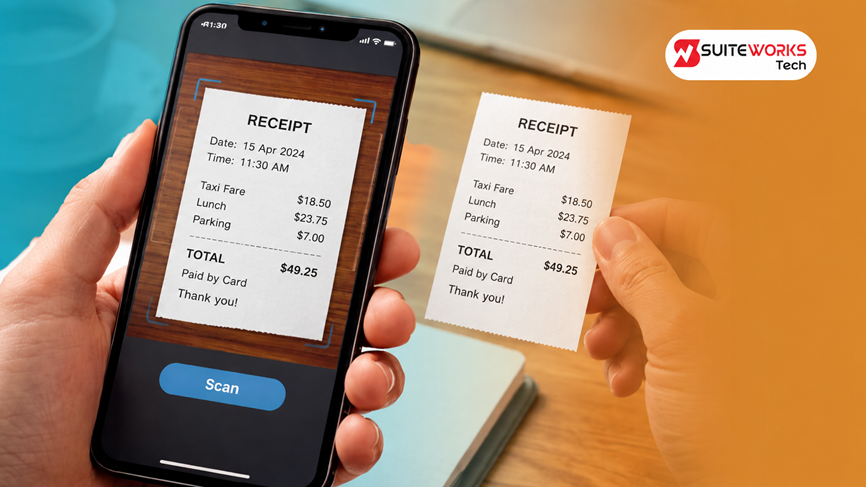
7 Costly Expense Tracking Mistakes NetSuite Expense Management Solution Can Prevent By Manasa, Sr. NetSuite Solution Architect at SuiteWorks TechJune 12, 2026 Managing employee expenses often seems straightforward until organizations begin growing. More employees, more travel, more receipts, and more expense reports quickly turn a simple process into a significant administrative burden for finance teams. Over the years, I have worked with organizations across professional services, manufacturing, construction, logistics, SaaS, and field service industries. One challenge appears repeatedly: expense tracking processes become inefficient when manual work starts piling up. Many businesses using NetSuite still struggle with delayed submissions, missing receipts, manual data entry errors, and lengthy approval cycles. These challenges impact financial visibility, employee productivity, and reimbursement timelines. This is where the NetSuite Expense Management Solution by SuiteWorks Tech helps organizations simplify expense capture, automate data extraction, and streamline reimbursement workflows directly within NetSuite. Let’s look at seven costly expense tracking mistakes that organizations can avoid with a modern expense automation approach. Why Expense Tracking Problems Continue to Increase As organizations expand, finance teams often process hundreds of expense reports every month. Without automation, the workload grows rapidly. Common challenges include: 🔹 Manual receipt entry 🔹 Lost receipts 🔹 Delayed submissions 🔹 Incorrect expense categorization 🔹 Multi-currency complexity 🔹 Slow reimbursements 🔹 Limited spending visibility The NetSuite Expense Management Solution by SuiteWorks Tech is designed to address these common pain points while helping organizations maintain accurate financial records. Mistake #1: Manual Receipt Data Entry One of the biggest causes of expense reporting errors is manual data entry. Employees frequently enter receipt information by hand, including merchant names, dates, amounts, and expense categories. Even small mistakes can create reporting inaccuracies and require additional review by finance teams. The NetSuite Expense Management Solution by SuiteWorks Tech uses AI-powered OCR technology to automatically extract: 🔹 Merchant Name 🔹 Expense Date 🔹 Amount 🔹 Receipt Details 🔹 Category Suggestions Employees simply capture a photo of the receipt through the mobile application, eliminating the need for repetitive manual entry. How NetSuite Expense Management Solution Improves Accuracy Accuracy remains one of the most important requirements for expense management. The NetSuite Expense Management Solution by SuiteWorks Tech automatically extracts receipt data and intelligently maps information to the correct NetSuite Expense Report fields. This process helps organizations: 🔹 Reduce data entry errors 🔹 Improve financial record accuracy 🔹 Accelerate expense processing 🔹 Improve reporting consistency As a result, finance teams spend less time correcting errors and more time focusing on strategic activities. Mistake #2: Losing Important Receipts Employees traveling between customer sites, project locations, and business meetings often misplace receipts before submitting expense reports. Missing receipts create documentation issues and frequently delay reimbursement approvals. The NetSuite Expense Management Solution by SuiteWorks Tech allows employees to instantly capture receipts from their mobile devices and attach multiple receipts to a single expense report. This mobile-first approach helps preserve documentation while improving compliance and approval efficiency. Mistake #3: Missing Travel Expense Details Expense reports often require more than receipt information. Finance teams may need: 🔹 Travel purpose 🔹 Project information 🔹 Business location 🔹 Expense notes Without these details, approvals become slower and reporting becomes less accurate. The NetSuite Expense Management Solution by SuiteWorks Tech enables employees to capture all required travel information directly during submission, helping organizations maintain complete expense records. Mistake #4: Waiting Too Long to Submit Expenses Many employees postpone expense reporting until the end of the month. Unfortunately, delayed submissions often lead to: 🔹 Missing receipts 🔹 Forgotten expense details 🔹 Slower approvals 🔹 Delayed reimbursements 🔹 Reduced visibility into employee spending By enabling real-time mobile submissions, the NetSuite Expense Management Solution by SuiteWorks Tech helps employees submit expenses immediately while information remains accurate and complete. Mistake #5: Incorrect Expense Mapping Incorrect expense categorization is another common issue. Even when expense information is entered correctly, expenses may be assigned to the wrong categories or reporting fields. The NetSuite Expense Management Solution by SuiteWorks Tech uses AI-powered mapping to automatically align extracted data with the appropriate NetSuite expense report fields. This creates more reliable reporting and reduces manual validation efforts. How NetSuite Expense Management Solution Reduces Finance Workload Finance teams frequently spend hours reviewing expense reports, validating receipts, and correcting data. The NetSuite Expense Management Solution by SuiteWorks Tech helps reduce administrative workload by: 🔹 Automating receipt capture 🔹 Eliminating manual data entry 🔹 Improving expense accuracy 🔹 Accelerating approvals 🔹 Simplifying reimbursement processing This allows finance professionals to focus on higher-value business activities rather than repetitive administrative tasks. Mistake #6: Managing Multi-Currency Expenses Manually Organizations operating globally often process expenses in multiple currencies. Manual conversions can create inconsistencies and increase reporting complexity. The NetSuite Expense Management Solution by SuiteWorks Tech supports multi-currency expense submissions, including USD, CAD, EUR, and other international currencies. This helps organizations manage global expenses more accurately while maintaining consistency inside NetSuite. Mistake #7: Using Disconnected Expense Systems Some organizations rely on multiple systems that require importing and exporting expense data. Disconnected systems often result in: 🔹 Duplicate records 🔹 Synchronization issues 🔹 Additional administration 🔹 Reporting inconsistencies The NetSuite Expense Management Solution by SuiteWorks Tech is built natively for NetSuite, ensuring seamless expense data flow without third-party synchronization challenges. Additional NetSuite Solutions That Support Operational Efficiency Organizations seeking broader process automation may also benefit from: 🔹 Field Service Management Mobile App 🔹 WMS Mobile App 🔹 Business Card Capture App 🔹 Delivery Routing App Organizations may also explore the Order Management AI App and Consolidated Invoicing App to further streamline operations. Businesses looking to improve NetSuite efficiency can connect with SuiteWorks Tech, an experienced NetSuite Solutions Provider with expertise across multiple industry verticals. Creating a Smarter Expense Management Process Expense tracking mistakes are rarely intentional. Most occur because manual processes create opportunities for delays, inaccuracies, and inefficiencies. The NetSuite Expense Management Solution by SuiteWorks Tech helps organizations eliminate these challenges through AI-powered OCR, intelligent expense mapping, mobile expense capture, multi-currency













Working with SuiteWorks Tech on our AI Ordering Chatbot for NetSuite was outstanding. They delivered quickly, professionally, and with impressive attention to detail. I’m thrilled with the results and highly recommend their services.
Craig Michaud Partner, Evolve Salon Systems