


How to Automate Email Orders in NetSuite Using AI: Turn Customer Emails Into Sales Orders

How to Automate Email Orders in NetSuite Using AI: Turn Customer Emails Into Sales Orders By Manasa, Sr. NetSuite Solution Architect at SuiteWorks TechSeptember 12, 2026 A customer sends a purchase order by email. The sales team opens the attachment, reads the customer details, checks the items and quantities, and then starts entering the information into NetSuite. It sounds simple. But when the same process happens dozens or thousands of times, manual order entry can become repetitive and time-consuming. Different customers may also send purchase orders in different layouts, with product descriptions that do not always match the names used inside the ERP.Email to Order for NetSuite AI automation Instead of manually reading a PDF and entering every order detail, AI and OCR can be used to extract the information, match customers and items, and create a Sales Order directly inside NetSuite. The NetSuite ERP platform provides the environment where these sales transactions are managed, while the NetSuite Email to Order AI SuiteApp by SuiteWorks Tech focuses specifically on automating the journey from an emailed purchase order to a structured Sales Order. Why Email to Order for NetSuite Matters for Sales Order Processing Customer purchase orders often arrive as PDF attachments through email. Someone on the operations or sales team then needs to interpret the document and enter the information into the ERP. That process can involve several individual details, including customer name, PO number, line items, quantities, rates, and totals. Email to Order for NetSuite brings these steps into an automated workflow. Customers can send their purchase orders through email to a dedicated Email Capture Plug-in link in NetSuite. Once the email is received, the system processes the attached PDF and uses OCR technology to extract the order information. The extracted information can then be matched with existing customer and item records before the Sales Order is created inside NetSuite. This approach is designed to reduce repetitive manual entry while helping sales operations teams process incoming orders more efficiently. From Customer Email to Structured Order Data The important change is that the emailed purchase order does not remain simply as a document waiting for someone to manually interpret it. The process moves through a structured sequence: 🔹 Customer sends a purchase order as a PDF attachment. 🔹 NetSuite Email Capture Plug-in receives the email. 🔹 OCR processes the PDF purchase order. 🔹 AI extracts the structured order information. 🔹 Customer and item records are intelligently matched. 🔹 A Sales Order is automatically created inside NetSuite. This creates a touchless order-entry workflow while keeping the resulting transaction inside the NetSuite environment. How Email to Order for NetSuite Uses AI and OCR The combination of OCR and AI is central to the automation process. OCR reads information from PDF purchase orders and converts the document content into structured data. The solution can extract details such as customer name, PO number, line items, quantities, rates, and totals. AI then helps with customer and item matching. This is particularly useful when customers use different product descriptions or naming variations. Rather than depending on one rigid naming format, the solution uses intelligent matching capabilities to identify the appropriate customer and item records. The NetSuite Email to Order AI SuiteApp by SuiteWorks Tech supports: 🔹 Fuzzy matching of customer records 🔹 Intelligent identification of items with inconsistent naming 🔹 Handling variations in product descriptions 🔹 Improving matching accuracy over time The result is a Sales Order created with high confidence and minimal manual correction. Handling Different Purchase Order Formats One challenge with emailed purchase orders is that customers do not necessarily use the same document layout. A business may receive POs with different structures and formats throughout the day. The OCR NetSuite solution is designed to handle various document structures without requiring rigid templates. That means businesses can process purchase orders even when the documents do not follow one standardized format. For organizations receiving customer POs through email, this flexibility can make automated order capture more practical. What Data Can Email to Order for NetSuite Extract? For a Sales Order to be created correctly, important information needs to be captured from the purchase order. The AI-powered OCR process extracts structured information from PDF purchase orders, including: 🔹 Customer Name 🔹 PO Number 🔹 Line Items 🔹 Quantities 🔹 Rates 🔹 Totals Once this information is extracted, customer and item matching takes place before the Sales Order is created. This helps connect the information contained in a customer document with the corresponding records already maintained inside NetSuite. Rather than treating email, PDF documents, and ERP transactions as separate activities, the workflow connects them into one order-processing process. How Email to Order for NetSuite Reduces Manual Order Entry Manual order entry can require sales operations employees to repeatedly read documents and key information into NetSuite. With AI-powered automation, repetitive data entry can be reduced. The solution is designed to eliminate manual order entry for emailed purchase orders and reduce processing errors. This allows sales operations teams to spend less time entering order information and more time focusing on customer service and fulfillment. The benefit is not only about speed. Improved data accuracy is also an important part of the workflow. AI-driven extraction and intelligent matching are designed to reduce order errors and improve data reliability inside NetSuite. For businesses processing high order volumes, these improvements can become particularly valuable. Processing Dozens or Thousands of Orders Order volume can change as a business grows. A process that works when only a small number of purchase orders arrive each day may become difficult when the volume increases. The Email to Order AI SuiteApp is designed to scale with businesses processing dozens or thousands of daily orders. This allows the same AI-powered approach to support growing order volumes without depending entirely on increasing manual order-entry work. Native NetSuite Integration Keeps Orders Connected One of the important aspects of the solution is that it is built specifically for NetSuite. The extracted and mapped information flows
NetSuite AI Email to Order Automation: How to Eliminate Manual Order Entry
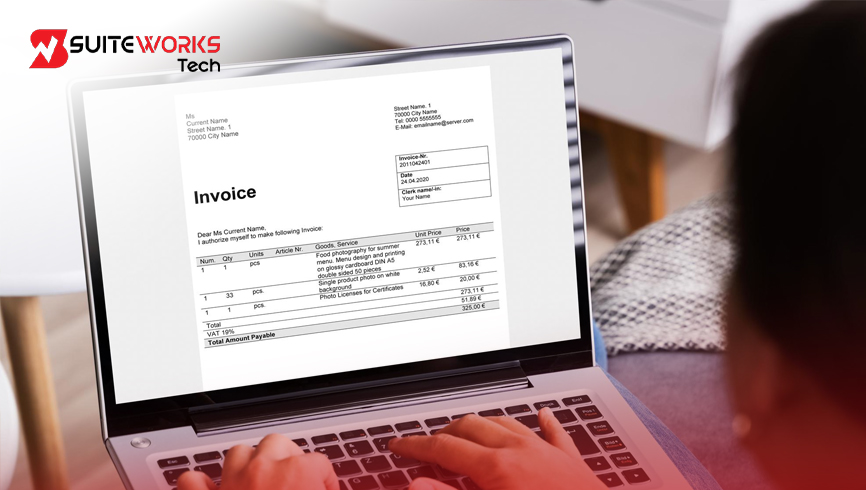
NetSuite AI Email to Order Automation: How to Eliminate Manual Order Entry By Manasa, Sr. NetSuite Solution Architect at SuiteWorks TechAugust 28, 2026 A customer purchase order may arrive in seconds, but processing it can take much longer. When purchase orders come through email as PDF attachments, operations teams often have to open each document, read the details, identify the customer and products, and manually enter the information into NetSuite. For businesses handling a growing number of orders, these repetitive steps can quickly become a bottleneck. A small mistake in a quantity, product name, rate, or customer record can also create additional work later in the order fulfillment process. This is where Email to Order for NetSuite can change the way incoming purchase orders are handled. Instead of manually transferring information from an emailed PDF into a Sales Order, AI and OCR technology can read the purchase order, extract structured information, match customers and items, and create the Sales Order directly inside NetSuite. The Email to Order AI Automation SuiteApp by SuiteWorks Tech is designed around this workflow, helping businesses automate order capture while keeping the process within their existing NetSuite environment. Why Email to Order for NetSuite Matters for Growing Businesses Consider a typical morning for an operations team. Several customers have sent purchase orders by email. Each email contains a PDF with customer information, PO numbers, product descriptions, quantities, rates, and totals. The documents may look different because customers use different purchase order layouts. Someone still needs to review every document and enter the information into the ERP. As order volumes increase, this manual approach can consume significant time. Email to Order for NetSuite changes this process by allowing customer purchase orders to move from email into NetSuite Sales Orders through an automated workflow. The customer continues to send the purchase order through email. The NetSuite Email Capture Plug-in receives the message and PDF attachment. OCR then reads the document, while AI extracts the structured order information and intelligently matches it with NetSuite records. The result is a much more direct journey from customer purchase order to Sales Order creation. How Email to Order for NetSuite Automates Order Entry The workflow begins with something familiar: a customer sends a purchase order as a PDF attachment through email. Instead of requiring a team member to manually copy the information, the Email Capture Plug-in receives the incoming email. The PDF is then processed using OCR technology. The OCR process identifies important information from the purchase order, including customer name, PO number, line items, quantities, rates, and totals. The extracted information is then processed using AI-powered customer and item matching. This is useful when customers use product names or descriptions that are different from the corresponding records maintained in NetSuite. Once the information has been identified and matched, the Sales Order can be created directly inside NetSuite. This automated sequence helps reduce repetitive order entry while improving the speed and accuracy of the process. Key Features of Email to Order for NetSuite Email-Based Purchase Order Capture Customers can continue sending their purchase orders through email as PDF attachments. The dedicated NetSuite Email Capture Plug-in receives incoming emails and prepares the purchase order for automated processing. This means businesses do not have to change the basic way customers submit their orders. Intelligent OCR Data Extraction OCR technology reads the PDF purchase order and extracts the information needed for Sales Order creation. The extracted information includes: 🔹 Customer Name 🔹 PO Number 🔹 Line Items 🔹 Quantities 🔹 Rates 🔹 Totals Instead of manually typing these details into NetSuite, the information is converted into structured data for further processing. AI-Powered Customer and Item Matching Purchase orders do not always use the exact same customer or item names stored in an ERP system. The Email to Order AI Automation SuiteApp by SuiteWorks Tech uses AI to handle these variations. It can fuzzy match customer records, identify items with inconsistent naming, and recognize variations in product descriptions. This intelligent matching helps Sales Orders be created with high confidence and minimizes the need for manual correction. Support for Multiple Purchase Order Formats One customer may use a completely different purchase order layout from another. A rigid template-based process can make this difficult to manage. The OCR NetSuite solution is designed to handle different document structures without requiring fixed templates for every customer. This allows businesses to process purchase orders received in different formats through the same automated workflow. Native NetSuite Integration The solution works directly within the NetSuite environment. Extracted and mapped purchase order information flows into NetSuite Sales Orders, creating a connected process for operations teams. Businesses can therefore continue working within their familiar ERP environment instead of managing the order process across disconnected systems. Benefits of Email to Order for NetSuite The biggest advantage of Email to Order for NetSuite is the reduction of repetitive manual work. When every purchase order must be entered manually, the amount of time spent on order processing grows with order volume. Automation changes that relationship by allowing the system to capture and process order information automatically. Faster Sales Order Processing Once the customer email is received, the purchase order can move through OCR extraction and AI matching without requiring the same amount of manual data entry. This helps teams process more orders in less time and supports faster order cycles. Reduced Manual Effort Manual order entry requires employees to repeatedly read documents, identify information, search for records, and type values into NetSuite. Automating these steps allows sales operations teams to spend less time on repetitive entry work and more time focusing on customer service and fulfillment. Improved Data Accuracy Manual typing can lead to mistakes in quantities, rates, customer details, and item information. AI-driven extraction and intelligent matching help reduce these errors by working directly from the original purchase order information. This can improve the reliability of Sales Order data maintained inside NetSuite. Scalable for Higher Order Volumes As businesses grow, the number
AI Email to Order for NetSuite: Automate Customer Orders From Emails, PDFs & Attachments
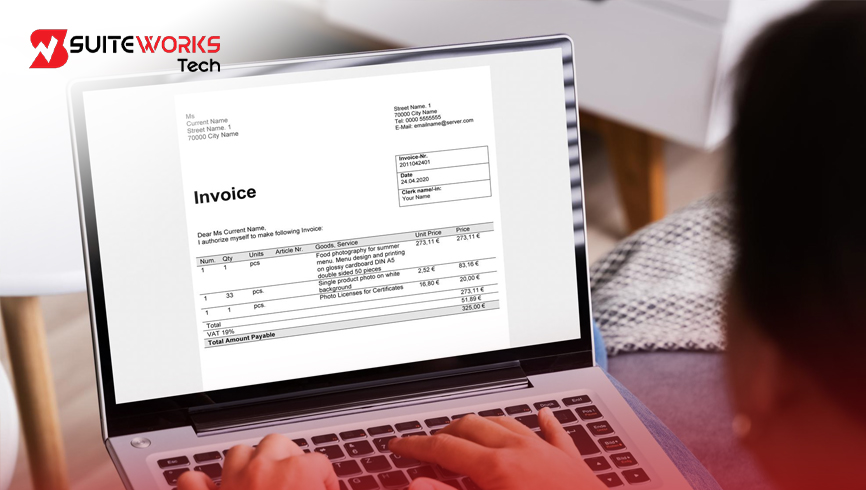
AI Email to Order for NetSuite: Automate Customer Orders From Emails, PDFs & Attachments By Manasa, Sr. NetSuite Solution Architect at SuiteWorks TechAugust 20, 2026 A customer sends an email with a purchase order attached as a PDF. For the customer, the process may feel complete once the email is sent. But for the sales or operations team receiving it, the real work is just beginning. Someone needs to open the email, download the attachment, read the purchase order, identify the customer, check the products, enter quantities and rates, and create a Sales Order in the ERP system. When this happens occasionally, manual entry may seem manageable. But when dozens or thousands of customer purchase orders arrive, the same process can quickly become repetitive and time-consuming. This is where AI Email to Order for NetSuite can make a difference. Instead of manually transferring information from customer emails and PDF attachments into NetSuite, AI and OCR technology can extract the order information, identify the customer and items, and create a Sales Order directly inside NetSuite. SuiteWorks Tech’s Email to Order AI Automation SuiteApp for NetSuite is purpose-built for this workflow, helping businesses automate customer purchase orders while reducing manual order entry and improving order accuracy. How AI Email to Order for NetSuite Turns Emails Into Sales Orders The journey starts with something familiar: a customer email. The customer sends a purchase order as a PDF attachment to a dedicated Email Capture Plug-in link in NetSuite. Once the email arrives, the system automatically detects and processes the incoming order without requiring someone to manually copy information from the document. The PDF is then processed using OCR technology. The OCR reads the purchase order and extracts structured information that can be used for Sales Order creation. Instead of manually typing every field, the system identifies the important details within the document. The extracted information includes: 🔹 Customer Name 🔹 PO Number 🔹 Line Items 🔹 Quantities 🔹 Rates 🔹 Totals Once the information has been extracted, AI helps match the customer and products with the appropriate records in NetSuite. After the matching process, the Sales Order can be automatically created inside NetSuite. The complete workflow can be summarized simply: Customer Email → PDF Attachment → OCR → AI Data Extraction → Customer & Item Matching → NetSuite Sales Order This creates a more connected way to process customer orders. AI Email to Order for NetSuite Handles PDF Purchase Orders PDF purchase orders do not always look the same. Different customers may use different layouts, document structures, and descriptions for their products. If a process depends on a single rigid template, handling these variations can become difficult. AI Email to Order for NetSuite is designed to work with multiple purchase order formats. The OCR technology reads PDF purchase orders and extracts the relevant information even when customers use different document structures. This means businesses do not need to depend on one fixed purchase order template. For teams processing customer orders every day, this flexibility can be important. Instead of asking customers to change the way they create purchase orders, the automation is designed to work with the formats customers are already using. From PDF Attachment to NetSuite Sales Order Consider what normally happens when a PDF purchase order reaches an inbox. A sales operations employee opens the attachment, reads the customer information, identifies the PO number, reviews every line item, checks quantities and rates, and then manually enters the details into NetSuite. The same process may need to be repeated many times during a working day. With the SuiteWorks Tech solution, the process becomes automated. The customer sends the purchase order by email. The NetSuite Email Capture Plug-in receives the message and its PDF attachment. OCR processes the document and extracts the structured order information. AI then identifies the appropriate customer and items before the Sales Order is created inside NetSuite. This reduces the repetitive work associated with order entry and provides a faster path from customer communication to Sales Order creation. What Data Can AI Extract From Customer Purchase Orders? One of the important parts of the automation is the ability to turn information contained in a PDF into structured order data. The OCR technology can extract: 🔹 Customer Name 🔹 Purchase Order Number 🔹 Line Items 🔹 Quantities 🔹 Rates 🔹 Order Totals This eliminates the need for employees to manually key these details into NetSuite for every incoming purchase order. The extracted information becomes the foundation for creating an accurate Sales Order inside the ERP environment. How AI Matches Customers and Items in NetSuite Extracting information from a PDF is only one part of the order-processing challenge. The system also needs to determine which customer and products the information belongs to. Customer names and product descriptions may not always exactly match the records already stored in NetSuite. This is where AI-powered matching becomes important. The solution uses fuzzy matching for customer records and intelligently identifies items even when product descriptions contain variations. For example, customers may use different descriptions for the same product. The solution is designed to handle inconsistent naming and variations in product descriptions. The matching capability also improves over time, helping increase matching accuracy while reducing the amount of manual correction required. Benefits of AI Email to Order for NetSuite The purpose of automating email-based order processing is not simply to replace manual data entry. It is to create a faster and more reliable order workflow. Faster Sales Order Processing Manual order entry can slow down the movement from customer purchase order to Sales Order. AI-powered automation allows businesses to process more orders in less time. Once the email and PDF are received, the information can move through OCR and AI processing before the Sales Order is created inside NetSuite. Reduced Manual Effort Sales operations teams often spend valuable time entering information that already exists in customer purchase orders. Automating this repetitive work allows teams to reduce manual order entry and













Working with SuiteWorks Tech on our AI Ordering Chatbot for NetSuite was outstanding. They delivered quickly, professionally, and with impressive attention to detail. I’m thrilled with the results and highly recommend their services.
Craig Michaud Partner, Evolve Salon Systems